Bolt.new
StackBlitz's platform for building, running, and deploying web applications directly in the browser with AI.
Overview
Bolt.new
Description of the Bolt.new neural network
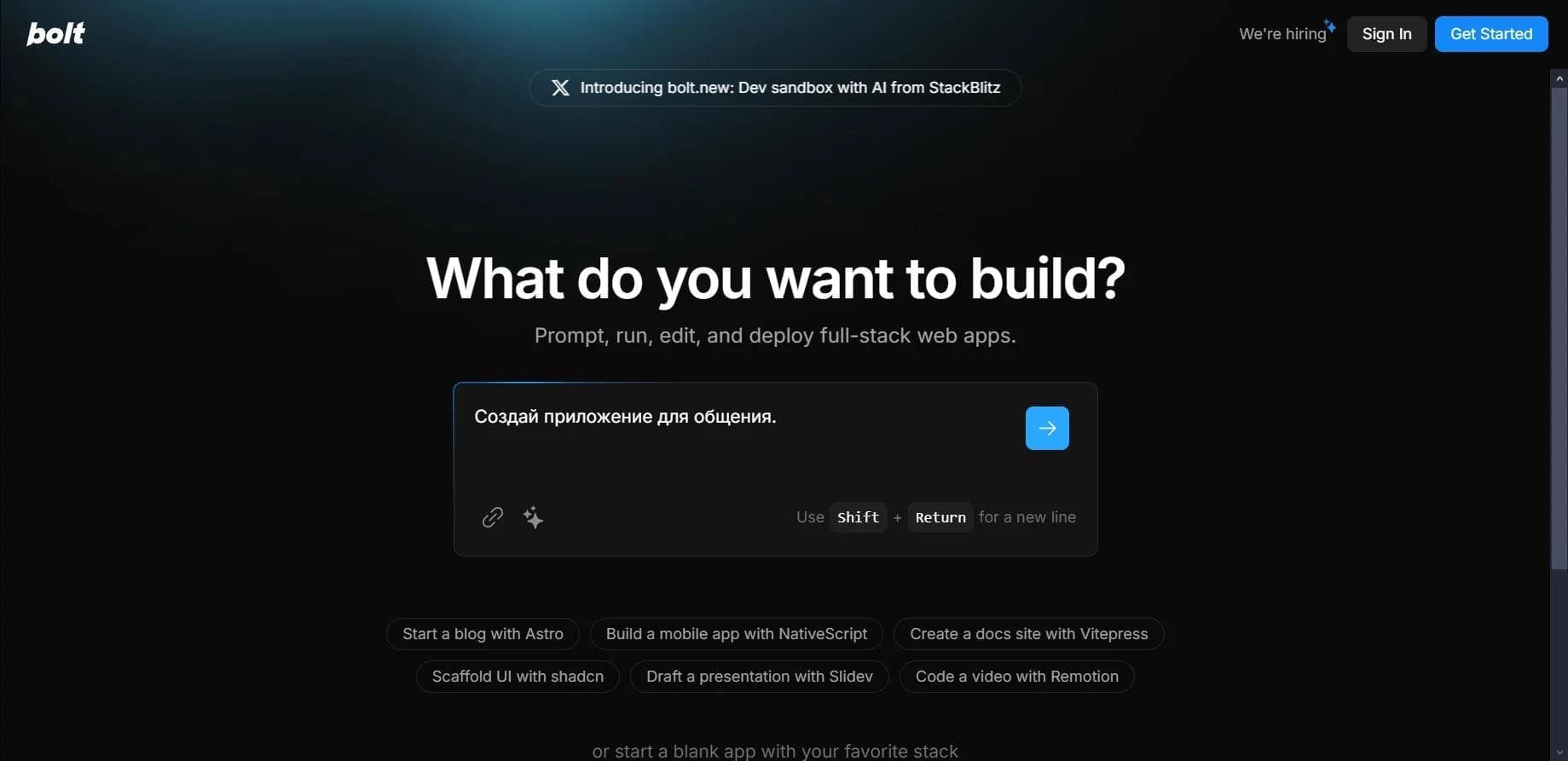
Bolt.new is a browser-based platform from StackBlitz that lets you create, run, and publish web applications right in the browser using artificial intelligence. Simply describe the task in text, and the AI will generate the code, then launch the project in real time.
The tool’s key feature is working without any local environment setup. Unlike many similar solutions, Bolt.new supports not only the frontend but also the backend, and lets you install npm packages directly in the browser. The platform works with popular frameworks, including React, Vue, Next.js, and Svelte, and finished projects can be deployed to Netlify or Cloudflare.
Bolt.new characteristics
| Characteristic | Value |
|---|---|
| Type | AI platform / AI agent for building web applications |
| Developer | StackBlitz |
| Category | Code generation, website and app creation, developer tools |
| Transformation | Text to code |
| Platforms | Web (browser), Android, iOS |
| Supported frameworks | React, Vue, Next.js, Svelte, Angular, JavaScript, TypeScript, Node.js |
| Run and deploy | In the browser, no local setup required |
| Integrations | GitHub, Figma, Supabase |
| API availability | Yes |
| Free plan | Yes |
| Distribution model | Freemium |
| Publication date | March 25, 2025 |
Who is the Bolt.new neural network suitable for?
Beginners in development and students
Bolt.new is great for those just starting to learn programming. The tool lets you create working applications even without deep coding knowledge—just describe the task in words, and the AI takes care of the rest. For students, it’s a convenient space for practice and learning the development process.
Experienced developers and freelancers
Professional developers can use Bolt.new for rapid prototyping and testing ideas without wasting time on environment setup. The tool is suitable for building MVPs, landing pages, internal tools, and small full-stack projects.
Entrepreneurs and product teams
Founders and product teams can quickly validate the concept of a future product without significant development investment. The tool is also useful for designers who want to turn their mockups into working code, including via import from Figma.
How to use the Bolt.new neural network?
Step 1: Describe the task
Visit the Bolt.new website and sign up or log in to your account. Choose the type of application you want to create and your preferred framework or tool. Then describe in simple words what your program should do—the AI will generate the project structure and source code.
Step 2: Review and refine the result
Review the result in the interactive preview right in the browser. If needed, ask the AI to fix errors, change the design, or add new features via the chat. You can also edit the code manually in the built-in development environment.
Step 3: Run and deploy the project
Once the project is ready, export the code or deploy the application in a few clicks via Netlify or Cloudflare. Publishing takes a single action, with no complex server configuration required.
Key features of Bolt.new
Code generation and control over the development environment
Bolt.new generates web application code from text prompts. The AI gets full control over the development environment—managing project files and the Node.js server right in the browser. It also supports installing npm packages and working with the backend without local environment setup.
Running, editing, and deploying
The platform runs applications in real time and shows an interactive preview. The AI automatically detects errors and suggests fixes. Finished projects are published in one click via Netlify or Cloudflare, and GitHub integration is also supported.
Additional integrations
Bolt.new supports connecting Supabase databases, importing projects from Figma, and choosing your preferred framework. This makes the tool a flexible solution for a wide range of tasks—from simple landing pages to full-fledged full-stack applications and mobile projects.
Advantages of Bolt.new
Simplicity and speed
The main advantage is ease of use even without deep programming knowledge. The AI quickly generates and runs code, so the task comes down to formulating your request and checking the result. This saves a significant amount of time on prototyping.
Accessibility and convenience
Everything works online in the browser, so no local setup is required. The platform supports many frameworks, offers manual code editing capabilities, and automatically detects errors with suggested fixes.
Fast deployment and flexibility
Deploying a finished application takes just one click. Backend support, npm packages, and integrations with GitHub, Figma, and Supabase provide extensive capabilities for developing both frontend and server-side code.
Disadvantages of Bolt.new
Despite all its advantages, Bolt.new still falls short of traditional IDEs in terms of configuration depth when working on complex projects. For large commercial systems, you need to independently review the code, architecture, security, and performance, as well as analyze dependencies and access rights before going into production.
In addition, the tool’s official pages provide limited information about the specific details of how its AI capabilities and integrations work, and there is relatively little detailed documentation and open community resources.
What tasks does Bolt.new solve?
Building web applications and prototyping
The tool lets you create full-fledged web applications with a frontend and backend from a text description. Bolt.new is ideal for rapid prototyping of MVPs, landing pages, internal tools, and frontend prototypes.
Learning and mobile app development
The platform is useful for educational projects and testing ideas. In addition to web applications, Bolt supports mobile app development, expanding the tool’s range of use cases.
Interface generation and project launch
Bolt.new generates code for interfaces and lets you run and deploy projects without local environment setup. This makes the tool a convenient solution for validating hypotheses and quickly getting small products to market.
Bolt.new pricing
Bolt.new operates on a freemium model. A free plan is available with a daily limit of about 150,000 tokens. Paid plans include Personal at $20 per month (private projects and 1 million tokens per month), Pro at $40 per month, and Business starting at $99 per month.
According to another source, the paid Pro plan starts at $20 per month and offers 10 million tokens, an increased upload limit, and rollover of unused tokens, while the Teams plan at $30 per month adds centralized billing and team-level access management. Annual billing comes with a 10% discount. Tokens can also be purchased separately and are retained while the subscription is active.
Terms of use for Bolt.new
Free access to Bolt.new is limited by tokens: the daily limit is about 150,000 tokens. Once that is used up, AI features pause until the next day. According to one source, the free plan includes 1 million tokens per month with a daily limit of 150,000 tokens.
Registration and account login are required to use the platform. This is naturally expected for paid plans. No credit card is required for the free plan.
Bolt.new availability
Bolt.new is a web service that works online in the browser. In addition, the tool is available for the Android and iOS mobile platforms. Interface languages and regional restrictions are not specified in the source data.
According to traffic statistics, the tool’s main audience comes from the United States, India, Brazil, Nigeria, and Germany, with approximately 3.85 million monthly visits.
How Bolt.new differs from alternatives
The main difference between Bolt.new and tools like Cursor AI and Vercel’s v0 is the ability to work with the backend and install npm packages directly in the browser. v0 focuses primarily on interface generation, while Cursor AI is better suited for helping with existing projects. Bolt.new, on the other hand, combines code generation with a full-fledged development environment.
Unlike classic deployment and hosting platforms, Bolt.new covers the entire cycle: from describing an idea and generating code to running and publishing the finished application. Thanks to the AI’s full control over files and the Node.js server, the tool offers a more comprehensive solution for quickly building complete applications, including mobile ones.
Conclusion
Bolt.new is a convenient tool for quickly building web applications with artificial intelligence. The platform from StackBlitz combines code generation from text descriptions, running projects in the browser without local setup, and one-click deployment. The tool is suitable for beginners, experienced developers, students, entrepreneurs, and product teams, helping save time on prototyping, learning, and testing ideas. However, complex commercial projects will require additional review of code, architecture, and security.