
Introduction: Everyone Is Strong in Their Own Way
Choosing an AI assistant for programming today is like picking a superhero team: each has its own strengths, weaknesses, and price. Three main contenders dominate the market — Cursor, Google Antigravity, and Claude Code. Let's figure out which one actually speeds up development and which one is still just making promises.
It's important to understand: no two tasks are alike. One person needs a huge context window, another needs parallel agents, and a third needs control from their phone. So tools should be compared not head-on, but by use case. Below is an honest breakdown of each one's strengths and weaknesses.
Cursor: Betting on the Ecosystem
Cursor is arguably the most famous of the three. In April, version 3 was released, completely dropping its previous VS Code foundation — the interface was built from scratch. You can tell the developers focused on speed: everything feels snappy, although some familiar plugins may behave in unexpected ways.
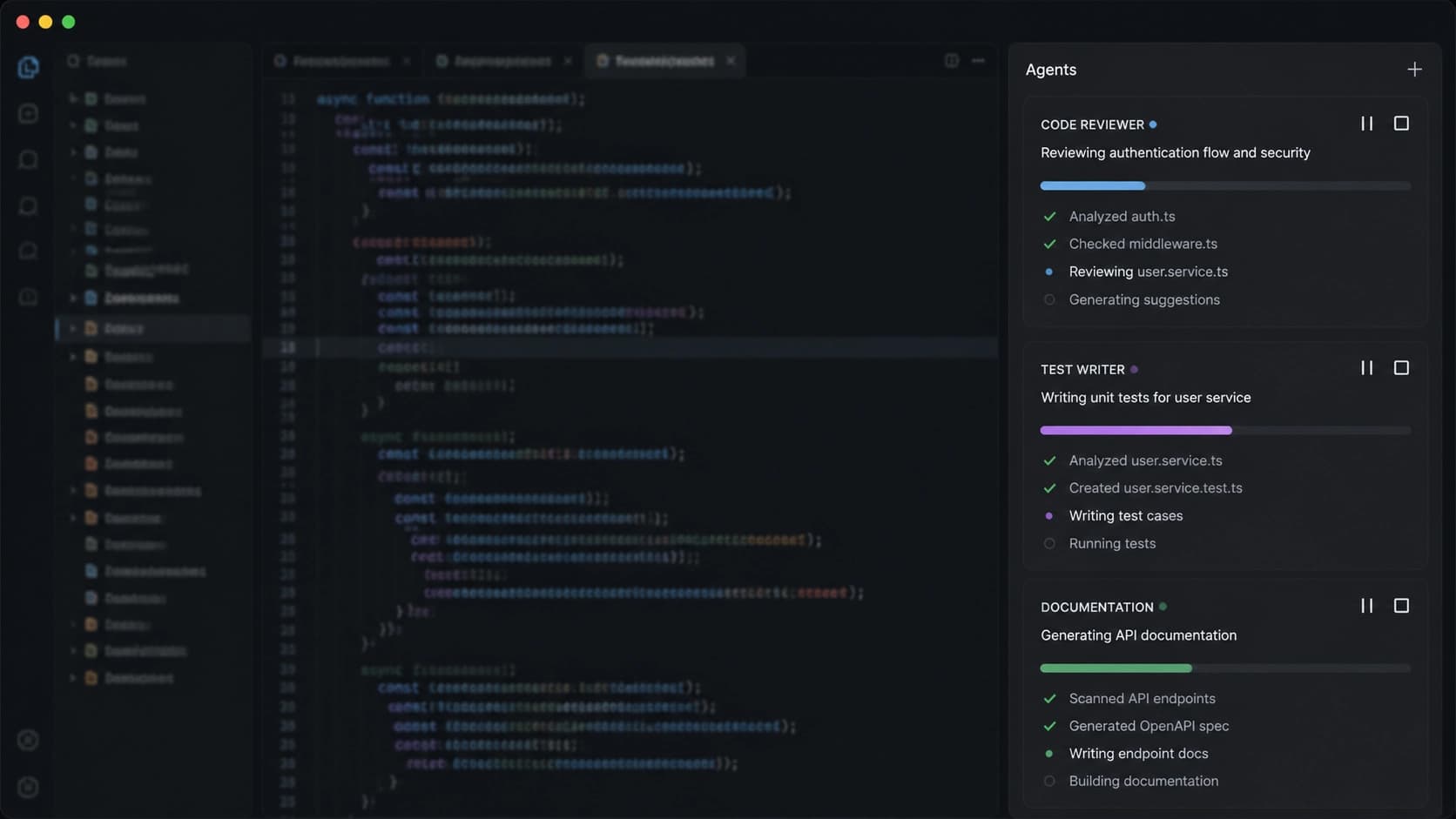
The main feature of the new version is the Agents Window. It's a side panel that collects all running agents: local, cloud, and those coming from Slack or GitHub. It's handy when working in a team: a colleague posts a task in chat, and it immediately appears in the shared window. No need to switch between a dozen tabs.
Another interesting mechanic is the /best-of-n command. It runs the same task in parallel across multiple models, each in an isolated branch. The results are then compared, and the developer picks the best one. It's like a sparring match between GPT-5, Claude, and Gemini: the strongest wins.
On the unusual side — Bugbot, an AI pull request reviewer. It learns directly from the project's change history and, according to Cursor, manages to propose a fix for 78% of detected bugs before the merge. That said, these are the product's own numbers, so they should be taken with a grain of salt.
Pros:
- Mature ecosystem and a huge community — almost any question has already been solved.
- Unique
/best-of-nand stable MCP support. - You can switch models on the fly without restarting the session.
Cons:
- Pricing starts at $20 per month, and heavy tasks burn through limits quickly.
- The expensive Pro+ and Ultra plans cost $60 and $200 respectively.
- The new Agents Window is a bit rough around the edges: the interface is overloaded, and some features are still being polished.
- No computer use support.
Google Antigravity: The Free Orchestrator
Google Antigravity is the dark horse that only appeared on the market in November 2025 and immediately became free. The project is positioned as an IDE with two modes: a regular Editor View and a Manager View for orchestration. The second one is especially interesting: multiple agents execute tasks in parallel while the developer sees artifacts — plans, screenshots, logs. In effect, it's a command center for the entire development process, and it looks impressive.
Antigravity's ace is Chrome browser integration. Agents can open a real Chrome instance and test the interface: clicking buttons, entering text, checking scenarios. This is very similar to computer use, but within the browser. For web development, this approach may be even more convenient than full mouse control.
On the SWE-bench Verified benchmark, the service scored 76.2% — the best result among the compared IDEs. That's a strong argument, especially given that it's free. Supported models include Gemini 3.1 Pro, Claude Opus 4.6, and Sonnet 4.6, so there's plenty of choice.
However, not everything is smooth: there's no MCP support, you can't manage tasks from your phone, and starting in January the service began cracking down on unauthorized subscriptions — apparently due to overload. Paid tiers haven't been announced yet, but it seems the free period will eventually end.
Pros:
- Completely free with generous limits.
- Manager View for parallel tasks and clear artifacts.
- Agents test the interface in a real Chrome instance.
- Support for powerful models, including Claude Opus 4.6 and Sonnet 4.6.
Cons:
- No MCP support.
- No mobile control or Dispatch-like features.
- The project is younger than its competitors, so it's a bit rough in places.
- The future of paid tiers is unclear.
Claude Code: Massive Context and Autonomy
Claude Code is Anthropic's creation, which was available only on Mac for a long time. A Windows version appeared in February, and until April 9, users could work through an environment with Opus 4.6 and a 1 million token context. That's a huge amount, allowing you to load entire repositories or parts of a codebase without splitting them into pieces.
On April 9, Anthropic announced computer use in research preview. Now Claude can control the mouse and keyboard on its own. It doesn't work perfectly: for complex multi-step tasks, you sometimes need to restart the loop, but the overall direction is clear — this is a fully autonomous agent.
Another notable addition is Dispatch. Through the Claude mobile app, you can set a task, and Claude Code on your desktop will start working on it. A telling example from practice: a developer described a refactoring while on the subway and received a ready diff by email 40 minutes later. For those who live in the "idea — immediately executed" rhythm, this is a must-have.
On SWE-bench Verified, the score is around 57%, which is lower than Antigravity but higher than Cursor. That said, with the million-token context and computer use, Claude Code's potential really shines in long autonomous tasks where others give up.

Pros:
- Native MCP and a massive 1M token context.
- Computer use in research preview.
- Dispatch for control from a smartphone.
- Starts free, Pro at $20, Max up to $200 — comparable to Cursor.
Cons:
- No Linux version.
- Computer use is still experimental and needs refinement.
- No offline mode or local model support.
Comparison Table
Below are the key parameters in a condensed form so you can evaluate the tools "at a glance."
| Parameter | Cursor | Google Antigravity | Claude Code |
|---|---|---|---|
| Price | Free (preview), Pro $20, Max $100–200 | Free | Free (preview), Pro $20, Max $100–200 |
| Key models | GPT-5, Claude Sonnet 4.6, Gemini 2.5 | Gemini 3.1 Pro, Claude 4.6, GPT-OS | Opus 4.6, Sonnet 4.6 |
| Max context | Depends on the model | Up to 1M tokens (Gemini) | 1M tokens (Opus 4.6) |
| MCP | Yes, full support | No (for now) | Yes, native support |
| Parallel agents | Yes, Agents Window | Yes, Manager View | Experimental |
| Computer use | No | No (Chrome only) | Yes, research preview |
| Phone control | Yes, Slack and mobile | No | Yes, Dispatch |
| Platforms | Mac, Windows, Linux | Mac, Windows, Linux | Mac, Windows |
| SWE-bench Verified | ~55% | 76.2% | ~57% |
Verdict: Who's Best?
There's no clear winner — each tool excels in its own scenario. If you want a smart assistant with Chrome interface testing for free, Google Antigravity looks very appealing. Its 76.2% on SWE-bench is a serious statement, especially with zero barrier to entry.
When your priorities are maturity, MCP, on-the-fly model switching, and a large community, Cursor remains a sensible choice. Despite the price and the rough Agents Window, it's a stable, battle-tested tool used by thousands of developers.
But if you need autonomy with smartphone control, a huge context window, and experimental features like computer use, Claude Code is worth a closer look. Task dispatch from your phone and a million-token context mean you can close tasks while you're still on your way to the office.
In the end, don't choose the "best in a vacuum" — choose the one that solves your specific pain: a free orchestrator, a mature IDE, or an autonomous agent. That said, the market is changing fast: in just a couple of months, weaknesses may disappear and prices may shift.