Whimsical

ProductivityProject ManagementNo-code / Low-code
FreePaid

A collaborative digital workspace for visualizing ideas and processes using diagrams, mind maps, flowcharts, and AI-powered layouts.

Whimsical

Overview

Whimsical

Description of the Whimsical neural network

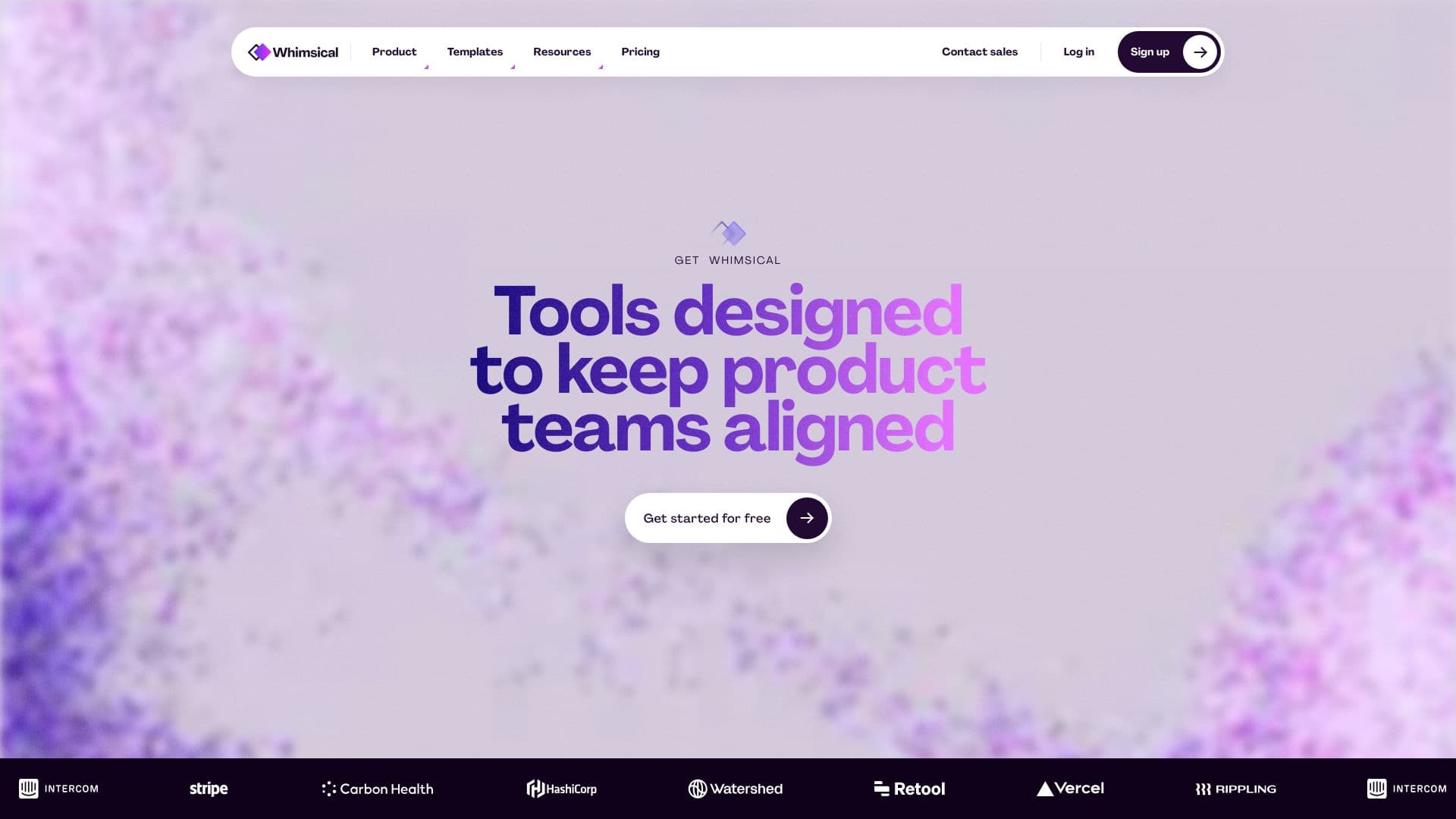
Whimsical is a digital workspace for collaboratively visualizing ideas, processes, and products. The platform combines several visual thinking tools in a single interface: flowcharts, mind maps, wireframes, documents, and project boards. The key feature of the service is built-in artificial intelligence support that allows you to automatically generate diagrams based on a text description. A user can describe an algorithm or process in words, and the neural network will build an editable diagram with steps, branches, and connections. An additional module, Applet, expands Whimsical's capabilities, allowing you to create interactive clickable prototypes without writing code.

Whimsical characteristics

CharacteristicValue
Tool typeWhiteboard for visual thinking and prototyping
CategoryDesigner assistant, Diagrams and schematics, Knowledge maps
PlatformsWeb service (whimsical.com)
Distribution modelFreemium
Interface languageNot specified
Free plan availableYes
Paid plan starting price10 USD per month
Credit card required for free planNo
Real-time collaborationYes
AI featuresYes

Who is the Whimsical neural network suitable for?

Product teams

Whimsical is suitable for product managers, designers, and developers who work together on ideas, diagrams, and prototypes. The tool helps visualize user scenarios, product logic, and processes in the early stages of development.

Designers and developers

The service is useful for designers creating interface sketches and wireframes, as well as for developers building algorithm flowcharts and user flows. The ability to create interactive prototypes without code makes the tool accessible to specialists of different levels.

Marketing teams and project managers

Whimsical is suitable for brainstorming, structuring ideas, and project management. Managers can use project boards and mind maps for task planning, and marketers can use them to visualize processes and funnels.

How to use the Whimsical neural network?

Getting started

To start using Whimsical, register or log in to your account at whimsical.com. No credit card is required for the free plan. After logging in, create a new document or board and choose the content type: flowchart, wireframe, mind map, document, or project board.

Creating diagrams with AI

Describe a process or algorithm in text, and the service will automatically build an editable diagram with steps, branches, and connections. This is the most direct way to create a flowchart using a neural network. The finished diagram can be edited, elements can be added, and the visual style can be customized using templates, icons, and themes.

Collaboration

Invite team members to collaborate in real time. Whimsical displays collaborators' cursors and edits and supports commenting directly on board elements. To create interactive prototypes, use the Applet module, which lets you add clickable elements without writing code.

Whimsical core features

Visual tools

Whimsical includes a set of visual thinking tools: flowcharts for processes and algorithms, wireframes for interface sketches, mind maps for structuring ideas, project boards for task management, and documents for notes and documentation.

AI diagram generation

Artificial intelligence helps create diagrams from text descriptions. The user enters a process description, and the neural network automatically builds an editable diagram with steps, branches, and connections. AI also suggests interaction logic and offers common patterns.

Real-time collaboration

The platform supports multiple users working simultaneously on the same board. Participants' cursors are displayed, and changes are synchronized instantly. You can leave comments directly on board elements, reducing the need to switch between tools for discussion.

Interactive prototypes with Applet

The optional Applet module lets you create clickable interactive prototypes. AI helps automatically build connections between screens and generate interface elements. Prototypes can be tested without writing code, speeding up hypothesis validation.

Whimsical advantages

Unified workspace

Whimsical combines tasks, documents, communication, and diagrams in one application. This reduces the need to switch between multiple tools, saving the team time and budget. In one space, you can brainstorm, build diagrams, create prototypes, and manage projects.

Fast performance and clean interface

The tool works quickly without an overloaded interface. Purpose-built team communication tools reduce noise, and customizable focus settings help manage notifications. Whimsical is reliable and used by millions of users.

AI accelerates prototyping

Artificial intelligence takes on part of the routine work: it automatically builds diagrams from text descriptions, suggests common patterns, and generates interface elements. This speeds up prototype creation and allows hypotheses to be tested faster before writing code.

Collaborative discussion without switching

The ability to discuss and edit in one space without switching between tools simplifies teamwork. Commenting directly on board elements and displaying colleagues' cursors eliminate file version confusion.

Whimsical disadvantages

The main disadvantage of Whimsical is the need to pay for a subscription to fully use AI features. The free plan provides a limited number of AI actions per editor per month (100 actions), which may not be enough for active work. Some pages may not indicate free plan information, creating the impression that payment is required. Specific pricing and the cost of AI features are sometimes not described in detail.

What tasks does Whimsical solve

Brainstorming and structuring ideas

Using mind maps and boards, Whimsical helps organize ideas, conduct brainstorming sessions, and visualize connections between concepts. The tool is suitable for team idea generation and quickly structuring thoughts.

Building product logic

The platform lets you create user flows, process flows, and flowcharts to visualize user scenarios and processes. This helps product teams build product logic and discuss it with colleagues.

Interface design and prototyping

Whimsical is suitable for creating low-detail interface sketches using wireframes. Interactive prototypes created with Applet allow quick hypothesis validation before writing code and testing interactions.

Project management and documentation

Project boards help manage tasks, and documents help maintain notes and documentation. Real-time notifications with customizable focus settings reduce noise and help the team stay informed of changes.

Eliminating file version confusion

Real-time collaboration with cursors and colleagues' edits eliminates file version confusion during teamwork. All changes are synchronized instantly, and version history allows you to roll back changes.

Whimsical pricing

Whimsical operates on a Freemium model. The free plan includes unlimited workspace members, all file types, 3 team boards, 100 team tasks, 3 teams, 10 guests, file uploads up to 5 MB, 7-day version history, and 100 AI actions per editor per month.

Paid plans:

  • Pro — 10 USD per month: unlimited team boards and tasks, 100 custom templates, private teams, 50 guests, uploads up to 1 GB, 90-day version history, 500 AI actions per editor per month, admin roles.
  • Business — 15 USD per month: unlimited teams and templates, 100 guests, uploads up to 5 GB, 1-year version history, 1000 AI actions per editor per month, SSO/SAML.
  • Enterprise — 20 USD per month: from 200 guests, uploads up to 10 GB, unlimited version history, 2000 AI actions per editor per month, SCIM, advanced security features, priority support, dedicated success manager.

A discount is available: free Pro for startups for 12 months (terms apply).

Whimsical terms of use

Using Whimsical requires registration via an account. No credit card is needed for the free plan. The service allows you to invite participants to the workspace and share boards. The page contains links for subscription payment and usage instructions, but the explicit terms of use are not described in detail. Users can export their work from the platform.

Whimsical availability

Whimsical is available as a web service at whimsical.com. Regional restrictions and the need to use a VPN are not indicated. The platform is available globally: the largest share of visitors comes from the USA (17.25%), India (17.24%), Brazil (7.67%), Indonesia (7.19%), and France (4.73%). The service is regularly updated and used by millions of users worldwide.

How Whimsical differs from alternatives

Comprehensiveness in one tool

Unlike Miro, Lucidchart, Mural, Figma, and Draw.io, Whimsical combines flowcharts, wireframes, mind maps, project boards, and documents in one application. This reduces the need to switch between multiple tools for different visual planning tasks.

AI diagram generation from text

Whimsical offers a direct way to create flowcharts from text descriptions. Unlike Mermaid Chart, Eraser, Microsoft IQ, Lucidchart AI, and other AI diagram tools, Whimsical also supports creating wireframes, mind maps, and interactive prototypes.

Focus on product teams

The tool is aimed at product teams, designers, managers, and developers. Unlike more universal solutions, Whimsical was purposefully designed for visual thinking and collaborative work on ideas and processes in the early stages of development.

Conclusion

Whimsical is a versatile collaborative workspace that combines flowcharts, wireframes, mind maps, project boards, and documents in one application. The tool is suitable for product, engineering, and design teams, offering AI features for generating diagrams from text descriptions and customizable templates. Pros include integrating various visual planning tools in one place, real-time collaboration capabilities, and AI-accelerated prototyping. The Freemium model lets you start using it for free, while paid plans expand functionality for active teams. Whimsical and Applet are two complementary tools that help at the idea and diagram stage, and then at the stage of creating interactive prototypes.

Creating custom scenarios and user flows
Planning and brainstorming in a team
Rapid interface prototyping
Business process visualization

Pricing

PlanPriceFeaturesLimits
FreeFreeunlimited workspace members, all file types, 3 team boards, 100 team tasks, 3 teams, 10 guests, file uploads up to 5 MB, 7-day version history, 100 AI actions per editor per month3 team boards, 100 team tasks, 3 teams, 10 guests, file uploads up to 5 MB, 7-day version history, 100 AI actions per editor per month
Pro$10 USD per monthunlimited team boards and tasks, 100 custom templates, private teams, 50 guests, uploads up to 1 GB, 90-day version history, 500 AI actions per editor per month, admin roles50 guests, uploads up to 1 GB, 90-day version history, 500 AI actions per editor per month
Business15 USD per monthunlimited teams and templates, 100 guests, uploads up to 5 GB, 1-year version history, 1,000 AI actions per editor per month, SSO/SAML100 guests, uploads up to 5 GB, 1-year version history, 1,000 AI actions per editor per month
Enterprise20 USD per monthfrom 200 guests, uploads up to 10 GB, unlimited version history, 2000 AI actions per editor per month, SCIM, advanced security features, priority support, dedicated success managerfrom 200 guests, uploads up to 10 GB, unlimited version history, 2000 AI actions per editor per month

Frequently asked questions

See also

Whimsical — review of an AI tool for diagrams and prototypes