

Visper
Сервис для создания анимированных видео с виртуальными персонажами-дикторами, которых можно настраивать под свои задачи.
Обзор
Visper
Описание нейросети Visper
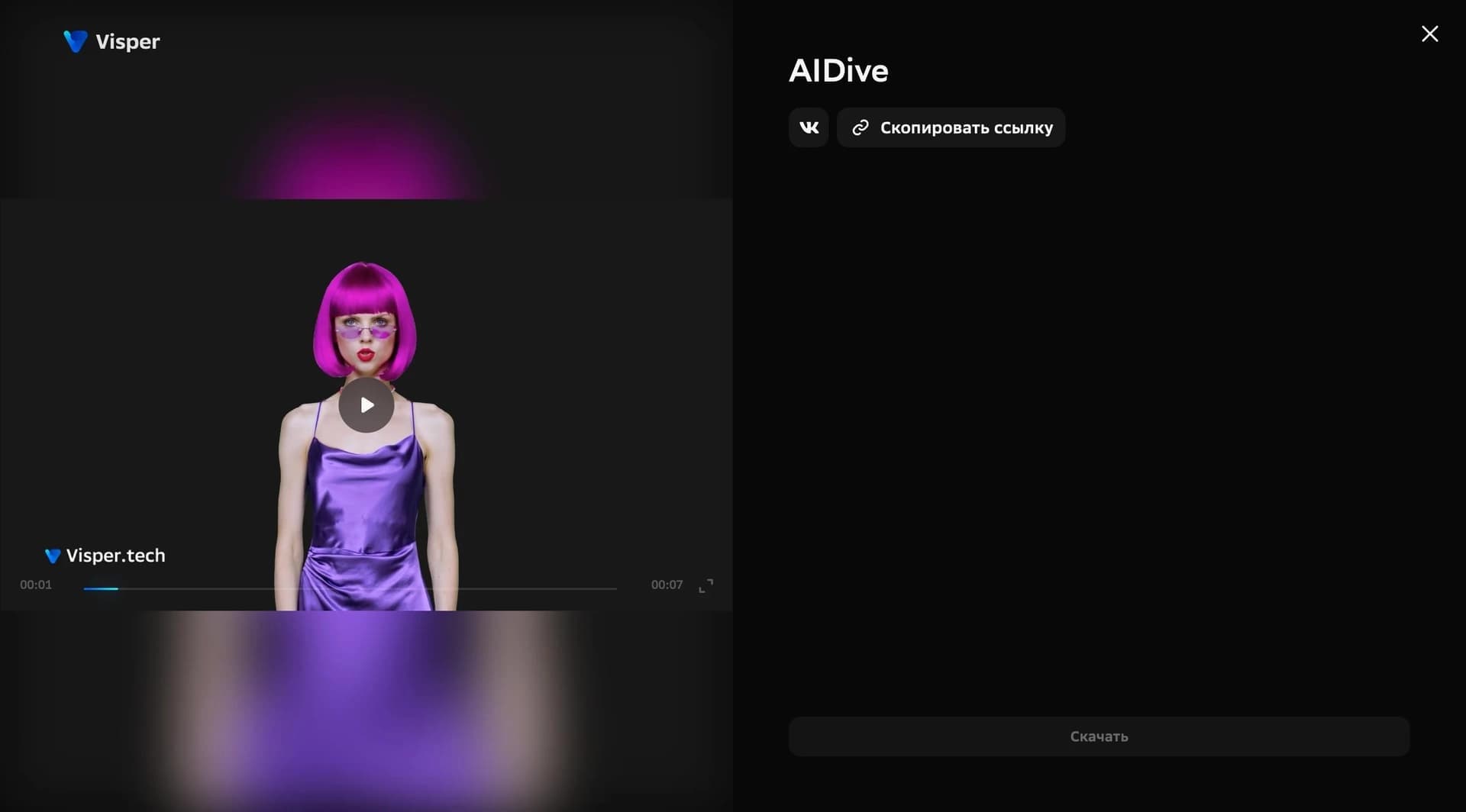
Visper — это нейросеть от Сбера для создания анимированных видеороликов с использованием виртуальных персонажей-дикторов. Вместо реальных съёмок, оборудования и монтажа сервис позволяет собрать готовое видео прямо в браузере: выбрать персонажа, задать его внешность, голос, интонацию и жесты, добавить текст для озвучки, а затем сгенерировать ролик.
Сервис предоставляет более 100 готовых персонажей, внешний вид которых можно настраивать — разные стили, причёски и наряды. В кадр можно добавить фон из фото или видео и разместить персонажа так, как удобно. Готовый ролик можно редактировать прямо в сервисе и использовать для учёбы, работы, презентаций и публикаций в социальных сетях.
Суть сервиса
Visper берёт на себя весь процесс создания видео с цифровым ведущим: от выбора образа и озвучки до финального экспорта. Пользователю достаточно загрузить текст и фон, а сервис сам сгенерирует сцену с говорящим персонажем.
Формат работы
Работа происходит через веб-интерфейс, поэтому устанавливать дополнительное программное обеспечение не требуется. Создавать ролики можно с компьютера, используя только браузер.
Характеристики Visper
| Характеристика | Значение |
|---|---|
| Тип | AI-инструмент для создания видео |
| Разработчик | Сбер |
| Формат работы | Веб-интерфейс, не требует установки |
| Категории | Голоса и озвучка, Дубляж и переозвучка |
| Языки интерфейса и поддержки | Английский, русский, испанский |
| Бесплатный тариф | Есть бесплатная демо-версия |
| Лимит генерации | До 50 роликов в день |
| Число персонажей | Более 100 вариантов |
Для кого подходит нейросеть Visper?
Visper рассчитан на широкую аудиторию — от отдельных пользователей, ведущих блоги, до бизнеса и образовательных организаций. Ниже разберём основные группы пользователей, которым сервис будет полезен.
Блогерам и авторам контента
Сервис позволяет быстро создавать видео с виртуальным ведущим без съёмки и монтажа. Это удобно для регулярных публикаций в социальных сетях, когда нужно выпускать контент часто и без больших затрат времени.
Бизнесу и компаниям
Visper подходит для создания корпоративных видео и деловой коммуникации. Ролики с цифровым диктором можно использовать для внутренних и внешних материалов, а также для озвучивания презентаций.
Учителям и образовательным проектам
Сервис помогает готовить учебные материалы и обучающие видео. С его помощью можно создавать наглядные ролики с объяснениями от виртуального преподавателя.
Как использовать нейросеть Visper?
Использовать сервис несложно — весь процесс строится на нескольких последовательных шагах, которые выполняются в веб-интерфейсе.
Регистрация
Для начала работы нужно зарегистрироваться на сайте сервиса. Доступен вход через Google, VK или Сбер ID.
Выбор персонажа и настроек
После входа следует выбрать формат и персонажа, настроить его внешность, голос, интонацию и жесты, а также добавить текст для озвучки и фон из фото или видео.
Генерация и редактирование
Затем запускается генерация ролика. Если нужно, готовое видео можно отредактировать, а полученный результат сохранить и экспортировать в нужном формате.
Основные функции Visper
Сервис предлагает широкий набор возможностей для создания и настройки видео с виртуальными дикторами.
Генерация видео с виртуальными персонажами
Visper автоматически создаёт видеоролики, в которых цифровой персонаж выступает в роли диктора и озвучивает заданный текст.
Настройка персонажей и речи
Пользователь может персонализировать персонажей, настраивать их внешность, голос, интонацию и жесты — всё это настраивается под конкретную задачу.
Редактирование и экспорт
В сервис встроен видеоредактор, а готовые ролики можно экспортировать в различных форматах. Также поддерживается несколько языков и генерация в высоком разрешении с реалистичной анимацией.
Преимущества Visper
- Генерирует видео и презентации с озвучкой без съёмок и оборудования.
- Есть бесплатная демо-версия — можно попробовать сервис без оплаты.
- Доступен дневной лимит до 50 роликов.
- Встроенный видеоредактор позволяет дорабатывать результат.
- Есть выбор форматов, персонажей и языков.
- Поддерживается несколько языков интерфейса — английский, русский и испанский.
- Есть интеграция с другими инструментами для работы над сложными проектами.
Недостатки Visper
Подробных данных о недостатках сервиса в исходных материалах не приводится. При этом стоит учитывать, что бесплатный тариф позволяет создавать видео продолжительностью только до 30 секунд, а для более длинных роликов потребуется платный план. Сервис работает только через веб-интерфейс, поэтому для работы нужен стабильный доступ в интернет и компьютер с браузером.
Какие задачи решает Visper
Visper охватывает несколько типовых задач, связанных с созданием видео с озвучкой.
- Создание видео с виртуальными персонажами-дикторами.
- Озвучивание презентаций и дублирование текста.
- Создание контента для социальных сетей.
- Подготовка бизнес-коммуникаций и корпоративных материалов.
- Создание образовательных видео и учебных материалов.
Цены Visper
У сервиса есть бесплатная демо-версия, которая позволяет создавать видеоролики продолжительностью до 30 секунд. Также доступны платные тарифы с увеличенным лимитом времени на создание видео. Точные цифры стоимости платных планов в исходных данных не указаны — их нужно уточнять на официальном сайте сервиса.
Условия использования Visper
Для работы с сервисом требуется регистрация на сайте. Войти можно через Google, VK или Сбер ID. Отдельных нестандартных требований к установке нет — сервис работает через веб-интерфейс, поэтому установка дополнительного программного обеспечения не нужна.
Доступность Visper
Visper доступен через веб-интерфейс на русском, английском и испанском языках. Это означает, что интерфейс и поддержка сервиса рассчитаны на пользователей из разных стран. Дневной лимит генерации составляет до 50 роликов, что позволяет вести регулярную работу над контентом.
Чем отличается Visper от аналогов
Одно из главных отличий Visper — происхождение: это нейросеть от Сбера, что может быть важно для пользователей, предпочитающих отечественные сервисы и удобный вход через VK или Сбер ID. Кроме того, сервис сочетает в себе сразу несколько функций: генерация видео с виртуальными дикторами, озвучка презентаций, настройка внешности и жестов персонажей, встроенный видеоредактор и поддержка нескольких языков.
Ещё одно отличие — большой выбор из более чем 100 персонажей с возможностью тонкой настройки их внешнего вида и поведения. Благодаря бесплатной демо-версии с лимитом до 50 роликов в день сервис можно активно протестировать перед переходом на платный тариф.
Заключение
Visper — это нейросеть от Сбера для создания анимированных видео с виртуальными персонажами-дикторами. Сервис позволяет настроить внешность, голос, интонацию и жесты выбранного персонажа, добавить текст для озвучки, сгенерировать и отредактировать ролик. Благодаря бесплатной демо-версии, широкому выбору персонажей и работе через веб-интерфейс сервис подходит для бизнеса, образования и ведения социальных сетей, помогая создавать контент без съёмок, оборудования и монтажа.
Часто задаваемые вопросы
Похожие нейросети













Смотрите также


Сервис на базе ИИ для автоматического создания «безликих» коротких видео для TikTok, YouTube Shorts и других платформ.
Интеллектуальный помощник от Microsoft, встроенный в поисковую систему Bing и браузер Edge на базе GPT-4.


Платформа для общения с виртуальными ИИ-персонажами с генерацией изображений в процессе диалога.


AI-агент для помощи в программировании и оптимизации рабочего процесса разработки.


AI-инструмент для создания презентаций, документов и веб-страниц из текстового описания.

AI-инструмент для обработки изображений товаров и генерации профессиональных фотографий с виртуальными моделями.

Облачная платформа для создания видео с помощью ИИ-аватаров, синтезированной речи и автоматического перевода роликов на десятки языков.


Платформа для создания мультиагентных AI-систем и чат-ботов для автоматизации клиентской поддержки и поиска лидов.