

Superhuman
ईमेल को तेज़ी से संभालने के लिए AI-संचालित ईमेल क्लाइंट।

रैंकिंग में स्थान
अवलोकन
सुपरमैन
सुपरमान एआई का विवरण
सुपरमान एक भुगतान ईमेल सेवा है जो ईमेल प्रबंधन को गति देने और सुव्यवस्थित करने के लिए कृत्रिम बुद्धि का उपयोग करता है। उपकरण स्वचालित रूप से आने वाले संदेशों को श्रेणियों में क्रमबद्ध करता है, कुंजी बिंदुओं की त्वरित समझ के लिए लंबे धागे को संघनित करता है, और सेकंड में आपको आवश्यक जानकारी खोजने में मदद करता है। सेवा कैलेंडर, लिंक्डइन और अन्य लोकप्रिय उपकरणों के साथ एकीकृत होती है, और यह भी बिना भेजने और पढ़ने वाली रसीद सुविधाएँ प्रदान करती है। सुपरमान जीमेल और आउटलुक खातों के साथ काम करता है और पेशेवरों के उद्देश्य से है जो दैनिक दर्जनों ईमेल संसाधित करते हैं और इस नियमित कार्य पर खर्च किए गए समय को कम करना चाहते हैं।
Superhuman विशेषताएं
The quality of the value of the value. To make a way. कृत्रिम बुद्धि क्षमताओं के साथ ईमेल सेवा A सहायक, ईमेल विपणन, उत्पादकता The product of the product. $30 प्रति माह The period of the year of the time. The language of the English. प्लेटफार्म समर्थित ईमेल सेवाएं Suffering in the world.
कौन सुपरमान एआई के लिए उपयुक्त है?
पेशेवर उच्च ईमेल वॉल्यूम के साथ
सुपरमैन उन लोगों के लिए डिज़ाइन किया गया है जो दिन में दर्जनों ईमेल प्राप्त करते हैं और धीमी ईमेल प्रोसेसिंग से थक गए हैं। उपकरण प्रबंधकों, अधिकारियों और जिनकी दक्षता सीधे इस बात पर निर्भर करती है कि वे आने वाले संदेशों को कितनी जल्दी जवाब देते हैं।
बिक्री और विपणन टीम
बिक्री टीमों और विपणक जल्दी से पत्राचार प्रक्रिया करने के लिए सुपरहमान का उपयोग कर सकते हैं, जब महत्वपूर्ण ईमेल पढ़े जाते हैं और ईमेल क्लाइंट से सही बैठकें निर्धारित कर सकते हैं। उपकरण महत्वपूर्ण लीड खोने से बचने में मदद करता है और समय पर अनुरोधों का जवाब देता है।
रिमोट वर्कर्स और फ्रीलांसरों
उन लोगों के लिए जो एक बार में दूरस्थ रूप से काम करते हैं या कई परियोजनाओं को जूगल करते हैं, सुपरमान स्प्लिट इनबॉक्स प्रदान करता है, जवाब देने के लिए अनुस्मारक करता है, और सहयोग उपकरण। यह ध्यान रखने में मदद करता है और लापता महत्वपूर्ण कार्यों से बचने में मदद करता है।
कैसे superhuman AI का उपयोग करने के लिए?
पंजीकरण और अपने मेलबॉक्स कनेक्ट
सुपरमैन के साथ शुरू करने के लिए, आपको सेवा की आधिकारिक वेबसाइट पर पंजीकरण करने या ऐप डाउनलोड करने की आवश्यकता है। साइन इन करने के बाद, आपको एक जीमेल या आउटलुक मेलबॉक्स कनेक्ट करने की आवश्यकता है - वर्तमान में केवल ये दो सेवाएं समर्थित हैं।
इंटरफेस और कीबोर्ड शॉर्टकट सेटअप
अपने ईमेल को जोड़ने के बाद, अपनी वरीयताओं के अनुरूप अपनी इनबॉक्स सेटिंग्स को कॉन्फ़िगर करने की सलाह दी जाती है। Superhuman सभी कार्यों के लिए एक शक्तिशाली कीबोर्ड शॉर्टकट सिस्टम प्रदान करता है: उदाहरण के लिए, "E" कुंजी अभिलेखागार एक ईमेल, और "R" उत्तर विंडो खुलता है। यह आपको माउस या ट्रैकपैड की तुलना में तेजी से कार्य करने देता है।
################################################################################################################################################################################################################################################################
अंतर्निहित एआई सहायक स्वचालित रूप से श्रेणियों (टीम, वीआईपी, उपकरण) में ईमेल को सॉर्ट करता है, त्वरित समीक्षा के लिए लंबे संदेश को संघनित करता है, और ड्राफ्ट जवाब में मदद करता है। जैसा कि आप सिस्टम का उपयोग करते हैं, यह आपके वर्कफ़्लो के अनुकूल है और अधिक सटीक हो जाता है।
प्रमुख सुपरमैन विशेषताएं
AI सॉर्टिंग और ईमेल सारांशीकरण
आर्टिफिशियल इंटेलिजेंस स्वचालित रूप से आने वाले संदेशों को श्रेणियों में वितरित करता है, जिससे आप तुरंत सबसे महत्वपूर्ण लोगों को स्पॉट करने में मदद करते हैं। एआई संक्षेपण सुविधा लंबे ईमेल को अनिवार्य रूप से कम करती है, इसलिए आप पूरी पाठ पढ़ने के बिना सामग्री को जल्दी से समझ सकते हैं।
स्प्लिट इनबॉक्स
आप विभिन्न प्रकार के ईमेलों के लिए एकाधिक अलग फ़ोल्डर स्थापित कर सकते हैं - उदाहरण के लिए, आपकी टीम के संदेशों के लिए, ग्राहकों के लिए एक और स्वचालित अधिसूचनाओं के लिए एक। यह आपको प्राथमिकता के कार्यों पर ध्यान केंद्रित करने में मदद करता है और माध्यमिक पत्राचार द्वारा विचलित होने से बचने में मदद करता है।
Read रसीदें और undo भेजना
जब एक प्राप्तकर्ता एक ईमेल खोलता है और उनके द्वारा उपयोग किए जाने वाले उपकरण के बारे में जानकारी दिखाता है तो सुपरमान ट्रैक करता है। यह सुविधा आपको कुछ सेकंड के भीतर एक ईमेल को वापस लेने की अनुमति देती है जो आपको आकस्मिक गलतियों से बचाता है।
कमांड बार और कीबोर्ड शॉर्टकट
कमांड बार आपको टेक्स्ट इनपुट के माध्यम से किसी भी कार्रवाई की अनुमति देता है - ईमेल को शेड्यूलिंग मीटिंग्स में ढूंढने से। दर्जनों हॉटकी के साथ संयुक्त, यह आपको माउस को छूने के बिना अपने इनबॉक्स को प्रबंधित करने की अनुमति देता है, जो आपके वर्कफ़्लो को काफी तेज करता है।
सुपरमैन फायदे
प्रति सप्ताह 4 घंटे तक बचाएं
उपयोगकर्ता सेवा रिपोर्ट करते हैं कि सुपरहुमन प्रति सप्ताह लगभग 4 घंटे तक ईमेल प्रोसेसिंग समय में कटौती करने में मदद करता है। यह एआई सहायक, कीबोर्ड शॉर्टकट और स्मार्ट ईमेल सॉर्टिंग के माध्यम से प्राप्त किया जाता है।
################################################################################################################################################################################################################################################################
सुपरमैन कैलेंडर, लिंक्डइन, स्लैक और अन्य उपकरणों के साथ एकीकृत करता है। आप सीधे एक ईमेल से बैठकों को शेड्यूल कर सकते हैं, सोशल नेटवर्क से संपर्क डेटा खींच सकते हैं और वर्क चैट के साथ सिंक कर सकते हैं।
सुविधाजनक और तेज इंटरफ़ेस
सुपरमैन इंटरफ़ेस को क्लिक और अनावश्यक कार्यों को कम करने के लिए डिज़ाइन किया गया है। सभी मुख्य कार्य हॉटकी या कमांड बार के माध्यम से सुलभ हैं, जिससे ईमेल प्रबंधन को जितना संभव हो सके।
सुपरह्यूमन दोष
################################################################################################################################################################################################################################################################
सुपरमैन प्रति माह $ 30 की सदस्यता मूल्य के साथ एक भुगतान सेवा है। व्यक्तिगत उपयोगकर्ताओं या छोटी टीमों के लिए, यह एक महत्वपूर्ण व्यय हो सकता है, खासकर तब से कोई मुफ्त संस्करण नहीं है।
# # # # # # # # # # # # # # # # # # # # # # # # # # # # # # # # # # # # # # # # # # # # # # # # # # # # # # # # # # # # # # # # # # # # # # # # # # # # # # # # # # # # # # # # # # # # # # # # # # # # # # # # # # # # # # # # # # # # #
वर्तमान में, सुपरमान केवल जीमेल और आउटलुक खातों के साथ काम करता है। अन्य ईमेल सेवाओं के उपयोगकर्ता (जैसे कि याहू मेल, जोहो मेल, या अन्य प्लेटफार्मों पर कॉर्पोरेट मेलबॉक्स) उपकरण का उपयोग नहीं कर सकते।
English-only interface
सुपरमान इंटरफ़ेस पूरी तरह से अंग्रेजी में है। यह उन उपयोगकर्ताओं के लिए एक बाधा हो सकती है जिनके पास आराम से काम करने के लिए अंग्रेजी का पर्याप्त कमांड नहीं है।
सुपरह्यूमन कौन सी समस्याएं हल करती हैं?
##Incoming संदेशों की बड़ी मात्रा प्रबंधित करना
Superhuman उच्च ईमेल भार को संभालने में मदद करता है: AI सॉर्टिंग स्वचालित रूप से संदेशों को प्राथमिकता देता है, और संक्षेपण आपको पूरी तरह से हर ईमेल को पढ़ने के बिना सामग्री का आकलन करने देता है।
##Scheduling बैठकों और कैलेंडर प्रबंधन
टूल आपको ईमेल क्लाइंट से सही बैठकों को शेड्यूल करने देता है, जो आपके कैलेंडर के साथ समन्वय करता है। आप उपलब्ध समय स्लॉट देख सकते हैं और एप्लिकेशन के बीच स्विच किए बिना निमंत्रण भेज सकते हैं।
टीम सहयोग
सुपरहमान टीम सुविधाओं का समर्थन करता है: डुप्लिकेट उत्तरों को रोकने के लिए साझा पढ़ने की स्थिति, टकराव से बचाव, और टिप्पणियों के साथ ईमेल साझा करने की क्षमता। यह एक विभाग या परियोजना के भीतर संचार को गति प्रदान करता है।
Superhuman मूल्य निर्धारण
व्यक्तिगत योजना
सुपरमैन प्रति माह $ 30 के लिए एक व्यक्तिगत सदस्यता प्रदान करता है। इसमें आईओएस, एंड्रॉइड और डेस्कटॉप, कीबोर्ड शॉर्टकट, रीड स्टेटस, ईमेल स्नूज़िंग, undo भेजने और एआई सुविधाओं तक पहुंच के लिए ऐप शामिल हैं। जब सालाना बिल किया जाता है, तो लागत प्रति माह $ 25 है (एक 16% वार्षिक बचत)।
Business Plan
कंपनियों के लिए, व्यक्तिगत रूप से अनुरोध पर मूल्य निर्धारण के साथ एक व्यापार योजना है। इसमें कस्टम ऑनबोर्डिंग, टीम प्रबंधन उपकरण, अतिरिक्त सुरक्षा और अनुपालन उपायों और प्राथमिकता समर्थन शामिल है।
################################################################################################################################################################################################################################################################
नए उपयोगकर्ता पंजीकरण के बाद 1 महीने के लिए मुफ्त में सुपरहुमैन का परीक्षण कर सकते हैं। परीक्षण अवधि को सक्रिय करने के लिए क्रेडिट कार्ड की आवश्यकता नहीं है।
उपयोग की शर्तें
सुपरमैन का उपयोग करने के लिए, आपको वेबसाइट पर या ऐप में पंजीकरण करना होगा। एक खाता बनाने के बाद, आपको एक जीमेल या आउटलुक मेलबॉक्स कनेक्ट करना होगा - सेवा केवल इन दो प्रदाताओं के साथ काम करती है। सुपरहुमैन की कोई मुफ्त योजना नहीं है; परीक्षण अवधि समाप्त होने के बाद केवल एक भुगतान सदस्यता उपलब्ध है। उपयोग की शर्तें और गोपनीयता नीति सुपरमान लैब्स इंक द्वारा नियंत्रित हैं।
Superhuman उपलब्धता
सुपरमान कई प्लेटफार्मों पर उपलब्ध है: ब्राउज़रों के लिए एक वेब संस्करण, मैक के लिए एक डेस्कटॉप ऐप और आईफोन (iOS) और एंड्रॉइड के लिए मोबाइल ऐप। यह आपको किसी भी उपकरण से ईमेल के साथ काम करने की अनुमति देता है।
भूगोल
सुपरहमान का प्राथमिक दर्शक संयुक्त राज्य अमेरिका में केंद्रित है - यह देश सेवा के यातायात के लगभग 62.81% के लिए जिम्मेदार है। यह उपकरण ब्रिटेन, कनाडा, भारत और ऑस्ट्रेलिया में भी लोकप्रिय है। कोई आधिकारिक क्षेत्रीय प्रतिबंध या वीपीएन की आवश्यकता नहीं है।
समर्थित ईमेल सेवाएं
सुपरमान केवल जीमेल और आउटलुक खातों के साथ काम करता है। अन्य ईमेल सेवाओं के लिए समर्थन आधिकारिक तौर पर घोषित नहीं किया गया है, हालांकि उपयोगकर्ताओं ने विस्तारित समर्थन में रुचि व्यक्त की है।
कैसे सुपरमान विकल्प से अलग है
Superhuman पारंपरिक ईमेल ग्राहकों (Gmail, Outlook) और वैकल्पिक सेवाओं (स्पार्क, कैनरी मेल, मिसिव) से अलग है, जो मुख्य रूप से अधिकतम गति पर अपने ध्यान केंद्रित करता है। जबकि अधिकांश ईमेल एप्लिकेशन मानक सॉर्टिंग और खोज सुविधाओं की पेशकश करते हैं, सुपरहुमैन नियमित कार्यों को स्वचालित करने के लिए कीबोर्ड शॉर्टकट और एआई सहायक पर जोर देता है।
प्रमुख अंतर कीमत है: सुपरमान की लागत प्रति माह 30 डॉलर है, जबकि अधिकांश विकल्प मुफ्त संस्करण या कम लागत है। हालांकि, डेवलपर्स उन पेशेवरों के लिए एक उपकरण के रूप में सेवा की स्थिति रखते हैं, जिनका समय मूल्यवान है, बचत का वादा करता है प्रति सप्ताह 4 घंटे तक।
एक अन्य महत्वपूर्ण अंतर समर्थित ईमेल सेवाओं पर सीमा है। स्पार्क या मिसिव के विपरीत, जो विभिन्न प्रदाताओं के साथ काम करते हैं, सुपरमान केवल जीमेल और आउटलुक का समर्थन करता है। यह एक जानबूझकर निर्णय है जो अधिकतम प्रदर्शन और स्थिरता सुनिश्चित करता है, लेकिन यह उपयोगकर्ताओं के पूल को सीमित करता है।
निष्कर्ष
सुपरहमान एआई सुविधाओं के साथ एक भुगतान, उच्च प्रदर्शन वाले ईमेल क्लाइंट है, जिसका उद्देश्य पेशेवरों और टीमों के उद्देश्य से ईमेल प्रबंधन पर बिताए गए समय को कम करना है। उपकरण एआई संचालित ईमेल सॉर्टिंग, कीबोर्ड शॉर्टकट, रीड रसीद, एक स्प्लिट इनबॉक्स और कैलेंडर और सोशल नेटवर्क के साथ एकीकरण प्रदान करता है। मुख्य सीमाएं उच्च सदस्यता लागत ($ 30 प्रति माह) हैं, केवल जीमेल और आउटलुक के लिए समर्थन, और अंग्रेजी-केवल इंटरफ़ेस। उस ने कहा, सुपरमान उन लोगों के लिए एक अच्छा फिट है जो पत्राचार की बड़ी मात्रा को संभालने के दौरान गति और सुविधा के लिए भुगतान करने की इच्छा रखते हैं।.
अक्सर पूछे जाने वाले प्रश्न

यह भी देखें


योजना यात्रा के लिए एआई सहायक व्यक्तिगत मार्ग बनाने।.

प्रस्तुतियाँ बनाने की सेवा, जो जानकारी एकत्र करने, डिज़ाइन और डेटा विश्लेषण के लिए कई AI एजेंटों का उपयोग करती है।


डेस्कटॉप एआई सहायक मैकओएस, विंडोज और लिनक्स के लिए जो सभी खिड़कियों के ऊपर हॉटकी के माध्यम से लॉन्च करते हैं और एक इंटरफेस में एकाधिक भाषा मॉडल को जोड़ते हैं।.


क्रोम एक्सटेंशन जो AI सहायक की मदद से टैब, इतिहास और बुकमार्क प्रबंधित करने में मदद करता है।

दूरस्थ नौकरी खोज के लिए सेवा, कृत्रिम बुद्धि का उपयोग करके रिक्तियों का चयन करना।.

AllChat एक बहुमुखी प्लेटफ़ॉर्म है जो कई लोकप्रिय भाषा मॉडलों को एक ही इंटरफ़ेस में जोड़ता है, जिससे बातचीत, छवि निर्माण, फ़ाइल विश्लेषण और कोड निष्पादन संभव होता है।
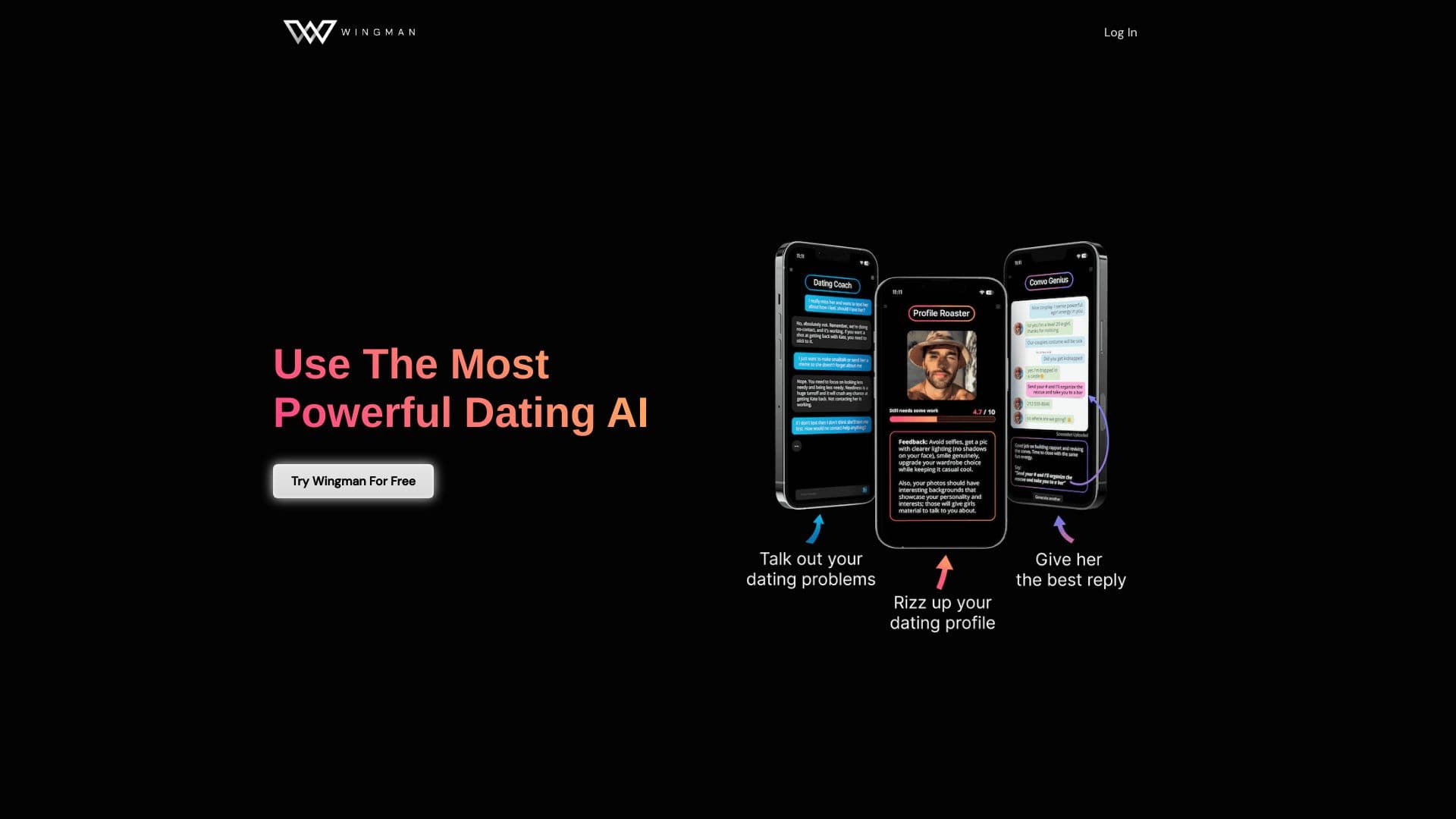
एआई डेटिंग सहायक जो डेटिंग ऐप में प्रोफाइल और वार्तालाप को बेहतर बनाने में मदद करता है।.

वीडियो डेटा विश्लेषण और उसके प्रसंस्करण को स्वचालित करने के लिए AI-आधारित प्लेटफ़ॉर्म।