OpusClip Captions
AI tool for automatically adding dynamic subtitles to videos.
Overview
OpusClip Captions
Description of the OpusClip Captions neural network
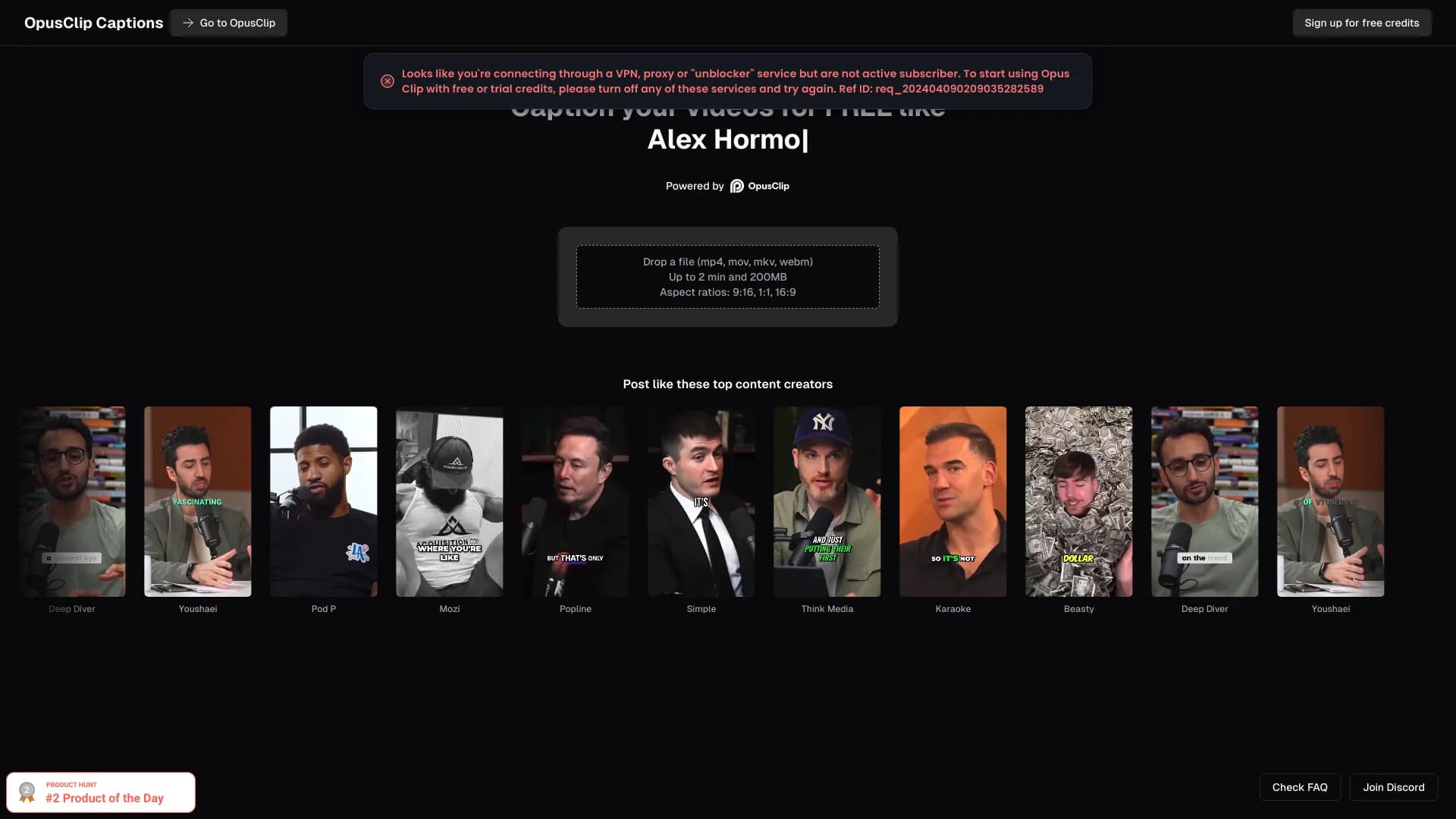
OpusClip Captions is an AI tool designed to automatically add dynamic subtitles to videos. The neural network analyzes the audio track of video content and generates text subtitles that are synchronized with the speaker's speech. The tool supports various video formats and aspect ratios, allowing it to be used for preparing content for different platforms — from educational videos to marketing clips and social media posts.
Users can customize the appearance of subtitles: choose the style, color, and position of text on the screen. Thanks to automation, the process of creating subtitles is significantly faster compared to manual timing and text entry.
OpusClip Captions features
| Feature | Value |
|---|---|
| Type | AI Caption Generator / AI Subtitle Generator |
| Platform | Web |
| Date added | May 13, 2024 |
| Monthly visits | 3.7 million |
| Categories | AI Caption Generator, AI Podcast Clip Generator, AI Instagram Caption Generator, AI Subtitle Generator |
| Average visit duration | 00:08:12 |
| Pages per visit | 6.25 |
| Bounce rate | 28.05% |
| Distribution model | Freemium |
Who is the OpusClip Captions neural network suitable for?
Content creators and social media influencers
The tool is primarily aimed at authors who regularly publish videos on social networks. The ability to quickly add subtitles without manual work allows them to speed up content release on platforms such as TikTok, Instagram Reels, and YouTube Shorts.
Digital marketers and video editors
Marketing teams can use OpusClip Captions to prepare advertising and promotional videos with subtitles, which increases viewer engagement. Video editors, in turn, get a tool that reduces routine operations of synchronizing text with speech.
Educational producers
For creators of educational videos and lectures, subtitles are an important element of content accessibility. OpusClip Captions helps quickly equip educational materials with text support, which is especially relevant for audiences with hearing impairments or for those who watch videos without sound.
How to use the OpusClip Captions neural network?
Registration and login
To get started, you need to register on the OpusClip platform and log in to your account. Using the tool without registration is not supported.
Uploading video
After logging in, you need to upload a video file. Supported formats are MP4, MOV, MKV, and WEBM. The user also selects the desired subtitle style and the video aspect ratio.
Processing and export
The AI automatically processes the video and generates subtitles. After processing is complete, the user can review the result, make necessary edits, and then download the finished video or share it immediately.
Main features of OpusClip Captions
AI-based automatic subtitle generation
The main function of the tool is speech recognition and automatic creation of synchronized subtitles without human involvement.
Support for various formats and aspect ratios
OpusClip Captions works with popular video formats (MP4, MOV, MKV, WEBM) and allows users to select the aspect ratio for different platforms and devices.
Subtitle style customization
Users can change the appearance of the text: color, font, size, and position on the screen. This makes it possible to adapt subtitles to the visual style of a brand or video.
Advantages of OpusClip Captions
Free access
The tool offers a free plan, allowing users to start using it without financial investment. AI subtitle generation works automatically, saving users time.
Improved accessibility and engagement
Subtitles make videos more accessible for people with hearing impairments and increase viewer engagement, especially when watching without sound. This is confirmed by the service's popularity — its monthly audience exceeds 3.7 million visits.
Community support
The tool's page includes links to an FAQ and an active Discord community, which makes it easier to get help and share experience among users.
Disadvantages of OpusClip Captions
The main drawback noted on the tool's page is the lack of user reviews and ratings in the visible part of the site. This may make it difficult for new users to evaluate the quality of the service before testing it themselves. Other limitations are not listed on the page.
What tasks does OpusClip Captions solve?
Adding subtitles to videos for social networks
The tool allows users to quickly add subtitles to videos for TikTok, YouTube Shorts, and Instagram Reels, which is critical for holding viewers' attention in the feed.
Creating accessible educational content
Video lectures, courses, and training materials can be supplemented with subtitles to improve the comprehension of material among different categories of learners.
Increasing engagement in marketing videos
Subtitles in advertising and promotional videos increase viewing time and information retention, especially when watched in public places without sound.
Generating viral clips
OpusClip Captions is suitable for creating short dynamic clips with subtitles that have high potential for distribution on social media.
OpusClip Captions pricing
The tool offers two pricing plans: Free and Pro. Specific prices for the Pro plan are not listed on the page. Users are advised to check the cost on the official service website, as pricing information may change.
OpusClip Captions terms of use
Registration is required to work with the tool — the user must create an account and log in. The page mentions Free and Pro plans, but no other usage restrictions are specified, including limits on video duration or processing frequency.
OpusClip Captions availability
The service is available as a web platform and does not require installation of additional software. According to traffic data, the largest share of users comes from the United States (38.25%). The tool is also popular in Brazil (8.69%), the United Kingdom (4.78%), India (4.17%), and Canada (3.85%). Information about VPN requirements or language restrictions is not available on the page.
How OpusClip Captions differs from alternatives
The tool's page does not provide a direct comparison with alternatives. Zubtitle, Rev, Kapwing, Veed.io, and Subtitle Horse are listed as the main competitors and alternatives. Each of these services offers similar subtitle generation functionality, but OpusClip Captions stands out with high monthly traffic (3.7 million visits) and a low bounce rate (28.05%), which indirectly indicates the tool's demand among users.
Conclusion
OpusClip Captions is an AI tool for automatic generation of dynamic subtitles for videos, aimed at content creators, marketers, and educational producers. The service supports popular video formats, allows users to customize the appearance of subtitles, and is available under a freemium model. High traffic (more than 3.7 million visits per month) and the trust of more than 5 million content creators confirm the practical value of the tool for accelerating subtitle workflows.
Frequently asked questions
See also

Neural network-based web service for automatic video subtitling and transcription.

A platform that combines several video creation tools in a single chat interface, from script generation to editing and voiceover.
Mobile app for photo and video editing using AI and an extensive library of filters.

AI tool for automatically cutting long videos into short clips for TikTok, Reels, and YouTube Shorts.

Multifunctional AI platform for content creation: generation of texts, images, videos, and presentations.
Screen recording tool with subsequent AI transcription and summarization of content.

Platform for recording, editing, and publishing podcasts and video content with built-in AI tools.
A platform for creating talking videos with a teleprompter, AI-generated scripts, subtitles, and avatars.