
Novel
Embeddable WYSIWYG editor for web applications in Notion style with AI autocomplete as you type.
Overview
Novel
Description of Novel AI
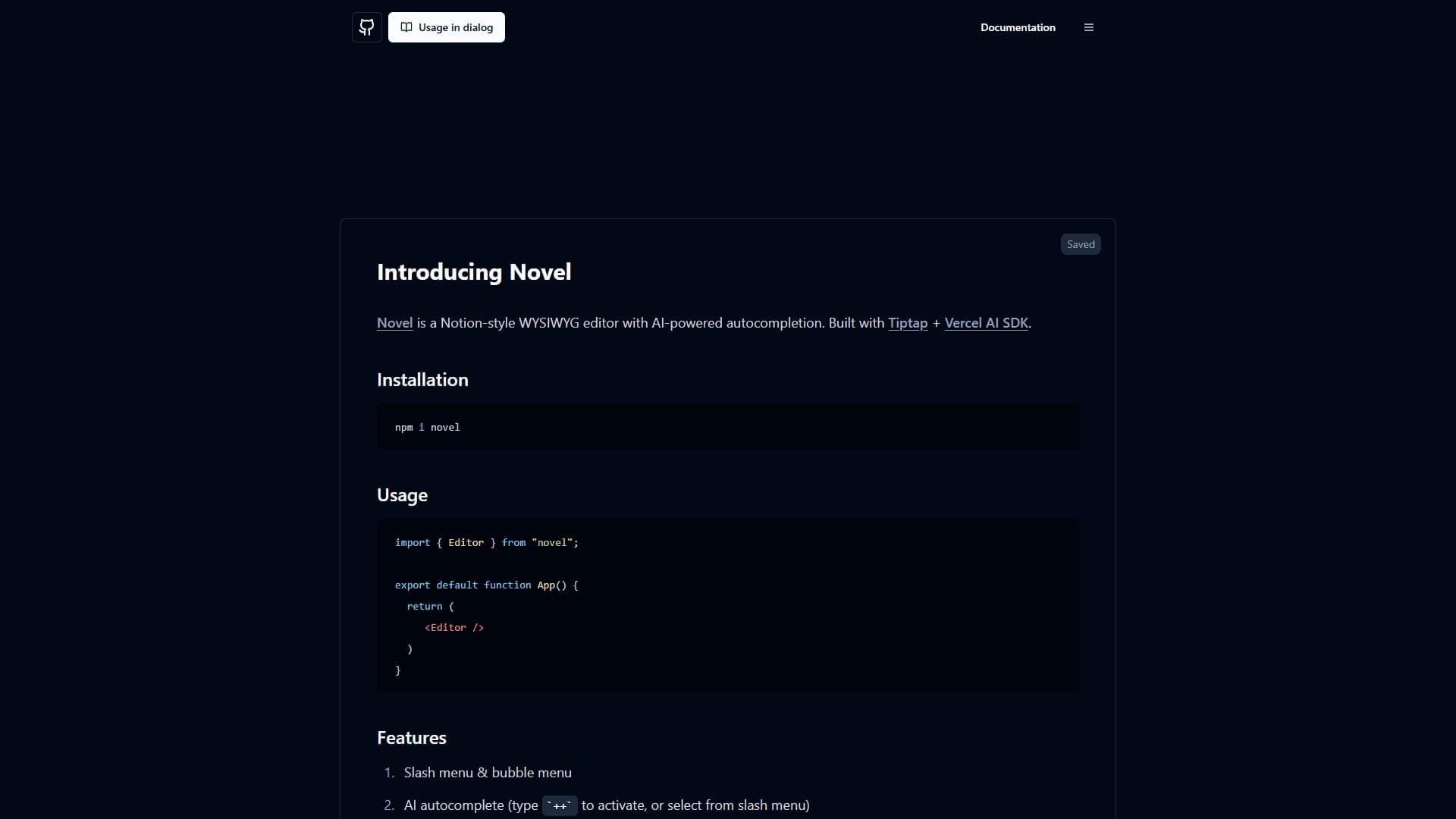
Novel is an embeddable WYSIWYG editor for web applications, styled after Notion. The tool combines a familiar visual text-editing interface with artificial intelligence capabilities: as you type, it suggests autocompletion for words, phrases, and whole sentences.
The main idea behind Novel is to give developers a ready-made editor that can be quickly integrated into their own project without building it from scratch. In addition to text formatting, the editor supports working with media, mathematical formulas, real-time collaborative editing, and customizable templates. The solution is aimed at integration into existing web applications built on stacks such as React and Next.js.
Novel characteristics
| Characteristic | Value |
|---|---|
| Type | WYSIWYG editor with AI |
| Category | Text generators, website and interface builders, API and integrations |
| Style | Notion-like editor |
| Technologies | Tiptap, React/Next.js, OpenAI, Vercel AI SDK |
| Installation method | npm package |
| Business model | Free |
| Open source | Yes (Open source) |
| Website | novel.sh |
| First publication date | 20-05-2024 |
Who is Novel AI suitable for?
Developers and development teams
Novel is primarily aimed at developers who need an embeddable text editor in products built on React, Next.js, and similar stacks. The tool lets you equip a web application with a modern Notion-like editor with AI features without spending time building your own solution from scratch.
Content creators
Bloggers, journalists, and marketers can use the editor to speed up their writing. AI autocompletion suggests words, phrases, and sentences, making content creation — articles, blogs, and posts — more efficient.
Companies and educational institutions
Organizations use the tool for corporate communication and creating internal documents, announcements, reports, and notes. Educational institutions — students and teachers — can use the editor to collaborate on materials.
How to use Novel AI?
Installing in a project
Novel is distributed as a ready-made component and is installed via an npm package. Developers just need to add it to their web application to get a full-featured text editor that easily integrates with an existing React or Next.js stack.
Working with AI features
AI text autocompletion is activated with the ++ command or the slash menu right while typing. This lets you type quickly with suggestions from artificial intelligence, speeding up writing and simplifying the setup of content generation scenarios.
Collaboration and templates
Users can work on documents together in real time. To standardize content, customizable templates are available for articles, blogs, social media, and internal company documents.
Key features of Novel
Text and media editing
The editor offers text formatting capabilities in the style of Notion. Image upload via drag&drop and copy&paste is supported, as is embedding tweets. Mathematical formulas and symbols can be entered via LaTeX.
AI autocompletion
The key feature is automatic text completion based on artificial intelligence. As you type, the system suggests words, phrases, and sentences, helping users write faster. The feature is triggered with the ++ command or the slash menu.
Menus and interface
The editor comes with convenient slash menu and bubble menu that make working with documents intuitive and similar to the familiar Notion-like interface with a set of extensions.
Integrations and collaboration
The tool supports real-time collaboration and integration with popular platforms, including Google Drive, Dropbox, and Microsoft Office.
Advantages of Novel
Ready-made solution for developers
Novel is a ready-made component that quickly embeds into a product. Developers don't need to build an editor from scratch, saving time and resources when equipping web applications with AI-powered text editors.
Faster content creation
Thanks to AI autocompletion, writing text is significantly faster. Suggestions for words, phrases, and sentences improve the efficiency of both individual authors and teams.
Modern interface and open source
The editor has a modern Notion-style design with convenient menus and extensions. Its open source code and free business model make the tool accessible to a wide range of users.
Drawbacks of Novel
The available data does not contain detailed information about the tool's drawbacks. It can be noted that its limitations include a primary focus on developers and a specific technology stack (React, Next.js), since integrating the editor into your own project requires technical work. Exact limitations and performance details vary depending on the specific use case.
What problems Novel solves
Speeding up and optimizing writing
The tool helps optimize the writing process and speeds up content creation — articles, blogs, and posts. AI autocompletion reduces the time spent on typing and editing.
Collaborating on documents
Novel facilitates collaboration on documents through real-time editing. Teams can work on the same material simultaneously, combining their efforts.
Standardization and internal documents
Customizable templates allow standardizing content for different formats. The tool is also suitable for creating internal company documents — announcements, reports, and notes.
Integrating the editor into web applications
For developers, Novel solves the task of equipping web applications with an AI-powered text editor, simplifying the integration of text generation and scenario setup without building a solution from scratch.
Novel pricing
According to available data, Novel is distributed for free — its business model is listed as "Free". In addition, the tool has an open source code (Open source), which confirms free access to it. Detailed information about possible paid plans or separate subscription tiers is not provided in the source data, so it is impossible to definitively state whether additional paid options exist.
Terms of use of Novel
Since Novel is an open-source tool distributed for free, its code is available for study and use in your own projects. To integrate the editor into a web application, developers will need to install it via an npm package, which requires relevant technical experience. Detailed usage requirements, licensing terms, and restrictions are not disclosed in the source data.
Availability of Novel
Novel is available as an embeddable component that is installed via an npm package. The tool is designed for use in web applications on React, Next.js, and similar technology stacks. The project's official website is novel.sh. Since the solution is open source, it is available for free use and adaptation by developers in their projects.
How Novel differs from alternatives
Novel differs primarily in its dual focus. On the one hand, it is a tool for end users — content creators, companies, and educational institutions — who value AI autocompletion, collaboration, and templates. On the other hand, it is a ready-made solution for developers that allows embedding a Notion-like WYSIWYG editor into their own web application without building from scratch.
Unlike many similar solutions, Novel combines a technology base built on Tiptap, React/Next.js, and OpenAI with the Vercel AI SDK, making it a flexible tool for integration. An important feature is the open source code and free distribution model, as well as specific functions such as entering mathematical formulas via LaTeX and embedding tweets, which set it apart from alternatives.
Conclusion
Novel is a free, open-source WYSIWYG editor inspired by Notion. It combines AI autocompletion, real-time collaboration, and customizable templates to speed up content creation for