

MidJourney Prompt Helper
Веб-инструмент, упрощающий создание текстовых запросов для нейросети Midjourney через интуитивный интерфейс с выпадающими списками.
Обзор
MidJourney Prompt Helper
Описание нейросети MidJourney Prompt Helper
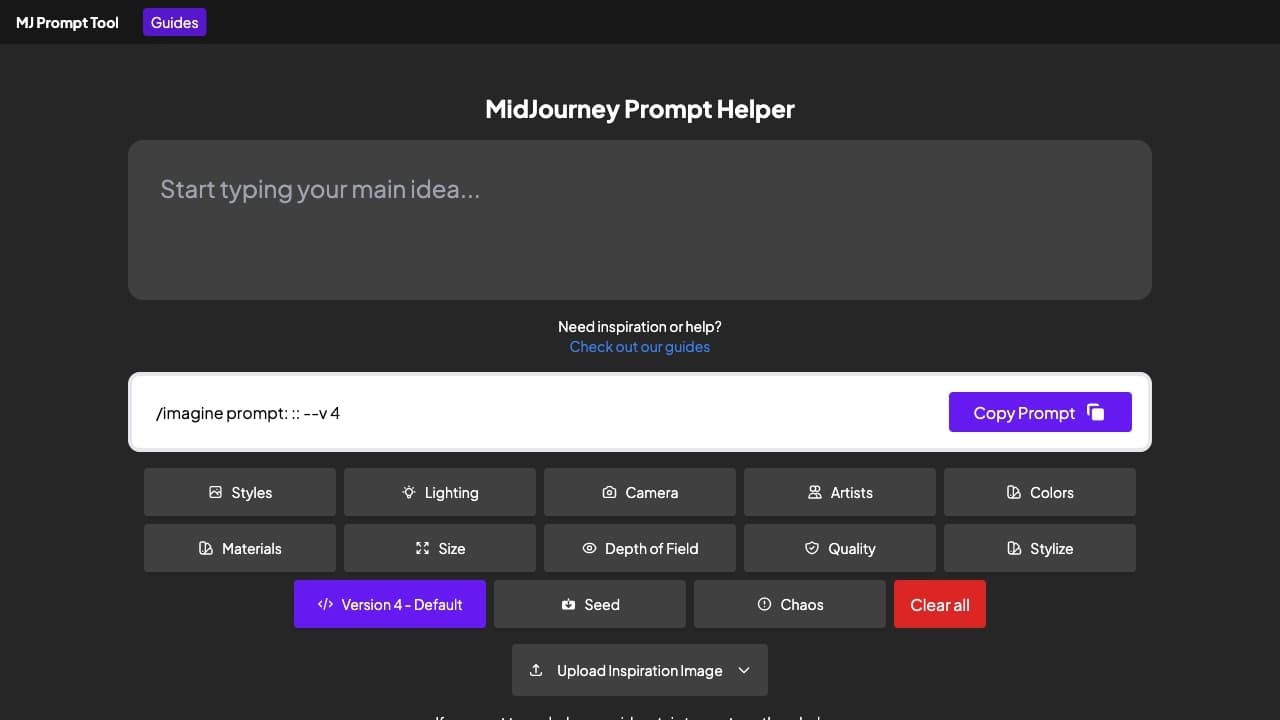
MidJourney Prompt Helper — это веб-инструмент, предназначенный для упрощения процесса создания текстовых запросов (промптов) для нейросети Midjourney. Инструмент выступает в роли удобного помощника, который избавляет пользователя от необходимости запоминать сложный синтаксис, десятки параметров и их корректные значения.
Вместо ручного ввода команд пользователь работает с интуитивно понятным интерфейсом, где настройки выбираются из выпадающих списков и чекбоксов. Здесь можно задать соотношение сторон, выбрать версию модели, настроить степень хаоса и стилизации, а также управлять приоритетом (весом) отдельных частей промпта. Инструмент собирает все выбранные параметры в готовую текстовую команду, которую можно скопировать одним кликом.
MidJourney Prompt Helper ориентирован на художников, дизайнеров и всех энтузиастов, работающих с Midjourney. Он помогает сократить время на подготовку запросов, делает процесс генерации изображений более предсказуемым и позволяет сосредоточиться на творческой части, а не на технических деталях синтаксиса.
Характеристики MidJourney Prompt Helper
| Характеристика | Значение |
|---|---|
| Тип | Генератор промптов |
| Категория | Промпты (запросы) |
| Бизнес-модель | Бесплатно |
| Платформа | Веб-интерфейс |
| Дата первой публикации | 07-03-2023 |
Для кого подходит нейросеть MidJourney Prompt Helper?
Художники и дизайнеры
Инструмент создан в первую очередь для специалистов, которые регулярно работают с Midjourney и нуждаются в быстром создании качественных запросов. Вместо того чтобы каждый раз вспоминать параметры и правильный синтаксис, художники и дизайнеры могут просто выбирать нужные настройки из списков и сосредоточиться на творческой части процесса.
Энтузиасты генерации изображений
Поклонники AI-генерации, которые только начинают знакомиться с Midjourney, также найдут инструмент полезным. Благодаря визуальному интерфейсу с выпадающими списками и чекбоксами новички могут постепенно изучать возможности платформы, не путаясь в сложных синтаксических конструкциях.
Специалисты, работающие с несколькими проектами
Для тех, кто часто переключается между задачами и проектами, этот инструмент упрощает процесс настройки. Возможность быстро менять параметры и применять стилевые пресеты делает работу более эффективной, особенно когда требуется создавать большое количество разнообразных запросов.
Как использовать нейросеть MidJourney Prompt Helper?
Пошаговый процесс создания промпта
Работа с инструментом начинается с ввода основной концепции изображения. Далее пользователь переходит к выбору параметров из выпадающих списков: соотношение сторон, версию модели, степень хаоса. Для более тонкой настройки дополнительно задаются качество рендера и уровень стилизации.
Применение стилевых пресетов и настройка весов
Инструмент включает готовые пресеты стилей — например, anime, blueprint drawing и другие. Пользователь может применить подходящий стиль одним действием. Кроме того, доступна функция весов, которая позволяет указать важность отдельных частей промпта, выделяя ключевые элементы.
Сохранение и копирование готового запроса
Когда все параметры настроены, промпт собирается автоматически. Готовую команду можно скопировать в буфер обмена одним кликом и сразу использовать в Midjourney. Для удобства работы с большим количеством запросов промпты также можно сохранять в аккаунте PromptFolder и возвращаться к ним позже.
Основные функции MidJourney Prompt Helper
Настройка параметров генерации
Инструмент покрывает все основные параметры Midjourney. Доступен выбор соотношения сторон — от 1:1 до 2:1, а также выбор версий модели, включая последнюю v6. Пользователь может регулировать качество рендера, степень хаоса и уровень стилизации, что позволяет гибко управлять характером итогового изображения.
Стилевые пресеты и визуальные наборы
Для ускорения работы предусмотрены готовые пресеты стилей, такие как anime, blueprint drawing и другие. Отдельно доступны наборы типов освещения и камер, что упрощает создание детализированных и атмосферных изображений без ручного прописывания большого количества параметров.
Управление весами и сохранение промптов
Функция весов позволяет задавать приоритет для разных частей промпта, подчёркивая важность ключевых элементов. Готовый промпт копируется в буфер обмена одним кликом. Также предусмотрена возможность сохранения созданных запросов в аккаунте PromptFolder для дальнейшего использования.
Преимущества MidJourney Prompt Helper
Интуитивный интерфейс без ручного ввода
Главное преимущество инструмента — удобный интерфейс с выпадающими списками и чекбоксами. Пользователю не нужно вручную прописывать параметры и помнить их синтаксис — всё выбирается визуально, что снижает риск ошибок и ускоряет создание промптов.
Полное покрытие основных параметров
Инструмент охватывает все ключевые настройки Midjourney: соотношение сторон, версии модели, качество, хаос, стилизацию, стилевые пресеты, типы освещения и камер. Это делает его универсальным решением для самых разных задач генерации изображений.
Упрощение работы с проектами
Благодаря быстрому переключению между настройками и использованию готовых пресетов инструмент упрощает работу с разными проектами. Возможность сохранять промпты и копировать их одним кликом делает процесс создания большого количества запросов эффективным и понятным.
Недостатки MidJourney Prompt Helper
Ограниченная информация о возможных ограничениях
Инструмент позиционируется как бесплатный веб-интерфейс, однако в доступных данных не раскрываются подробные сведения о потенциальных ограничениях сервиса, таких как лимиты на количество создаваемых промптов или требования к регистрации для полного доступа к функциям.
Зависимость от сторонних сервисов
Поскольку инструмент лишь формирует текстовую команду, для получения готового изображения пользователю всё равно потребуется доступ к самому боту Midjourney. Сам по себе генератор промптов не может создавать изображения, что стоит учитывать при планировании рабочего процесса.
Какие задачи решает MidJourney Prompt Helper
Устранение необходимости запоминать параметры
Основная задача инструмента — помочь пользователю не забывать десятки параметров, их синтаксис и корректные значения при создании промптов для Midjourney. Вместо обращения к справочным материалам или попыток воспроизвести сложную команду по памяти, пользователь просто выбирает нужные настройки.
Сборка текстовой команды через удобные элементы управления
Инструмент собирает полноценную текстовую команду для Midjourney через удобные элементы управления — выпадающие списки, чекбоксы и пресеты. Это снижает вероятность ошибок при формировании запроса и делает процесс подготовки промпта быстрым и понятным даже для новичков.
Цены MidJourney Prompt Helper
Инструмент распространяется по бесплатной модели. Доступ к базовым и основным функциям генератора промптов предоставляется без оплаты, что делает его доступным для широкого круга пользователей — как начинающих энтузиастов, так и профессиональных художников и дизайнеров. Информации о платных тарифах или дополнительных премиальных возможностях в доступных данных не содержится.
Условия использования MidJourney Prompt Helper
В открытых источниках отсутствуют подробные сведения о формальных условиях использования сервиса, таких как требования к регистрации или лицензионные ограничения. Известно, что инструмент работает через веб-интерфейс и предоставляет возможность сохранения промптов в аккаунте PromptFolder. Пользователям, планирующим регулярно работать с сервисом, рекомендуется ознакомиться с условиями на официальной странице инструмента перед началом использования.
Доступность MidJourney Prompt Helper
Инструмент доступен в виде веб-интерфейса, что позволяет использовать его с любого устройства с доступом в браузер без необходимости установки дополнительного программного обеспечения. Дата первой публикации сервиса — 7 марта 2023 года. Подробности о доступности на мобильных устройствах, запуске офлайн-версии или локальных ограничениях в доступных данных не раскрываются.
Чем отличается MidJourney Prompt Helper от аналогов
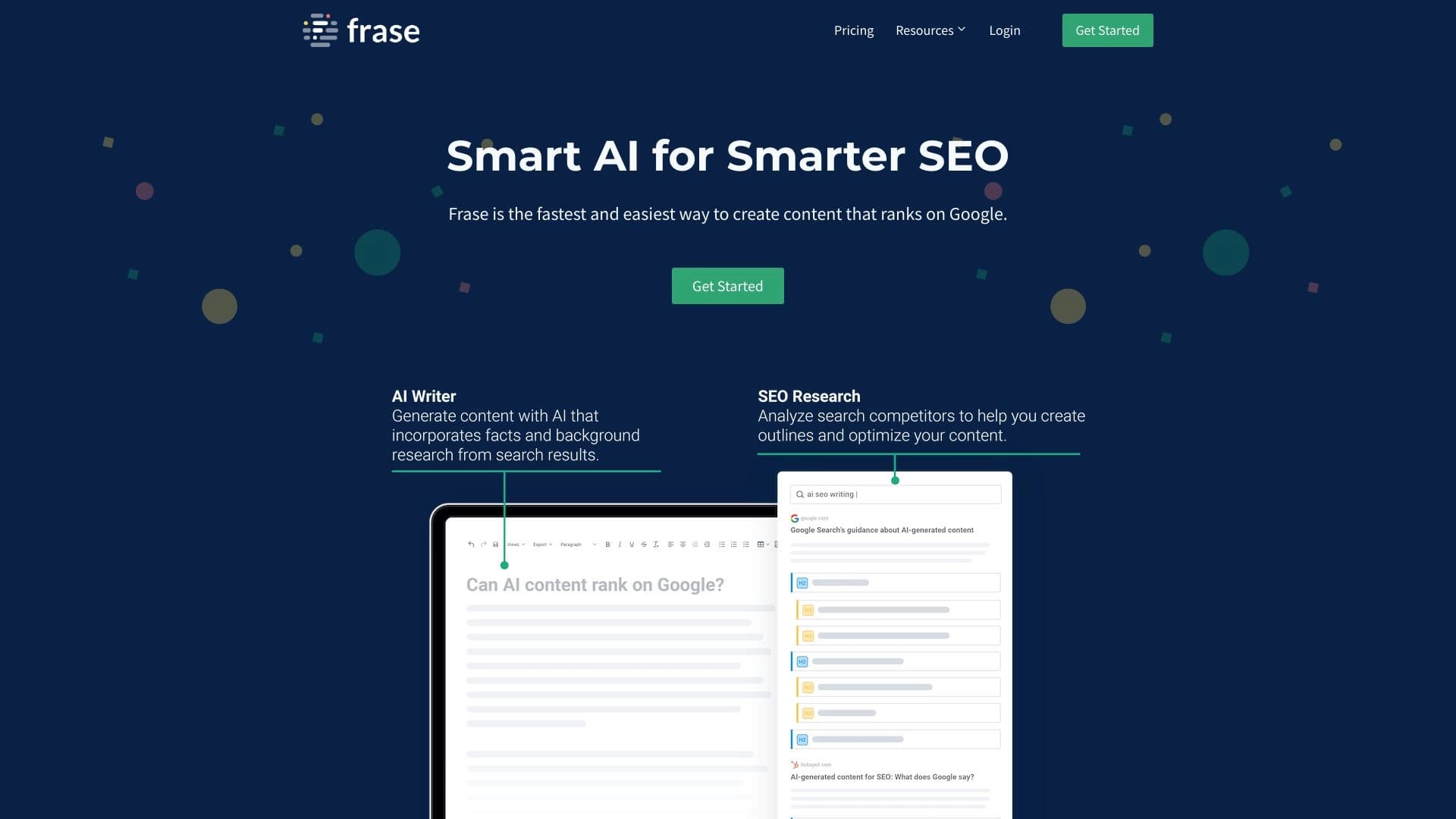
MidJourney Prompt Helper выделяется на фоне других решений благодаря своему узкому и целенаправленному подходу: инструмент полностью сфокусирован на создании промптов именно для Midjourney и охватывает все ключевые параметры этой нейросети. В отличие от более универсальных сервисов, таких как Retune или Frase, которые решают более широкие задачи (от работы с текстом до анализа данных), Prompt Helper не пытается охватить всё сразу, а доводит до совершенства одну конкретную функцию — генерацию грамотных запросов.
Особенность инструмента — работа с визуальными элементами управления вместо ручного ввода параметров, а также наличие готовых стилевых пресетов и наборов настроек камеры и освещения. Это делает его удобным для художников и дизайнеров, которым важно не отвлекаться на технические детали. В то же время разделение ролей остаётся чётким: Prompt Helper только формирует команду, а само изображение создаёт Midjourney, тогда как такие решения, как 3DreamBooth, работают с генерацией непосредственно.
Заключение
MidJourney Prompt Helper — это бесплатный веб-инструмент, который существенно упрощает создание промптов для нейросети Midjourney. Благодаря интуитивному интерфейсу с выпадающими списками и чекбоксами пользователю больше не нужно запоминать сложный синтаксис и многочисленные параметры. Инструмент поддерживает все основные настройки — соотношение сторон, версии модели, качество, хаос, стилизацию, стилевые пресеты и типы освещения — а также позволяет задавать веса для частей промпта, копировать готовую команду одним кликом и сохранять её в аккаунте PromptFolder. Для художников, дизайнеров и энтузиастов AI-генерации это надёжный помощник, который ускоряет рабочий процесс и позволяет сосредоточиться на творческой составляющей.
Часто задаваемые вопросы

Смотрите также


Онлайн-редактор для удаления лишних объектов, текста и дефектов с фотографий с помощью нейросети.


Онлайн-инструмент для создания дипфейков и редактирования изображений с помощью ИИ.

Облачная платформа для создания видео с помощью ИИ-аватаров, синтезированной речи и автоматического перевода роликов на десятки языков.


ИИ-платформа для быстрого создания сайтов и управления процессами малого бизнеса.

Сервис для создания персонализированных аватаров и фотосессий с помощью ИИ на основе загруженных селфи.


Настольный AI-ассистент для macOS, Windows и Linux, который запускается по хоткею поверх всех окон и объединяет несколько языковых моделей в одном интерфейсе.

Онлайн-сервис для создания и настройки приглашений на дни рождения и поздравлений с помощью искусственного интеллекта.

AllChat — это универсальная платформа, объединяющая несколько популярных языковых моделей в одном интерфейсе для общения, генерации изображений, анализа файлов и выполнения кода.