

Luminar AI
AI-powered photo editor for automated image processing and enhancement.
Overview
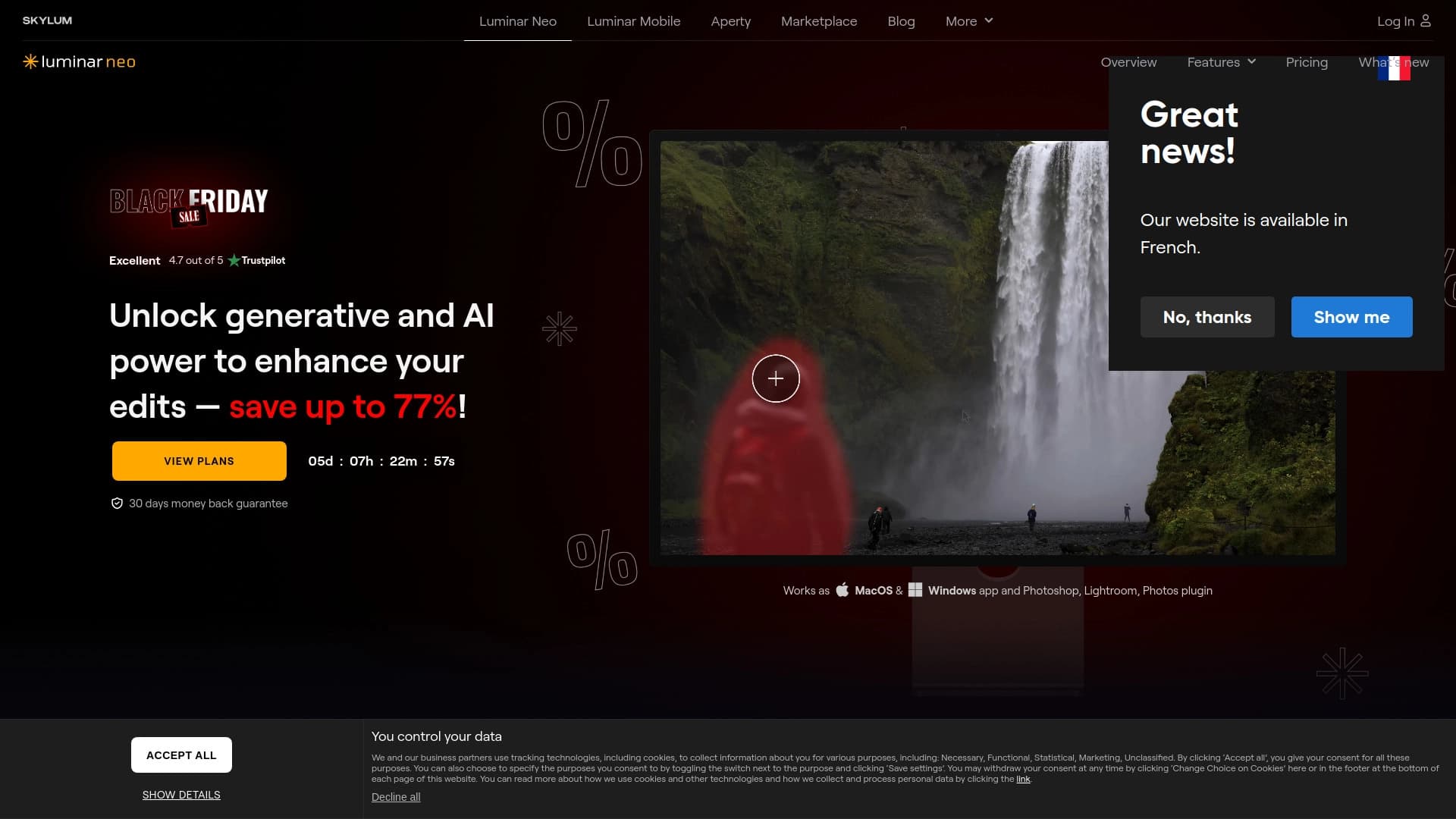
Luminar AI is a photo editing program built around artificial intelligence technologies. Unlike classic editors where users manually adjust sliders and fine-tune parameters, here neural networks do the heavy lifting by analyzing the image and automatically selecting optimal settings.
The solution is positioned as a tool that reduces time spent on routine operations: sky replacement, portrait retouching, sharpening, or color correction. The developers focused on simplicity and speed: most operations require just one click, and algorithms automatically determine which corrections are needed for a given shot.
Product Philosophy
The core idea behind Luminar AI is to free photographers from the need to deeply study professional tools. The program handles the technical side of the process, allowing users to focus on the creative aspect. At the same time, the functionality remains powerful enough to meet the demands of experienced professionals.
Luminar AI Features
| Feature | Value |
|---|---|
| Type | Photo editing software |
| Category | Photo processing, background editing |
| Website | skylum.com |
| Interface languages | Multi-language support |
| Publication date on site | August 1, 2025 |
| Distribution model | Paid license |
Who Is Luminar AI For?
The tool is aimed at a broad audience — from beginners to professional photographers. The main criterion is the desire to reduce time spent on routine operations during photo processing.
Beginner Users
For those just starting out with photo editing, Luminar AI serves as an ideal starting point. There is no need for deep knowledge of color correction or masks to achieve solid results right away. The program analyzes the contents of the frame and offers ready-made solutions that would otherwise have to be figured out through trial and error.
Professional Photographers
Experienced specialists will also find value in the program: automating basic operations frees up time for more complex creative tasks. Batch processing and preset saving are especially valuable when working with large volumes of similar shots, such as event photography or product photography.
How to Use Luminar AI
Working with Luminar AI revolves around intuitive workflows. The user uploads a photo, selects the desired tool, and, if necessary, adjusts the parameters suggested by the AI.
Sky Replacement
To work with skies, upload an image and select the Sky AI tool. The program automatically detects the horizon line and object boundaries. After that, you can adjust settings: choose a new sky from the library, fine-tune brightness, or adjust temperature. The algorithm correctly handles complex elements such as hair or tree branches.
Portrait Retouching
The Face AI and Skin AI tools handle portrait shots. The system automatically finds faces, smooths skin, removes blemishes, and adjusts facial features if needed. Recreating such results manually would require dozens of tools in classic editors and significant experience.
Batch Processing
When importing multiple files at once, you can apply the same settings to all images. This is especially convenient when a consistent style is needed across an entire series of photos. Once configured, presets can be saved and reused to speed up work with similar shots in the future.
Key Features of Luminar AI
The program's functionality covers most tasks that arise during photo post-processing.
- Automatic portrait enhancement — face detection and correction application
- Sky replacement — realistic background substitution accounting for perspective and lighting
- Sharpening — intelligent detail processing without introducing artifacts
- Color correction — automatic adjustment of white balance, saturation, and contrast
- Defect removal — elimination of noise, dust, and other artifacts
- Batch processing — applying settings to a group of photos
- Preset saving — creating custom processing templates
Advantages of Luminar AI
The program's main strength lies in the balance between ease of use and functional capability.
Ease of Learning
The interface is not overloaded with technical jargon, and most operations are performed with a single click. No special knowledge is required to achieve quality results. Training materials available on the developer's website and YouTube channel further simplify the onboarding process.
Intelligent Scene Analysis
Neural networks independently analyze image content and select optimal processing parameters. The system recognizes object types, lighting characteristics, and other scene attributes. This allows for natural-looking results without manual adjustments.
Disadvantages of Luminar AI
Like any software product, Luminar AI has certain limitations worth considering before choosing it.
Hardware Requirements
The program requires a modern computer with hardware acceleration support. Working with neural networks involves significant computational loads, so users with older equipment may find some features unavailable or processing may be slow.
Learning Curve for Beginners
Despite the advertised simplicity, fully mastering the program's capabilities may take time for newcomers. The abundance of features and settings can sometimes feel overwhelming, especially during the initial stages of getting acquainted with the product.
What Tasks Does Luminar AI Solve?
The program is designed for quickly achieving high-quality results across various photography genres.
Landscape Processing
Sky replacement, exposure correction, and improved color rendering turn ordinary nature shots into striking images. Automatic algorithms account for landscape features and color naturalness.
Portrait Photography
Skin retouching, blemish removal, and facial feature enhancement are performed without manual work. The program delivers natural-looking improvements while preserving skin texture and the model's individual characteristics.
Product Photography
Automatic white balance correction and sharpening make Luminar AI a useful tool for product shoots. Batch processing allows for quickly preparing a product catalog for an online store.
Luminar AI Pricing
The product is distributed under a paid license model — a purchase is required for use. Specific plans and subscription costs on the official website may vary depending on current promotions and the user's region. Exact pricing information was not disclosed in available sources at the time of writing.
Terms of Use for Luminar AI
The key condition for use is purchasing a license. The program can be legally installed on a computer after purchase. The official website skylum.com provides current license agreements and usage rules, which users are advised to review before purchasing. User support is provided through the developer's official channels.
Availability of Luminar AI
The program is available for download from the developer's official website. The interface supports multiple languages, making the product convenient for a wide range of users. The application can be downloaded and installed after completing the license purchase process.
How Luminar AI Differs from Alternatives
The main difference between Luminar AI and traditional editors is its approach to image processing. Instead of studying complex tool panels, users work with ready-made solutions suggested by artificial intelligence.
Difference from Classic Editors
While most programs require manual adjustment of numerous parameters, Luminar AI performs analysis and correction automatically. Settings are offered as-is — the user simply applies them and makes minimal tweaks if necessary.
Focus on Automation
The emphasis on neural networks and automatic parameter selection significantly reduces processing time compared to traditional approaches. The program handles the technical details that would otherwise require manual work with masks and curves in other editors.
Conclusion
Luminar AI is an automated photo editing program built on neural network technology. It handles rapid image correction tasks — sky replacement, portrait retouching, sharpening, and color correction — performing most operations with a single click. Thanks to its simple interface and multi-language support, the tool is accessible to a wide range of users, helping reduce time spent on routine tasks without requiring in-depth knowledge of photo editing.
Frequently asked questions
See also

Online tool for swapping faces in photos, videos, and GIFs without registration or watermarks.

Joineo is an AI-powered web video editor that automates adding b-roll, emojis, and subtitles.
AI-powered image generation and editing tool, including background removal and video creation.


AI-powered online image editor that lets you edit photos by text description right in your browser.


Online service for creating anime images from a text description in seconds.

AI-powered tool for generating character images and avatars.

A unified AI platform for creating text, visual, video, and audio content.

Mobile app for photo editing and creating stylized avatars using AI.