
LlamaChat
Native macOS application that lets you run and chat with LLaMA family models locally on your computer without sending data to the cloud.
Overview
LlamaChat
LlamaChat AI Description
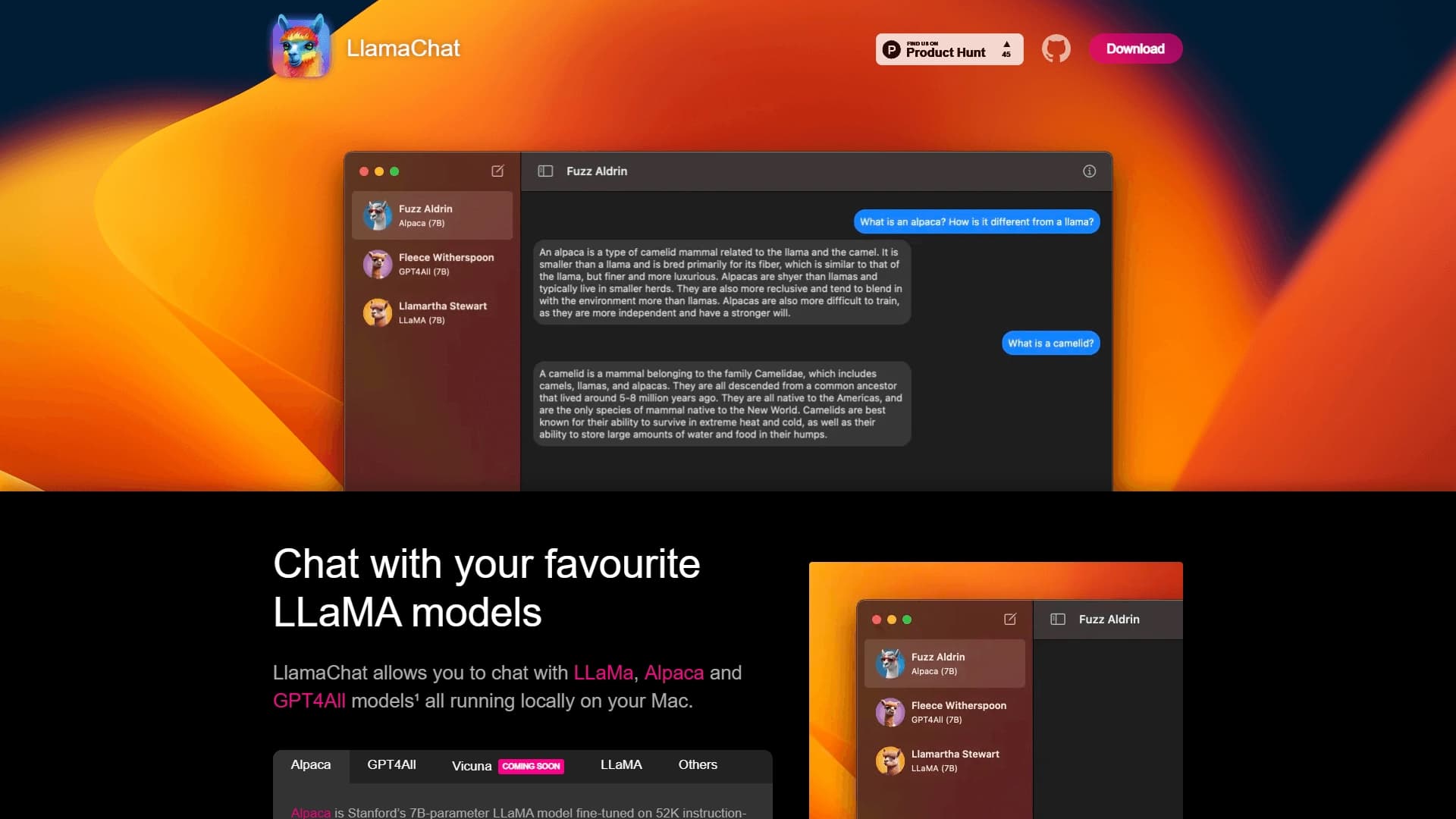
LlamaChat is a native application for the macOS operating system that allows users to run and chat with models from the LLaMA family directly on their computer. The key feature of the tool is that everything works locally: data is not sent to the cloud, and models run on the user's own device.
The app supports not only the base LLaMA models but also popular variants such as Alpaca and GPT4All, as well as other LLaMA-compatible models. Users can import and convert various models, switching between them to compare response quality. This approach makes LlamaChat a convenient solution for those who want to work with large language models fully offline, without relying on cloud services or an internet connection.
LlamaChat Characteristics
| Characteristic | Value |
|---|---|
| Type | Native macOS application |
| Category | Conversational AI tools |
| Supported models | LLaMA, Alpaca, GPT4All, other LLaMA-compatible models |
| Platforms | macOS |
| How it works | Locally, without contacting cloud servers |
Who is LlamaChat for?
Developers
The tool will be useful for developers who actively work with large language models and want to integrate them into their projects. Running locally allows models to be tested in an isolated environment without depending on external APIs and network services, which is convenient for debugging and integration.
Researchers and AI enthusiasts
For researchers and users simply passionate about artificial intelligence, LlamaChat opens up the opportunity to experiment with new models and configurations directly on their Mac. The app makes it easy to switch between different models and study the specifics of their responses without sending data to external servers.
How to use LlamaChat?
Using the application is a matter of a few simple steps. First, you need to install LlamaChat on a Mac running macOS. Then you need to import or convert LLaMA-compatible models into a format the app understands. After that, you can start chatting with the models directly in the chat — everything happens locally, without contacting cloud servers. Thanks to support for multiple models at once, users can easily switch between them while working.
Main Features of LlamaChat
Local conversations with LLaMA models
The app's main function is conducting full-fledged conversations with LLaMA-family models directly on a computer running macOS. The entire process runs locally, providing a complete chat experience without an internet connection.
Importing and converting models
LlamaChat supports importing and converting various LLaMA-compatible models. This gives users flexibility in choosing and preparing models for their tasks.
Comparing models with each other
The app allows you to switch between loaded models and compare the quality of their responses to the same queries. This is convenient when you need to determine which model handles specific tasks better.
LlamaChat Advantages
One of the tool's main strengths is enhanced privacy. Since all computations run locally on the user's computer, data never leaves the device and is not transmitted to the cloud. This is especially important for those who work with sensitive information.
In addition, the app does not require a constant internet connection. You can work with models anywhere and anytime, which makes the tool convenient for use while traveling or with an unstable connection. LlamaChat is also well suited for a variety of LLM experiments: from creating text drafts and answering questions to testing conversational scenarios.
LlamaChat Disadvantages
The tool's main limitation is its platform lock-in: the app is available only for macOS, so Windows and Linux users cannot use it. It should also be noted that running large language models locally places demands on computer performance — comfortable work may require fairly powerful hardware, although specific system requirements are not specified in the source data.
What Tasks Does LlamaChat Solve?
The tool is intended for a wide range of practical tasks related to large language models. First and foremost, it is LLM experimentation — users can explore the capabilities of models, test their behavior, and adjust parameters. The app is convenient for creating quick text drafts that can be used as a basis for further work.
LlamaChat is also suitable for getting answers to questions on various topics — everything happens locally without contacting external services. Finally, the tool allows you to test various conversational scenarios, checking how models behave in different communication situations.
LlamaChat Pricing
Data on the cost of using LlamaChat is not available in the source materials. Information on whether the application is free or paid, as well as possible pricing plans, is not disclosed at this time. It is recommended to check the current terms on the project's official resources.
LlamaChat Terms of Use
Detailed terms of use for the application are not provided in the source data. It is unknown what licensing restrictions apply to the application and how user rights to use downloaded models are regulated. It is worth carefully reviewing the documentation and license agreements when installing and working with the tool.
LlamaChat Availability
LlamaChat is available exclusively on the macOS platform. The application is a native tool for this operating system, which means it is tightly integrated with the Apple ecosystem. No versions are planned for other platforms such as Windows or Linux.
How LlamaChat Differs from Alternatives
The main difference between LlamaChat and many other tools for working with language models is full autonomy. Most similar services require a constant internet connection and contact cloud servers to process requests, while LlamaChat performs all computations locally on the user's computer.
A key feature is also flexible support for several LLaMA-family models, including Alpaca and GPT4All. Users can import their own models, convert them into a suitable format, and freely switch between them for comparison. This approach provides more control and privacy compared to cloud-based chat tools, where user data passes through third-party servers.
Conclusion
LlamaChat is a practical native application for macOS that lets you run and chat with LLaMA-family models fully locally, without sending data to the cloud. Thanks to support for importing and converting various LLaMA-compatible models, the ability to switch between them, and offline operation, the tool will be a good choice for developers, researchers, and enthusiasts who want to experiment with large language models autonomously on their Mac. The main limitation is its macOS-only platform support, but for users of this operating system, LlamaChat offers a convenient and private way to work with modern LLMs.