

Inbox Zero
AI assistant for automatic sorting, cleaning, and response generation in email.
Overview
Inbox Zero
Description of Inbox Zero Neural Network
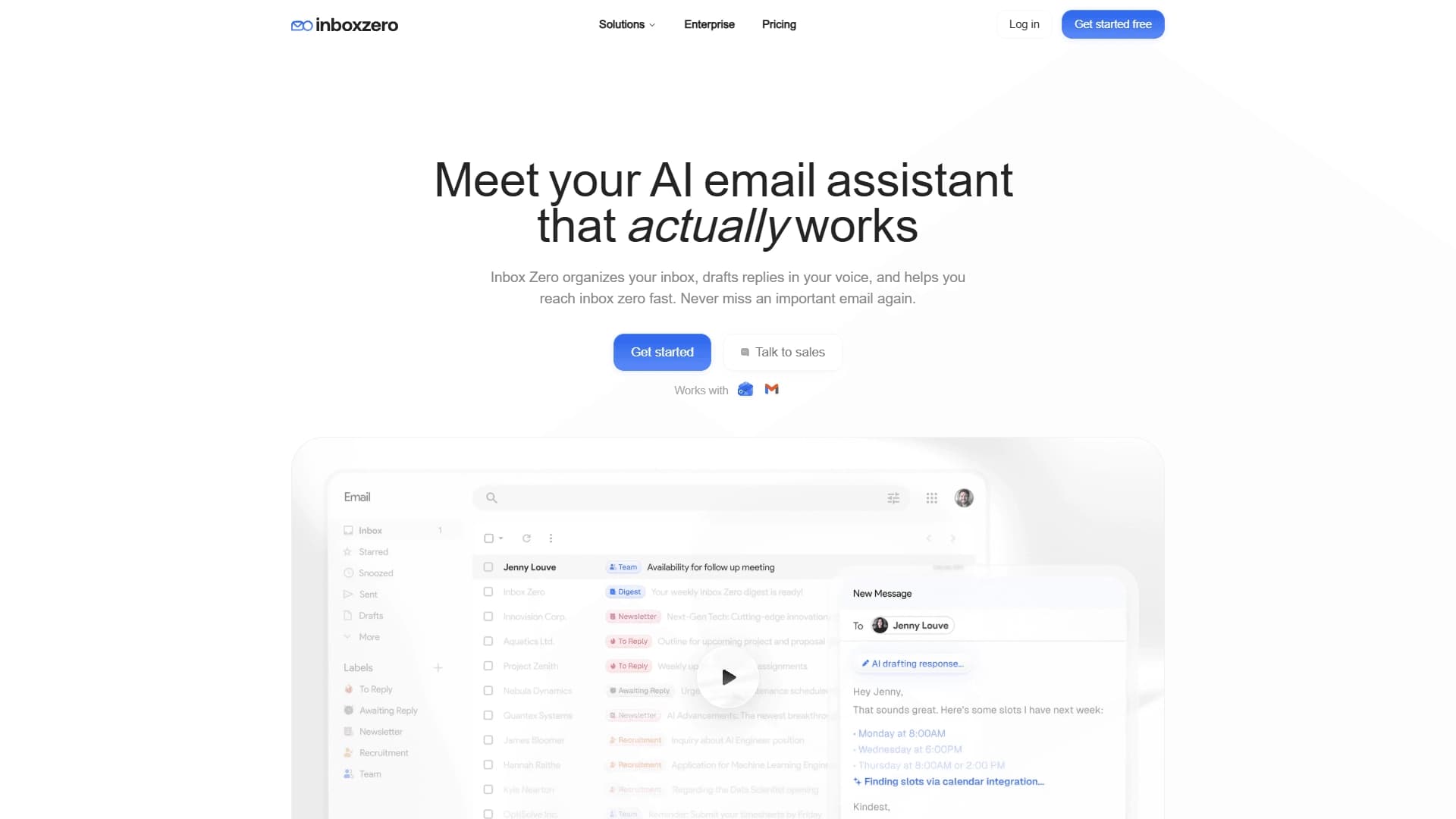
Inbox Zero is an open-source AI assistant designed to bring order to your email. The tool automates routine work with incoming messages, helping to declutter your inbox and focus on what really matters.
Instead of manually sorting through dozens of emails a day, the user delegates this work to the neural network. It takes over inbox sorting, priority setting, and even prepares draft replies written in the user's own style.
The service's main feature is its open-source code. This means anyone can study how the algorithm works and verify the transparency of their own data processing. This approach is especially important for a tool that works with personal correspondence.
The service's name directly reflects its core goal — to help the user achieve the state of "inbox zero," when there are no excess emails or urgent tasks left in the inbox.
Inbox Zero Characteristics
| Characteristic | Value |
|---|---|
| Type | AI assistant for email |
| Category | Email and communications, email generation |
| Platforms | Web (accessible via the website) |
| Distribution model | Freemium |
| Open source | Yes |
| Main features | Email sorting, reply generation, bulk unsubscribe from newsletters, blocking cold outreach |
| Target audience | Executives, professionals with heavy correspondence, and regular users |
Who Is the Inbox Zero Neural Network For?
Executives and Professionals with Heavy Correspondence
For people who receive dozens of emails daily, maintaining order manually is difficult. Inbox Zero handles routine sorting, makes it possible to highlight truly important messages, and speeds up reply preparation. This saves time and reduces the risk of missing an important email in the flow.
Regular Users Tired of Inbox Chaos
Even those who are not flooded with work emails know the situation when the inbox is full of newsletters and spam. The tool helps unsubscribe from unwanted emails in a couple of steps and restore order. For such users, the service becomes a simple way to regain control over their email without extra stress.
How to Use the Inbox Zero Neural Network?
Getting Started on the Website
To start using the service, simply go to getinboxzero.com and register. The tool works through a web interface, so no additional software installation is required.
Automation After Connecting
After registration, the service connects to your email inbox and starts working automatically. Incoming messages are sorted, labeled, and prioritized. In addition, the neural network generates draft replies that the user can immediately edit and send.
Additional Email Management Features
In addition to sorting and replies, the service offers bulk unsubscribing from unwanted newsletters and blocking cold outreach. This makes it possible to get rid of the flow of unnecessary emails once and for all, rather than dealing with them manually.
Main Features of Inbox Zero
Automatic Sorting of Incoming Emails
The service independently distributes emails into categories, assigns labels, and sets priorities. The user does not need to manually sort through incoming messages — important emails always stay in sight, while secondary ones take a back seat.
Draft Reply Generation
The neural network can compose draft replies in the user's style. You just review the suggested option, edit it if necessary, and send — this noticeably speeds up correspondence.
Managing Newsletters and Cold Outreach
The tool supports bulk unsubscribing from unwanted newsletters and blocking cold outreach. These features help reduce the flow of unwanted emails and clear the inbox of clutter.
Advantages of Inbox Zero
Quickly Bringing Order to Your Inbox
The tool helps quickly handle even a severely overloaded inbox. Automatic sorting and filtering eliminate the need to manually sort through hundreds of emails.
Achieving "Inbox Zero" Without Stress
Thanks to automation, order in the inbox is achieved naturally, without daily effort or frustration. The user does not need to constantly dive into sorting emails to keep the inbox clean.
Transparency Thanks to Open Source
The open-source code ensures control and transparency. Users can verify how their data is processed, which is especially important for a service working with personal correspondence.
Disadvantages of Inbox Zero
Since the tool works through a web interface, it requires constant access to the website and a stable internet connection. No separate information is provided in the source data about performance across different email platforms, free plan limitations, or how it works with large corporate mailboxes. Users should check for themselves how reliably the service works with their specific email provider.
What Tasks Does Inbox Zero Solve?
Cleaning and Organizing Your Email Inbox
The tool's main task is to bring order to email: distribute messages, get rid of unwanted newsletters, and return the inbox to a manageable state.
Automating Email Replies
The service handles draft reply preparation, saving the user's time on wording and typing. The replies still retain the inbox owner's individual style.
Filtering Spam and Unwanted Newsletters
The tool helps filter out promotional and cold outreach emails, as well as bulk unsubscribe from newsletters, reducing overall information noise in the inbox.
Inbox Zero Pricing
Detailed information about the service's cost is not specified in the source data. It is known that the tool's distribution model is freemium, meaning there is a free plan with the option to upgrade to paid features. Specific figures, plan structure, and differences between the free and paid versions should be checked directly on the service's official website.
Inbox Zero Terms of Use
Since the service works with personal email, users connect their mailboxes to it and grant access to their correspondence. Being an open-source solution, the tool promises transparency in this matter. The exact data processing terms, email storage policies, and privacy policies are not disclosed in the source data — they should be reviewed on the service's website before starting to use it.
Inbox Zero Availability
The tool is accessible through the website getinboxzero.com and works in the browser, with no need to install additional software. Information about supported interface languages and regions where the service is officially available is not provided in the source data. This should be checked on the official website before registering.
How Inbox Zero Differs from Alternatives
The main difference between Inbox Zero and most similar services is its open-source code. While many AI email assistants are closed solutions, this tool allows users to study and control the email processing algorithms. This transparency is especially valuable when working with personal correspondence.
In addition, the service covers the full email management cycle: from sorting and prioritizing messages to generating replies and bulk clearing the inbox of newsletters. This comprehensive approach allows users to replace several separate tools with one solution without sacrificing flexibility, thanks to the open code.
Conclusion
Inbox Zero is an open-source AI assistant that automates email sorting, reply generation, and inbox cleanup. The tool helps both executives with heavy correspondence and regular users maintain order in their email and achieve the "inbox zero" state without extra stress. Its open-source code and comprehensive approach to email management make it a transparent and convenient solution for those tired of inbox chaos.
Frequently asked questions
See also
A sales automation platform that combines customer prospecting, deal management, and AI-powered forecasting.
AI editor for creating, editing, and publishing content with templates and prompts.

Financial platform with an AI assistant for managing accounting, taxes, and budgets.

Platform for interview preparation with AI mock interviews and real-time support.
Enterprise language model platform focused on privacy and on-premise deployment.


AI assistant for creating short summaries of videos, PDF documents, and web pages.


AI email assistant that helps quickly draft messages, adapting to the user's style.

Open-source platform for integrating data from various sources into data warehouses and analytics systems.