
Humata AI
A tool for uploading documents and getting answers about their content in natural language.
Overview
Humata AI
Description of the Humata AI neural network
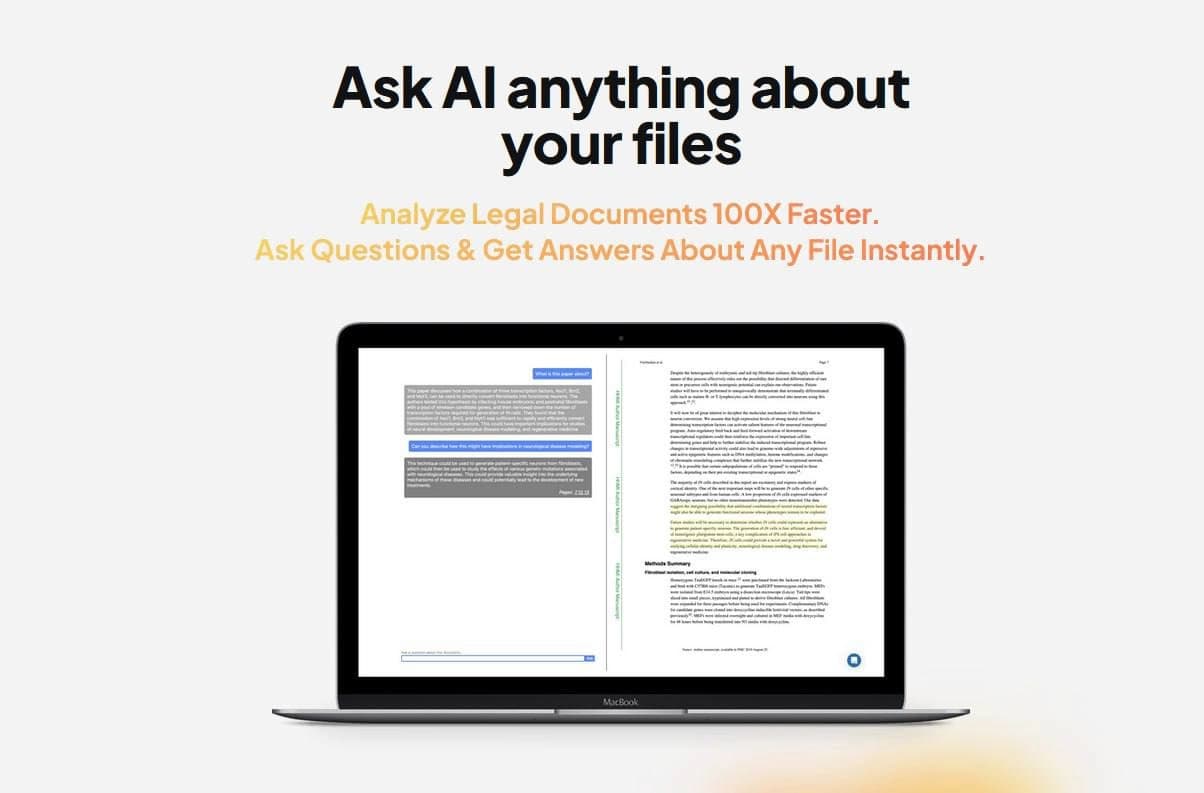
Humata AI is an intelligent document processing tool that allows you to upload files in PDF, Word, and PowerPoint formats and then interact with their content in natural language. Users can ask questions about a document, get brief summaries, or extract key information without having to read the entire text themselves. The service supports more than 80 languages, recognizes text in images using OCR technology, and provides each answer with a reference to the specific page and paragraph in the source file, making it easy to verify information. Humata AI also offers collaboration features, including shared folders and access rights management.
Humata AI characteristics
| Characteristic | Value |
|---|---|
| Rating | 4.7 out of 5 (based on 13 reviews) |
| Categories | Research, Popular, Trial version, Verified |
| Interface language | Russian |
| API | Yes |
| Mobile app | Yes |
| Browser extension | Yes |
| Registration | Not required |
| Payment model | Free, Paid, Trial |
| Popularity | Popular |
| Type | Neural network |
| Business model | Freemium |
| Tags | text-to-text, PDF processing |
Who is the Humata AI neural network suitable for?
For business professionals and lawyers
The tool is especially useful for lawyers who need to quickly analyze large volumes of legal documents and translate complex terms into plain language. Business professionals and sales analysts can use it to analyze data and identify market trends based on reports.
For researchers and educators
Researchers value Humata AI for its ability to summarize complex scientific articles, and educators for its help in creating learning materials. Marketers can use the service to create concise content from long documents.
For HR and technical specialists
HR specialists use the neural network to review resumes and analyze candidate documents. Technical specialists get access to explanations of complex technical documentation. Students are also part of the tool's target audience.
How to use the Humata AI neural network?
Getting started without registration
Humata AI is available immediately after opening the web interface — no registration required. Users can simply upload a document and start asking questions in chat. This makes first-time use as fast as possible.
Available platforms
The tool works through a web version, mobile app, and browser extension. This cross-platform availability lets users interact with documents both on a computer and on mobile devices.
How it works
Simply upload a PDF, Word, or PowerPoint file, and the neural network analyzes its contents. The user formulates questions in natural language, and the system provides answers linked to specific pages and paragraphs of the source document for verification.
Key features of Humata AI
Document interaction
Humata AI supports uploading and analyzing PDF, Word, and PowerPoint files. Users can ask an unlimited number of questions on one document and process multiple files simultaneously by creating document libraries. The system automatically summarizes content and provides brief excerpts.
OCR and multilingual support
Built-in optical character recognition (OCR) processes scanned documents and images containing text. The service supports more than 80 languages, making it accessible to international teams.
Collaboration and personalization
The tool offers team management with role-based access, shared folders, and answer personalization for different team members. It also integrates with corporate authentication systems and supports embedding a PDF chat into web pages.
Security
All data is protected with 256-bit encryption. Each document has a chat history, and answers always include links to the source pages and paragraphs.
Advantages of Humata AI
Speed and accuracy of analysis
Humata AI makes it possible to quickly analyze and summarize complex texts, create informative summaries, and extract deep insights from documents. According to the developers, the tool speeds up report creation and legal document analysis by up to 100 times.
Answers linked to sources
Each answer comes with links to specific pages and paragraphs of the source document. This lets users easily verify the accuracy of information and return to the original source.
Security and confidentiality
Data is processed with strict security measures, including 256-bit encryption. The service is focused on the privacy of corporate and personal documents.
Intuitive interface
Users note the clear and convenient interface design. The extensive free plan allows document processing without initial investment.
Disadvantages of Humata AI
The main drawback noted by users is the inability to name different conversations within a single document. This can be inconvenient when working with multiple discussions of the same file, as it becomes harder to navigate the query history. No other significant limitations are mentioned in the available sources.
What tasks does Humata AI solve?
Document analysis and summarization
The tool is effective for quickly finding information across a large number of PDF documents, getting brief summaries from multi-page files, and comparing the contents of several documents. Users can check claims against the original sources.
Specialized business tasks
For HR — reviewing resumes and analyzing candidate documents. For marketers — creating concise content from long reports. For sales analysts — identifying market trends based on data. For technical specialists — explaining complex technical documentation.
Legal and educational tasks
Lawyers use Humata AI to translate legal terms into plain language and speed up contract analysis. Educators create learning materials, researchers summarize complex articles, and students get help studying materials.
Humata AI pricing
Humata AI operates under the Freemium model. A free plan with certain limitations is available and is suitable for moderate document processing. There are also paid plans and a trial version with expanded capabilities. Specific prices and details of the pricing plans are not stated in the available sources.
Terms of use
Registration is not required to get started — the tool is available immediately after visiting the website. The free plan is provided with limitations on the volume of processed documents. For corporate use, team management with role-based access is available, along with integration with corporate authentication systems. All data is protected with 256-bit encryption.
Availability
The tool's interface is fully translated into Russian. Humata AI is available through a web version, mobile app, and browser extension. An API is provided for developers. The available sources do not mention the need to use a VPN to access the service.
How Humata AI differs from alternatives
Humata AI stands out from competitors with the ability to simultaneously manage multiple document types (PDF, Word, PowerPoint), as well as with features for personalizing answers for different team members and managing collaboration with role-based access. The service supports an unlimited number of questions on a single document, provides answers with links to specific pages and paragraphs, and lets users compare the contents of several documents. Additional advantages include built-in OCR for scanned documents, 256-bit data encryption, and the ability to embed a PDF chat into web pages. This makes the tool especially valuable for the corporate sector and HR specialists.
Conclusion
Humata AI is an interactive document management tool that turns static files into a source of instant answers in natural language. Thanks to support for multiple formats, OCR, multilingual capabilities, and collaboration features, it is suitable for both individual users and businesses. The service is focused on continuous improvement based on user feedback, making it a promising solution for document analysis, research, and legal work.
Frequently asked questions




See also


AI platform for fast website creation and small business process management.


Chrome extension that helps manage tabs, history, and bookmarks with an AI assistant.

A multimedia AI toolkit for editing and enhancing photos, videos, and PDF documents.

AI agent for automating customer communications and support.

AI assistant for business that helps manage tasks and automate routine through dialogue.


Desktop AI assistant for macOS, Windows, and Linux that launches via hotkey above all windows and combines multiple language models in one interface.

A neural network for document analysis that extracts key information, creates summaries, and answers questions about the contents of uploaded files.

AI keyboard for Apple devices that speeds up typing with corrections, translation, and response generation.