

Glarity
Бесплатное браузерное расширение с открытым исходным кодом, которое суммаризирует и переводит контент с веб-страниц, YouTube, PDF и писем с помощью ИИ.
Место в рейтингах
Обзор
Glarity
Описание нейросети Glarity
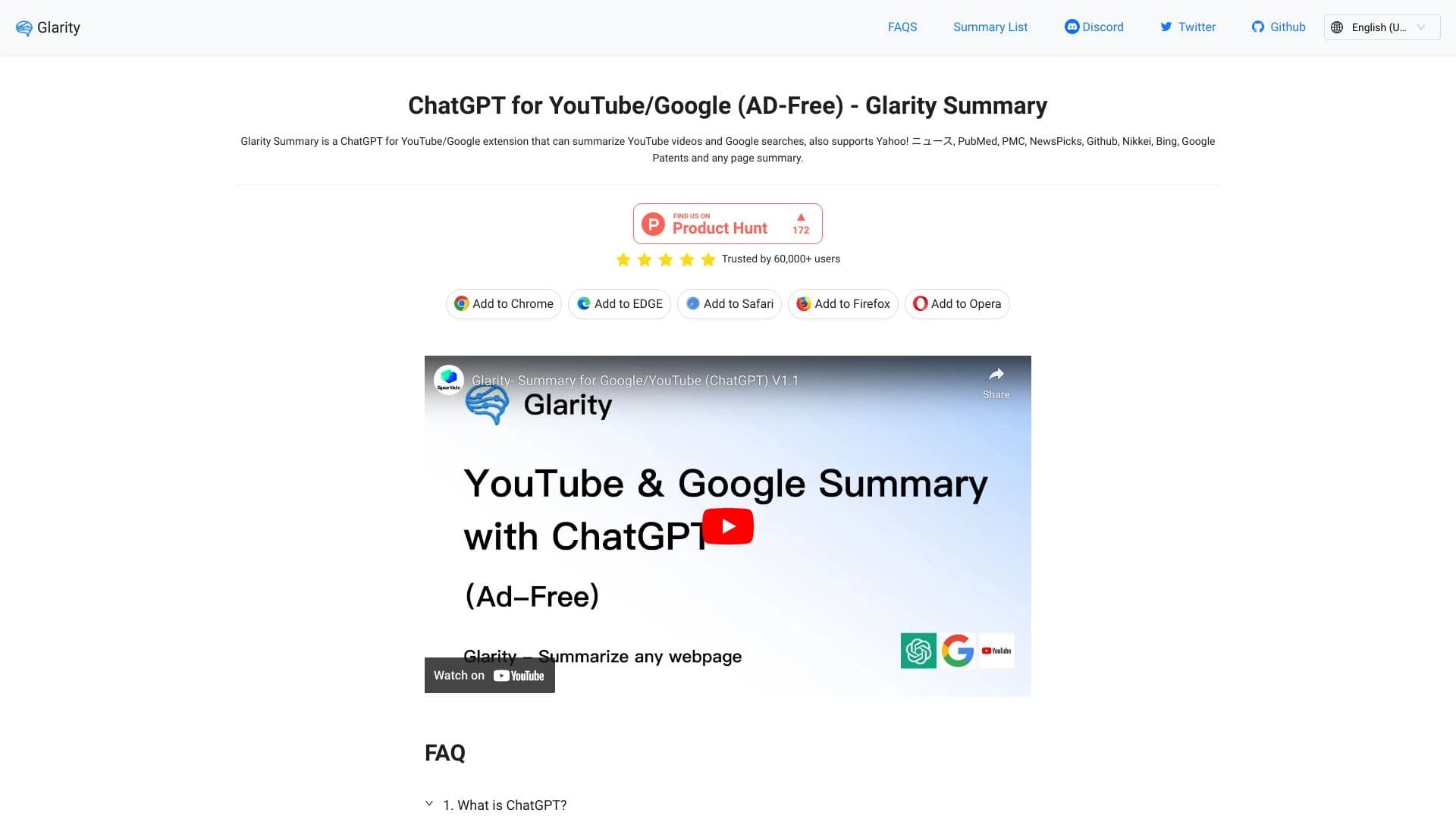
Glarity — это бесплатное браузерное расширение с открытым исходным кодом, которое позволяет пользователям суммаризировать и переводить контент с веб-страниц, YouTube, PDF-документов и электронных писем с помощью искусственного интеллекта. Инструмент использует такие языковые модели, как ChatGPT, Claude 3.5 и Gemini Pro, для создания кратких выжимок из любого текстового контента. Расширение поддерживает параллельный перевод текста, отображая оригинал и перевод рядом, что помогает преодолевать языковые барьеры и повышает продуктивность при работе с информацией. Glarity работает в браузерах Chrome, Edge, Safari, Firefox и Opera.
Характеристики Glarity
| Характеристика | Значение |
|---|---|
| Тип | Расширение для браузера |
| Категории | Суммаризация, YouTube и блогинг |
| Платформы | Chrome, Edge, Safari, Firefox, Opera |
| Языки интерфейса | Поддерживаются кросс-языковые суммаризация и перевод |
| Наличие бесплатного тарифа | Да, полностью бесплатно |
| Исходный код | Open source |
| Рейтинг | 0 (по данным страницы) |
| Количество пользователей | Более 1 000 000 |
Для кого подходит нейросеть Glarity?
Для студентов и исследователей
Студенты и исследователи могут использовать Glarity для быстрого анализа длинных научных статей, PDF-документов и зарубежных материалов. Инструмент помогает создавать краткие выжимки из объёмных текстов, что ускоряет процесс изучения литературы.
Для специалистов, работающих с информацией
Журналисты, аналитики и менеджеры могут применять расширение для суммаризации новостных статей, отчётов и писем. Параллельный перевод контента позволяет работать с многоязычными источниками без необходимости переключаться между сервисами.
Для изучающих иностранные языки
Пользователи, изучающие языки, могут использовать Glarity для чтения зарубежных материалов с параллельным отображением оригинала и перевода. Это способствует пониманию контекста и расширению словарного запаса.
Для активных пользователей YouTube
Любители образовательного или развлекательного контента на YouTube могут быстро получать краткие выжимки из длинных видео, экономя время на просмотр и поиск ключевых моментов.
Как использовать нейросеть Glarity?
Установка расширения
Для начала работы необходимо установить расширение Glarity в одном из поддерживаемых браузеров: Chrome, Edge, Safari, Firefox или Opera. Установка производится через официальный магазин расширений браузера.
Суммаризация контента
После установки расширения на любой веб-странице, странице с YouTube-видео, PDF-документе или email-письме появляется интерфейс Glarity. Пользователю достаточно нажать на иконку расширения, чтобы получить краткую выжимку содержимого.
Перевод текста
Для перевода контента необходимо активировать функцию параллельного перевода. Расширение отобразит оригинальный текст и его перевод рядом, что позволяет легко сравнивать версии и понимать содержание.
Использование дополнительных функций
В зависимости от выбранной модели ИИ (ChatGPT/GPT-4o, Claude 3.5 или Gemini Pro) доступны такие функции, как умный поиск, работа с PDF через ChatPDF и генерация изображений.
Основные функции Glarity
Суммирование и перевод контента
Glarity позволяет создавать краткие выжимки и переводить веб-страницы, YouTube-видео, результаты поиска, статьи, письма и PDF-документы. Инструмент поддерживает кросс-языковую суммаризацию, что облегчает работу с материалами на разных языках.
Параллельный перевод
Функция параллельного перевода отображает оригинальный текст и его перевод рядом, что улучшает понимание контента и подходит для изучения языков.
Поддержка нескольких ИИ-моделей
Расширение поддерживает использование моделей ChatGPT/GPT-4o, Claude 3.5 и Gemini Pro для различных задач, включая чат, видео-саммари, умный поиск, работу с PDF и генерацию изображений.
Работа с PDF через ChatPDF
Glarity включает функцию ChatPDF, которая позволяет взаимодействовать с PDF-документами, задавать вопросы по их содержимому и получать суммаризацию.
Преимущества Glarity
Бесплатное и без рекламы
Расширение полностью бесплатно и не содержит рекламы, что делает его доступным для всех пользователей без ограничений.
Открытый исходный код
Glarity имеет открытый исходный код, что обеспечивает прозрачность работы инструмента и возможность проверки его безопасности сообществом разработчиков.
Поддержка пяти основных браузеров
Инструмент работает в Chrome, Edge, Safari, Firefox и Opera, что позволяет использовать его на разных устройствах и платформах.
Поддержка нескольких ведущих ИИ-моделей
Возможность выбора между ChatGPT, Claude 3.5 и Gemini Pro даёт пользователю гибкость в решении различных задач — от суммаризации до генерации изображений.
Экономия времени
Glarity снижает информационный шум, предоставляя краткие выжимки из длинных текстов и видео, что ускоряет работу с информацией.
Недостатки Glarity
Конкретные недостатки Glarity не указаны в доступных источниках. Однако, как и любое браузерное расширение, оно может зависеть от стабильности интернет-соединения и производительности используемой ИИ-модели. Также отсутствие подробной информации о поддерживаемых языках может быть ограничением для пользователей, работающих с редкими языками.
Какие задачи решает Glarity
Суммирование длинных текстов и видео
Инструмент позволяет быстро получать краткие выжимки из объёмных статей, PDF-документов и YouTube-роликов, экономя время на чтение или просмотр.
Перевод контента на сайтах
Glarity переводит текст на веб-страницах, помогая преодолевать языковые барьеры при работе с зарубежными материалами.
Создание кратких выжимок из YouTube-роликов
Расширение анализирует видео и предоставляет сжатое описание содержания, что полезно для быстрого ознакомления с длинными лекциями или обзорами.
Анализ зарубежных материалов и многоязычных источников
Пользователи могут изучать контент на разных языках без необходимости ручного перевода, что упрощает исследовательскую работу.
Изучение языков с параллельным отображением
Функция параллельного перевода помогает изучающим языки лучше понимать контекст и структуру предложений.
Работа с PDF-документами через ChatPDF
Glarity позволяет задавать вопросы по содержимому PDF-файлов и получать суммаризацию, что ускоряет анализ документов.
Цены Glarity
Glarity полностью бесплатен. Инструмент не имеет платных тарифов и не взимает плату за использование своих функций.
Условия использования Glarity
Расширение распространяется бесплатно, без рекламы и с открытым исходным кодом. Точные условия использования уточняйте в официальной документации на сайте разработчика.
Доступность Glarity
Glarity доступен для браузеров Chrome, Edge, Safari, Firefox и Opera. Инструмент поддерживает кросс-языковой перевод, что позволяет работать с контентом на разных языках. Информация о региональных ограничениях и необходимости использования VPN в доступных источниках отсутствует.
Чем отличается Glarity от аналогов
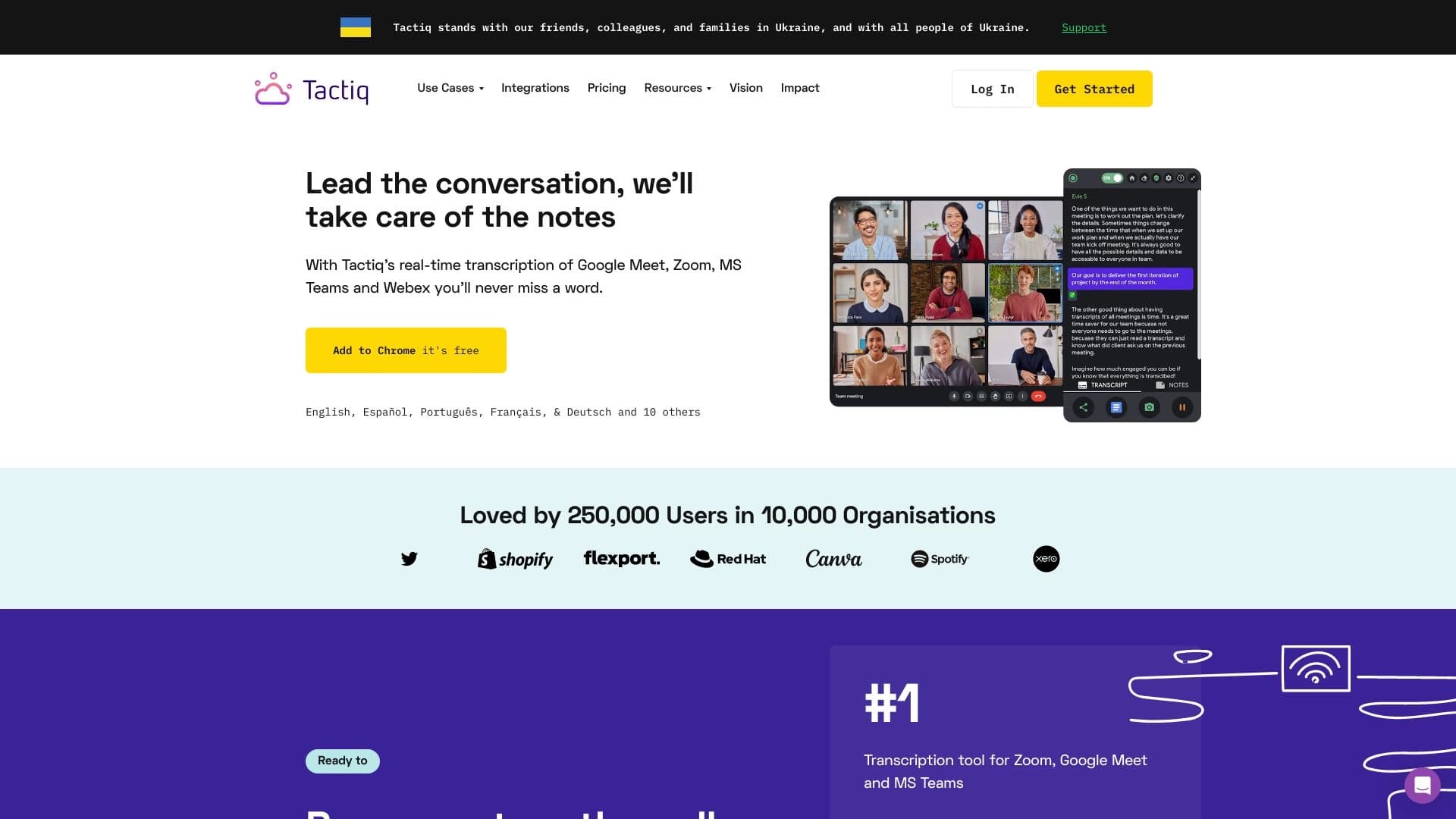
Glarity выделяется среди аналогов, таких как Ytzolo, Tactiq, ReplyCraft AI, CommentPilot.ai, Writebot и TagifyNow YouTube Tag Generator, несколькими ключевыми особенностями. Во-первых, это полностью бесплатный инструмент с открытым исходным кодом, что делает его доступным для сообщества разработчиков и пользователей. Во-вторых, Glarity поддерживает работу сразу с пятью основными браузерами, тогда как многие аналоги могут быть ограничены одной платформой. В-третьих, расширение предлагает интеграцию с несколькими ведущими ИИ-моделями (ChatGPT, Claude 3.5 и Gemini Pro), предоставляя пользователю гибкость в выборе инструмента для суммаризации, перевода, чата и генерации изображений. Это отличает Glarity от конкурентов, которые часто сосредоточены на одной задаче или одной модели ИИ.
Заключение
Glarity — это бесплатное, open-source браузерное расширение для суммаризации и перевода контента, поддерживающее несколько ведущих ИИ-моделей и популярные браузеры. Инструмент помогает пользователям экономить время при работе с большими объёмами информации, преодолевать языковые барьеры и анализировать контент из различных источников, включая YouTube, PDF-документы и email-письма. Благодаря поддержке ChatGPT, Claude 3.5 и Gemini Pro, Glarity обеспечивает широкий функционал, включая суммаризацию, перевод, чат и генерацию изображений, оставаясь при этом полностью бесплатным.
Часто задаваемые вопросы

Смотрите также

Платформа для автоматизации поддержки клиентов, которая анализирует обращения и помогает операторам быстрее отвечать.

AI-агент для автоматизации рутинных действий в браузере, таких как заполнение форм и сбор данных.


Платформа для организации живого чата и общения с посетителями сайта, предоставляющая бесплатный чат-виджет для службы поддержки клиентов.


Инструмент, встраиваемый в Microsoft Word, который с помощью нейросетей автоматизирует создание, редактирование и анализ юридических контрактов.


AI Slide Studio — это сервис на основе ИИ для быстрого создания настраиваемых презентаций по заданной теме.


AI-платформа для автоматизации видеоредактирования, включая замену лиц, перевод видео и создание аватаров.


Чат-бот на базе ИИ для автоматизации общения с клиентами и квалификации лидов.


Веб-сервис для генерации аниме-изображений по текстовым запросам с помощью ИИ.