
Genmo
Neural network for generating short videos from a text description or uploaded image.
Overview
Genmo
Description of the Genmo neural network
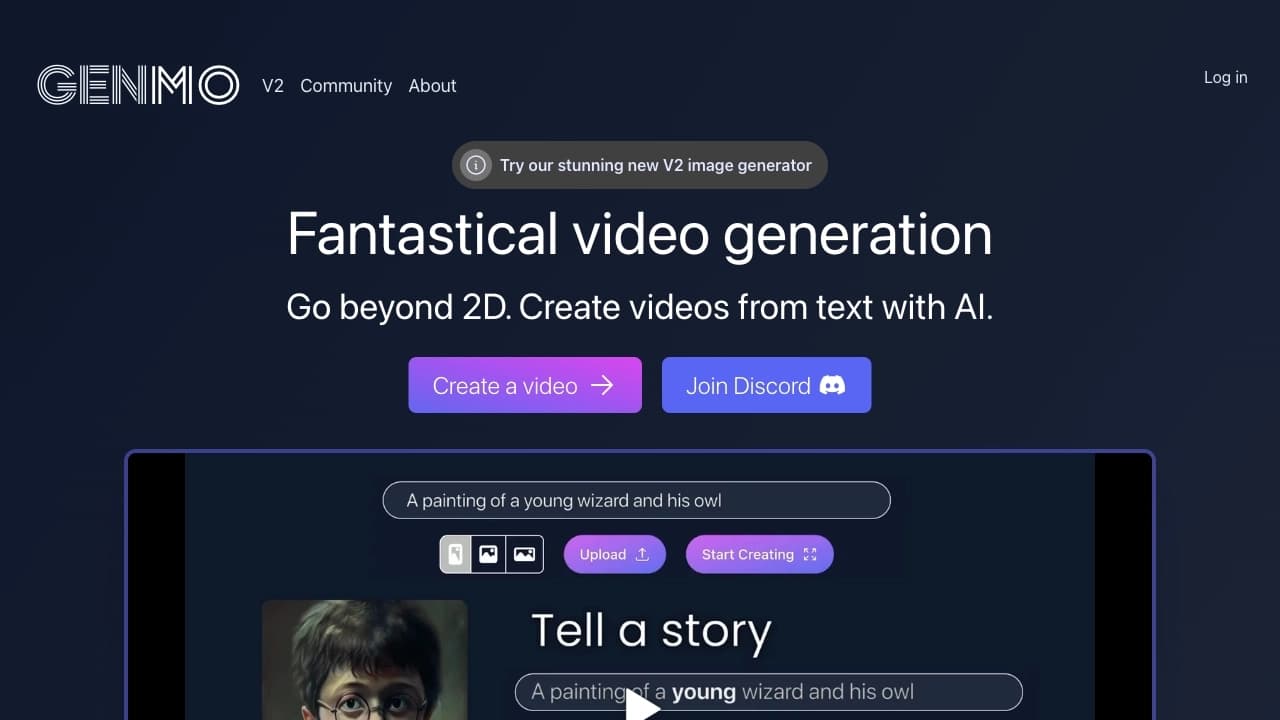
Genmo is a neural network that generates short videos from a text description or an uploaded image. The service is powered by the Mochi 1 model, which provides realistic animation and natural motion in the generated clips.
To create a video, the user enters a text prompt in English or uploads an image that becomes the stylistic and conceptual basis for the future clip. Both approaches can be combined, and camera motion and other shooting parameters can also be adjusted manually. The resulting videos range from 2 to 6 seconds in length.
Genmo is distributed under a freemium model: free access is available, but generated videos are watermarked. The service requires authorization through Google or Discord, and both the interface and text prompts are available in English only.
Genmo features
| Feature | Value |
|---|---|
| Type | Video generation from text and image |
| Categories | Video generation, Text to Video, Image to Video |
| Model | Mochi 1 |
| Source code | Open source |
| Video length | 2 to 6 seconds |
| Interface | English |
| Free plan | Available (with watermark) |
| Authorization | Google or Discord |
| Catalog publication date | August 2, 2025 |
Who is Genmo suitable for?
Video marketers and content creators
Genmo is suitable for those who regularly produce short video content for social media, advertising campaigns, and brand promotion. The service lets you quickly create clips from a text description without camera equipment or editing.
Designers and filmmakers
The tool is useful for designers and filmmakers who need visual concepts, animation, and rough scene drafts. The ability to set camera motion and effects helps develop ideas faster before final production.
How to use Genmo
Authorization and getting started
To get started, you must authorize with a Google or Discord account — video generation is impossible without this. Once logged in, the interface where all work takes place opens.
Creating a video
The user enters a text description of the future clip in English or uploads an image to use as the basis. Text and image can be combined if desired. Then camera position and motion are configured, the desired effects are enabled (or default settings are kept), and generation is launched with the Submit button.
Additional features
For those without a ready-made idea, there is a random generation function — it is launched by a dice button. New users should familiarize themselves with the basic features and prompt logic in advance, since the quality of the result depends largely on how accurate the text prompts are.
Key features of Genmo
Video generation from text and images
The main feature of the service is creating short clips from a text description, as well as from an uploaded image or photo, with the ability to combine text and image in a single request.
Character and environment control
Genmo enables detailed control over characters, environments, and actions within a scene. Users can set movements, emotions, and background to achieve the desired mise-en-scène based on their description.
Advanced camera controls and effects
Flexible settings for camera position and motion are available, as are effects. There is also a random video generation feature for cases when you don’t have a ready-made idea.
Genmo advantages
Realistic animation
The Mochi 1 model provides realistic animation and natural character motion in generated clips, which is a key advantage of the service.
Accurate reproduction of movement and facial expressions
Based on a text description, the tool reproduces movement and facial expressions quite accurately, which is important when creating short scenes and concepts.
Free access and flexible settings
The free version lets you use the service without payment (although with a watermark), while flexible camera and effect settings give you more control over the result.
Genmo disadvantages
High system requirements
The service puts noticeable load on the system and requires a powerful computer or cloud resources. Not all users have suitable hardware, which limits the tool’s accessibility.
Language and integration limitations
The interface and text prompts are available in English only. In addition, compatibility with common video editors is limited — integration with them is not always available.
Stability and watermark
During testing, Genmo servers were unavailable, which suggests possible stability issues. Free videos, in turn, come with a watermark.
What tasks does Genmo solve?
Marketing materials
The service is suitable for creating promotional videos and short animations for social media, helping you quickly produce video content for promotion.
Cinematic and design tasks
Genmo can generate trailers and visual concepts that can serve as a foundation for further work by designers and filmmakers.
Videos from images and without ready-made ideas
The tool can create clips in the style of an uploaded image and generate videos for users without ready-made ideas — thanks to the random generation feature.
Genmo pricing
Genmo operates on a freemium model. The free plan is available to every registered user, but videos created in the free version contain a watermark. Exact prices and paid plan terms are not specified in the source data.
Terms of use for Genmo
Authorization through Google or Discord is required to work with Genmo — without it, video generation is impossible. Videos created for free come with a watermark. In addition, the service requires a powerful computer or cloud resources for generation to work properly.
Genmo availability
Genmo is available online through a browser. The interface and text prompts are available in English only. The source data does not mention any regional restrictions or the need to use a VPN.
How Genmo differs from alternatives
The main difference between Genmo and many similar services is its use of the open source Mochi 1 model, which provides realistic animation and accurate reproduction of movement and facial expressions from a text description. Unlike several competitors, Genmo can generate videos not only from text but also from an uploaded image, and can combine both approaches.
Another difference is the emphasis on fine-grained shooting control: users can precisely manage camera position and motion and enable effects. At the same time, like many alternatives, the service is limited by its English-only interface and short video duration (2 to 6 seconds), while the free plan adds a watermark to finished videos.
Conclusion
Genmo is an accessible online neural network for generating short videos (2 to 6 seconds) from a text description or uploaded image, powered by the open source Mochi 1 model. The service is valuable for its realistic animation, flexible camera motion settings, and the ability to combine text and images. The tool is suitable for video marketers, designers, content creators, and filmmakers, but requires powerful hardware, authorization through Google or Discord, and an understanding of prompt logic. A free version is available but adds a watermark to videos; at the time of testing, the service’s servers were unavailable.
Frequently asked questions


See also


Neural network for generating SEO-optimized articles and automating blog management.

AI tool for product image processing and generating professional photos with virtual models.


Chrome extension that helps manage tabs, history, and bookmarks with an AI assistant.

Music generator from text descriptions with style and mood customization, as well as export of individual tracks.


AI-based platform for creating logos and brand identity.

Diagram and chart generator from uploaded data based on a natural language text description.


Service for automatic transcription of audio and video into text with support for over 100 languages.


Google's neural network for generating and editing images from text descriptions, based on Gemini models.