

Face Swap
AI-based web tool for face swapping in photos and videos directly in the browser.
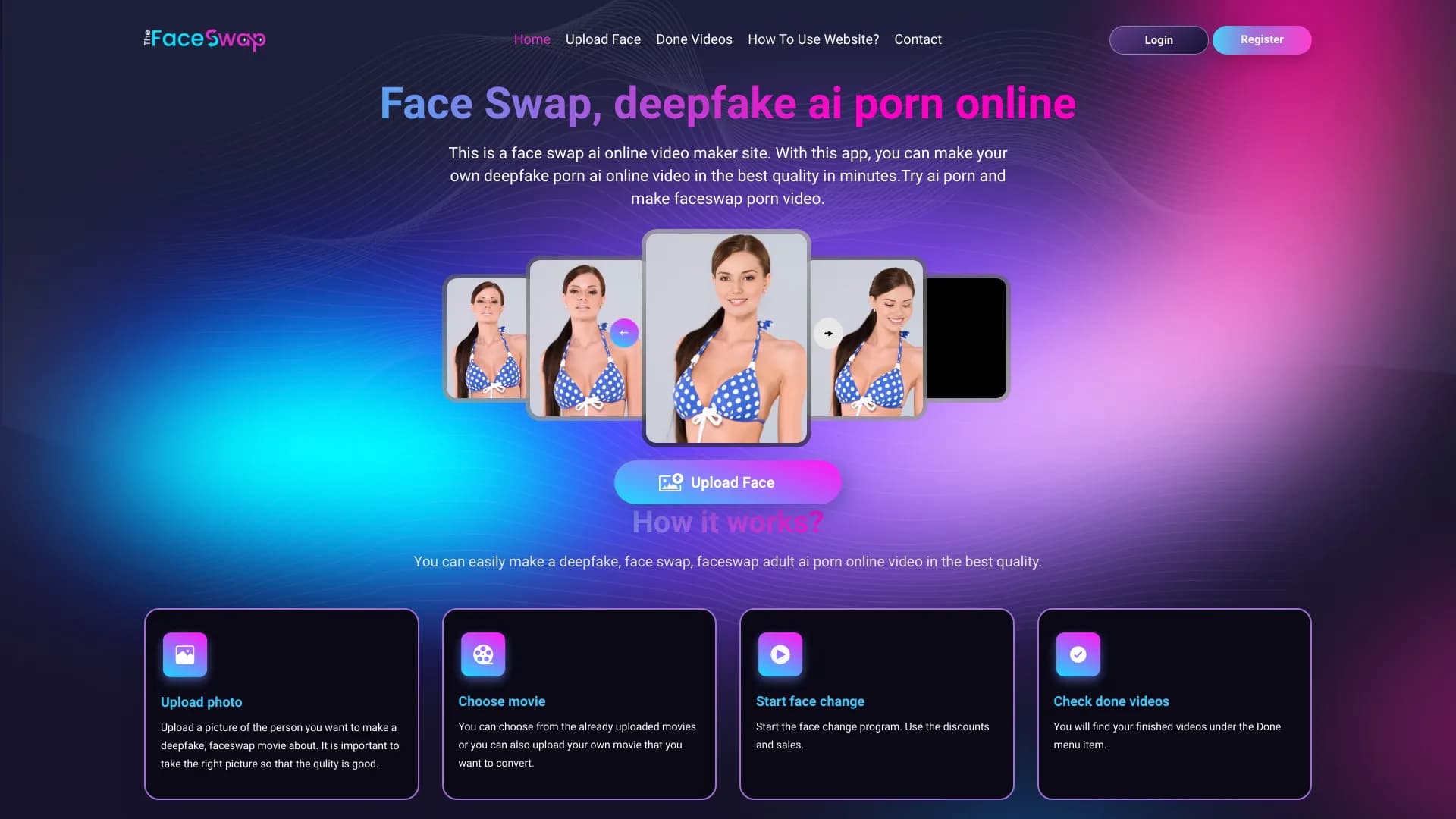
Overview
Face Swap
Face Swap Neural Network Description
Face Swap is an AI-powered web tool designed for swapping faces in photos and videos. The service runs entirely in the browser and does not require installing additional software on the user's device.
The service is powered by AI algorithms that deliver natural and realistic face-swapping results. It is designed for a broad audience and suits users of any skill level, from beginners to media professionals.
The service places particular emphasis on user privacy and also offers the ability to perform an unlimited number of face swaps.
Face Swap Characteristics
| Characteristic | Value |
|---|---|
| Rating | 4.4 |
| Editorial rating | 7.8 out of 10 |
| Platforms | Web |
| Category | Video, Universal |
| Transformation type | Video → video |
| Distribution model | Not specified |
Who Is Face Swap Suitable For?
Users of Any Skill Level
Face Swap is designed for users with any level of experience. Thanks to its user-friendly interface, the service suits both beginners encountering face-swapping tools for the first time and experienced users who regularly work with photos and videos.
Content Creators
The tool will be useful for anyone who needs to quickly replace a face in photos or videos without complex settings or professional editing skills. The tool's category includes image and video editing, which expands the range of potential tasks.
How to Use Face Swap
Browser-Based Work
Using Face Swap does not require installing software. Just open the service in a browser on the web platform, and the tool is ready to use. This makes the service convenient on any device with a modern browser.
Face Replacement Process
The user uploads a photo or video, and the AI algorithms perform the face swap. The service offers unlimited swaps, allowing users to experiment freely with results.
Main Face Swap Features
Face Swapping in Photos and Videos
The key function of the service is replacing faces in both static images and videos. This allows working with a wide range of content within a single tool.
Realistic Results Thanks to AI
AI algorithms deliver natural and realistic face-swapping results. The service uses advanced technologies to achieve high visual quality.
Unlimited Face Swaps
Unlike many similar services, Face Swap does not limit the number of face-swapping operations, giving users complete freedom when working with content.
Privacy Protection
The service emphasizes user privacy, which is an important aspect when working with personal photos and videos.
Advantages of Face Swap
User-Friendly Interface
One of the main advantages of the service is its convenient and intuitive interface, which lowers the entry barrier for new users and speeds up workflows.
Advanced Technology
To ensure realistic results, Face Swap uses advanced AI technology, which has a positive impact on the quality of the final output.
Accessible to Users of Any Level
The service is designed for a broad audience and does not require special technical knowledge or editing skills, making it accessible to everyone.
Disadvantages of Face Swap
The service may have regional availability restrictions. No functional limitations or other significant drawbacks are mentioned in the collected data.
What Tasks Does Face Swap Solve?
Swapping Faces in Photos and Videos
The main task the service solves is swapping faces in photos and videos. This is the core function that users come to the tool for.
Creating and Processing Video Content
Given the "Video → video" transformation type and the "Video" category, Face Swap is also suitable for processing video footage where a character's or participant's face needs to be replaced.
Face Swap Pricing
The available source data does not contain information about Face Swap's pricing policy. The distribution model is also not specified. At present, it is impossible to determine with certainty whether the service is free, paid, or uses a hybrid model with free and paid plans. For current pricing information, users are advised to refer to the service's official sources.
Face Swap Terms of Use
Detailed terms of use for Face Swap are not disclosed in the available source data. It is known that the service emphasizes user privacy, indicating attention to protecting personal data when handling uploaded materials. The tool is distributed as a web version and does not require software installation; however, specific legal and technical terms of use have not been published in the collected sources.
Face Swap Availability
Platform and Access Method
Face Swap is available exclusively as a web version — all you need is a browser, and no additional software installation is required. This provides access to the tool from any device with a modern browser.
How Face Swap Differs from Alternatives
Service Highlights
Face Swap stands out among similar tools through a combination of a user-friendly interface, realistic results powered by AI algorithms, and no limits on the number of face swaps. The service runs entirely in the browser, making it easier to use than solutions that require software installation.
Similar Services
Alternatives to Face Swap include Wunjo AI, InShot, DubAI, BlipCut, and Topview AI. Each of these alternatives has its own features, and the choice of a particular tool depends on the user's tasks — for example, whether they need to work with photos, videos, or handle processing within a broader feature set.
Conclusion
Face Swap is an AI-powered web tool for swapping faces in photos and videos, running directly in the browser without requiring additional software installation. The service combines a user-friendly interface, realistic results thanks to AI algorithms, unlimited face swaps, and a strong focus on user privacy. The tool is designed for users of any skill level and is suitable for a wide range of image and video processing tasks. The main limitation to keep in mind is that availability may vary by region.
Frequently asked questions

See also


AI platform for creating and editing videos, working directly in the Chrome browser.
Catalog of free video editors without watermarks for creating and editing videos.

Desktop application for Windows that upscales video resolution to 4K/8K and enhances the quality of old recordings using AI.


AI platform for automating video editing, including face replacement, video translation, and avatar creation.


Service for turning static images into videos with singing and lip-syncing using AI.

Web platform for AI-powered image and cinematic video generation, featuring studio-grade editing tools.

AI-powered online service for automatically generating video subtitles.

Multifunctional AI platform for content creation, combining speech synthesis, text generation, avatar creation, and video editing.