
EPIK - AI Photo & Video Editor
Mobile app for AI-powered photo and video editing.
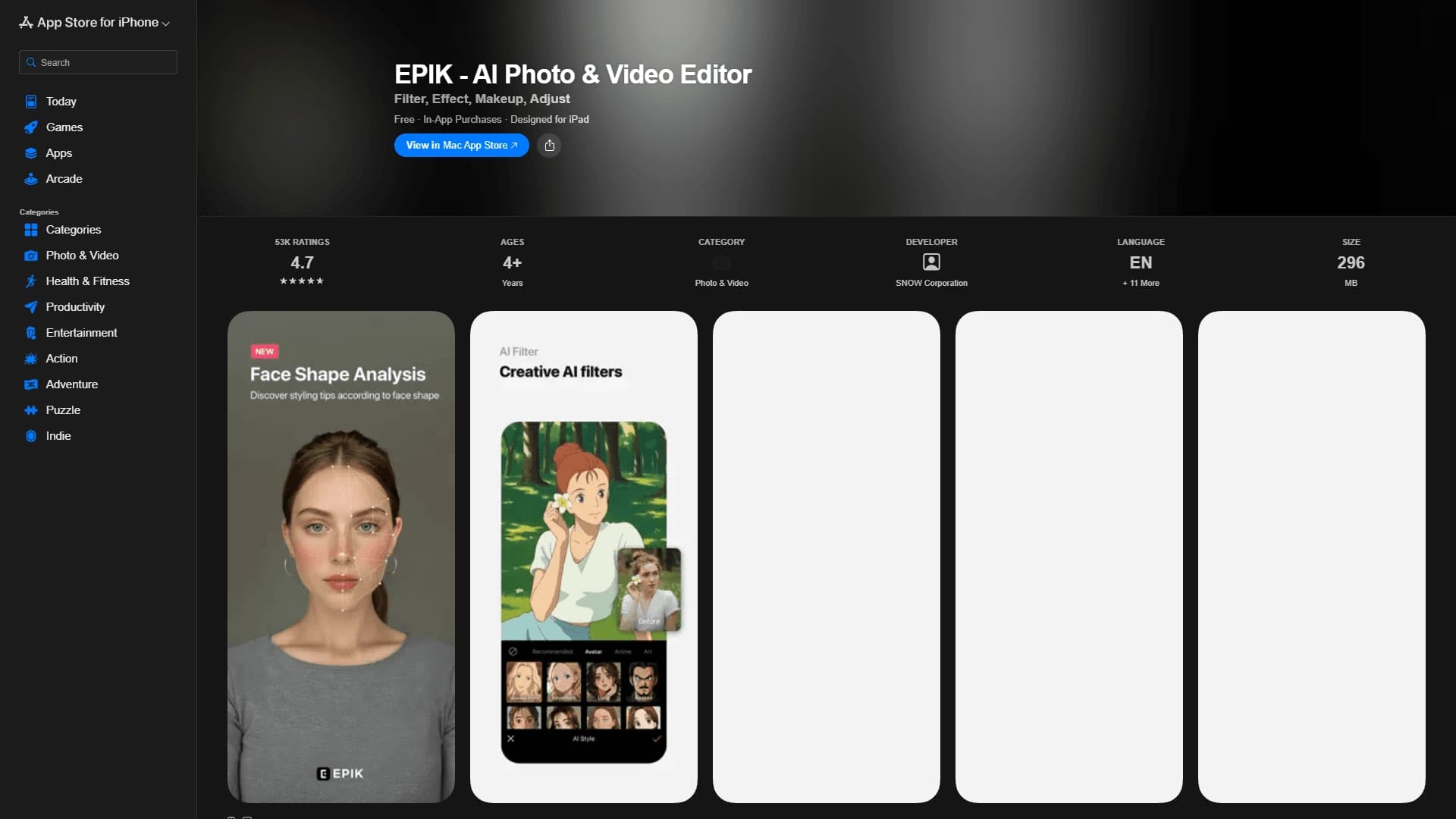
Overview
EPIK — AI Photo & Video Editor Description
EPIK is a mobile photo and video editing app that uses artificial intelligence algorithms to automatically process images. The main goal of the service is to make complex image enhancement operations accessible to everyday users who aren't familiar with professional editors.
The app is available for iPhone and iPad and offers a set of tools that work in just a few taps. The neural network independently sharpens frames, removes skin blemishes in portraits, cuts out objects, and deletes unwanted details from the background. EPIK also lets you create collages and apply stylized filters. The feature that made the service especially popular is turning selfies into retro photos in the style of 90s school yearbooks — this effect went viral on social media.
Basic features are available for free, but the full set of functions is only unlocked with a paid subscription. The app is designed for quickly creating social media content without using complex desktop software.
EPIK — AI Photo & Video Editor Specifications
| Specification | Value |
|---|---|
| Type | AI photo editor |
| Platform | iPhone, iPad (mobile app) |
| Category | Photo editing, object and watermark removal |
| Interface languages | Supports multiple languages |
| Pricing | Paid subscription available, free tier not specified on the page |
Who Is EPIK — AI Photo & Video Editor For?
Bloggers and social media users
EPIK is aimed primarily at those who regularly post photos on Instagram, TikTok, and other platforms. The app lets you prepare high-quality visual content in a couple of minutes: improve lighting, remove skin imperfections, cut out unwanted objects. This is convenient for daily account management, where processing speed matters more than deep manual adjustments.
Beginners in mobile photography
EPIK suits people without Photoshop or Lightroom experience thanks to its automatic algorithms. There's no need to understand curves, histograms, or masks — the neural network figures out what to improve in the frame on its own. Just pick a tool and confirm the action.
Advanced mobile photography enthusiasts
Even those who are well-versed in manual editing can use EPIK to speed up routine tasks: batch-enhancing a series of shots, quickly retouching portraits, or cutting out objects for photo collages. The user gets a result in seconds, whereas doing the same operation manually would take noticeably longer.
How to Use EPIK — AI Photo & Video Editor?
Step 1. Download the app
Get EPIK from the App Store on your iPhone or iPad. The interface supports multiple languages, so you shouldn't have any trouble navigating.
Step 2. Import a photo or video
Choose an image from your device's gallery or take a new shot right in the app. EPIK works with both single images and a series of frames for creating collages.
Step 3. Apply the tool you need
Depending on your task, pick one of the functions: Enhance to boost sharpness and resolution, AI Skin for automatic retouching, Remove to delete unwanted objects, or Smart AI cutout for cutting out people and animals. All operations are performed automatically — just tap the button and wait for processing.
Step 4. Save and share the result
After processing, export the finished image to your camera roll or publish it straight to social media. A paid subscription is required to access the full set of features.
Key Features of EPIK — AI Photo & Video Editor
Intelligent quality enhancement (Enhance)
This tool automatically increases the sharpness and resolution of images. The neural network fills in details, making the photo sharper and more detailed. The feature is especially useful for old or poorly taken shots.
AI Skin
Automatic skin retouching for portrait photos. The algorithm smooths out unevenness, removes redness, signs of fatigue, and other imperfections. At the same time, the skin texture stays natural, without a plastic-face effect.
Smart AI cutout
Smart object selection — the feature automatically detects the outlines of people, animals, and objects, letting you neatly cut them out for collages or background replacement. The app handles complex edges, including hair and fur.
Remove
A tool for deleting unwanted details from a photo: random passersby, litter on the lawn, text, or watermarks. Just outline the unwanted object, and the neural network fills the freed-up area with a suitable background.
Additional tools
Beyond what's listed, the app also offers filters, effects, virtual makeup, and other settings for putting the final polish on a frame.
Advantages of EPIK — AI Photo & Video Editor
Simple, intuitive interface
The app isn't overloaded with complex settings. All features are placed on the main screen and launched with a single tap. This makes EPIK accessible to users of any skill level.
A combination of professional capabilities and convenience
One app brings together tools that usually require several programs: quality enhancement, retouching, object removal, and cutouts. And all of them work in automatic mode.
Speed of content creation
EPIK lets you get a photo ready for publishing in minutes. Bloggers don't need to spend time learning professional software — fast, high-quality results are achieved with minimal effort.
Drawbacks of EPIK — AI Photo & Video Editor
Limitations of the free version
The full set of features is only available with a paid subscription. The app's page doesn't specify which features remain in the free tier, which could be an unpleasant surprise for some users after installation.
iOS devices only
The app is available exclusively for iPhone and iPad. Android and web browser users can't use the service, which significantly narrows its potential audience.
Limited manual control
Automatic algorithms don't always give you full control over the result. Users who are used to fine-tuning processing parameters may not find enough tools in EPIK for manual adjustments.
What Problems Does EPIK — AI Photo & Video Editor Solve?
Improving photo quality
The app boosts the sharpness and detail of images, making them look better even at low original resolution. This helps rescue failed shots and get them ready for printing or publishing.
Automatic portrait retouching
AI Skin removes the need to manually process skin in portrait photos. The user just picks the feature, and the algorithm independently eliminates visible imperfections.
Cutting out objects and changing backgrounds
Smart AI cutout lets you neatly separate a person, animal, or object from the background. The resulting image can be used for collages, photo compositing, or replacing the backdrop.
Removing unwanted elements
Remove helps clean up a frame from people who accidentally got in the shot, litter, text, and watermarks. The feature works automatically and requires no complex manipulation.
EPIK — AI Photo & Video Editor Pricing
EPIK operates on a freemium model. You can download the app for free, and basic features are available right after installation. A paid subscription is required to get full access to all tools.
The exact subscription price isn't listed on the official page, so you can find the current rate directly in the app at the time of installation or when trying to activate the trial period. Users who want to regularly use all of EPIK's features are advised to check the subscription price in the App Store in advance before signing up.
Terms of Use for EPIK — AI Photo & Video Editor
Subscription and paid content
The app offers a free start, but a subscription is required to unlock the full functionality. The official description doesn't specify which tools remain available without payment.
Platform and compatibility
EPIK is listed in the App Store catalog, meaning it only supports devices in the Apple ecosystem — iPhone and iPad. A device with a compatible version of iOS or iPadOS is required for the app to work properly.
Language support
The interface is translated into several languages, making the app convenient for an international audience. The exact list of languages isn't specified in the source data.
EPIK — AI Photo & Video Editor Availability
The app is distributed exclusively through the App Store. It's available to iPhone and iPad owners and supports multiple interface languages. The multilingual support makes EPIK suitable for use in different countries, but Android or web users won't be able to use the service.
To get started, simply download the app and install it on your device. The official store page includes a description of features and key specifications, but doesn't provide details about the free tier or the exact subscription price.
How EPIK — AI Photo & Video Editor Differs from Alternatives
The main difference between EPIK and many competitors is its comprehensive approach to automatic processing. One app combines four key tools: quality enhancement, skin retouching, object cutouts, and removal of unwanted details. Most similar editors specialize in just one thing, and users have to install several different apps to handle the full range of tasks.
The second major difference is the famous retro selfie feature in the style of 90s school yearbooks. This effect brought the app massive popularity on social media and became a kind of signature for EPIK. Competitors usually offer standard filter packs or stick to ordinary color corrections.
The third distinguishing feature is the emphasis on speed and ease of use. EPIK doesn't offer the deep manual controls typical of professional editors. Instead, the whole process comes down to picking a ready-made tool and letting automatic processing do the work. This makes the app an ideal choice for bloggers who value speed over detailed control of every image parameter.
Conclusion
EPIK is a mobile AI editor for iPhone and iPad that brings together several popular photo enhancement features in one app with a simple interface. Automatic retouching, sharpness boosting, object cutouts, and removal of unwanted details make it a handy tool for bloggers, social media users, and anyone who wants to improve their shots without learning professional software. Thanks to its viral retro feature and automation of key operations, EPIK suits both beginners and advanced mobile photography enthusiasts. The main limitations are the paid subscription for full functionality and availability on iOS devices only.
Frequently asked questions
See also


A platform for chatting with virtual AI characters that you can create and customize to suit yourself.


A multifunctional AI assistant for chat, text and image generation, translation, and programming help.


AI tool for creating SEO-optimized multilingual content.

A service that automatically generates enhanced photos for dating site profiles.


Platform for creating anime art, comics, and videos with AI.


AI service for automatically selecting music to match the mood of videos, images, or text, with legal licenses.


AI-based service for automatic generation of text content in various formats.


Neural network that generates images and illustrations based on a text description.