
Diagramming AI
Online service for automatic generation of UML diagrams and process flows from text descriptions using AI.
Overview
Diagramming AI Description
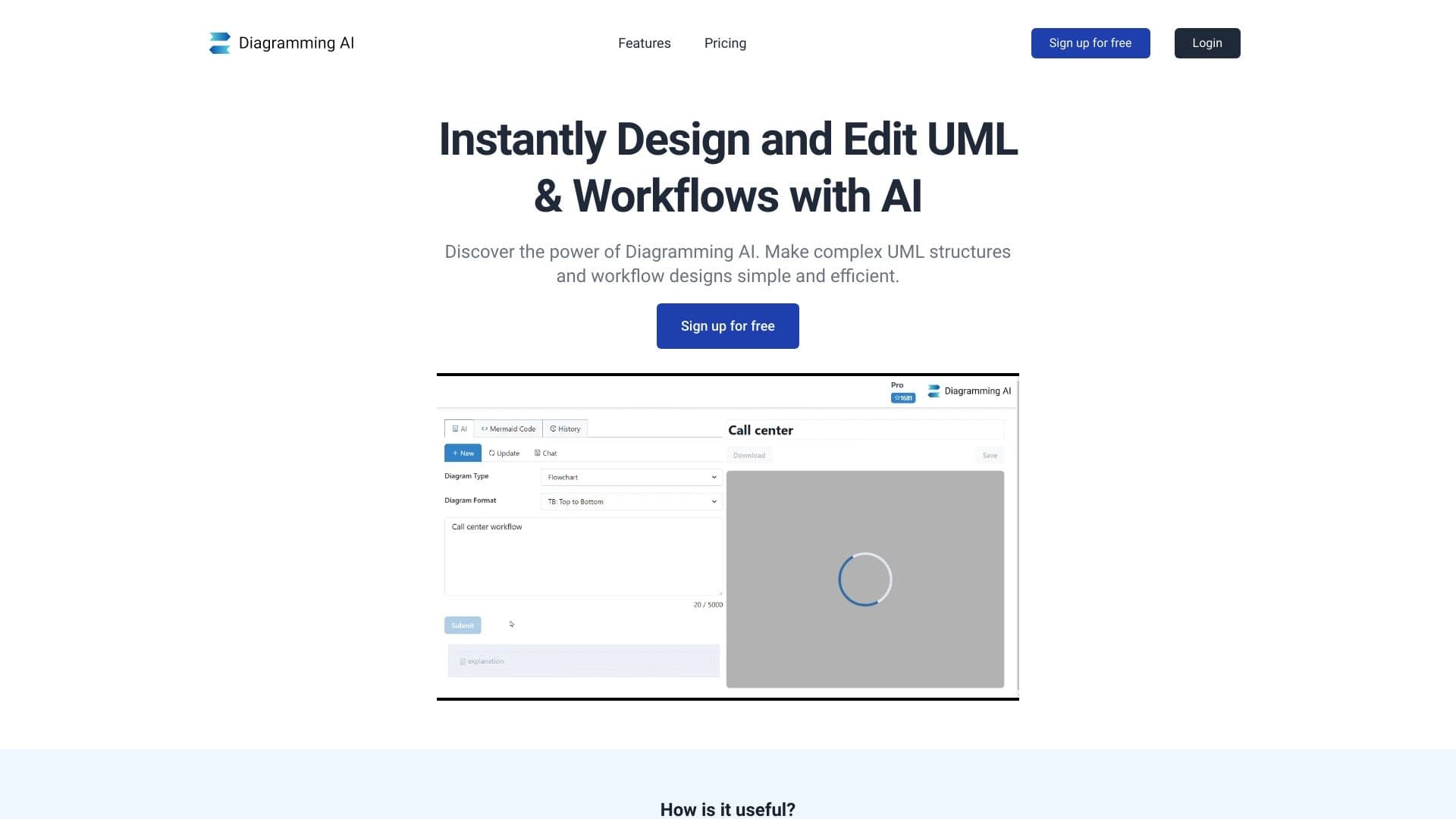
Diagramming AI is a web service that automates the creation of charts and diagrams based on text descriptions. Instead of manually arranging blocks, connecting them with lines, and labeling elements, the user formulates the essence of the future diagram in words, and artificial intelligence converts that text into a ready-made visual result. It is a practical tool for those who regularly need to visualize processes, system architecture, or business logic.
The key feature of the service is support for several popular diagram formats, such as Mermaid, PlantUML, GraphViz, and Excalidraw. This means the generated diagram can be used in various environments and integrated into existing workflows. In addition, working with diagrams does not end after their creation: changes can be made through the built-in AI chat by issuing commands in natural language.
Diagramming AI Features
| Feature | Value |
|---|---|
| Tool Type | AI service for UML and process diagrams |
| Category | Diagrams and charts, design assistants and mockups |
| Platform | Online service (web) |
| Supported Formats | Mermaid, PlantUML, GraphViz, Excalidraw |
| Free Tier Available | Not specified |
| Website | diagrammingai.com |
Who Is Diagramming AI For?
The tool is aimed at professionals who regularly work with documentation, diagrams, and process visualization.
Developers and Engineers
Programmers can use the service to quickly create UML diagrams of classes, sequences, or components. This is especially useful when designing the architecture of a new project or documenting existing code without lengthy manual drawing.
Analysts and Product Managers
Professionals responsible for formalizing business requirements and processes get a convenient way to turn verbal descriptions into clear process diagrams. This simplifies communication between teams and allows for rapid prototyping of system behavior models.
Technical Writers
Documentation authors can significantly speed up the preparation of illustrative material. Instead of spending time aligning elements in graphic editors, it is enough to describe the scenario in text — and get a ready-made insert for a manual or report.
How to Use Diagramming AI?
Writing a Text Description
All that is required from the user is to clearly and structurally present the essence of the future diagram in text. The more accurate the description, the more correctly the AI reconstructs the diagram. Specify actors, processes, connections, and states — the system will determine how to display them.
Generation and Refinement
After entering the description, the system automatically builds a diagram in the selected format. If the result needs adjustments, use simple text commands through the built-in AI chat: ask to add an element, change a connection, or rearrange a block. This allows iterative work on the diagram without switching between different tools.
Key Features of Diagramming AI
- Automatic diagram generation: creation of UML diagrams and process charts from text descriptions. The system handles the routine work of element layout.
- Support for multiple formats: the ability to output results in Mermaid, PlantUML, GraphViz, and Excalidraw, providing flexibility for integration into various work environments.
- Smart edits via AI chat: interaction with the diagram in natural language. Users can give commands to modify the diagram, and the service makes changes automatically.
- Tool for personal and team use: the service suits both individual expert work and collaborative discussion and diagram creation in small groups.
Advantages of Diagramming AI
Instant Results
Diagrams are created without manual block alignment, font selection, or label editing. This saves significant time compared to graphic editors.
Faster Material Preparation
Diagrams for presentations, specifications, and technical reports are prepared many times faster. Instead of hours of work on an image, it takes a few seconds to formulate a request.
Reduced Routine and Improved Quality
Automation eliminates monotonous operations, minimizing the likelihood of errors in labels and connections. At the same time, the quality of visual materials becomes more consistent and polished.
Disadvantages of Diagramming AI
Available sources do not list any explicit limitations or weaknesses of the service. As with many specialized AI tools, drawbacks may emerge depending on the complexity of the described scenario: a fully automatic result for complex systems may require additional manual edits. There is also no information about pricing policy, which could be a barrier for some users.
What Problems Does Diagramming AI Solve?
Generating UML Diagrams and Process Charts
The main task of the service is converting verbal descriptions into visual diagrams. These can be class diagrams, use case diagrams, activity diagrams, or process flowcharts.
Visualizing Architecture and Business Processes
The tool helps display software architecture, system interaction sequences, business scenarios, and object states. This makes complex structures clear to all project stakeholders.
Quick Updates and Refinements
Thanks to AI chat integration, users can quickly adapt an existing diagram to new requirements. There is no need to recreate the diagram from scratch — simply describe the changes in text.
Diagramming AI Pricing
Official data on subscription costs or the availability of a free tier is not provided on the service's website in available sources. For up-to-date information on licensing and pricing plans, potential users are advised to contact the developers directly via the official website diagrammingai.com.
Terms of Use for Diagramming AI
The service is distributed as an online solution (web application). Detailed terms of use, including the licensing model, restrictions on commercial use, and privacy policy, have not been disclosed in the analyzed sources. Before starting to work with the platform, it is important to review the user agreement on the official website yourself.
Diagramming AI Availability
Diagramming AI is accessible via a web browser on any device with an internet connection, eliminating the need to install additional software. Information about supported interface languages and regional availability is not present in the provided data. Since the service is an online platform, actual operation depends on the stability of the user's internet connection.
How Diagramming AI Differs from Alternatives
The main difference of the service is its focus on generating diagrams from scratch based on text descriptions, paired with interactive refinement through AI chat. Many similar tools only allow editing ready-made diagrams, whereas Diagramming AI covers the full cycle: from idea and description to the final result.
Support for four output formats at once (Mermaid, PlantUML, GraphViz, Excalidraw) also sets the service apart from competitors, which usually limit themselves to a single format. This allows the same text command to produce diagrams compatible with different development environments, trackers, and editors — from engineering documentation to design mockups.
Conclusion
Diagramming AI is a functional online service that automates the process of creating UML diagrams and process charts. Artificial intelligence turns text descriptions into visual diagrams, supports work with several popular formats, and allows changes via AI chat. The tool is aimed at developers, analysts, product managers, and technical writers, helping them speed up the preparation of visual materials and reduce the effort of working with documentation. For additional information about pricing and terms of use, it is recommended to visit the service's official website.
Frequently asked questions
See also


Platform for organizing live chat and communicating with website visitors, offering a free chat widget for customer support.

A customer support automation platform that analyzes inquiries and helps operators respond faster.
Free AI service for forecasting price movements of stocks, cryptocurrencies, and commodities.

A platform for generating images, videos, and audio using artificial intelligence from text descriptions.


An add-in for Microsoft Word that uses neural networks to automate the creation, editing, and analysis of legal contracts.

AI platform for voice synthesis and cloning that converts text into realistic speech.


Online service with artificial intelligence that automatically creates presentations on a given topic.


Platform for automatic work time tracking and team productivity analysis.