

Captions
AI-powered platform for creating and editing videos, including automatic subtitles, translation, and gaze correction.
Overview
Captions
Description of the Captions AI
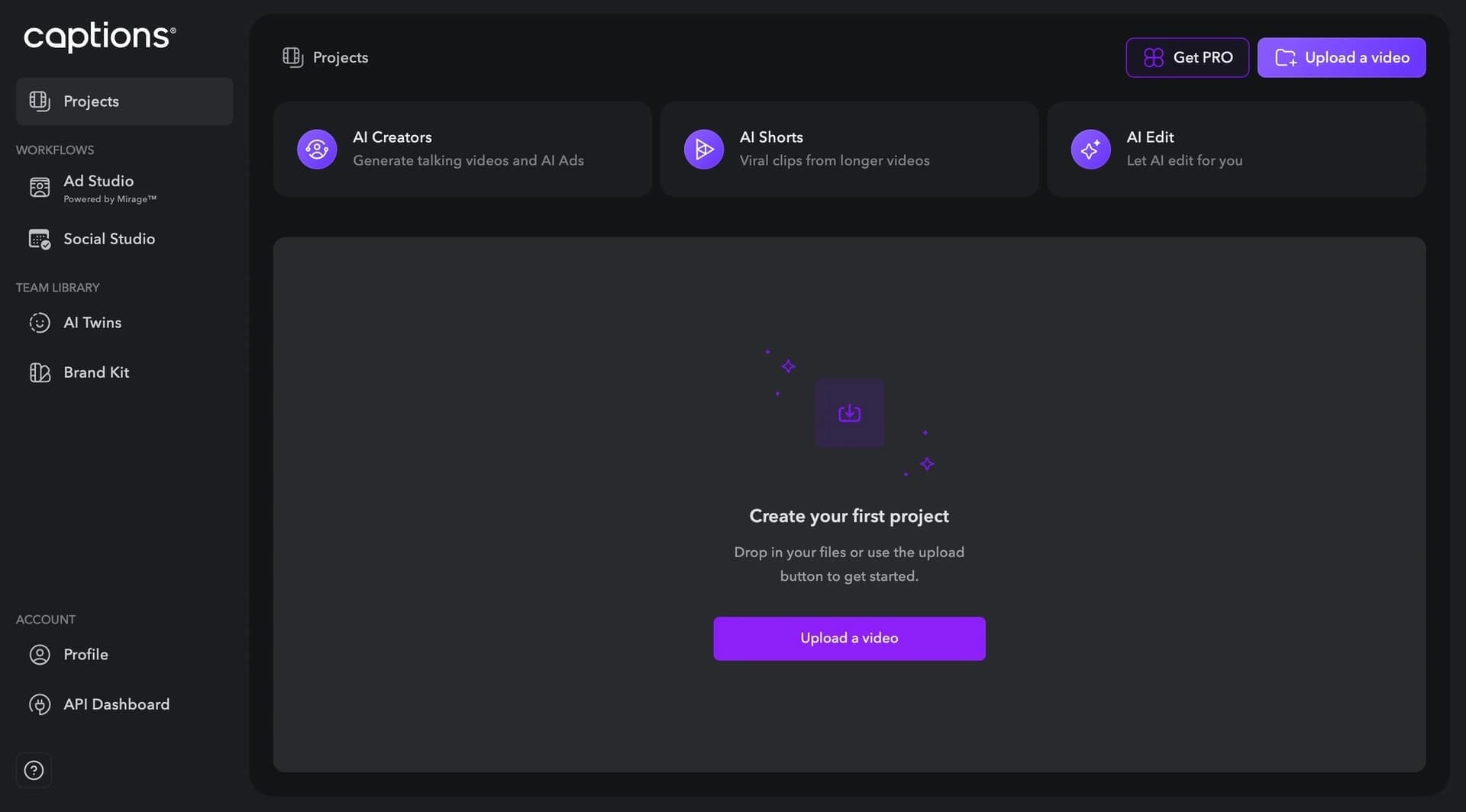
Captions is a multifunctional video creation and editing platform powered by artificial intelligence. The tool combines automatic subtitle generation, video translation with lip sync, eye contact correction, and background noise removal. The platform is available as a web version and a mobile app for iOS, and it also offers a three-day free trial to explore the full functionality. The service was launched in 2022 by the developer Captions, Inc. and today has more than 10 million content creators who use the platform daily.
Captions features
| Feature | Value |
|---|---|
| Type | AI-powered video editing platform |
| Categories | Subtitles, Video editing, Video translation, Lip sync, For bloggers |
| Platforms | WEB, Mobile (iOS) |
| Russian interface | No |
| Russian language | No |
| VPN required | No |
| Release date | 2022 |
| Developer | Captions, Inc. |
| Number of supported languages | 25 |
| Distribution model | Freemium |
Who is the Captions AI suitable for?
Content creators and bloggers
The platform is aimed at content creators who want to process videos quickly and professionally without deep technical skills. Captions automates routine tasks such as adding subtitles, removing pauses, and correcting eye contact, which is especially useful for authors who publish regularly on social media.
Marketers and entrepreneurs
For marketers and small business owners, Captions offers tools for creating UGC-style ad videos, translating videos into other languages, and generating clips from long recordings. This makes it possible to distribute quality video content without hiring professional video editors.
Video editors
Professional video editors can use Captions to speed up routine operations: automatic transcription, color correction, noise removal, and subtitle overlay. The platform serves as an auxiliary tool that reduces time spent on technical processing of material.
How to use the Captions AI?
Getting started
To use Captions, you need to download the app on iOS or use the web version through a browser. After registration, the user gets access to a three-day free trial during which all platform features can be evaluated.
Video processing workflow
Working with the platform involves a few simple steps: upload a video file, select the needed functions and settings (subtitles, translation, eye contact correction, noise removal), then start processing. The system automatically recognizes speech, overlays text, corrects the image, and delivers the finished result. Integration with social networks allows you to upload the finished video directly from the app.
Key features of Captions
Subtitles and transcription
The platform automatically generates subtitles based on speech recognition in 25 languages. Users can edit the appearance of subtitles: adjust the style, color, size, and position of the text. Transcription is also available — converting the audio track into text format.
Video translation and dubbing
Captions supports voice translation into more than 28 languages with automatic lip movement synchronization. This allows creators to produce multilingual content without re-recording, preserving the naturalness of the speaker's speech and articulation.
Video and audio correction
The tool includes eye contact correction — AI adjusts the direction of the gaze if the speaker looks away from the camera. Background noise removal, trimming and joining clips, color correction, and applying filters and effects are also available.
Content generation
Captions can automatically find the most engaging moments in long recordings, create clips from the source video, and generate UGC-style ad videos with one click. The AI Creator feature makes it possible to create videos with a 3D avatar without real filming.
Advantages of Captions
Automation of complex tasks
The platform combines many tools under one roof and automates routine video editing operations. This reduces processing time and lets users focus on the creative side rather than technical details.
Availability across multiple platforms
Captions is available both as a web version and as a mobile app for iOS. This provides flexibility — users can edit videos on a computer or on mobile devices. No VPN is required to use the service.
Free trial period
The platform offers three days of free access to basic features, allowing users to evaluate the service before purchasing a paid plan. High speech recognition accuracy and support for 25 languages make the tool convenient for international content.
Disadvantages of Captions
No Russian language support
The main limitation of the platform is the lack of Russian language support and a Russian interface. This creates inconvenience for Russian-speaking users: all menus, settings, and prompts are displayed in English, and speech recognition in Russian is not supported.
Limited platform availability
Captions is available only as a web version and an iOS app. Android users currently cannot use the mobile app, which narrows the service's audience.
What tasks does Captions solve?
Creating and editing video content
The platform solves a wide range of video processing tasks: adding subtitles, trimming and joining clips, removing background noise, color correction, applying effects and filters, and compressing video files without quality loss.
Multilingual content adaptation
Captions translates videos into other languages with lip sync, making content accessible to an international audience. The tool also automatically finds the best moments in long recordings and turns them into short clips.
Professional processing without skills
The service handles tasks that usually require video editing experience: correcting the speaker's eye direction, generating ad videos, creating videos with a digital avatar, and converting audio to text.
Captions pricing
Captions operates on a freemium model. The platform offers a free plan with limited functionality that lets users explore the basic features. Paid plans are available for access to advanced functions. In addition, a three-day free trial is provided for full testing of all platform tools. Specific prices for paid plans are not listed in public sources; the developers recommend contacting them directly for pricing details.
Terms of use for Captions
Registration is required to start working with Captions. Users can download the app on iOS through the App Store or use the web version through a browser. After registration, three days of free access to the full functionality are provided. After the trial period expires, you need to choose a paid plan to continue using the service. Terms of use for corporate clients are discussed individually when contacting the developers.
Captions availability
Captions is available in two formats: a web version for use through a browser on any device and a mobile app for iOS. The platform supports 25 languages for speech recognition and subtitle generation. No VPN connection is required to use the service — the tool is available without regional restrictions. However, Russian and a Russian-language interface are not supported.
How Captions differs from alternatives
Combining many features
Unlike many competitors, Captions brings together tools for automatic subtitles, video translation, eye contact correction, noise removal, and content generation under one roof. This saves users from switching between multiple apps for different tasks.
Lip sync when translating
The key difference of Captions from alternatives is the ability to translate videos into other languages with automatic lip movement synchronization. This feature makes it possible to create multilingual content that looks natural, without noticeable re-dubbing.
Working with 3D avatars
The AI Creator feature, which allows creating videos with a digital avatar without real filming, sets Captions apart from tools focused exclusively on editing existing material. This expands content creation possibilities, especially for bloggers and marketers.
Conclusion
Captions is a multifunctional AI-powered video editing platform that automates subtitle creation, eye contact correction, video translation, and other tasks. The tool is aimed at content creators, marketers, and entrepreneurs without deep technical knowledge. The main advantages of the service are the combination of many features in a single interface, support for 25 languages, lip sync during translation, and a three-day free trial. The main limitations are the lack of Russian language support and a Russian-language interface, as well as the mobile app being available only for iOS.
Frequently asked questions
See also


AI language teacher in the form of a browser extension and web service for practice, translation, and explanation of language materials.

A platform for aggregating world news using AI to analyze and reduce bias.


Bleepify automatically detects and bleeps out profanity in video and audio.

AI-powered online service for automatically generating video subtitles.


Service for automatic transcription of audio and video into text with support for over 100 languages.

Cloud platform for creating videos using AI avatars, synthesized speech, and automatic translation of clips into dozens of languages.


AI assistant for checking grammar, spelling, and style of English text, available as a browser extension and web editor.


AI toolkit for video generation and editing, including avatars, lip-sync, and voice cloning.