

Camtasia
Xrogram এর মাধ্যমে আপনার কাজের গতি বৃদ্ধি করতে একটি স্ক্রিন রেকর্ডিং এবং ভিডিও সম্পাদনা প্রোগ্রাম।.
র্যাঙ্কিংয়ে অবস্থান
সারসংক্ষেপ
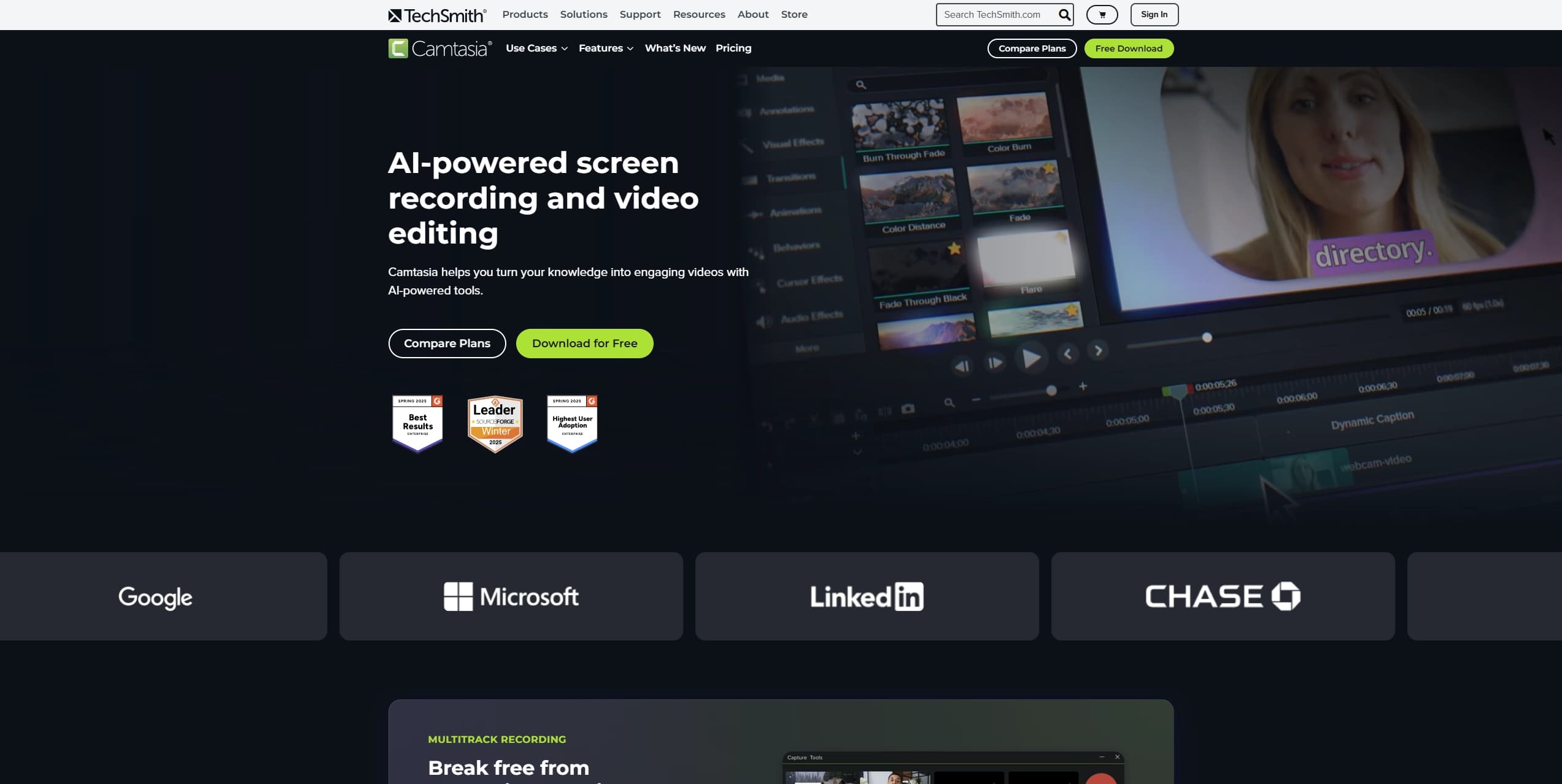
ক্যামটাসিয়া একটি ডেস্কটপ সফটওয়্যার অ্যাপ্লিকেশন যার মাধ্যমে দুটি প্রধান ভিডিও ওয়ার্কারমেন্ট যোগ করা হয়েছে: আপনার পর্দায় কি ঘটছে তা ধারণ করে এবং পরবর্তীতে এর বিষয়বস্তু সম্পাদনা করে। এই টুলটি টিউশনাল ভিডিও, নির্দেশনা এবং উপস্থাপনার জন্য একটি সমাধান। সম্পূর্ণ AI জেনারেটরের বিপরীতে, ক্যামটাসিয়া বাস্তব সম্পাদনা নিয়ে মনোযোগ প্রদান করে, আর এর নির্মিত কৃত্রিম বুদ্ধিমত্তার অ্যালগরিদম তৈরি করা হয়েছে নিয়মিত অপারেশনের জন্য, যা শুরু করার জন্য প্রবেশের বাধা কম করে।
এই প্রোগ্রামের সাহায্যে ডেস্কটপের ছবি, ওয়েব ফিড, এবং স্পিকারের কণ্ঠস্বর একসাথে ছবি ধারণ করা যাবে। এরপর একটি প্রজেক্টর মাধ্যমে এই স্ট্রিমগুলো প্রকাশ করা যাবে। নির্মিত সম্পাদক মানে, অ্যাপ্লিকেশনটিকে আপনার উপাদানের জন্য রেখে যেতে হবে না: Hans, কপি, পরিবর্তন এবং জনপ্রিয় বিন্যাস এখানে উপলব্ধ। এই কম্বিনেশনের জন্য, ব্যবহারকারীরা একটি সম্পূর্ণ ভিডিও উৎপাদন চক্র লাভ করেছে, যার মাধ্যমে চূড়ান্ত ফলাফল প্রকাশ করা যায়।
IMAP-র বৈশিষ্ট্য
| বৈশিষ্ট্য | মান |
|---|---|
| ধরন | স্ক্রীন রেকর্ড এবং ভিডিও সম্পাদনা টুল |
| শ্রেণীবিভাগ | পোস্ট-প্রসেসশন, ইউটিউব এবং ব্লগিং |
| প্ল্যাটফর্ম | ডেস্কটপ অ্যাপ্লিকেশন (সন্মত বিন্যাস) |
| AI-বার | স্পেস-এর বৈশিষ্ট্য অন্তর্ভুক্ত করা হবে |
| সর্বোত্তম স্যুট | প্রশিক্ষণ ভিডিও, ভিডিও নির্দেশনা, উপস্থাপনা, সফটওয়্যার প্রদর্শন |
| ডিস্ট্রিবিউশন মডেল | লউস |
| নিজস্ব ওয়েবসাইট | টেকস্মিথ. |
ক্যামটাসিয়া কে সব থেকে ভালো স্যুট?
শিক্ষাগত বিষয়বস্তু নির্মাতা
কামটাসিয়া শিক্ষক, প্রশিক্ষক এবং অনলাইন কোর্স নির্মাতাদের জন্য একটি নির্ভরযোগ্য সহায়ক। এই যন্ত্রটি খুব সহজেই প্রদর্শিত স্ক্রিন রেকর্ডিংকে একটা কাঠামোয় পরিণত করতে পারে, যাতে স্পষ্ট দৃশ্যমান উচ্চারণসহ সুস্পষ্টভাবে দৃশ্যমান বানান থাকে । শিক্ষা উপকরণের জন্য তৈরি পোশাক প্রস্তুতকরণ প্রতিটি সেশন প্রস্তুত করার সময় কমিয়ে দেয়।
প্রযুক্তিগত যোগাযোগ বিশেষজ্ঞ
কিন্তু, এটা ঠিক যে, এই ধরনের কাজ করা সহজ নয় । ক্যামাতেশিয়া সফটওয়্যার বিক্ষোভের জন্য আদর্শ, যেখানে প্রতি ক্লিক এবং ডাটা এন্ট্রিকে পরিষ্কারভাবে ধরা উচিত।
ভিডিও ব্লগার এবং ইউটিউব নির্মাতা
যারা চলমান চ্যানেলকে পর্যালোচনা, গাইড আর ক্ষয়ের সাথে তুলনা করে, প্রোগ্রামগুলো একটি ব্যাপক পদ্ধতি প্রদান করে: যন্ত্রে সরাসরি রেকর্ড করা হয়, আর সম্পাদনা বিভিন্ন অ্যাপ্লিকেশনের মধ্যে পরিবর্তন লাগে না। মাঝে মাঝে তাদের ভিডিওর বিষয়বস্তুর ওপর মনোযোগ কেন্দ্রীভূত করতে হয় ।
ভিডিও সম্পাদনা আরম্ভ করা হচ্ছে
ভিডিও সম্পাদনার সময় কোন পেশাদারি অভিজ্ঞতা না থাকা মানুষ বুঝতে পারবে অভিনব ইন্টারফেস এবং বুদ্ধিজীবি ইঙ্গিত। এই প্রোগ্রামের ব্যবস্থাপনার ধারা, গঠন, এবং অন্যান্য প্রযুক্তিগত বিবরণ, ব্যবহারকারীদেরকে এই বিষয়বস্তুর উপর মনোযোগ প্রদান করতে দেওয়া হয়েছে।
ক্যামটাসিয়া কিভাবে ব্যবহার করতে হবে
ধাপ ১: উপাদান উপাদান ব্যবস্থাপনা
স্ক্রিন-শট নির্বাচন ব্যবস্থা দ্বারা স্ক্রিন-শট নির্বাচন করুন। বক্তার ছবি রেকর্ড করার জন্য একটি ওয়েবক্যামের সাথে যুক্ত করা যাবে। তিনটি নদী (পর্দা, ক্যামেরা, অডিও) একসাথে রেকর্ড করা হয় এবং সিস্টেমকে টাইমলাইনে স্বয়ংক্রিয়ভাবে সুসংগত করা হয়।
দ্বিতীয় ধাপ:
রেকর্ড শেষ হওয়ার পর বিষয়বস্তু সরাসরি সম্পাদকে চলে যায়। ব্যবহারকারীরা অপ্রয়োজনীয় অংশ, ট্র্যাক, এবং একই সাথে তীর, শিরোনাম অথবা এলাকা উল্লেখ করতে পারেন। অধ্যয়ন প্রবন্ধ ১ পৃষ্ঠা ৩ - ১১
ধাপ: AI টুল ব্যবহার করা হবে
সম্পাদনা এবং ভিডিও নির্মাণ কাজের উন্নতির অংশ হিসেবে ইনটেললিজেন্ট অ্যালগরিদম গ্রহণ করেছে। এটি প্রতিটি ফ্রেম ছাড়া দ্রুত প্রকাশনার জন্য উপাদান প্রস্তুত করতে সাহায্য করে।
ধাপ ৪: এক্সপোর্ট এবং প্রকাশ করুন
শেষ প্রকল্পটি জনপ্রিয় ভিডিও বিন্যাস বা সরাসরি ইউটিউবে প্রকাশিত হতে পারে। এটা কর্পোরেট পদ্ধতিতে আপলোড করা যাবে অভ্যন্তরীণ প্রশিক্ষণের জন্য।
কি-র বৈশিষ্ট্য
রেকর্ডিং এবং সুসংগতি
এই প্রোগ্রামটি পর্দা, সিস্টেম অডিও ও মাইক্রোফোন ভয়েসের মাধ্যমে সমর্থিত হয়। সকল ট্র্যাক ভালোভাবে সংযুক্ত করা হয়েছে একে অপরের সাথে, যা উচ্চ-মানের প্রশিক্ষণ তৈরির ক্ষেত্রে জটিল।
সম্পাদক এবং দৃশ্যমান উপাদান
নির্মিত ভিডিও সম্পাদক একাধিক ট্র্যাক সহ কাজ সমর্থন করে। এর সঙ্গে যোগ করার জন্য বিভিন্ন হাতিয়ার, পিক্সেল, শিরোনাম এবং কার্সারের জন্য ব্যবহৃত হতে পারে । পরিবর্তন ও আবর্তনের জন্য একটি লাইব্রেরি মসৃণ দৃশ্যের পরিবর্তন অনুমোদন করে।
টেমপ্লেট ও অ্যান্টি- ভাইরাস
শিক্ষা এবং প্রশিক্ষণ কোর্স তৈরি করার জন্য প্রস্তুত টেমপ্লেট প্রস্তুত করুন। AI বৈশিষ্ট্যগুলো স্বয়ংক্রিয়রূপে কর্ম সম্পাদনের সাহায্য করে, সৃষ্টিকর্তার সময়কে সৃজনশীল কাজের জন্য মুক্ত করে।
এক্সপোর্ট এবং এক্সপোর্ট করুন
বিভিন্ন প্লাটফর্মের জন্য জনপ্রিয় বিন্যাসে উপাদান রপ্তানি করা যায়। ইউটিউবে প্রকাশনা করা হয় সরাসরি, সংরক্ষণ করার সময়। কর্মচারী প্রশিক্ষণ পদ্ধতি রপ্তানি করাও সমর্থিত।
ক্যামটাসিয়া এডভান্টেজ
All-in-Onone এর
মূল সুবিধাটি একটি একক টুলে রেকর্ডিং করা এবং সম্পাদনা করা। ব্যবহারকারীদেরকে দুটি ভিন্ন অ্যাপ্লিকেশনের মাধ্যমে জানতে হবে না অথবা তাদের ফাইলগুলির মধ্যে আবর্জনার বাক্সে স্থানান্তর করার প্রয়োজন নেই। পুরো কর্মফল এক ঐক্যবদ্ধ পরিবেশে হয়।
শুরু করার জন্য সহজ
AI বৈশিষ্ট্যগুলো অ-প্রসারন অসাংবিধানিক এন্ট্রির প্রতিবন্ধকতাকে ছোট করে। ইনটেললিজেন্ট অ্যালগরিদমটি সহজে সম্পাদনা করা যায়, যা ব্যবহারকারীদের জন্য বিশেষভাবে গুরুত্বপূর্ণ। এমনকি এই প্রোগ্রামের মৌলিক দক্ষতাও কঠিন ফল নিয়ে আসতে পারে ।
নির্দেশনার জন্য আদর্শ
এই প্রোগ্রামটি মূলত ধাপে ধাপে-প্রমোশন প্রশিক্ষণ এবং কারিগরি ভাঙন তৈরির জন্য তৈরি করা হয়েছে। বিশেষ ব্যবহারের বৈশিষ্ট্য সক্রিয় করার উদ্দেশ্যে কার্সার সহ বিভিন্ন সামগ্রী সক্রিয় করুন।
ক্যামটাসিয়া নিরাশেজ
কোনো ওয়েব সংস্করণ নেই
প্রোডাক্টে ডেস্কটপ ডিভাইসের ক্ষেত্রে ইনস্টলেশন প্রয়োজন। এটা ব্যবহারকারীদের জন্য কঠিন হতে পারে যারা ব্রাউজারের মধ্যে কাজ করতে পছন্দ করেন অথবা সীমিত সফটওয়্যার ইনস্টলেশনের মাধ্যমে ডিভাইস ব্যবহার করতে পারেন।
প্দশ বন্টন মডেল
অনেক আধুনিক প্রযুক্তি যেমন ফ্রি টাইরস এর বিপরীতে, কোন গ্রাহকের সাথে ক্যামাতিয়া অথবা একবার টাকা দিয়ে বিতরণ করা হয়। এটা ছাত্রদের জন্য একটা বাধা সৃষ্টি করে, আর একজন উৎসাহী নির্মাতা যারা বর্তমানে সফ্টওয়্যারে বিনিয়োগ করতে প্রস্তুত না।
স্থানীয়করণ সংক্রান্ত তথ্য
ভাষা সমর্থন এবং আঞ্চলিক যোগ্যতার তথ্য সরকারি পাতা থেকে পাওয়া যাচ্ছে না। ইংরেজি নয় এমন দেশের ব্যবহারকারীদের জন্য এটা সমস্যার সৃষ্টি করতে পারে, যখন তারা এই ইন্টারফেসের সাথে কাজ করতে পারবে।
ক্যামটাসিয়ার সমস্যা কি?
শিক্ষামূলক উপকরণ তৈরি করা হচ্ছে
এই কর্মসূচিতে প্রশিক্ষণ এবং ভিডিওর নির্দেশনা প্রদান করা প্রয়োজন। স্ক্রিন রেকর্ডিংিং এবং ক্রসিং টুল এর সমন্বয়ের জন্য ধন্যবাদ।
উপস্থাপনা এবং বিক্ষোভ প্রস্তুতি
এই সরঞ্জাম দ্বারা ব্যবহারকারীদের সফটওয়্যার ভিডিও পর্যালোচনা এবং রেকর্ড করতে দেয়। এটি কর্পোরেট পরিবেশ এবং শিক্ষা প্রতিষ্ঠান উভয় ক্ষেত্রেই দাবি করছে।
সম্পাদনা কর্মের স্বয়ংক্রিয়ভাবে সম্পাদন
AI-র বৈশিষ্ট্য পরিচালনার কর্ম। এর ফলে ভিডিও প্রোডাকশনে ব্যয় হওয়া সময় কমে যায় এবং মনোটনিক যান্ত্রিক কাজের পরিমাণ কমিয়ে দেয়।
কার্যকারিতা অর্জন
কামটাসিয়াতে তৈরি তৈরি করা ভিডিও আরো বেশী দৃশ্যমান হতে পারে। ভিজুয়াল উচ্চারণে কাঠামোগত ভিডিও জটিল প্রযুক্তিগত তথ্য বুঝতে সাহায্য করে।
ক্যামটাসিয়া প্রিচিং
পণ্যের জন্য বিস্তারিত সংরক্ষণ তথ্য উপলব্ধ তথ্য প্রকাশ করা হয়নি। জানা গেছে যে এই বিতরণ মডেলটিকে অর্থ প্রদান করা হয়েছে এবং গ্রাহক বা ক্রয়ের ব্যবস্থা করা হয়েছে সরকারী ওয়েবসাইট টেকস্মিথ. বিনামূল্যের ক্রয় এবং সহজলভ্য পরিকল্পনার সাম্প্রতিক তথ্য জানতে অনুগ্রহ করে ডেভেলপারের ওয়েবসাইটে সরাসরি পণ্যের পেজের কথা উল্লেখ করুন।
সাইডবার
এই প্রোগ্রামটির জন্য টাকা দেয়া হচ্ছে। ব্যবহারকারীরা অফিসিয়াল ওয়েবসাইটে লাইসেন্স নিতে পারেন। লাইসেন্স ধরনের বিস্তারিত তথ্য, সক্রিয়দের সংখ্যা এবং আপডেট নীতির উপর বিস্তারিত তথ্য পাওয়া যায়নি। এটি গুরুত্বপূর্ণ যে বিভিন্ন ব্যবহারকারী বিভাগের (ডিভিজুয়াল, শিক্ষা প্রতিষ্ঠান, ব্যবসা প্রতিষ্ঠান) নির্দিষ্ট শর্তগুলো সরকারী পণ্য পাতায় নিশ্চিত করা উচিত।
ক্যামটাসিয়া আভালতা
কম থেকে ডাউনলোডের জন্য এই অ্যাপ্লিকেশনটি সহজলভ্য। সমর্থিত ইন্টারফেসের ভাষা এবং যে সমস্ত দেশের লাইসেন্স আনুষ্ঠানিকভাবে বিক্রি হয় তার তালিকা উৎস উপাদানে পাওয়া যায় না। ইংরেজীভাষী শ্রোতাদের উদ্দেশ্যে এই পণ্যটির উদ্দেশ্য হচ্ছে বিশ্বাস করা, কিন্তু এই সূত্র পর্যালোচনার ক্ষেত্রে এটা নিশ্চিত করা হয়নি।
কীভাবে ক্যামাতসিয়া বিকল্প বিকল্প পদ্ধতি থেকে আলাদা
শিক্ষা বিষয়ে ফোকাস
সার্বজনীন ভিডিও সম্পাদকদের বিপরীতে, ক্যামাতিয়া শিক্ষা উপকরণ তৈরি করার ক্ষেত্রে পরিষ্কারকরণ। বিল্ট-ইন টেমপ্লেট, গুর্খার সরঞ্জাম আর কার্সারের গুরুত্ব সব উদ্দেশ্য শিক্ষামূলক দৃশ্যের দিকে লক্ষ্য করে, যেখানে সার্বজনীন সম্পাদকরা এমন একটি তৈরী বাস তৈরি করে না।
কাজ সমাপ্ত হয়েছে
অনেক প্রোগ্রাম স্ক্রীনিং বা সম্পাদনা করার অথবা সম্পাদনা করার প্রস্তাব দেয়, যার জন্য অনেকগুলো টুলের সমন্বয় প্রয়োজন। ক্যামটাসিয়া একটি মাত্র অ্যাপ্লিকেশনের মধ্য দিয়ে গঠিত হয়, তথ্য বিনিময় সময় কমিয়ে আনে এবং একটি সম্মিলিত প্রকল্পে কাজের সুযোগ করে দেয়।
AI সংক্রান্ত সাথে সংযোগ স্থাপন করতে ব্যবহৃত
কাম্টাসিয়ার কিছু বৈশিষ্ট্য সরাসরি ভিডিও সম্পাদনা কর্মপ্রবাহের সাথে যুক্ত করা হয়েছে। সম্পাদকের যান্ত্রিক কার্যকলাপের গতি বৃদ্ধিতে অ্যালগরিদমটি সক্রিয় করা হয়েছে, যা স্বয়ংক্রিয়ভাবে সার্ভিস থেকে ভিডিও উত্পাদন করা হয়।
অন্তর্ভুক্ত
ক্যাটাসিয়া স্ক্রিন রেকর্ডিং এবং ভিডিও সম্পাদনার জন্য একটি সমন্বিত ডেস্কটপ সমাধান। এই অনুষ্ঠান পুরো ভিডিও উৎপাদন চক্রকে তুলে ধরেছে। বিল্ট-ইন-ইন সংক্রান্ত বিভিন্ন বৈশিষ্ট্য লক্ষণীয়ভাবে নিয়মিত কার্যক্রম শুরু করার এবং ভিডিও নির্মাণ করার মাধ্যমে সম্পাদনার প্রক্রিয়াকে সহজ করে দিয়েছে। এই টুল বিশেষ করে শিক্ষক, প্রযুক্তিগত নির্দেশনার লেখক এবং ভিডিও ব্লগারদের জন্য সহায়ক হবে, যারা দ্রুত এবং পরিষ্কার ফলাফলের জন্য যোগ্য। অর্থ বিতরণের মডেল এবং ওয়েব সংস্করণের অভাব হয়ত কোন কোন ব্যবহারকারী বিভাগের জন্য একটি প্রতিবন্ধকতা, কিন্তু সমৃদ্ধ বিষয় এবং বিশেষ করে যারা নিয়মিত শিক্ষা তৈরি করে তাদের জন্য কাট্টাসিয়াকে বেছে নিতে পারে।
সাধারণ প্রশ্নোত্তর
অতিরিক্ত দেখুন


বিভিন্ন ব্লগ, প্রবন্ধ এবং সামাজিক মিডিয়া পোস্ট সহ দ্রুত লেখা তৈরি করার জন্যচিচ অনলাইন প্লাটফর্মে প্রবেশ করা।.

অক্ষর এবং অবতারের ছবি নির্মাণের জন্য AI দ্বারা চালিত টুল।.
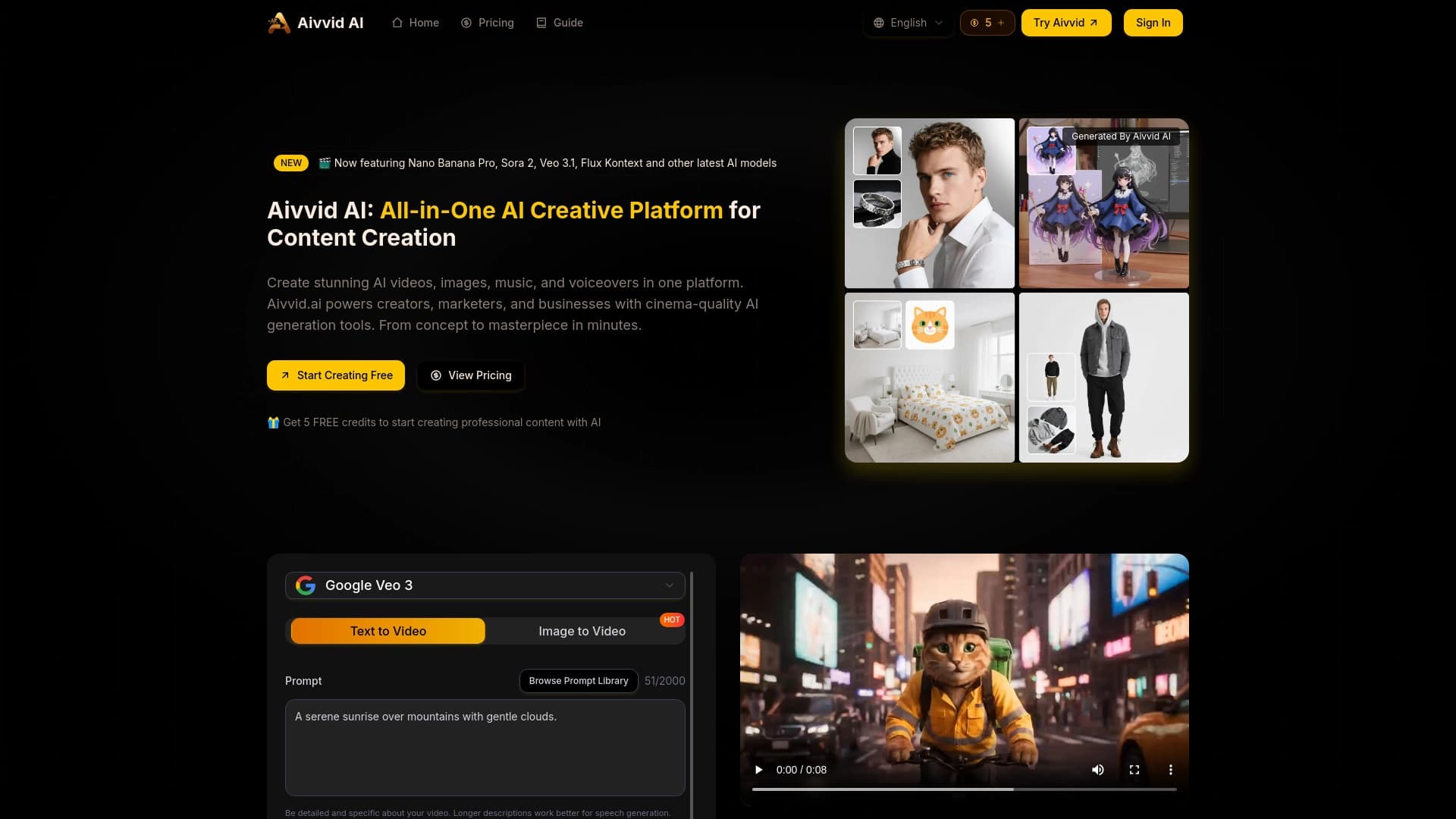
আধুনিক নিউরাল নেটওয়ার্ক ব্যবহার করে লেখা বর্ণনা এবং চিত্র থেকে ভিডিওর জন্য সার্ভিস।.


AI দ্বারা চালিত বই জেনারেটর দ্বারা তৈরি করা হয় এমন টেক্সট থেকে পৃষ্ঠা অথবা আপলোড করা হয়।.


ছবি এবং ভিডিও তৈরি এবং সম্পাদন করার জন্য AI-র সহায়তা প্ল্যাটফর্ম।.


টেক্সট বর্ণনা, ছবি অথবা স্কেচের উপর ভিত্তি করে ত্রিমাত্রিক মডেল তৈরি করার জন্য একটি টুল।.


আড্ডা, টেক্সট এবং ছবি প্রজন্ম, অনুবাদ এবং প্রোগ্রামিং সহায়তার জন্য একটি বহুমুখী সম্পাদক।.
( হিতো.