

BlueWillow
Нейросеть для генерации изображений по текстовому описанию, работающая через Discord и веб-интерфейс.
Обзор
BlueWillow
Описание нейросети BlueWillow
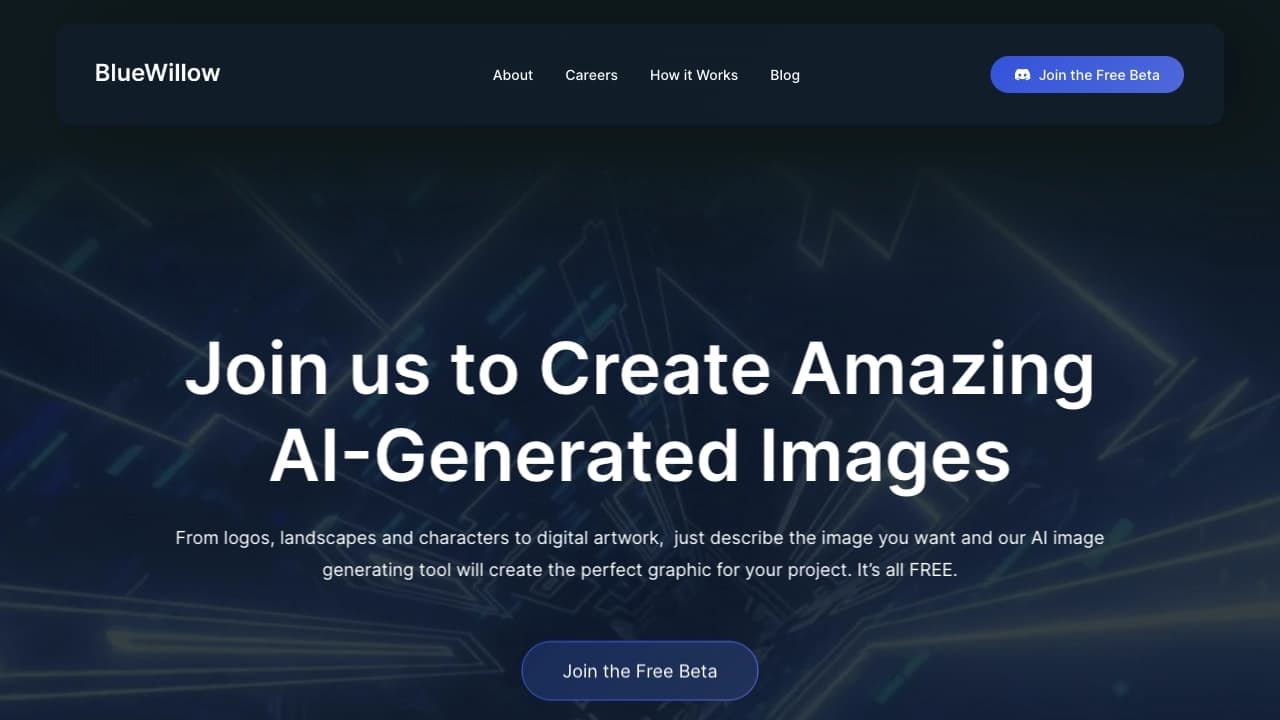
BlueWillow — это нейросеть для генерации изображений по текстовому описанию. Пользователь формулирует запрос словами, а сервис превращает его в готовые картинки, предлагая сразу несколько вариантов на выбор. Полученные изображения можно дорабатывать прямо в интерфейсе — редактировать, уточнять детали или сохранять в высоком разрешении.
Инструмент работает как через веб-интерфейс, так и через Discord. В веб-версии достаточно указать email и приступить к работе, а в Discord генерация запускается командой /imagine с текстовым описанием. Сервис доступен бесплатно, без водяных знаков и ограничений по качеству, а для продвинутых пользователей предусмотрены платные тарифы с расширенными возможностями.
BlueWillow подходит для создания иллюстраций, логотипов, концепт-арта и визуалов для соцсетей. При этом число ручных настроек ограничено, а результат не всегда полностью предсказуем — качество во многом зависит от детальности вашего запроса.
Характеристики BlueWillow
| Характеристика | Значение |
|---|---|
| Тип | Генератор изображений (text-to-image) |
| Категории | Генерация изображений, текст в изображение, генерация иллюстраций, генерация логотипов |
| Платформы | Веб, Discord |
| Бизнес-модель | Freemium |
| Бесплатный тариф | Есть, без водяных знаков и ограничений по качеству |
| Регистрация | Требуется (email) |
| Привязка карты | Не требуется |
| Мобильные приложения | Нет |
| Открытый исходный код | Нет |
| Ежемесячный трафик | около 2,4 млн посещений |
Для кого подходит нейросеть BlueWillow?
Новички и те, кто хочет протестировать ИИ-генерацию бесплатно
BlueWillow подходит всем, кто хочет попробовать возможности нейросетей без финансовых вложений. Начать работу можно бесплатно, без подписки и привязки банковской карты, поэтому сервис удобен как первое знакомство с генерацией изображений.
Студенты, фрилансеры и создатели контента
Студентам и фрилансерам инструмент помогает быстро получать иллюстрации для проектов. Создатели контента для соцсетей и цифровые рекламодатели используют его для генерации визуалов, а дизайнеры логотипов — для разработки фирменных знаков. Также сервис подходит разработчикам игр, создающим персонажей.
Художники и профессионалы
Инструмент ориентирован на простоту и доступен пользователям любого уровня навыков. Художникам и дизайнерам он позволяет быстро получать черновые варианты изображений, которые затем можно дорабатывать в интерфейсе или использовать как основу для творческих проектов.
Как использовать нейросеть BlueWillow?
Начало работы через веб-интерфейс
Чтобы приступить к работе в веб-версии, достаточно указать email — никакой подписки или привязки карты не требуется. После регистрации нужно ввести текстовое описание желаемого изображения в специальное поле, нажать кнопку генерации и дождаться результата.
Генерация в Discord
Если вы предпочитаете работать через Discord, нужно присоединиться к сообществу BlueWillow и ввести команду /imagine, а после неё — текстовое описание картинки. Обычно в течение минуты сервис выдаёт четыре варианта изображения, которые можно сохранить или доработать.
Работа с результатами
Система создаёт несколько вариантов изображения по одному запросу. После генерации картинки доступны для редактирования и доработки прямо в интерфейсе. Готовые изображения можно сохранить в высоком разрешении или поделиться ими в Discord-сообществе сервиса.
Основные функции BlueWillow
Генерация изображений по текстовому описанию
Главная функция сервиса — превращение текстового запроса в готовые картинки. На основе одного промпта система создаёт несколько вариантов изображения, которые можно сравнивать и выбирать.
Редактирование и доработка изображений
Полученные картинки можно дорабатывать прямо в интерфейсе, не покидая сервис. Это позволяет уточнять результат без повторного ввода запроса с нуля.
Сохранение и публикация
Готовые изображения сохраняются в высоком разрешении и не содержат водяных знаков. Кроме того, результаты можно быстро поделиться в Discord-сообществе BlueWillow.
Преимущества BlueWillow
Полностью бесплатный доступ
Главное преимущество сервиса — бесплатное использование без водяных знаков и ограничений по качеству. Для начала работы не требуются подписка или привязка банковской карты, что делает инструмент доступным каждому.
Простота и скорость
Интерфейс BlueWillow простой и понятный, поэтому новичку не требуются специальные знания. Процесс работы занимает считанные секунды: от ввода описания до результата проходит совсем немного времени, без сложных настроек.
Качество картинок и широкий спектр задач
Инструмент отличается хорошей детализацией — изображения получаются качественными и стильными. Сервис закрывает широкий круг задач: от корпоративных логотипов и персонажей для игр до фотореалистичных портретов и концепт-артов.
Недостатки BlueWillow
Мало ручных настроек
Глубоко настроить процесс генерации нельзя — количество ручных настроек ограничено. Пользователи, которым нужен тонкий контроль над результатом, могут столкнуться с нехваткой параметров.
Привязка к Discord и платформе
Часть работы происходит только через Discord, что может быть неудобно для тех, кто не пользуется этой платформой. Также сервис не имеет мобильных приложений и открытого исходного кода, а информация о внешних интеграциях не раскрывается.
Непредсказуемость результата
Нейросеть не всегда выдаёт именно то, что описано в запросе — результаты иногда бывают неожиданными. Качество картинки во многом зависит от детальности промпта, и идеальный результат может потребовать нескольких попыток.
Какие задачи решает BlueWillow
Дизайн и брендинг
Сервис помогает создавать корпоративные логотипы и абстрактную графику, а также генерировать изображения для презентаций и маркетинговых материалов.
Игры и развлечения
BlueWillow подходит для разработки персонажей для игр и создания концепт-артов — задач, требующих большого количества идей и быстрых набросков.
Контент и личные проекты
Инструмент удобен для генерации фотореалистичных портретов, иллюстраций в любом стиле и визуалов для социальных сетей и рекламы. Также его используют для улучшения личных творческих проектов.
Цены BlueWillow
Бесплатный тариф
BlueWillow распространяется по модели freemium. Базовый доступ полностью бесплатный: для начала работы достаточно указать email, подписка и привязка карты не требуются. На бесплатном тарифе доступны основные функции без водяных знаков и ограничений по качеству.
Платные тарифы
Для продвинутых пользователей предусмотрены платные тарифы с расширенными возможностями. Согласно доступным данным, они включают дополнительные функции, приоритетную обработку запросов, неограниченное количество изображений и расширенные настройки.
Условия использования BlueWillow
Регистрация
Для начала работы требуется регистрация с указанием email. Никакой подписки, привязки банковской карты или пробного периода не потребуется — доступ к базовым функциям открывается сразу.
Ограничения
Водяные знаки на бесплатном тарифе отсутствуют, а ограничений по качеству изображений нет. Вместе с тем информация о лимитах на количество генерируемых картинок и о возможностях коммерческого использования результатов в исходных данных не раскрывается.
Доступность BlueWillow
Платформы
Сервис доступен через веб-интерфейс и Discord-сообщество. Он работает онлайн, без установки дополнительного программного обеспечения. Мобильные приложения не выпущены.
Языки и регионы
Официальные сведения о языках интерфейса и региональных ограничениях не указаны. Судя по косвенным данным, трафик сервиса в основном поступает из США, Нигерии, Индии, Бразилии и Италии.
Чем отличается BlueWillow от аналогов
BlueWillow прежде всего позиционируется как бесплатная альтернатива Midjourney. В отличие от многих других генераторов изображений, он доступен бесплатно, без водяных знаков и ограничений по качеству, а для начала работы не требует ни подписки, ни привязки карты.
Среди прямых аналогов сервиса называют Midjourney, Leonardo AI, Kandinsky, Flux.1, а также DeepArt, ArtBreeder, NightCafe и DALL-E. Главное отличие BlueWillow — простота использования и полностью бесплатный доступ к базовой функциональности при сохранении высокого качества изображений. При этом он уступает конкурентам в количестве ручных настроек и гибкости управления генерацией.
Заключение
BlueWillow — это простой и доступный сервис для генерации изображений по текстовому описанию, который работает через веб-интерфейс и Discord. Его главные преимущества — полностью бесплатное использование без водяных знаков, понятный интерфейс и отсутствие требований к подписке или привязке карты. Инструмент подходит широкой аудитории — от новичков до профессионалов — и закрывает задачи от создания логотипов и персонажей до визуалов для соцсетей и концепт-артов. При этом стоит учитывать ограничения: скромное количество ручных настроек, привязка части работы к Discord и не всегда предсказуемые результаты. Тем не менее как бесплатная альтернатива Midjourney BlueWillow остаётся привлекательным выбором для всех, кто хочет быстро и без затрат познакомиться с возможностями ИИ-генерации изображений.
Тарифы
Часто задаваемые вопросы
Похожие нейросети




Смотрите также


Онлайн-сервис для создания аниме-изображений по текстовому описанию за несколько секунд.


Платформа для генерации и редактирования изображений и видео на основе искусственного интеллекта.


Бесплатный веб-инструмент от Google, который с помощью машинного обучения превращает грубые наброски в аккуратные иконки и иллюстрации.


Веб-сервис для генерации аниме-изображений по текстовым запросам с помощью ИИ.


Браузер со встроенными ИИ-инструментами для общения с нейросетями, генерации текстов и изображений, перевода и суммаризации страниц.

Генерация рекламных UGC-роликов с виртуальными актерами без реальных съемок.

Сервис для создания персонализированных аватаров и фотосессий с помощью ИИ на основе загруженных селфи.


Сервис на базе ИИ для автоматической генерации текстового контента различного формата.