
Axiom
No-code платформа для автоматизации действий в браузере и сбора данных с веб-страниц.
Обзор
Axiom
Описание нейросети Axiom
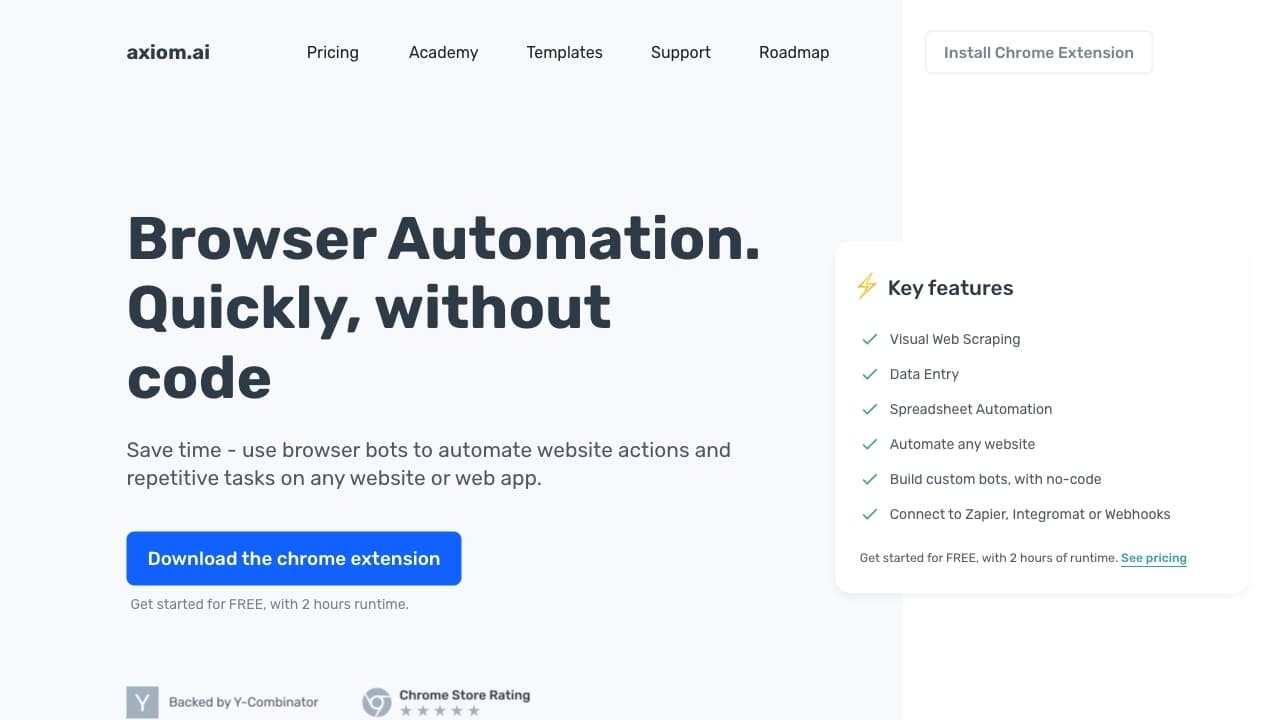
Axiom — это no-code платформа для автоматизации действий в браузере, которая позволяет создавать виртуальных ботов для выполнения повторяющихся задач без написания кода. Инструмент работает как макрорекордер для веб-страниц: пользователь записывает последовательность действий один раз, а затем запускает её в автоматическом режиме сколько угодно раз.
Платформа сочетает в себе визуальный конструктор автоматизации, инструмент извлечения данных на базе ChatGPT и возможность запуска сценариев по расписанию в облаке. Благодаря интеграциям с популярными сервисами, Axiom позволяет переносить собранные данные в таблицы, CRM или мессенджеры, устраняя ручные процессы.
Автоматизация здесь доступна каждому — от предпринимателей до технических энтузиастов, без необходимости обладать навыками программирования. Пользователю достаточно установить расширение для Chrome и записать нужные действия через понятный визуальный интерфейс.
Характеристики Axiom
| Характеристика | Значение |
|---|---|
| Тип | No-code платформа для автоматизации браузера |
| Категории | No-code и Low-code платформы, Веб-скрейпинг и парсинг, Автоматизация, AI-браузеры, Расширения для браузера |
| Платформы | Расширение для Chrome, Веб-приложение |
| Язык интерфейса | Не указан |
| Бесплатный тариф | Да, бесплатный старт с 2 часами времени выполнения |
| Бизнес-модель | Freemium (Free Trial с платными тарифами от $15/мес) |
| Оценка редакции | 8.8 / 10 по критериям NeuroFolder |
| Рейтинг пользователей | 4.4 / 5.0 |
| Доступ из России | Только с VPN |
Для кого подходит нейросеть Axiom?
Пользователи без навыков программирования
Axiom предназначена для тех, кто хочет автоматизировать рутинные действия в браузере, но не владеет языками программирования. Всё управление построено на кликах и визуальном конструкторе, поэтому порог входа минимален.
Специалисты по сбору данных
Инструмент подходит тем, кто регулярно собирает информацию с веб-страниц: мониторинг цен конкурентов, парсинг данных, отслеживание изменений на сайтах. Всё выполняется без знания HTML и CSS.
Предприниматели и маркетологи
Платформа полезна бизнесу для заполнения форм, генерации текстов и передачи собранных данных в таблицы, CRM или мессенджеры через интеграции с Google Sheets, Zapier и Make.
Как использовать нейросеть Axiom?
Установка расширения
Необходимо установить Chrome-расширение Axiom и открыть сайт, с которым планируется работать. Платформа также доступна как веб-приложение.
Запись сценария действий
С помощью визуального конструктора нужно записать последовательность действий: клики, ввод текста, навигацию по страницам, работу с формами и прокрутку. Записанная последовательность сохраняется как готовый бот.
Запуск автоматизации
Готового бота можно запускать вручную или по расписанию в облаке, а также по заданным триггерам. Можно использовать собственный OpenAI API-ключ для работы с ИИ-функциями.
Основные функции Axiom
Автоматизация действий в браузере
Платформа позволяет автоматизировать клики, ввод данных, навигацию по сайтам и работу с формами без единой строчки кода. Визуальный конструктор выполняет роль макрорекордера для веб-страниц.
AI Data Extractor
Встроенный инструмент на базе ChatGPT извлекает структурированные данные из неструктурированного текста на веб-страницах. Реализована интеграция с ChatGPT и поддержка собственного OpenAI API-ключа.
AI Text Generator
Функция автоматического создания и заполнения текстовых полей — описаний, ответов и сообщений — прямо во время автоматизации.
Веб-скрейпинг и интеграции
Извлечение данных выполняется простым кликом на элемент, включая обработку динамического контента и JavaScript-страниц. Собранные данные передаются в Google Sheets, Zapier, Make, вебхуки и ChatGPT.
Преимущества Axiom
Отсутствие необходимости в коде
Все действия выполняются через клики и визуальный интерфейс, что делает автоматизацию доступной людям без технической подготовки.
Работа с динамическими сайтами
Инструмент корректно обрабатывает динамический контент и JavaScript-страницы, что позволяет автоматизировать задачи даже на сложных современных веб-ресурсах.
Широкие интеграционные возможности
Подключение к Google Sheets, Zapier, Make, ChatGPT и вебхукам позволяет выстраивать полноценные рабочие процессы и передавать данные между сервисами автоматически.
Недостатки Axiom
Ограничения по доступу
Для пользователей из России доступ к платформе возможен только с использованием VPN, что создаёт дополнительные сложности при работе.
Ограниченная бесплатная версия
Бесплатный тариф включает только 2 часа времени выполнения, после чего требуется переход на платные тарифы. Стоимость платных подписок начинается от $15 в месяц.
Зависимость от расширения Chrome
Для работы необходимо установить Chrome-расширение, что ограничивает использование платформы рамками одной браузерной среды.
Какие задачи решает Axiom
Автоматизация рутинных действий
Платформа берёт на себя повторяющиеся операции в браузере: клики, заполнение форм, навигацию по сайтам и прочие монотонные действия, экономя время пользователя.
Сбор данных и парсинг
Axiom позволяет извлекать структурированные данные с веб-страниц и выполнять веб-скрейпинг без знания HTML/CSS, а также обрабатывать динамический контент.
Мониторинг изменений
Инструмент подходит для отслеживания изменений на сайтах, например, цен конкурентов, с запуском ботов по расписанию и передачей результатов в нужные сервисы.
Генерация и заполнение текстов
Благодаря AI Text Generator и интеграции с ChatGPT, платформа автоматически создаёт и заполняет текстовые поля — описания, ответы, сообщения.
Цены Axiom
Axiom работает по модели freemium. Доступен бесплатный старт с 2 часами времени выполнения, после чего пользователь переходит на платные тарифы. Стоимость платных подписок начинается от $15 в месяц. Условия использования собственного OpenAI API-ключа поддерживаются платформой.
Условия использования Axiom
Для работы с платформой необходимо установить Chrome-расширение. Поддерживается использование собственного OpenAI API-ключа, что позволяет оплачивать ИИ-функции напрямую. Подробные условия использования на сайте не раскрыты.
Доступность Axiom
Платформа доступна как расширение для Chrome и веб-приложение. Работа возможна в веб-интерфейсе, ограничений по регионам или необходимости VPN, кроме России, не упоминается. Для пользователей из России доступ осуществляется только через VPN.
Чем отличается Axiom от аналогов
Главное отличие Axiom — полное отсутствие необходимости в программировании при сохранении широкого функционала: запись действий, веб-скрейпинг, обработка динамического контента и запуск в облаке по расписанию объединены в одном визуальном интерфейсе.
В отличие от многих конкурентов, платформа встроена в экосистему ChatGPT: извлечение структурированных данных и генерация текста выполняются на базе ИИ с возможностью использования собственного OpenAI API-ключа. Интеграции с Google Sheets, Zapier и Make позволяют легко встраивать ботов в существующие рабочие процессы.
Заключение
Axiom — это практичная no-code платформа для автоматизации повторяющихся задач в браузере, парсинга веб-страниц и сбора данных. Инструмент получил высокую редакционную оценку 8.8/10 и пользовательский рейтинг 4.4 звезды, а сочетание визуального конструктора, ИИ-функций на базе ChatGPT и облачного запуска по расписанию делает его доступным для широкой аудитории без навыков программирования. Основным ограничением является необходимость VPN для пользователей из России.
Тарифы
Часто задаваемые вопросы


Смотрите также


Averi — платформа для маркетинга, которая объединяет планирование кампаний, создание контента и аналитику в одном интерфейсе.

Платформа с искусственным интеллектом для анализа финансовых данных и поддержки инвестиционных решений.
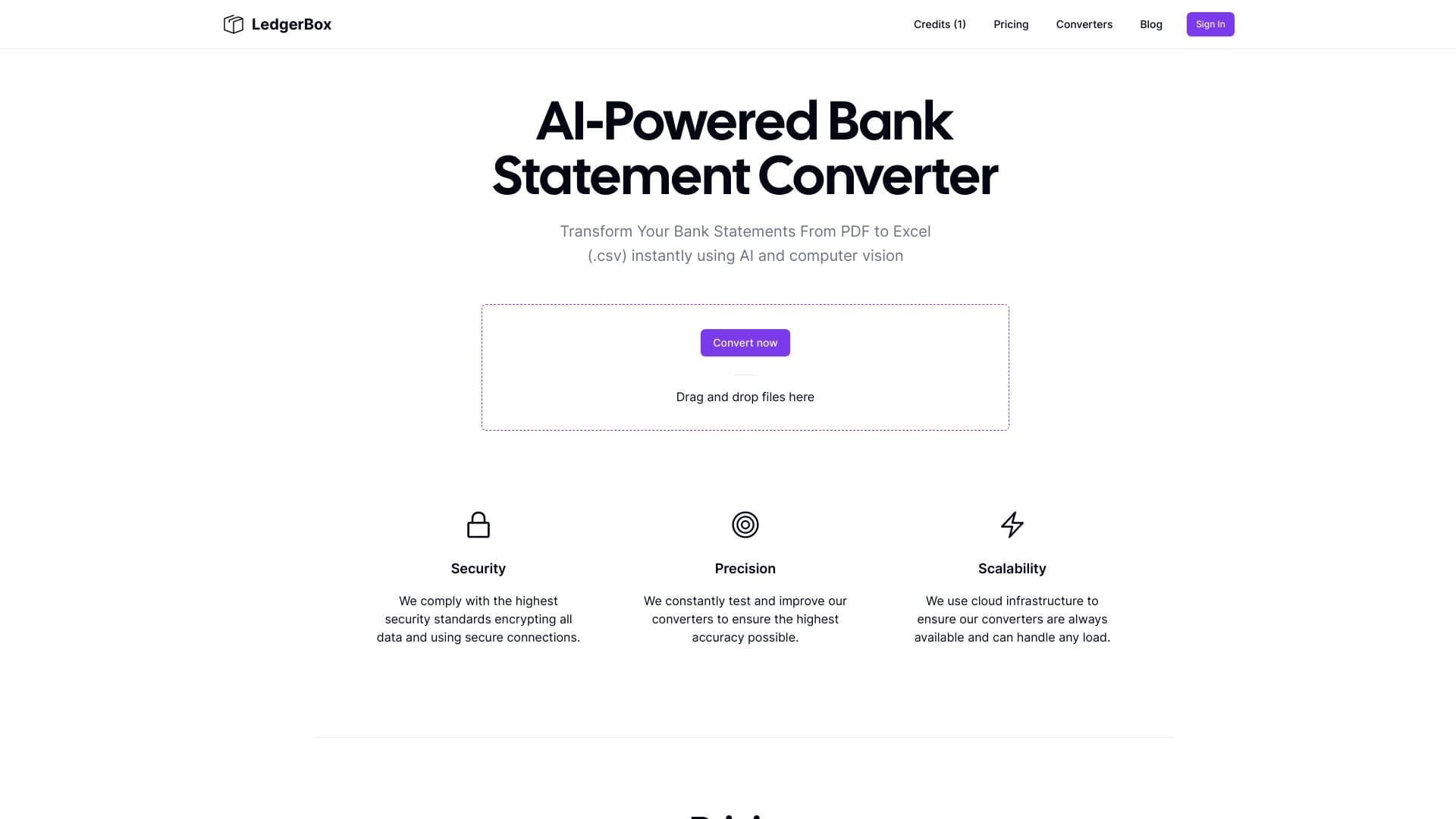
Автоматическое извлечение финансовых данных из PDF-документов и преобразование их в Excel или CSV.


Платформа для автоматизации разработки ПО с помощью визуального конструктора ИИ-агентов.

Онлайн-сервис, который позволяет общаться с PDF-документами в чате: задавать вопросы и получать краткие ответы с указанием источника.

Платформа для бухгалтеров, объединяющая управление задачами, обмен файлами и общение с клиентами в одном интерфейсе.


Расширение для Chrome, которое помогает управлять вкладками, историей и закладками с помощью ИИ-ассистента.


Платформа для создания мультиагентных AI-систем и чат-ботов для автоматизации клиентской поддержки и поиска лидов.