
Avatarify
Нейросеть для анимации статичных фотографий и создания видео с синхронизацией мимики под аудио.
Обзор
Avatarify
Описание нейросети Avatarify
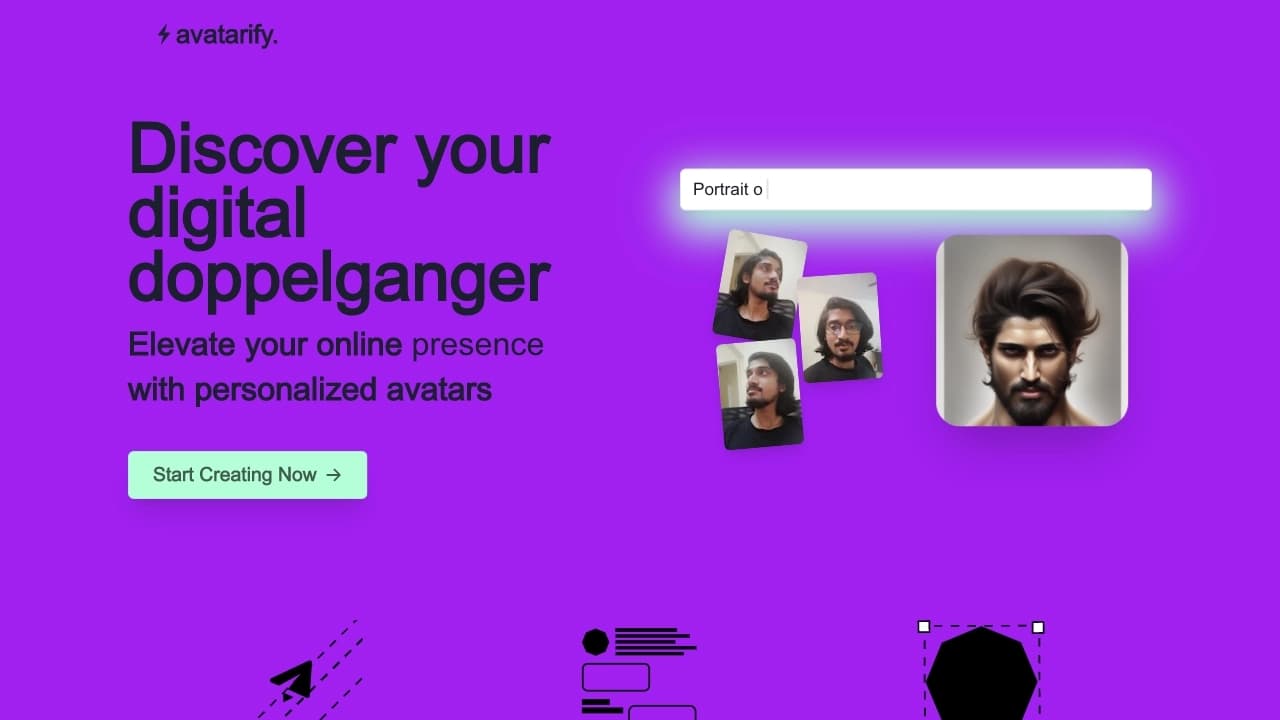
Avatarify — это нейросеть, предназначенная для анимации статичных фотографий. Инструмент позволяет «оживлять» изображения лиц, синхронизируя их мимику с аудиодорожкой. Пользователь загружает фотографию с чётко видимым лицом и аудиофайл — система обрабатывает данные и генерирует видео, в котором персонаж двигает губами, повторяя слова песни или голосовую запись. Инструмент доступен в нескольких форматах: в виде Telegram-бота, мобильного приложения для iOS и Android, а также как облачный сервис. Обработка может выполняться как непосредственно на устройстве пользователя, так и на удалённых серверах, в зависимости от выбранной версии. Avatarify получил распространение как развлекательный инструмент, в том числе для создания забавных аватаров в видеоконференциях (Zoom, Skype) и социальных сетях.
Характеристики Avatarify
| Характеристика | Значение |
|---|---|
| Бизнес-модель | Freemium (бесплатно с ограничениями + платная подписка) |
| Категории | Генерация видео, Дипфейк, Видео с заменой лица, Синхронизация губ, Генерация аватаров |
| Тип | Telegram-бот, мобильное приложение (iOS, Android) |
| Платформы | Telegram, iOS, Android |
| Технология | Дипфейк (анимация статичных изображений в реальном времени) |
| Языки интерфейса | Русский, английский |
| Максимальное разрешение (бесплатно) | 720p |
| Максимальное разрешение (премиум) | 4K |
| Время обработки | 10–30 секунд |
| Максимальная длительность аудио | 15 секунд |
| Количество предустановленных песен | 50 |
| Обработка на устройстве | Доступна (мобильное приложение, версия с локальной обработкой) |
| Облачная обработка | Доступна (Telegram-бот, облачные серверы) |
| Стоимость премиума | 2.49 доллара в неделю |
| Цена облачного сервиса для бизнеса | от 900 долларов в месяц (специализированная модель + 20 HD-аватаров) |
| Дополнительная плата за 4K-рендеринг | 0.49 доллара за изображение |
| Время хранения результатов | 24 часа |
| Регистрация | Не требуется (для Telegram-бота) |
Для кого подходит нейросеть Avatarify?
Пользователи, ищущие развлечения
Инструмент ориентирован на обычных пользователей, которые хотят создавать забавные анимированные портреты из своих фотографий. Avatarify подходит для быстрого получения коротких видео, которыми можно поделиться в социальных сетях. Во время карантина приложение также использовалось для развлечения участников видеоконференций.
Создатели контента и маркетологи
Инструмент может быть полезен создателям контента, которым нужны уникальные аватары для проектов, а также компаниям и маркетологам, стремящимся создавать привлекательные анимированные изображения для рекламных целей. Для этих задач предусмотрены платные тарифы с более высоким качеством визуализации.
Пользователи социальных сетей
Люди, желающие расширить своё присутствие в интернете с помощью персонализированных анимированных аватаров, также входят в целевую аудиторию Avatarify. Простота использования — выбрать песню и применить её к фото — делает инструмент доступным для широкого круга пользователей.
Как использовать нейросеть Avatarify?
Через Telegram-бота
Для использования Avatarify через Telegram необходимо открыть чат с ботом @avatarify_bot, отправить фотографию с чётким лицом, затем выбрать одну из 50 предустановленных песен или загрузить свой аудиофайл длительностью до 15 секунд. После отправки данных нужно дождаться обработки, которая занимает от 10 до 30 секунд, после чего готовое видео можно скачать или поделиться им прямо в мессенджере. Важно: загруженные результаты доступны для скачивания только в течение 24 часов.
Через мобильное приложение
Пользователь загружает фотографию, выбирает песню из предложенного списка и применяет её к изображению. Обработка происходит непосредственно на устройстве — данные не отправляются на сервер, что обеспечивает приватность. Полученное анимированное видео можно сохранить на телефоне или сразу поделиться в социальных сетях.
Основные функции Avatarify
Анимация лиц с синхронизацией звука
Главная функция нейросети — превращение статичных фотографий в анимированные видео, где мимика персонажа синхронизируется с аудиодорожкой. Персонаж может «петь» песню или повторять голосовую запись, при этом движения губ и лицевых мышц выглядят естественно. Инструмент поддерживает обработку лиц людей и животных.
Поддержка групповых фотографий
Avatarify может обрабатывать несколько лиц на одной фотографии: в групповых чатах Telegram поддерживается обработка до 10 изображений одновременно. Время обработки группового фото составляет около 20 секунд. Для точной настройки мимики доступна функция маски.
Предустановленные песни и пользовательские аудиофайлы
В инструменте доступно 50 предустановленных песен, которые можно применить к фотографии без дополнительных действий. Кроме того, пользователь может загрузить свой аудиофайл длительностью до 15 секунд, что даёт возможность создавать видео с любым голосовым или музыкальным контентом.
Экспорт и сохранение результатов
Готовые видео сохраняются в формате MP4. В зависимости от версии (бесплатной или премиум) доступно разрешение до 720p или до 4K. Результатами можно делиться прямо через Telegram и другие социальные сети. В Telgram-боте ссылки на скачивание активны в течение 24 часов после создания.
Преимущества Avatarify
Высокая точность обработки лиц
Нейросеть демонстрирует высокую точность при анимации лиц даже при разном освещении. Инструмент корректно обрабатывает лица людей и животных, а мимика синхронизируется с аудиодорожкой с минимальными искажениями.
Приватность данных (мобильное приложение)
В версии мобильного приложения обработка выполняется непосредственно на устройстве пользователя. Это означает, что фотографии и аудиофайлы не передаются на сторонние серверы, что обеспечивает защиту персональных данных. Пользователи отмечают, что это снижает риски утечки приватной информации.
Простота использования
Для создания анимированного видео достаточно выполнить три простых шага: выбрать фотографию, выбрать песню (или загрузить свою) и дождаться результата. Интерфейс понятен интуитивно, регистрация для работы с Telegram-ботом не требуется. Инструмент приносит положительные эмоции, что подтверждается отзывами пользователей.
Совместимость с групповыми чатами Telegram
Avatarify корректно работает в групповых чатах Telegram, поддерживая одновременную обработку до 10 фотографий. Это удобно для коллективного использования — например, в дружеских или рабочих чатах, где участники могут быстро создавать анимированные версии своих фото.
Недостатки Avatarify
Ограничения бесплатной версии
Бесплатная версия инструмента имеет существенные ограничения: пользователь может создавать не более 2 видео в день, максимальное разрешение составляет 720p. Кроме того, при использовании Telegram-бота загруженные аудиофайлы не могут быть длиннее 15 секунд, что ограничивает творческие возможности.
Короткий срок хранения результатов
В Telegram-боте готовые видео доступны для скачивания только в течение 24 часов после создания. Если пользователь не успел сохранить результат, файл удаляется, и процесс нужно повторять заново. Это может быть неудобно для тех, кто планирует скачать видео позже.
Ограниченная длительность пользовательского аудио
Максимальная длительность аудиофайла, который можно загрузить, составляет 15 секунд. Это ограничение распространяется как на бесплатную, так и на премиум-версию инструмента. Для создания более длинных роликов потребуется использовать другие решения.
Какие задачи решает Avatarify
Создание анимированных портретов из статичных фотографий
Основная задача инструмента — превращение обычных фотографий в забавные анимированные видео. Пользователь может «оживить» любое изображение лица, заставив его двигать губами в такт музыке или голосу. Это решает задачу быстрого получения развлекательного контента без навыков видеомонтажа.
Развлечение пользователей на видеоконференциях и в соцсетях
Avatarify позволяет создавать дипфейки с известными личностями или забавные аватары для использования в видеоконференциях (Zoom, Skype). Инструмент подходит для тех, кто хочет разнообразить общение с друзьями или коллегами, добавив элемент юмора. Простота создания и мгновенный результат делают его удобным для развлекательных целей.
Создание простых видео-аватаров с синхронизацией мимики
Инструмент решает задачу генерации коротких видео, где персонаж синхронизирует мимику с аудиодорожкой. Это может быть полезно для создания персонализированных аватаров для социальных сетей, маркетинговых материалов или личных проектов. В облачной версии для бизнеса доступно создание до 20 HD-аватаров с использованием высокопроизводительных графических процессоров.
Цены Avatarify
Бесплатная версия
Базовая версия инструмента доступна бесплатно. Она включает создание до 2 видео в день, максимальное разрешение 720p, использование 50 предустановленных песен и возможность загрузки собственного аудио длительностью до 15 секунд. Результаты сохраняются в формате MP4 и доступны для скачивания в течение 24 часов. Регистрация для использования Telegram-бота не требуется.
Премиум-версия
Премиум-подписка стоит 2.49 доллара в неделю. Она снимает ограничение на количество видео в день, добавляет возможность рендеринга в разрешении до 4K и предоставляет доступ к дополнительным функциям. Для отдельных изображений 4K-рендеринг также оплачивается отдельно — 0.49 доллара за одно изображение.
Бизнес-тариф
Для корпоративных клиентов доступен облачный сервис стоимостью от 900 долларов в месяц. В эту цену включена одна специально обученная модель и 20 HD-аватаров. Услуга предоставляется с использованием высокопроизводительных графических процессоров и включает прозрачную политику возврата и конфиденциальности.
Условия использования Avatarify
Регистрация и лимиты
Для работы с Telegram-ботом регистрация не требуется — достаточно открыть чат с @avatarify_bot. Бесплатная версия ограничена двумя видео в день. Результаты обработки доступны для скачивания в течение 24 часов после создания, после чего файлы удаляются.
Ограничения на контент
Пользователь может загружать аудиофайлы продолжительностью не более 15 секунд. Для предустановленных песен это ограничение не действует. Инструмент поддерживает обработку фотографий с чётким лицом, в том числе лица животных. Для точной настройки мимики доступна функция маски.
Платные услуги и возвраты
Премиум-подписка оформляется на неделю и стоит 2.49 доллара. Для бизнес-пользователей доступна отдельная услуга с ценой 900 долларов в месяц. На сайте инструмента опубликованы политика конфиденциальности, политика возврата и расчёта, а также страница часто задаваемых вопросов с подробными условиями.
Доступность Avatarify
Платформы и устройства
Avatarify доступен в виде Telegram-бота для работы в мессенджере Telegram, а также как мобильное приложение для iOS и Android. Для последнего нет ограничений по платформе — он работает на телефонах. Языки интерфейса — русский и английский. Для использования бота VPN не требуется.
Региональные особенности
Инструмент доступен глобально через Telegram и магазины приложений. В мобильном приложении обработка выполняется на устройстве, что позволяет использовать его без подключения к интернету после загрузки приложения. Облачная версия работает на серверах, местоположение которых не уточняется, но VPN для доступа не упоминается.
Чем отличается Avatarify от аналогов
Avatarify отличается от аналогов прежде всего сочетанием нескольких форматов доступа — Telegram-бота и мобильного приложения, что делает его удобным для разных сценариев использования. В отличие от многих инструментов генерации аватаров, Avatarify ориентирован не столько на создание статичных изображений, сколько на анимацию лиц с синхронизацией звука. Обработка на устройстве в мобильной версии обеспечивает приватность, что является преимуществом перед облачными сервисами, где данные передаются на сервер. Большой выбор предустановленных песен (50 штук) упрощает создание видео — пользователю не нужно искать аудиофайлы самостоятельно. При этом ограничение на длительность пользовательского аудио в 15 секунд и небольшой срок хранения результатов (24 часа) могут быть менее удобными по сравнению с аналогами, которые предлагают более гибкие настройки и длительное хранение.
Среди аналогов упоминаются такие сервисы, как Jedi GPT, IQuit.ai, Video2Recipe, Void Model, Seedance 2.0 AI Video Generator, PropertyPhotoVideo, Plexigen AI, Veevid AI, AuraTuner и Google Whisk. Каждый из них решает схожие задачи, но отличается набором функций, ценой и форматом доступа.
Заключение
Avatarify — это нейросеть для анимации статичных фотографий, доступная в виде Telegram-бота и мобильного приложения для iOS и Android. Инструмент позволяет быстро создавать короткие видео, в которых мимика персонажа синхронизируется с музыкой или голосом. Бесплатная версия ограничена двумя видео в день и разрешением 720p, премиум-подписка за 2.49 доллара в неделю снимает эти ограничения и добавляет 4K-рендеринг. Обработка на устройстве в мобильном приложении обеспечивает приватность данных, а поддержка групповых фотографий и 50 предустановленных песен упрощает создание контента. Инструмент подходит для развлекательных целей, создания аватаров для социальных сетей и использования в видеоконференциях, хотя ограничения бесплатной версии и короткий срок хранения результатов могут быть минусами для активных пользователей.
Тарифы
Часто задаваемые вопросы

Смотрите также


Open-source AI-агент для разработки, который помогает генерировать, дорабатывать и отлаживать код прямо в IDE.
Китайская платформа-агрегатор, объединяющая ИИ-инструменты, курсы и конкурсы.


Нейросеть для быстрой генерации и редактирования видео по текстовым описаниям, изображениям и референсам.

Веб-платформа для генерации изображений и кинематографичных видео с помощью ИИ, включающая инструменты для студийного редактирования.


Онлайн-платформа на базе ИИ для быстрого создания текстового контента, включая блоги, статьи и посты для соцсетей.

Облачная платформа для создания видео с помощью ИИ-аватаров, синтезированной речи и автоматического перевода роликов на десятки языков.


Сервис для создания обложек музыкальных треков на основе анализа аудио.


ИИ-платформа для быстрого создания сайтов и управления процессами малого бизнеса.