
AutomateClips
AI for automatically creating short videos for social media based on a text description.
Overview
AutomateClips AI Description
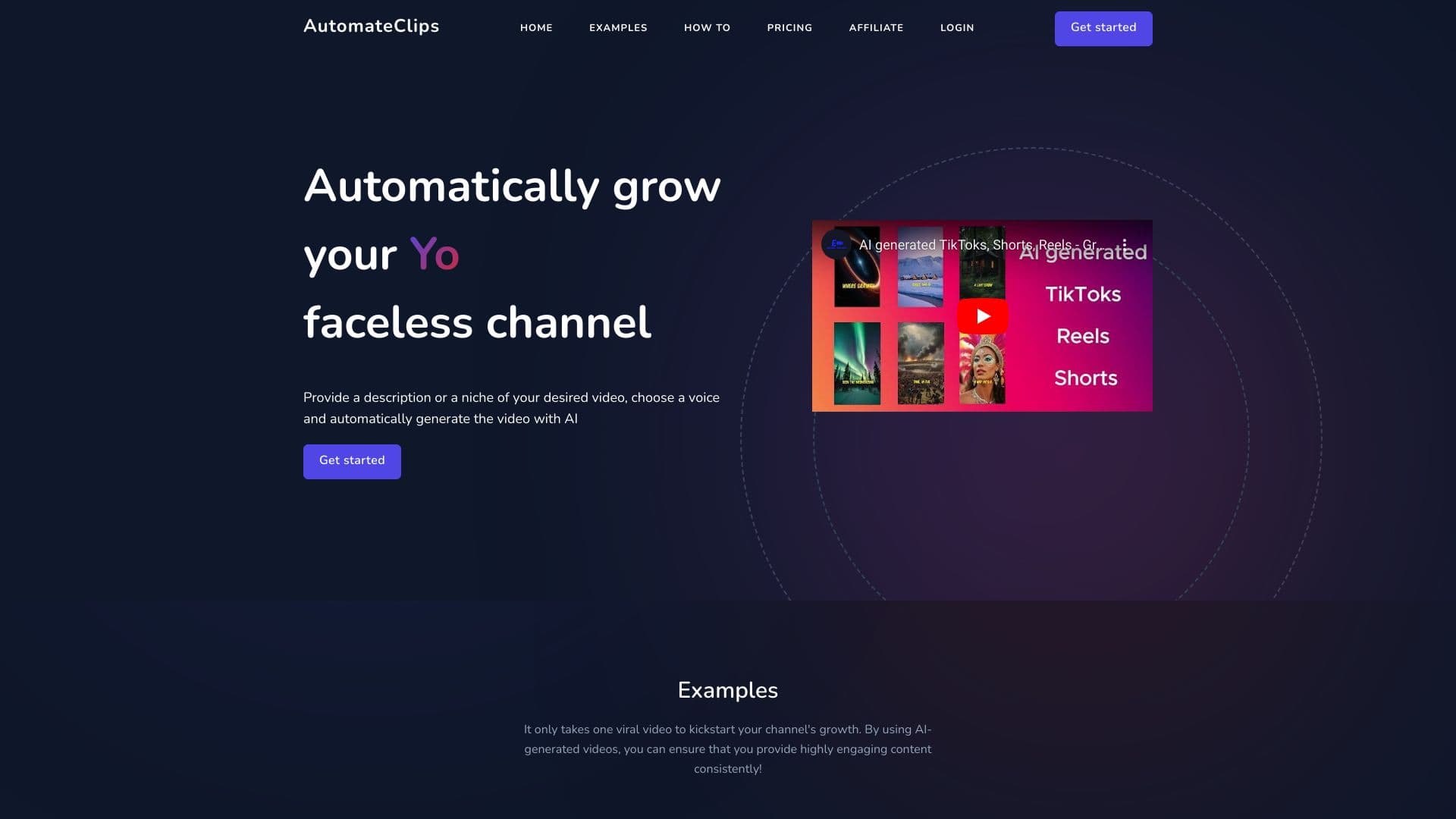
AutomateClips is an AI-powered web service that automates the process of creating short vertical videos for social media. The tool's main goal is to turn a text description of a topic into a ready-to-publish video with minimal user involvement.
The workflow follows a "from idea to result" principle: you enter a topic, and the neural network independently writes a script, selects a voice for narration, and assembles the visual sequence. The service handles the routine stages of content production that traditionally take hours of manual work and compresses them into a few minutes.
However, AutomateClips is not a fully autonomous "black box." After the initial generation, the user gets access to a built-in editor where they can adjust the script text, change the voice, edit subtitles, or add music. The final video is downloaded in MP4 format, compatible with most platforms and devices. This approach makes the tool a hybrid solution: part of the work is done by the neural network, while control over the final result remains with the user.
AutomateClips Features
| Feature | Value |
|---|---|
| Type | Video generator |
| Categories | Script generators, Text content generators, Text-to-video generators, Image-to-video tools, TikTok content tools, User-generated video generators, AI video generators, Personalized video generators, Animated video generators |
| Platforms | Website (SaaS) |
| Developer | AutomateClips Inc. |
| Monthly visits | 388.9K |
| Review publication date | November 7, 2025 |
| Free plan | Not specified |
| Starting price | $20 per month |
| Download format | MP4 |
Who Is AutomateClips For?
Short-format content creators
The tool is aimed at content creators for TikTok, Instagram, and YouTube Shorts. The service will be especially useful for those who regularly publish short videos and need a constant stream of new content. AutomateClips lets you quickly turn topics into ready-made videos without spending hours editing in professional video editors.
Beginners in video production
For people without experience in video editing and scriptwriting, AutomateClips lowers the entry barrier. There's no need to understand complex software, master the nuances of directing, or write scripts — just formulate a topic, and the neural network will assemble the structure and visual design itself. The simple interface requires no special skills.
Busy professionals and entrepreneurs
For those who run blogs or company accounts alongside their main work, AutomateClips saves the key resource — time. Instead of spending several hours creating a single video, users get a draft version in a few minutes, then only make minimal edits before publishing.
How to Use AutomateClips?
Step 1: Set your topic
Start by going to the platform and entering the topic of your future video. For example, you could write "life hacks for students" or any other topic that interests you. At this stage, no additional materials are required — the neural network will handle the content generation itself.
Step 2: Edit the script
After processing your request, the service will offer a ready-made script. You can review the generated text and make changes. At this stage, you can also choose from the available voices for narration. Once the script is ready, click the "generate" button.
Step 3: Final polish and download
Within a few minutes, the system will create the finished video. You can review the result and refine it if needed: trim unnecessary fragments, change the voiceover, or make other edits. After editing is complete, the video is downloaded in HD quality and is ready to upload to social networks.
Key Features of AutomateClips
Automatic text-to-video generation
The service takes a text description of a topic and turns it into a full-fledged video. The neural network independently builds the narrative logic, creates a script, and generates a visual sequence that fits the chosen topic. Scripts for TikTok, Instagram, and YouTube are created without manual work on the timeline or keyframes.
Script and voiceover tools
Users get access to a script generator with detailed text customization options. Several AI-powered voice options are available for narration. This allows you to match the tone of the narration to your content style and target audience.
Built-in video editor
Editing functionality is not limited to text alone. The built-in editor lets you modify the generated video: adjust text, add or remove subtitles, overlay music, and change voices. This way, the base result can be adapted to a channel's brand style or specific platform requirements.
Advanced storytelling features
AutomateClips includes elements of narrative design. The neural network structures the video to hold viewer attention, which is critical for short formats where competition for the first seconds of viewing is especially intense.
Advantages of AutomateClips
Time savings through automation
The key advantage of AutomateClips is the full video production cycle without manual editing. Users don't need to write scripts themselves, record and sync audio tracks, or source video materials. The neural network handles these tasks automatically, dramatically speeding up content creation.
Flexibility in customizing finished videos
Despite the automation, the service doesn't limit customization options. The script can be changed at any stage, the voice and narration style can be chosen from available options, and edits can be made to the video after generation. This flexibility lets you adapt standard solutions to individual preferences.
Simple and intuitive interface
The absence of complex technical components is another notable advantage. The platform works through a browser and requires no additional software installation or guide study. The intuitive structure is understandable even for users without video production experience.
Disadvantages of AutomateClips
Template-based and repetitive results
With frequent use, users may notice that generated videos repeat certain patterns. The neural network relies on standard schemes for framing and script development, which leads to visual and structural similarity between different videos. This is especially noticeable when working with topics that are close in meaning.
Dependence on internet connection
AutomateClips is a fully cloud-based service that works through a web browser. No offline mode is available, so the tool cannot be used with an unstable connection or without one. This limitation should be considered when planning work at remote locations or while traveling.
Voiceover naturalness requires refinement
Although the service uses modern voice technologies, the generated voiceover doesn't always sound natural. Sometimes intonations or speech tempo don't match user expectations. In such cases, manual refinement is required: switching to a different voice option or adjusting the text to improve the sound.
What Problems Does AutomateClips Solve?
Accelerating video content production
The service's main goal is to speed up the creation of short videos for TikTok, Instagram, and YouTube. Instead of hours of work, users get a finished result within minutes, allowing them to maintain a tight publishing schedule.
Overcoming creative blocks
Regular blogging often faces a lack of ideas. AutomateClips can act as an idea generator: just enter a general topic, and the neural network will suggest a script that can be used as a foundation or a starting point for further creativity.
Automatic script preparation and platform optimization
The service handles the creation of structured scripts with detailed customization. Additionally, the tool is initially designed around the requirements of popular platforms, simplifying content preparation for each of them without manual adaptation.
AutomateClips Pricing
The service operates on a subscription model and offers three paid plans. The most affordable option — the "Hobbyist" plan — costs $20 per month and allows generating up to 2 videos per day. The mid-tier "Professional" plan costs $52 per month and includes up to 5 videos per day. The most expensive "Agency" plan costs $105 per month and supports creating up to 10 videos per day.
All plans, regardless of price, include HD downloads, access to advanced voices, subtitles, and extended storytelling features. The differences between plans are primarily in the number of generated videos, while the feature set is the same across all tiers.
No information about a free plan or trial period is mentioned in official data.
Terms of Use for AutomateClips
To use the service, registration on the platform's official website is required. After creating an account, users can choose one of three paid plans. The plans differ in daily limits on the number of generated videos — from 2 to 10 videos per day, depending on the subscription chosen.
No other significant usage restrictions, including limitations on commercial use or watermarks, are specified in the available data.
AutomateClips Availability
AutomateClips works as a web application and is accessible through a browser on any device with internet access. Finished videos are downloaded in MP4 format, ensuring compatibility with most social platforms and devices.
No explicit restrictions on geographic regions or interface languages are stated on the service page. The platform is likely available to users from different territories; however, for accurate information about availability in a specific country, it's best to check the official website. The only significant requirement is a stable internet connection throughout the entire workflow.
How AutomateClips Differs from Alternatives
Comprehensive automation approach
Many AI video creation tools handle either script generation, visual selection, or voiceover. AutomateClips combines all these functions in a single interface: users get the full cycle from a text prompt to a finished MP4 file without needing additional services. This comprehensive approach sets the platform apart from narrowly focused solutions.
Focus on short formats
Unlike universal video generators, AutomateClips is specifically designed for creating short vertical videos for TikTok, Instagram, and YouTube Shorts. This is reflected in script structure, video duration, and visual design, which are initially adapted to the requirements of these platforms.
Balance of automation and manual control
While many neural networks work on a "get the result without changes" principle, AutomateClips offers a two-stage approach. First — automatic generation, then — the ability to manually edit through the built-in editor. This combination allows you to maintain quality control while avoiding time spent on technical work from scratch.
Conclusion
AutomateClips is a practical tool for automated short video production for social media. The service significantly reduces the time spent creating videos by handling scriptwriting, voiceover generation, and editing. The built-in editor lets you adapt the result to personal preferences or specific platform requirements. At the same time, it's worth considering the service's characteristics: possible template-based content, dependence on a stable internet connection, and the need to adjust synthesized voices in some cases. Overall, AutomateClips will be a useful assistant for those who maintain an active publishing presence on social media and value their time spent on content preparation.
Pricing
Frequently asked questions
See also


AI platform for user support in applications, including a chatbot and ticketing system.

AI assistant for automating retail tasks and optimizing call center operations.


Neural network for generating SEO-optimized articles and automating blog management.

AI-powered service that simplifies technical documents of cryptocurrency projects for a broad audience.


AI-based platform for creating and editing product images and videos for e-commerce sellers.


An add-in for Microsoft Word that uses neural networks to automate the creation, editing, and analysis of legal contracts.


BannsAi is an AI-powered service for quickly creating ad banners based on a text description or reference.


Service for live AI conversations, including text generation, voice, and speech recognition.