Audio AI Dynamics - AAID
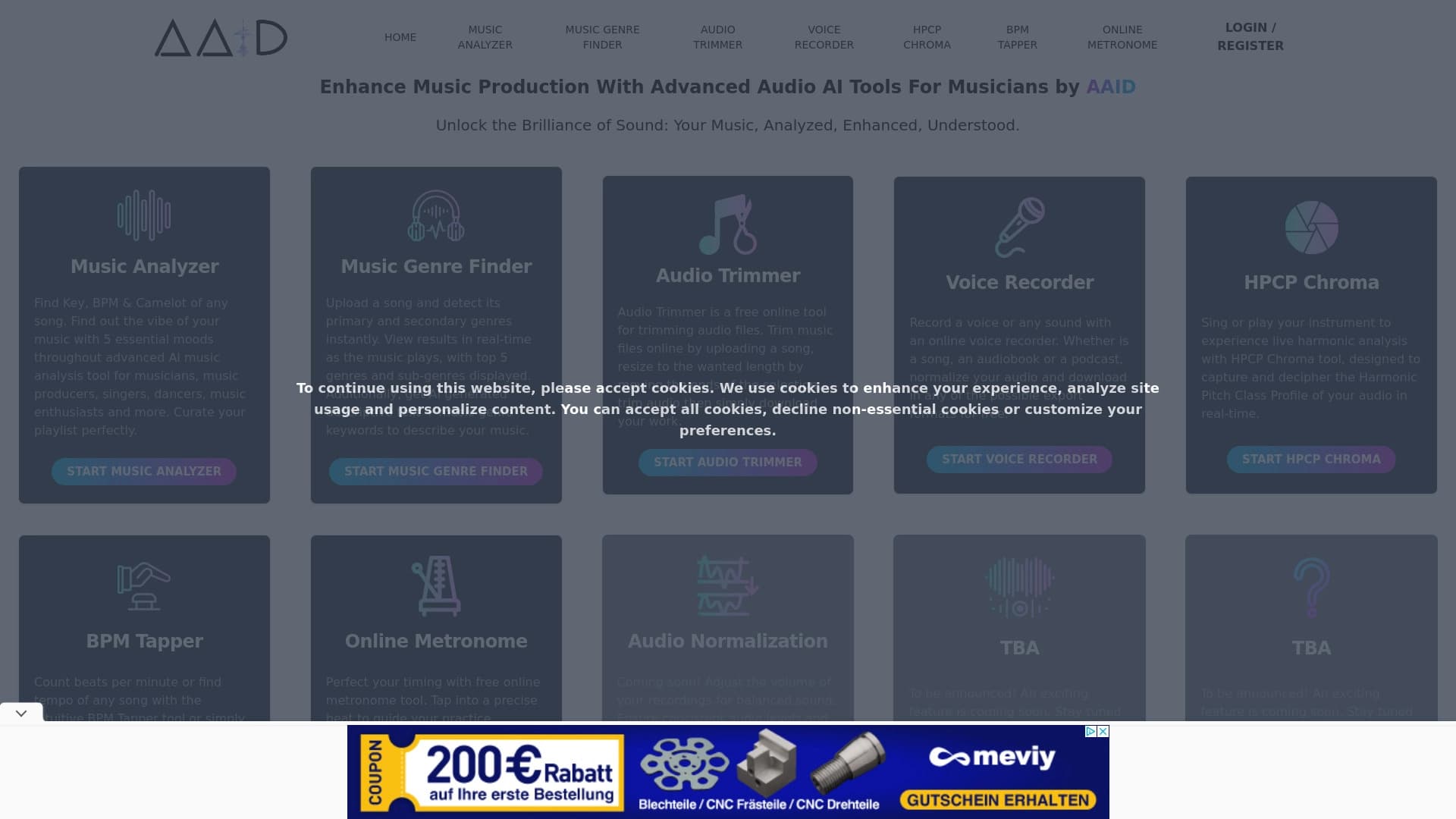
Online service for analyzing music tracks with AI, detecting key, tempo, and mood, as well as allowing you to trim audio and record voice.

Ranked in
Overview
Audio AI Dynamics - AAID Neural Network Description
Audio AI Dynamics is a browser-based online service that uses neural networks for music analysis and basic processing. The tool is designed to help musicians and producers quickly obtain technical data about tracks without needing to install complex software.
The service operates directly in the browser, making it accessible from any device with an internet connection. Its main task is automatic detection of parameters such as key, tempo, and emotional tone. In addition to analytics, it also offers audio trimming and voice recording features.
Key Features at a Glance
- Technical Analysis: automatic detection of key and BPM (beats per minute). These are fundamental parameters important for mixing, remixing, and creating playlists.
- Sound Processing: beyond analysis, the service allows file editing and voice recording, making it a versatile assistant for quick tasks.
Intended Purpose
Audio AI Dynamics is positioned as a tool for quickly checking track characteristics. Users simply upload a file and get results within seconds. This saves time and allows focus on the creative process rather than routine technical calculations. However, it's important to note that the service handles basic-level tasks and is not intended for professional mixing or mastering.
Audio AI Dynamics - AAID Specifications
| Specification | Value |
|---|---|
| Type | Online service for neural network-based music analysis and enhancement |
| Categories | Voice and audio editing tools, audio and video recording tools, AI music generators, audio enhancement tools |
| Platforms | Web (browser-based) |
| Developer | Audio AI Dynamics |
| Distribution Model | Not specified |
| Free Tier | Available |
| Free Tier Cost | Free of charge |
| Starter Tier Cost | Paid monthly subscription |
| Premium Tier Cost | Paid monthly subscription |
| Monthly Visits | 5.5K |
Who Is Audio AI Dynamics - AAID Suitable For?
Musicians and Performers
For songwriters and performers, the service is a convenient tool for quickly checking the key of their own demo recordings. This helps with choosing accompaniment, composing instrumental parts, or preparing for performances.
Sound Producers and DJs
Producers can use the tool to analyze samples and finished tracks. Determining BPM and key is a standard task when creating remixes or blending tracks into a cohesive mix based on energy and mood.
Beginners and Enthusiasts
Users without formal music education often struggle to determine parameters "by ear." Audio AI Dynamics solves this problem by providing simple, clear automatic analysis. The lack of need to install heavy DAW software makes the service ideal for getting started.
How to Use Audio AI Dynamics - AAID
Step-by-Step Guide
- Go to the Audio AI Dynamics website.
- Select the desired online tool from the list (key analyzer, BPM detection, trimming, recording, etc.).
- Upload an audio file from your device.
- Follow the on-screen prompts to start the analysis or processing.
- Get the result as numerical values (key, tempo) or a modified audio file.
Intuitive Interface
The service is designed with users of different skill levels in mind. The interface is not overloaded with complex settings, allowing quick orientation and task completion without reading manuals. The workflow is as simple as possible: upload a file and get results.
Key Features of Audio AI Dynamics - AAID
Technical Track Analysis
- Key Detection: the neural network analyzes the harmonic structure and outputs the main key of the composition.
- Tempo (BPM) Detection: the service calculates beats per minute, which is critical for beat matching.
- Tempo Tapper: a dedicated feature for manually determining BPM — users simply tap along with the music.
Emotional Analysis
The service evaluates the mood of a composition. This is not subjective opinion but algorithm-based calculation, which can help with creating mood-specific playlists or finding suitable music for videos.
Basic Processing Features
- Audio Trimming: allows cutting segments from a track without using a full-fledged editor.
- Voice Recording: the service includes a microphone recording feature for creating voice notes or demos.
Advantages of Audio AI Dynamics - AAID
Speed and Automation
One of the main advantages is automation. Users don't need to manually "listen" to a track and identify notes or beats. Analysis takes just seconds, significantly saving time.
Accessibility and Simplicity
The service runs in the browser, requiring no installation and working on any device. The free tier provides access to core functionality, and the intuitive interface is clear to both professionals and beginners.
Zero Entry Barrier
No special knowledge is required to quickly obtain the needed information. This is especially valuable for beginners just starting to work with musical material.
Disadvantages of Audio AI Dynamics - AAID
Inaccuracy on Complex Tracks
The AI does not always correctly analyze complex compositions with unconventional harmony or polyrhythms. Result quality directly depends on the source file. Low recording quality or rare genres can cause errors in tempo and key detection.
Limited Functionality
The toolset is stable but basic. There are no unique features that would significantly set the service apart from competitors like Suno AI or AIVA.
Network Dependency
The service works exclusively online. A stable internet connection is required, which can be inconvenient when working on the go or in areas with poor coverage.
What Tasks Does Audio AI Dynamics - AAID Solve?
Creating Music Playlists
Quick checks of key, tempo, and atmosphere allow for organizing a music library. Users can easily sort tracks by mood or speed to create playlists for parties, workouts, or background work.
Working with Own Recordings
The service allows recording voice notes that can be immediately trimmed and edited. Users can also upload their own files, analyze them, and understand what key the melody was written in.
Streamlining Workflow
The main goal is helping users solve routine tasks without installing heavy software (DAW). This saves computer resources and time spent learning complex tools.
Audio AI Dynamics - AAID Pricing
Free Tier
Provides access to the platform's core tools: key analysis, tempo detection, and basic trimming. This is the optimal option for getting familiar with the service.
Starter Tier
An expanded set of tools for more active users. The detailed composition of this tier is not disclosed in public sources.
Premium Tier
The full set of tools without restrictions. This tier is expected to remove limits and unlock access to all service features, including advanced analysis and processing functions.
Terms of Use for Audio AI Dynamics - AAID
The official service page does not specify concrete terms of use, such as age restrictions, registration requirements, or copyright policies. For accurate information about licensing agreements and legal aspects, it is recommended to contact the developers or site administration directly.
Availability of Audio AI Dynamics - AAID
The service is available online through a browser-based website. Official data on language support, geographical restrictions, or VPN requirements is not listed on the page. The service is positioned for a broad international audience.
How Audio AI Dynamics - AAID Differs from Alternatives
No explicit unique differentiators from competitors are highlighted in the official description. The core functionality — tempo and key analysis — is not unique in the market. Tools like Cleanvoice or Audo Studio also offer audio analysis and processing.
Compared to music generators (Suno AI, Udio, Mubert), these are fundamentally different categories: AAID does not generate music from scratch but works with existing material. The main factor that may attract users is the combination of a browser-based format and free access to basic features, contributing to a low entry barrier.
Conclusion
Audio AI Dynamics is an accessible free online tool for basic music analysis and editing. It will be useful for beginners and enthusiasts who need to quickly determine key or tempo without learning professional software. Process automation saves time, and the intuitive interface simplifies work. However, the service has limited functionality and may make errors on complex tracks, making it unlikely to be useful for professional recording studios doing advanced work.
Frequently asked questions
See also

A service for turning text into podcasts with naturally sounding voices in different languages.

Desktop AI assistant for macOS, Windows, and Linux that launches via hotkey above all windows and combines multiple language models in one interface.

AI assistant for creating short summaries of videos, PDF documents, and web pages.

AI keyboard for Apple devices that speeds up typing with corrections, translation, and response generation.

A platform for chatting with virtual AI characters with image generation during the conversation.

Online service for creating music and songs from a text description with the ability to download tracks.

Chinese aggregator platform combining AI tools, courses, and competitions.

AI-powered online ASMR video generator that creates relaxing clips from a text description.