

AppFlowy
Open AI-powered workspace for managing projects, notes, and knowledge bases.
Overview
AppFlowy
Description of AppFlowy AI
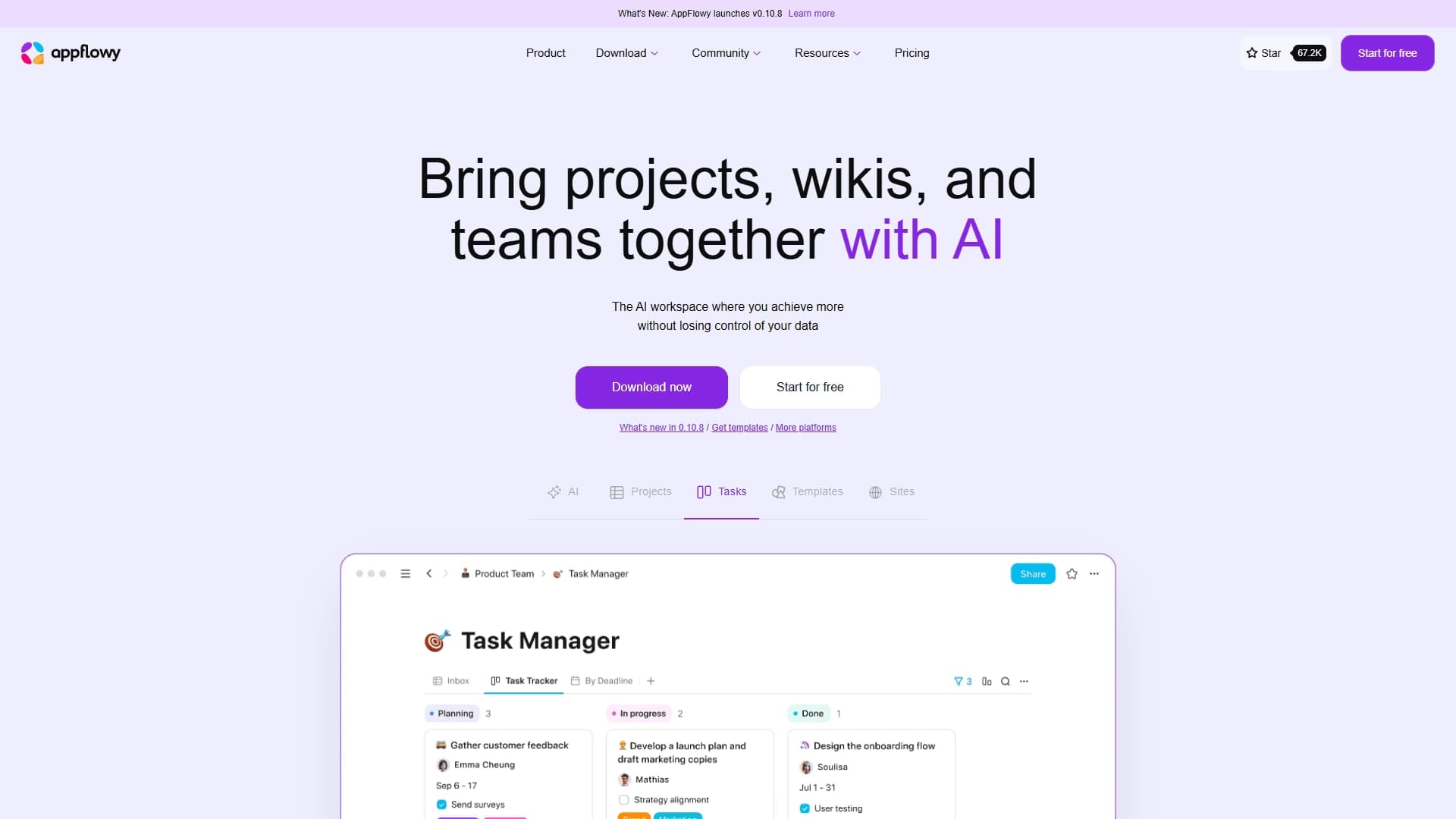
AppFlowy is an open-source AI-powered workspace that combines project management, note-taking, wiki knowledge bases, and work with tables, Kanban boards, and a calendar. The platform works both in the cloud and with local AI models, allowing users to maintain full control over their data. The built-in AI assistant supports integration with GPT, Gemini, and Claude, helping answer questions, improve texts, and fill in data right inside the interface. AppFlowy is positioned as an open-source alternative to Notion with an emphasis on privacy.
AppFlowy characteristics
| Characteristic | Value |
|---|---|
| Tool type | AI collaborative workspace |
| Categories | Project management, AI Productivity Tools, AI App Builder |
| Platforms | Web, Linux, macOS, Windows |
| Pricing model | Freemium |
| Free plan available | Yes |
| Open source | Yes |
| Developer | AppFlowy Inc. |
| Date added to catalog | July 11, 2024 |
| Interface language | English |
| Local deployment support | Yes |
Who is AppFlowy AI for?
Teams and individual users
AppFlowy is aimed at teams and individual users looking for a single space for projects, wikis, tasks, and notes with the ability to control their data. The tool suits those who value privacy and do not want to depend on cloud providers.
Project Managers and developers
The platform is convenient for project managers who need to manage tasks, track progress, and maintain documentation. Developers can take advantage of the open-source code for customization and integrations.
Content Creators
Content creators will find in AppFlowy a tool for note-taking, writing texts with AI, and organizing ideas into structured knowledge bases.
How to use AppFlowy AI?
Registration and setup
To get started, you need to register on the official website www.appflowy.io. After logging into your account, you can create your own workspace or join an existing one. The platform allows you to customize your workspace with plugins and themes.
Organizing your work
AppFlowy offers tables, Kanban boards, and a calendar for organizing data. Users can invite team members, set privacy options, and work on projects in a single interface. The editor supports multiple formats, keyboard shortcuts, and ready-made templates.
Using AI
The AI assistant is built directly into the interface. You can ask questions, improve texts, generate ideas, and fill in tables without switching between applications. For AI features, you can connect both cloud services (GPT, Gemini, Claude) and local models on the user's device.
Main features of AppFlowy
Project and task management
The platform includes full-fledged project management tools: boards, calendars, and tables with filtering and sorting capabilities. Real-time collaborative page editing and progress tracking are supported.
Note-taking and wiki
AppFlowy combines note-taking and wiki page management functionality in a single space. Users can create knowledge bases, use customizable templates, and structure information.
AI assistant
The built-in AI assistant works with various models (GPT-4o, GPT-o3-mini, DeepSeek R1, Claude 3.5 Sonnet, and others). It helps answer questions, improve and generate texts, and fill in data in tables. Both cloud and local models are supported to preserve privacy.
Advantages of AppFlowy
Data control and privacy
AppFlowy is available in offline mode and supports self-hosting on the user's server. This ensures full control over data and its protection. Support for local AI models makes it possible to use AI without transferring information to third-party servers.
Flexibility and extensibility
The open-source code with an active community allows you to customize the platform with plugins, themes, and templates. Users can choose between different AI providers (GPT, Gemini, Claude) and integrate third-party AI services as they see fit.
Cross-platform support and synchronization
AppFlowy runs on all major platforms: Web, Linux, macOS, Windows, as well as mobile devices. Synchronization between devices and an offline mode with subsequent syncing of changes are supported.
Disadvantages of AppFlowy
Limited number of integrations
The platform currently has few integrations with other services, such as email or CRM. This can be inconvenient for teams that actively use third-party tools.
Performance requirements
With large amounts of data or on weaker hardware, AppFlowy may run slower. This should be taken into account when planning to use the platform on large projects.
Difficulty for beginners
Because of the large number of features and customization options, new users may need time to master the tool.
What problems does AppFlowy solve?
Project management and task tracking
The platform allows you to organize projects, distribute tasks among team members, and track progress. Suitable for both individual projects and teamwork.
Note-taking and knowledge base creation
AppFlowy brings notes, wiki pages, and documentation together in one place. This is convenient for creating corporate wikis, storing instructions, and organizing information.
Team collaboration
The platform supports real-time collaborative page editing, inviting members and guest editors, and setting access permissions.
AppFlowy pricing
Free plan
The free plan includes up to 2 members, 5 GB of storage, 10 AI responses, and 2 AI images. No credit card is required for registration. Offline mode and synchronization are available.
Pro and AI MAX plans
The Pro plan costs from $10 per month (with annual billing) or $12.5 (with monthly billing). It includes unlimited storage, up to 10 members, up to 100 guest editors, unlimited AI responses, and 50 AI images per month. The AI MAX plan for $8 per month provides access to GPT-4o, GPT-o3-mini, DeepSeek R1, and Claude 3.5 Sonnet models, unlimited AI responses, and file uploads. An annual discount of 20% is available.
AppFlowy terms of use
Using AppFlowy requires registration on the official website. The free plan is limited to two members and 5 GB of storage. The platform follows a freemium model: basic features are available for free, while advanced capabilities require a subscription. Specific terms for individual plans are provided on the developer's website.
AppFlowy availability
AppFlowy is available on Web, Linux, macOS, and Windows platforms. Mobile devices are supported. The tool works in offline mode and supports self-deployment on your own server or in the cloud. The interface is available in English. According to analytics data, website visitors come from Nigeria, the United States, India, Brazil, Vietnam, and other countries.
How AppFlowy differs from alternatives
AppFlowy is positioned as an open-source alternative to Notion with an emphasis on privacy. The main differences are the ability to work with local AI models, offline mode support, and self-hosting. Unlike Notion, Trello, Asana, and Monday.com, AppFlowy lets users fully control their data, choose between different AI providers, and deploy the platform on their own server. At the same time, the platform combines project management, notes, and wiki functions in one tool, which sets it apart from narrowly focused solutions.
Conclusion
AppFlowy is an open-source AI workspace that combines project management, notes, wiki, and tasks with an emphasis on privacy and data control. Support for local AI models, offline mode, and self-hosting make the platform an attractive alternative to Notion for teams and users who want to maintain full control over their information. At the same time, the limited number of integrations and possible performance issues when working with large data volumes should be taken into account.
Pricing
Frequently asked questions
See also

Open-source platform for integrating data from various sources into data warehouses and analytics systems.
A sales automation platform that combines customer prospecting, deal management, and AI-powered forecasting.
AI editor for creating, editing, and publishing content with templates and prompts.

Financial platform with an AI assistant for managing accounting, taxes, and budgets.

Platform for interview preparation with AI mock interviews and real-time support.
Enterprise language model platform focused on privacy and on-premise deployment.


AI assistant for creating short summaries of videos, PDF documents, and web pages.


Free online platform with over 150 AI tools for working with PDFs, images, videos, and text.