
AI4spaces
خدمة التصميم الداخلي التي تعمل بالطاقة الكهربائية والتي تحوّل صور الغرفة إلى صور تصويرية ثلاثية الأبعاد في مختلف الأنماط.
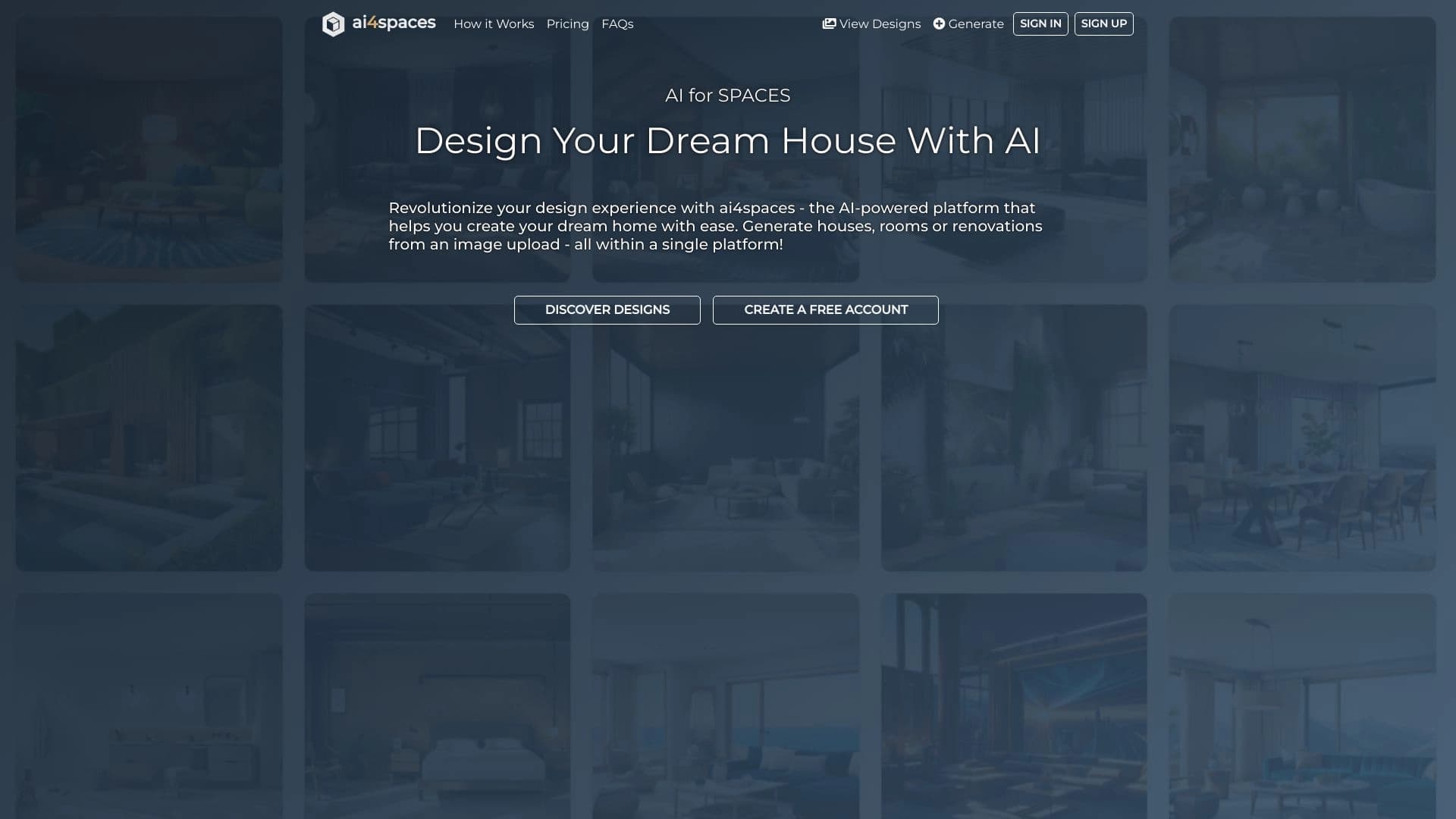
لمحة عامة
AI4spaces Neural Network Description
AI4spaces is an online platform powered by artificial intelligence, designed for interior design and virtual staging. الخدمة تسمح لك بتحميل صورة غرفة موجودة في غضون ثواني، الحصول على نسخة مصورة من نفس المكان، ولكن في أسلوب جديد، مع مختلف الأثاث، الديكور، الإضاءة، أو التصميم.
الفكرة الأساسية وراء الفضاء AI4 لتمكين أي شخص، بغض النظر عن مهارات التصميم المهني، من تصور أفكاره بسرعة قبل بدء التجديد. وتستخدم الأداة الشبكات العصبية لتحليل صورة المصدر وإيجاد خيارات تصميم بديلة، وتوفير الوقت والمال اللذين ينفقان عادة على وضع نماذج ثلاثية الأبعاد.
In addition to working with room photos, the platform supports uploading architectural plans, blueprints, and 3D models. وهذا يجعل الخدمة أداة متنوعة ليس فقط للمهام اليومية وإنما أيضا للعمل المهني في الهندسة والتصميم.
AI4space Characteristics
| الخصائص | القيمة |
|---|---|
| النوع | AI-powered interior design platform, virtual staging service |
| Categories | مساعدو التصميم، ومولدات الصور والصور، وأدوات التصميم الداخلية، وأدوات التصميم البياني، ومولدات التصميم، ومولدات الفنون الرقمية |
| المطور | Ai4Spaces Technologies |
| منهاج العمل | الموقع الشبكي (الخدمة المباشرة)، www.ai4spaces.com |
| الزيارات الشهرية | 288.5K |
| خطة مجانية | نعم (الملامح الأساسية) |
| تسعير خطة دفع | المعيار: 999 روبية/شهر، من الفئة الفنية: 2499 روبية/شهر (يمكن أن تتباين أسعار الصرف حسب المنطقة) |
| بيانات المدخلات المدعومة | صور غرفة، خطط معمارية، مخططات، نماذج ثلاثية الأبعاد، صور |
| السمات الرئيسية | تغيير التصميم، والأثاث، والزينة، والإضاءة، والمواد؛ والإضافة الافتراضية للطوابق، والأوعية، والمجمعات؛ وتغيير الوقت اليومي |
| تاريخ نشر المدونة | 23 أيلول/سبتمبر 2025 |
من هو آي 4 الفضاء المناسب؟
مالكو المنازل والمستعملون الخاصون
إذا كنت تخطط لتجديد وتريد أن ترى مسبقاً كيف ستعتني الغرفة بتغيير الأثاث أو الأثاث بدلاً من خدمات التصاميم الباهظة الثمن أو التطويع الذاتي المطوّل، يمكنك ببساطة تحميل صورة وتجربة مع المواشي. كما أنها وسيلة آمنة لاختبار القرارات الجريئة قبل تنفيذها في الواقع.
المصممون والمهندسون المعماريون
وبالنسبة للمهنيين، يعمل المنبر كمعجل للعمل. ويمكن للمهندسين المعماريين أن يستخدموا الخدمة لتوليد الأفكار، وأن يُظهروا للزبائن مفاهيم تصميم مختلفة لنفس الحيز، وأن يعدوا مواد للعروض. وتضيف القدرة على العمل مع الخطط المعمارية والمخططات قيمة لمن يصممون الأماكن من الصفر.
مؤسسات العقارات ووكالات العقارات
AI4spaces enables virtual staging — that, "bring to life" empty or outdated apartments for sale or rental listings. ويمكن للمشترين المحتملين أن يروا كيف يمكن للممتلكات أن ترعى نهضة خفيفة، مما يزيد من استئنافها ويعجل الصفقة.
كيف تستخدم الشبكة العصبية لـ (آي 4) الفضائية؟
عملية تدريجية للمبتدئين
لاستعمال الخدمة، عليك التسجيل على الموقع تبدأ العملية بتحميل صورة الغرفة التي تريد تغييرها The platform also accepts 3D models, sketches, or architectural plans. وبعد التحميل، اختار أسلوباً مرغوباً منه من المفهرس (أكثر من 40 خياراً) أو وضع معايير تصميم فردية. الشبكة العصبية ستعالج الطلب وتقدم عدة خيارات تصميم يمكنك توفيرها لحسابك
العمل مع الخطط والمخططات
وتنطوي حالة الاستخدام المتطور على تحميل مخططات الغرفة التقنية - خطط الطابق، والسلاسل، وآراء غير متماثلة. ويمكن للفضاءات العاملة من طراز AI4 تحويل هذه الرسومات إلى مطبوعات مرئية من طراز 3D، فضلا عن أداء المهمة العكسية - مما يخلق مخططات تقنية تستند إلى صور مصورة نهائية. وهذا مفيد خلال مرحلة الموافقة على المشروع بين المصمم والزبون.
سرعة التوليد
ومن المزايا الرئيسية سرعة التشغيل. الحصول على نسخة تصويرية يستغرق أقل من دقيقة من لحظة تحميل صورة المصدر. وهذا يسمح لك بالتكرار من خلال العديد من الأفكار والأساليب في جلسة واحدة دون انتظار.
السمات الرئيسية للمساحات AI4
إعادة تصميم الغرفة الافتراضية
الخدمة تسمح لك بتغيير داخل الغرفة تماماً: استبدال الأثاث والزينة والإضاءة والمواد النهائية وتغيير مخطط الألوان The AI correctly handles perspective and lighting in the source photo, integrating new elements so the result looks natural.
أعمال العيون وإعادة التشكيل
In addition to cosmetic changes, AI4spaces can suggest room refiguration options. ويمكن للمستعملين أن يغيروا مواقع الجدار، وتقسيم المناطق الفضائية، وأن يضيفوا تقريبا عناصر معمارية جديدة - طوابق، وتراسات، ومجمعات - عند العمل في مشاريع فضائية منزلية أو تجارية.
مكتبة نموذجية
ويشمل المنبر أكثر من 40 أسلوبا داخليا مختلفا - من الحد الأدنى والأسلوب الاسكندينافي إلى الأسلوب الكلاسيكي والنظيف. ويمكن للمستعملين أن يطبّقوا مبدئيات نمطية جاهزة على صورة محمّلة أو أن يكيّفوا بارامترات فردية لتحقيق نتيجة فريدة.
التجارب البيئية
كما أن الفضاءات الفضائية من طراز AI4 لا تدعم تغيير البيئة الداخلية فحسب بل أيضا البيئة المحيطة بها. وتشمل القدرات تغيير وقت اليوم، الذي يغيّر الإضاءة والغلاف الجوي في التبصر، وتوسيع الحديقة، وإضافة أو إزالة المباني في الخلفية.
ألف - مزايا أماكن العمل
- سهولة الاستخدام: فالخدمة لا تتطلب مهارات تصميم أو تعليما خاصا؛ والتفاعل غير مناسب.
- السرعة العالية: الخلق البصري سريع، إنقاذ الوقت مقارنة بالنموذج الكلاسيكي 3D.
- الظروف المرنة: يمكنك تغيير الديكور والأثاث، وكذلك العناصر الهيكلية في الغرفة، ووضع أفضليات أسلوبك الخاص.
- المرونة: مناسبة للمهنيين والمالكين للعمل مع الصور والرسومات التقنية.
- والأفضليات الشخصية هي: يمكنك التأثير على النتيجة من خلال تعديل معايير الجيل إلى ذوقك
Disadvantages of AI4spaces
- إمكانية إيجاد حلول نموذجية: وفي بعض الأحيان تقدم منظمة العفو الدولية خيارات تصميم نموذجية نموذجية قد تبدو فريدة بشكل غير كاف.
- الاعتماد على جودة صورة المصدر: ويتوقف الجيل بشكل مباشر على الجودة والزاوية والإضاءة من الصورة المحملة ستسفر الصور المزروعة أو الملتقطة بطريقة سيئة عن نتائج أقل دقة.
- تفسير غير متوقع: وقد تسيئ الشبكة العصبية تفسير طلبات المستخدمين أو خصائص الغرف، وقد يتطلب النص النهائي تنقيحا يدويا إضافيا.
ما هي المهام التي يحلها (آي 4) الفضاء؟
فكرة سريعة تصور
المهمة الرئيسية للخدمة هي تقليل الوقت من الفكر إلى الصورة البصرية. وبدلاً من طلب رؤية ثلاثية الأبعاد باهظة التكلفة من محرر أو محاولة لتقنين البرامجيات المعقدة، يمكن للمستعملين أن يحصلوا على نتيجة مقبولة في ثواني.
إعداد مواد لمبيعات الممتلكات
ويستخدم العقارات والبائعون من القطاع الخاص الأماكن المخصصة للإي 4 لإيجاد صور جذابة للشقق والمنازل. ويساعد التصوير الافتراضي المشترين على تصور أنفسهم في الفضاء ويزيد من القدرة التنافسية للقائمة.
عرض خيارات التصميم على العملاء
ويستخدم المصممون والمهندسون المعماريون المنبر لإظهار خيارات تصميم بديلة متعددة للعملاء لنفس المساحة. وهذا يساعد على مواءمة المشروع في مرحلة مبكرة وتجنب سوء الفهم.
إيجاد الإلهام والأفكار للتجديد
ويمكن لمالكي المنازل استخدام الفضاء AI4 كمصدر للأفكار للتجديدات في المستقبل. عن طريق تحميل صورة لغرفتهم وتطبيق أساليب مختلفة يمكنهم استكشاف إمكانيات الفضاء واختيار الاتجاه الذي يفضلونه
AI4spaces pricing
وتتيح هذه الأماكن عدة خطط للتسعير، بما في ذلك خيار مجاني يتيح الوصول إلى السمات الأساسية. هذا يتيح لك استكشاف قدرات الخدمة بدون التزام مالي
وتوفر خطط الدفع مجموعة أوسع من الأدوات والسمات:
- الخطة الموحدة: 999 روبية في الشهر (يمكن أن تتباين أسعار الصرف حسب المنطقة).
- الخطة المهنية: 2499 روبية في الشهر (يمكن أن تتباين أسعار الصرف حسب المنطقة).
ولا تكشف بيانات المصدر عن وجود اختلافات مفصلة بين الخطط، إلا أن الوصول المدفوع الأجر يشمل عادة ملامح جيلية موسعة، وتسوية أعلى، وتجهيز الطلبات ذات الأولوية، والاستخدام التجاري للنتائج.
المصطلحات المستخدمة في الفضاءات الفضائية AI4
والتسجيل على الموقع الشبكي مطلوب لبدء استخدام هذه الخدمة. وليس للمنبر احتياجات تقنية خاصة - وهذه العملية برمتها تحدث في المصفح. ويتطلب الاستخدام الكامل للخدمة في الخطط المدفوعة اشتراكا شهريا.
ولا ترد في بيانات المصدر أية قيود محددة على استخدام فئات معينة من المستخدمين. ومع ذلك، فمثل معظم الخدمات المشابهة، تنطوي المساحات من طراز AI4 على الاستخدام المسؤول للأداة - مثل احترام حقوق التأليف والنشر عند تحميل الصور واستخدام المواد المتولدة على النحو المناسب.
AI4space availability
والخدمة متاحة كمنبر على شبكة الإنترنت عبر الموقع الشبكي وتعمل على جميع الأجهزة القادرة على فتح مصفف، سواء كان حاسوبا أو قرصا أو هاتفا ذكيا. There is no information about regional restrictions or the need for a VPN, suggests the service is broadly accessible. ولدى المنبر حالياً قاعدة كبيرة للمستعملين، كما يتضح من العدد الشهري للزيارة وهو 288.5 كاف.
How AI4spaces different from alternatives
التخصص في الداخل والهيكل
وخلافاً لمولدات الصور العالمية مثل ميدجورني أوفلوكس-1، تُصمَّم المساحات من طراز AI4 إلى مهام تصميم داخلية محددة. ويتجلى ذلك في دعمه لتحميل الخطط المعمارية والمخططات، فضلا عن القدرة على تغيير المخططات والعناصر الهيكلية - وهي سمات غائبة عن معظم أدوات الأغراض العامة.
السرعة والبساطة للمستعمل النهائي
وتركز هذه الخدمة على تحقيق نتائج سريعة دون معرفة بعجلات وظروف معقدة. (بينما أدوات مثل (ياندكس "شيدفروم" أو (ليوناردو (أ) تطلب من المستخدمين صياغة الاستفسارات عن النص، تعمل الآي 4 فضاء على مبدأ "إحراق الصورة - الحصول على نسخة،" مما يجعل العملية غير ملائمة.
التدريب الافتراضي كتوجه مكرس
كما أن البدائل المباشرة مثل غرفة AI أو الطائرة 5D توفر أيضاً سمات إعادة تصميم داخلية؛ غير أن هذه المواد تبرز بدعمها المعلن لأكثر من 40 أسلوباً وقدرتها على تحرير الخطط الهندسية والمعمارية إلى جانب صور الغرف. ويشمل هذا النهج الشامل كلا من الجوانب البصرية والتقنية، التي نادرا ما توجد في أداة واحدة.
خاتمة
AI4spaces is a function online service for quickly generating interior visualizations, useful for a wide range of users - from apartment owners planning renovations to professional designers and realtors. فالأداة تسمح بالتجارب مع الأساليب والأثاث والمخططات دون الحاجة إلى برمجيات معقدة. At the same time, potential limitations should be considered: results may be template-like, and the quality of the final render directly depends on the quality of the source image. ومع ذلك، ومن أجل إجراء اختبارات سريعة للأفكار والتقييم الأولي للفضاء، يوفر المنبر مزيجاً أمثل من البساطة والسرعة والوظيفية، ويتيح توافر خطة مجانية تجربة الخدمة دون استثمار.
الأسئلة المتكررة
انظر أيضا


الشبكة العصبية التي تولد صوراً وإيضاحات تستند إلى وصف نصي.

AI-powered online image editor for removing objects, replacing backgrounds, and enhancing photos.


AI-based platform for creating logos and brand identity.


منصة للحديث مع الشخصيات الافتراضية في آي مع توليد الصور خلال المحادثة.

A service that automatically generates enhanced photos for dating site profiles.


A multifunctional platform for creating and editing media content using artificial intelligence.


محرر على الإنترنت لإزالة الأشياء غير المرغوبة والنص والعيوب من الصور باستخدام شبكة عصبية.

منصة سحاب لإنشاء أشرطة فيديو باستخدام الأفاتار، وخطاب مدمج، والترجمة الآلية للمقاطعات إلى عشرات اللغات.