
AI Toolbox - Chrome Extension
Browser extension that combines several popular AI tools into a single panel for working with text, images, audio, and video.
لمحة عامة
AI Toolbox is a Chrome browser extension that combines several popular generative neural networks in a single interface. وبدلاً من إبقاء العشرات من المقذوفات مفتوحة مع مختلف الخدمات، يحصل المستعملون على النص والصورة والصوت ونماذج الفيديو مباشرة في لوحة المصفوفين.
المميزة الرئيسية للتمديد هي بناء برنامج بدون شفرة ويمكن للمستعملين أن يجمعوا بين أدوات التنفيذ المتاحة وأن يجمعوا ما لديهم من تطبيقات مصغرة لمهام محددة - من توليد المحتوى إلى الحسابات الآلية. ويدعم هذا البرنامج إدماج الحلول العرفية المتعلقة بمكافحة غسل الأموال، مما يجعل من المثير للاهتمام بالنسبة لأفرقة لديها خبرة في مجال التعلم الآلي.
ويعمل هذا التمديد على نموذج أحراري: فالعملية الأساسية متاحة مجانا، في حين أن الملامح المتقدمة غير مقفلة من خلال اشتراك مدفوع الأجر.
AI Toolbox - Chrome extension Characteristics
| الخصائص | القيمة |
|---|---|
| النوع | تمديد فترة التروس |
| الفئة | أدوات تحليل البيانات |
| المطور | AI Toolbox |
| المستوى الحر | نعم (الملامح الأساسية) |
| الزيارات الشهرية | 122-4K |
| نموذج التوزيع | Freemium |
| التسجيل المطلوب | نعم |
| التشغيل المباشر | غير مدعوم |
| دعم نموذج نموذج ML العرفي | نعم |
من هو آي تولبوكس؟
المهنيون العاملون
ويستهدف التمديد المتاجرين والمطورين والمصممين والمحامين والمهنيين الماليين. وبالنسبة لكل مجموعة من هذه المجموعات، يوفر المنبر مجموعة من الأدوات ذات الصلة: إعداد النصوص والرسالة الإخبارية للتسويق، وتحليل البيانات للقطاع المالي، والتشغيل الآلي لسير العمل من أجل الممارسة القانونية.
مستخدمون بدون خبرة في مجال البرمجة
بناء البرمجيات لا يتطلب مهارات الترميز إن تجميع أدواتك الخاصة في مجال مكافحة الإرهاب يتطلب بعض النقرات: اختيار الشبكات العصبية التي تحتاجها، وتنظيم تفاعلها، وبدء التطبيق. This opens up machine learning technologies to a wide range of users.
الأفرقة وفرادى المتخصصين
ويشمل إطار العمل دعم التعاون الجماعي، مما يتيح استخدام التمديد كأداة مؤسسية. ويمكن للمستعملين الأفراد البدء بالمجان وتقييم القدرات الأساسية قبل الانتقال إلى خطط مدفوعة الأجر.
كيف أستخدم "آي تولبوكس"؟
التركيب والتسجيل
الخطوة الأولى هي تركيب التمديد من متجر الكروم بعد التركيب يجب أن تسجل في النظام التسجيل إلزامي - بدون حساب، لا يمكن الوصول إلى الأدوات.
أدوات اختيار
After logging in, users are taken to a catalog of available AI tools. يمكنك اختيار الحلول الجاهزة لتوليد النص، والصورة، والصوت، أو الفيديو، أو الجمع بينها كما تراه مناسبا.
بناء تطبيق في البناء
لخلق تطبيقك الخاص، استخدام البناء في البناء. العملية تبدو مثل هذا: اختيار نماذج آي إي التي تحتاجها، وتحديد منطق تفاعلها، وإنقاذ الحل النهائي. ويتم تنفيذ جميع الإجراءات من خلال واجهة بصرية، دون برمجة.
Key features of AI Toolbox - Chrome extension
منصة متجانسة لتكامل التعلم الآلي
ويجمع هذا التمديد بين عدة أنواع من الشبكات العصبية: نماذج لتوليد النص والصور والصوت والفيديو. ويحصل المستعملون على الخدمات الشعبية - بما في ذلك شات جي بي تي، وميدجورني، وإحدى عشرة ليبز - دون تبديل بين المقالات.
بناء تطبيقات لا رمز
البنّاء البصري المبني يسمح لك بتجميع الحلول الخاصة بك AI في بضع نقرات. ويختار المستعملون النماذج المطلوبة وينظمون تفاعلهم ويحصلون على طلب جاهز. لا حاجة إلى لغات البرمجة.
دمج الشبكات العصبية في سير العمل
AI Toolbox can be used directly in the browser while working with other services. هذا يوفّر الوقت: ليس هناك حاجة للتبديل بين مختلف المقالات والخدمات - جميع الأدوات متاحة في لوحة واحدة.
دعم النماذج والحلول التقليدية العليا
يعمل المنبر مع نماذج تعلم الآلات الرائدة. وبالإضافة إلى ذلك، يمكن للمستعملين أن يدمجوا حلولهم الخاصة القائمة على القانون النموذجي، مما يتيح تكييف الأداة مع المهام الفريدة.
Advantages of AI Toolbox - Chrome extension
كل شيء في واجهة واحدة
وتتمثل الميزة الرئيسية للتمديد في تركيز العديد من أدوات آي إي في مكان واحد. المستعملون لا يحتاجون لفتح خدمات متعددة بالتوازي والتبديل بينهما وهذا يقلل من الوقت المنفق على المهام - من توليد المحتوى إلى التشغيل الآلي للحسابات.
التشغيل الآلي للعمليات الروتينية
وتعالج مهام إنشاء الشبكات العصبية تجهيز البيانات واختيار التوصيات وغيرها من العمليات المتكررة. ويتحرر الأخصائيون من العمل الأحادي ويمكنهم التركيز على المهام التي تتطلب خبرة.
إمكانية وصول غير المتخصصين
The lack of programming skills requirements allows people without technical education to use the technology. ويعمل بناة التطبيقات على أساس مبدأ المطابقة البصرية - مفهوم حتى للمبتدئين.
Disadvantages of AI Toolbox - Chrome extension
مرونة النموذج المحدود
ولا يمكن أتمتة جميع المهام بأدوات قياسية. نماذج البناء قد لا تكون مرنة بما فيه الكفاية للحالات المعقدة وفي مثل هذه الحالات ستحتاج إما لصقل السيناريو أو التخلي عن التشغيل الآلي
الاعتماد على الاتصال الشبكي
التمديد يعمل فقط على الإنترنت وبدون الوصول إلى الشبكة، تصبح جميع السمات غير متاحة، مما قد يكون غير ملائم عند العمل أثناء السفر أو بصلة غير مستقرة.
الشواغل المتعلقة بخصوصية البيانات
ويمكن للمنبر أن يجمع بيانات المستخدمين، وتثير شفافية استخدامه أسئلة. قبل البدء في العمل مع التمديد، يوصى بإجراء استعراض دقيق لسياسة الأمن والخصوصية.
ما المهمات التي حلّها (آي تولبوكس)؟
التشغيل الآلي للمهام والحسابات الروتينية
ويتيح التمديد التشغيل الآلي للعمليات المنتظمة: تجهيز البيانات، وإجراء الحسابات، وإعداد التقارير. ونماذج التعلّم الآلي في البناء تعالج عمليات التكرار بمفردها.
توليد الوحدات والنشرات الإخبارية الشخصية
ويمكن لمؤسسة AI Toolbox أن تنشئ محتوى نصي - من الرسائل القصيرة إلى المواد المفصلة. وتسمح السمة الشخصية لتوليد النشرات الإخبارية بتشكيل الاتصالات الجماهيرية استنادا إلى أفضليات الجمهور.
تحليل البيانات والتنبؤ بها
ويدعم المنبر مهام تحليل البيانات: معالجة صفائف البيانات، وتحديد الأنماط والاتجاهات. وبالإضافة إلى ذلك، يمكن أن تخلق تطبيقات تتعلم من البيانات وتنتج التنبؤات.
تطوير تطبيقات التعريفات الجمركية
ويمكن للمستعملين أن يخلقوا تطبيقات تتناسب مع مهامهم دون أن يكتبوا مدونة. Such solutions learn from their own data and are used for specific business processes.
AI Toolbox - Chrome extension Pricing
هيكل تسعير التمديد يشمل ثلاثة مستويات:
| النمور | السعر | المعالم |
|---|---|---|
| مجانا | مجانا | السمات الجيلية الأساسية، التكامل بين المستنقعات |
| الفئة الفنية | الاشتراكات المدفوعة | الأدوات المتقدمة للتسويق والتحليل |
| الأعمال التجارية | الاشتراكات المدفوعة | الوصول الكامل، دعم تعاون الفريق |
الدرجة الحرّة تَتْركُك تَستكشفُ الوظائفَ الأساسيةَ ويُقيّمُ كَمْ الأداةَ تَلائمُ احتياجاتَكَ. The Professional tier is aimed at individual specialists who need an expanded feature set. The Business tier is designed for teams and involves collaborative work by multiple users.
المصطلحات المستخدمة في محطة AI Toolbox - Chrome extension
التسجيل في النظام إلزامي لاستخدام التمديد. ولا تعمل هذه الخدمة إلا على شبكة الإنترنت - دون وجود اتصال على شبكة الإنترنت، يتم منع الوصول إلى الأدوات.
من المهم ملاحظة أن المنبر قد يجمع بيانات المستخدمين The transparency of its processing and protection is not always obvious, so before starting to use it عليك أن تعيد النظر بعناية في السياسة الأمنية يوصى بفحص البيانات التي يتم جمعها وكيف يتم تخزينها وما إذا كانت مشتركة مع أطراف ثالثة
AI Toolbox - Chrome extension
ويتاح التمديد للتركيب في مصفف الكروم. انها تعمل فقط مع اتصال الانترنت. ولا توجد مناطق توزيع محددة رسميا - يمكن أن تكون هذه الخدمة متاحة في بلدان مختلفة، ولكن من الأفضل التحقق من هذه المعلومات على الموقع الرسمي أو في مدونــة " كروم " على الشبكة العالمية.
How AI Toolbox - Chrome extension differ from alternatives
استمارة التمديد
The main difference from services like ChatGPT, Jasper AI, or Julius AI is the delivery format. AI Toolbox works as a Chrome extension rather than a standalone web service. This reduces time spenting between tools: all features are in a single browser panel.
مبني بدون شفرة
وخلافاً لمنابر مثل بوليمر أو ألبرت آي، التي تركز أساساً على تحليل البيانات، تشمل مجموعة أدوات التنفيذ المرئية بناية للأجهزة البصرية. ويمكن للمستعملين تجميع مجموعات أدواتهم الخاصة لمهام محددة دون مهارات في البرمجة.
دعم نموذج نموذج ML العرفي
القدرة على دمج نماذجك للتعلّم الآلي تُحدّد التمديد بعيداً عن البدائل ولا تعمل منظمة " باوردريل آي " ومعظم المنافسين إلا مع نماذجهم الخاصة، في حين تسمح شركة AI Toolbox بربط الحلول الفردية.
مجموعة من الملامح لمختلف الأخصائيين
Most alternatives are tailored to a narrow specialization: text generation (Jasper AI), data analysis (Julius AI, Polymer). وتغطي مجموعة الأدوات مجموعة أوسع من المهام - من المحتوى إلى الحسابات الآلية - مما يجعلها أداة متوازية لمهن مختلفة.
خاتمة
AI Toolbox is a Chrome browser extension that brings together a set of generative AI tools in a single interface. وتشمل المزايا الرئيسية وجود حاجز دخول منخفض، ومبني للبرمجيات بدون رمز، والقدرة على الربط بين نماذج بروميد الميثيل المعتادة. ويناسب هذا التمديد السوقيين والمطورين والمصممين والمحامين والمهنيين الماليين، فضلا عن المبتدئين الذين لا يتلقون تعليما تقنيا. في الوقت نفسه، لديه حدود: النماذج ليست مرنة دائما بما فيه الكفاية للسيناريوهات المعقدة، ليس هناك وظيفة غير مباشرة، هيكل تسعير متوازن يسمح لك بالبدء بخطة مجانية والارتقاء إلى واحدة مدفوعة الأجر حسب الحاجة
الأسئلة المتكررة
انظر أيضا

منبر لتوليد أشرطة فيديو وصور وأفاتار رقمية باستخدام أجهزة الاستخبارات.


AI-based platform for creating logos and brand identity.


AI service for automatically selecting music to match the climate of videos, images, or text, with legal licenses.


منبر تطوير ورصد وتقييم تطبيقات التنفيذ على أساس نماذج لغوية كبيرة.


A tool for generating 3D models based on text descriptions, images, or sketches.
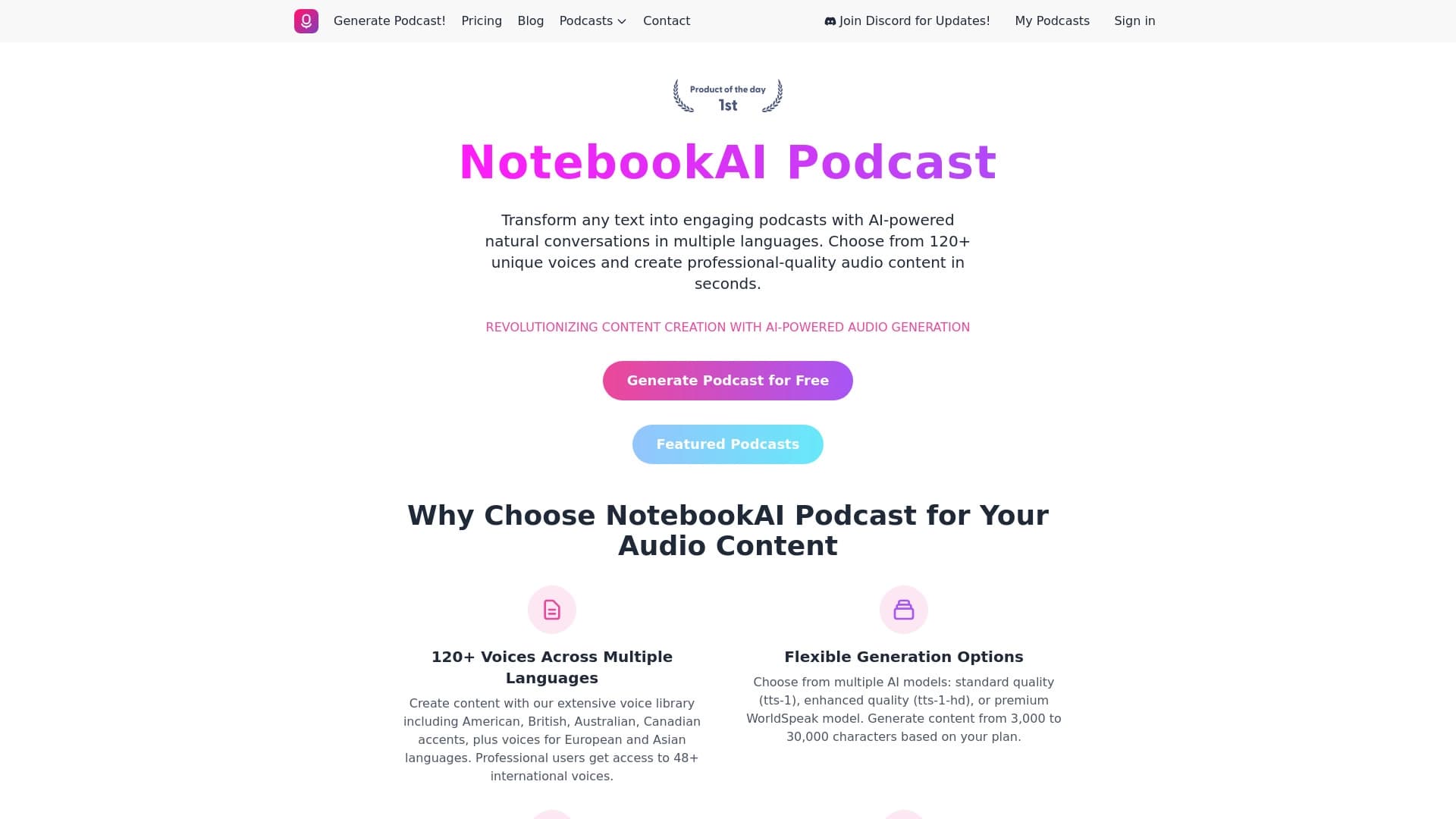

خدمة لتحويل النص إلى دواءات ذات أصوات صوتية طبيعية بلغات مختلفة.


منصة لخلق ثرثرة الشركات بناءً على وثائقك دون تدوين.


مساعد شؤون الإعلام من أجل إعداد النصوص وتحريرها بسرعة في أشكال مختلفة.