
AI To Cards
Layanan untuk secara otomatis mengkonversi teks menjadi studi kartu tulis untuk Anki menggunakan AI.
Tinjau
Al Ke Kartu Keterangan Jaringan Neural
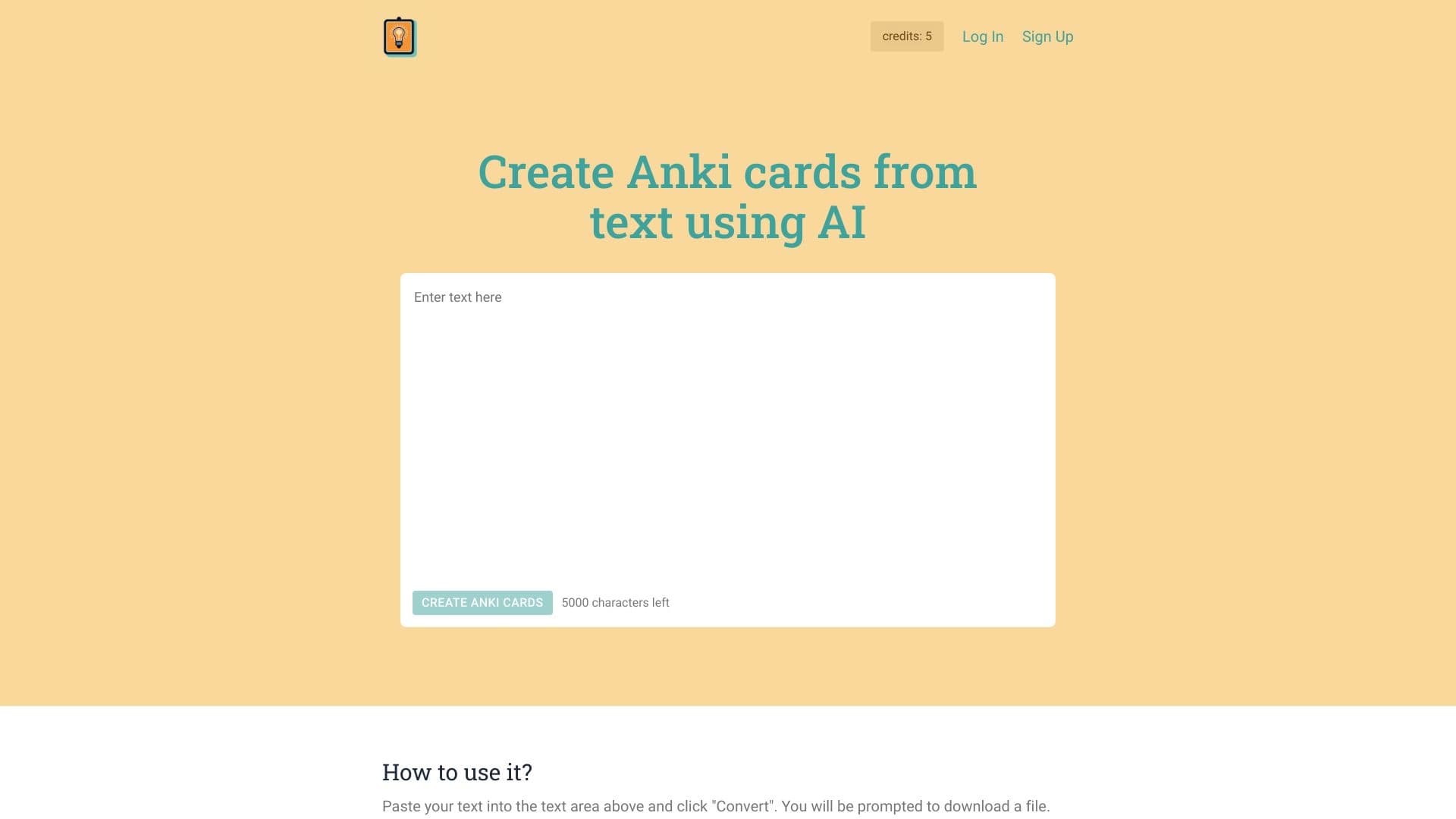
AI To Cards adalah layanan online yang secara otomatis mengubah teks polos menjadi kartu belajar yang sudah dibuat untuk sistem pengulangan Anki spaced. Alih-alih membuat kartu secara manual, pengguna hanya menempel fragmen teks (hingga 5.000 karakter), dan jaringan saraf berdasarkan model bahasa GPT-4 menganalisis konten, membuat konsep kunci yang jelas, dan merumuskan pertanyaan dengan jawaban.
Layanan ini diposisikan sebagai alat untuk mempercepat persiapan ujian, belajar bahasa asing, dan dengan cepat meninjau topik kunci. Set kartu yang selesai dapat diunduh sebagai berkas dan diimpor ke Anki, aplikasi bebas untuk menghafal informasi. Pengembang sebenarnya memperingatkan bahwa isi yang dihasilkan harus diperiksa secara manual, karena AI dapat membuat ketidakakuratan dalam kata-kata atau membingungkan konteks.
Fitur Kartu AI
| Fitur | Nilai |
|---|---|
| Tipe | Generator isi teks |
| Platform | Layanan web (situs) |
| Pengembang | Kartu AI |
| Model harga | Dibayar (tingkat bebas tersedia) |
| Tingkat bebas | Pemulai - bebas |
| Model dasar | GPT-4 |
| Batas teks | Sampai 5.000 karakter pada suatu waktu |
| Kunjungan bulanan | 38.7K |
| Tanggal penerbitan | 23 September 2025 |
| Bahasa antar muka | Tidak secara eksplisit dispesifikasikan |
| Regions | Tidak secara eksplisit dispesifikasikan |
| VPN dibutuhkan | Tidak ada informasi |
Siapa Al To Cards cocok untuk?
Siswa dan pelajar
Alat ini berguna bagi mereka yang mempersiapkan ujian atau pengujian yang membutuhkan sejumlah besar kartu untuk ditinjau. Alih-alih menghabiskan jam secara manual membuat material, Anda dapat menempel ringkasan atau bab buku teks dan mendapatkan set kartu yang sudah dibuat.
Pelajar bahasa
AI To Cards memungkinkan Anda dengan cepat membuat kartu dengan kosakata baru, terjemahan, dan penggunaan contoh. Pengguna dapat mengunggah teks dengan kata-kata asing, dan layanan akan mengubahnya menjadi bahan studi untuk tinjauan sehari-hari.
Siapapun yang ingin cepat meninjau penting
Jika Anda perlu menyegarkan pengetahuan Anda tentang sebuah topik sebelum presentasi, wawancara, atau hanya mengatur informasi dari catatan, layanan akan memotong waktu persiapan. Teks yang disisipkan akan diubah menjadi seperangkat pertanyaan dan jawaban.
Bagaimana menggunakan kartu AI To?
Panduan langkah-demi-langkah
- Pergi ke website layanan.
- Salin teks yang diinginkan (hingga 5.000 karakter) ke dalam ruas yang didedikasikan.
- Klik tombol "Ubah".
- Tunggu proses selesai - jaringan saraf akan menganalisis teks, menyoroti poin kunci, dan menghasilkan kartu dengan pertanyaan dan jawaban.
- Unduh berkas siap dengan set kartu.
- Impor berkas ke Anki atau program pengulangan spaced serupa.
Nuansa penting
Sebelum memakai, disarankan untuk meninjau kartu yang dihasilkan untuk kesalahan. AI mungkin frase pertanyaan tidak akurat atau mencampur konteks, sehingga tinjauan manual akan meningkatkan kualitas bahan studi. Jika teks melebihi 5.000 karakter, perlu dibagi menjadi beberapa bagian dan diproses secara terpisah.
Fitur kunci dari Kartu AI To
Pembuatan kartu dari teks
Layanan ini mengambil teks pengguna sebagai masukan dan mengubahnya menjadi satu set kartu terstruktur untuk Anki. Hal ini dapat menjadi bahan studi, kuliah, catatan, atau artikel.
Perakitan semantik otomatis
AI tidak hanya memotong teks ke dalam fragmen - itu menganalisis konten, mengidentifikasi konsep-konsep kunci dan koneksi antara mereka. Berdasarkan ini, menciptakan kartu dengan pertanyaan dan jawaban yang melestarikan logika bahan sumbernya.
Kemajuan Kartu AI
Tabungan waktu
Manfaat utama layanan ini adalah otomatisasi kerja rutin. Membuat kartu secara manual membutuhkan waktu yang cukup, terutama ketika bekerja dengan volume besar bahan. AI To Cards melakukan tugas ini dalam satu menit.
Antar muka sederhana
Alat ini tidak memerlukan manual instruksi: ruas masukan teks yang jelas dan satu tombol aksi. Anda dapat mengetahui layanan dalam satu menit, membuatnya dapat diakses kepada pengguna dari tingkat keterampilan apapun.
Kepandaian
Layanan ini bekerja dengan teks - buku teks, catatan, bahan bahasa, artikel. Hal ini membuatnya menjadi alat fleksibel untuk skenario belajar yang berbeda.
Drawbacks of AI To Cards
Batas ukuran teks
Maksimum 5.000 karakter pada satu waktu. Untuk memproses bab besar atau seluruh buku teks, Anda harus secara manual membagi teks menjadi bagian, yang menambahkan ketidaknyamanan.
Kemungkinan kesalahan pada kartu
AI tidak sempurna: dapat membingungkan konteks, memberikan kata yang tidak akurat, atau melewatkan rincian penting. Pengguna perlu meninjau dan memperbaiki bahan yang dihasilkan sebelum digunakan.
Masalah privasi
Pemrosesan data terjadi pada server AI eksternal, yang menciptakan potensi risiko kebocoran informasi pribadi. Pengembang menyarankan tidak mengunggah data rahasia atau sensitif.
Masalah apa yang diselesaikan Al To Cards?
Persiapan Ujian
Layanan memungkinkan Anda cepat menciptakan kartu studi dari bahan tertutup, strukturisasi ke pertanyaan dan jawaban untuk tinjauan efektif.
Belajar bahasa asing
Alat ini membantu mengubah teks dengan kosakata baru menjadi kartu untuk menghafal kata-kata, frasa, dan terjemahan mereka.
Ulasan cepat dari topik kunci
Jika Anda perlu untuk menyegarkan pengetahuan Anda pada topik tertentu tanpa persiapan panjang, cukup menempel teks yang relevan dan mendapatkan seperangkat kartu kompak.
Mengkonversi teks ke dalam bahan studi
Kasus penggunaan inti adalah mengubah konten sewenang-wenang menjadi kartu terstruktur untuk sistem pengulangan spaced.
Harga Kartu AI
Layanan beroperasi pada model berlangganan dan menawarkan tiga rencana:
| Rencana | Harga |
|---|---|
| Pemulai | Bebas |
| Dasar | Berlangganan berbayar |
| Premium | Berlangganan berbayar |
Periksa situs resmi layanan untuk istilah dan fitur saat ini termasuk dalam setiap rencana.
Ketentuan Penggunaan Untuk Kartu AI
Pendaftaran tidak disebutkan sebagai persyaratan wajib untuk menggunakan layanan. Ada batas pada upload teks - hingga 5.000 karakter pada suatu waktu. Untuk memproses bahan yang lebih besar, Anda harus membaginya menjadi beberapa bagian.
Data pengguna dienkripsi, tapi pemrosesan isi dilakukan pada server AI eksternal. Oleh karena itu, sangat direkomendasikan untuk tidak mengunggah informasi pribadi, rahasia, atau rahasia - meskipun enkripsi, ada risiko kebocoran. Pengembang memperingatkan tentang hal ini secara langsung dalam hal penggunaan.
Ketersediaan AI To Cards
AI To Cards adalah layanan web yang dapat diakses melalui peramban di situs resmi. Diperlukan koneksi internet yang stabil. Bahasa antar-muka dan daerah yang didukung tidak secara eksplisit dispesifikasikan, dan tidak ada informasi tentang pembatasan geo- atau kebutuhan untuk menggunakan VPN.
How AI To Cards differs from alternative
Tidak seperti alat AI universal seperti Gemini, ChatgPT, DeepSeek, Gok, Notion. AI, atau Mistral Large, AI To Cards mengkhususkan diri dalam satu tugas tertentu - mengubah teks menjadi kartu belajar untuk Anki. Model bahasa umum membutuhkan baik-dibuat mendorong dan langkah manual berikutnya untuk mencapai hasil yang sama.
AI To Cards menawarkan alur kerja yang sudah-dibuat: teks pasta - mendapatkan berkas untuk impor. Ini menghemat waktu untuk merumuskan kueri dan memformat keluaran. Namun, pengguna yang membutuhkan fleksibel atau bekerja dengan volume besar teks mungkin lebih suka solusi universal.
Kesimpulan
AI To Cards adalah alat online sederhana untuk otomatis membuat kartu belajar untuk Anki yang secara signifikan mempercepat persiapan bahan belajar. Layanan ini cocok untuk siswa, pelajar bahasa, dan siapapun yang secara teratur menggunakan sistem pengulangan spaced. Batas utama adalah batas upload 5 juta karakter dan kebutuhan untuk memeriksa kartu yang dihasilkan untuk kesalahan. Dengan penggunaan yang masuk akal dan kesadaran nuansa ini, alat ini akan membuktikan asisten belajar yang membantu.
Pertanyaan yang sering ditanyakan
Lihat juga


Asisten AI untuk cepat membuat dan mengedit teks dalam berbagai format.


Layanan untuk transkripsi otomatis audio dan video ke teks dengan dukungan untuk lebih dari 100 bahasa.

Catalog dari alat AI dengan bahan pendidikan dan panduan untuk memilih jaringan saraf.

Sebuah jaringan saraf untuk analisis dokumen yang mengekstrak informasi kunci, menciptakan ringkasan, dan menjawab pertanyaan tentang isi file yang diunggah.

Alat untuk membuat diagram dan peta pikiran dari deskripsi teks dalam bahasa alam.

Layanan online yang memungkinkan Anda chatting dengan dokumen PDF: mengajukan pertanyaan dan mendapatkan jawaban singkat dengan keterangan sumber.


Layanan bertenaga online untuk cepat menciptakan presentasi berdasarkan topik yang diberikan atau dokumen yang diunggah.


ComicLLM adalah alat AI untuk membuat komik dari deskripsi teks atau template yang sudah dibuat.