
AI Stream Companion
Widget para streams na Twitch e YouTube que adiciona um co-apresentador de IA que reage ao chat, doações e bits.
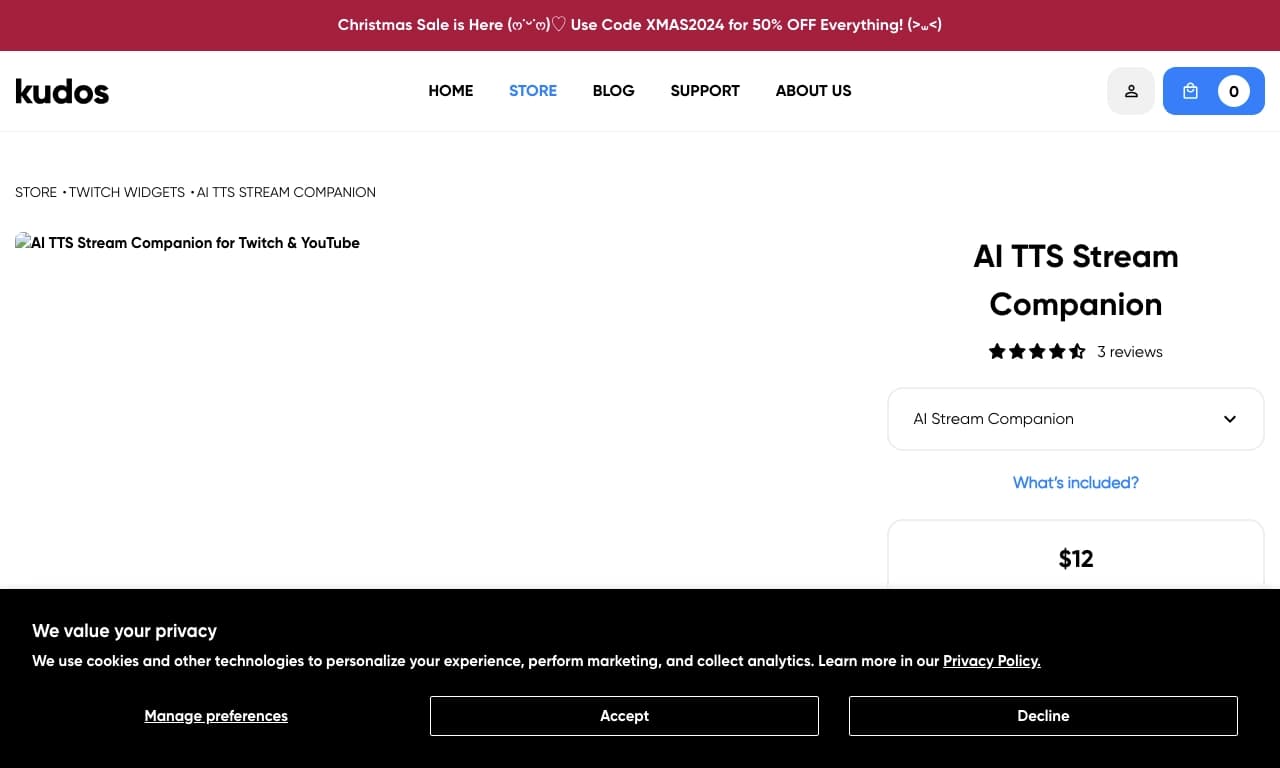
Visão geral
O AI Stream Companion é um widget interativo para transmissões ao vivo no Twitch e YouTube que adiciona um co-host virtual movido por IA à sua transmissão. A ferramenta é projetada para interação automática de audiência: o personagem IA analisa o que está acontecendo no stream e reage às ações do streamer e dos telespectadores.
Ao contrário de robôs simples TTS, AI Stream Companion cria o efeito de um parceiro conversacional ao vivo. O widget pode responder às mensagens de chat, reagir a doações e bits, e Junte-se à conversa quando a transmissão falar. O proprietário do canal pode personalizar a personalidade do personagem, o estilo de comunicação e a voz para que ele se encaixe naturalmente no formato e atmosfera de um fluxo específico.
O widget é incorporado na interface de transmissão como uma sobreposição, não exigindo nenhuma ação adicional dos espectadores. Ele pode ser gerenciado inteiramente através de comandos de chat, e a IA fornece respostas de voz e texto em tempo real.
Características do AI Stream Companion
| Característica | Valor |
|---|---|
| Tipo | Elemento de transmissão |
| Categorias | YouTube e blogs, Vozes e voiceover |
| Plataformas | Twitch, YouTube, Web |
| Número de vozes de Onze Labs | Até 20 |
| Número de vozes StreamElements | Mais de 200 |
| Suporte à linguagem | Multilingual (via bibliotecas de voz) |
| Avaliação editorial | 8.9 de 10 |
| Avaliação do utilizador | 4. 4 de 5 |
| Sítio Web | kudos.tv |
| Data de publicação | 16 de dezembro de 2025 |
Para quem é o Al Stream Companion?
Bloggers e streamers
O AI Stream Companion é principalmente voltado para criadores que executam streams regulares no Twitch ou YouTube. A ferramenta se adapta tanto a streamers iniciantes que querem diversificar suas transmissões sem ter um segundo host permanentemente presente, e canais maiores olhando para automatizar parte de a sua interacção com o público.
Gestores de conteúdo
Para equipes gerenciando vários canais ou manipulando estratégia de conteúdo, o widget se torna uma ferramenta adicional para manter a atenção do espectador. O co-anfitrião IA lida com respostas rotineiras a perguntas comuns do espectador e anima as pausas entre as fases ativas da transmissão.
Como usar o AI Stream Companion?
Instalação e configuração de caracteres
AI Stream Companion é distribuído como um widget de sobreposição que é adicionado ao seu layout de transmissão através das configurações correspondentes Twitch ou YouTube. Após a instalação, você precisa criar um personagem: dar-lhe um nome, personalidade, estilo de comunicação e voz preferida. Bibliotecas de voz de OnzeLabs (até 20 opções) e StreamElements (mais de 200 vozes em diferentes idiomas) estão disponíveis para este fim.
Gerenciar durante o fluxo
A interacção com a IA acontece automaticamente. O personagem reage à voz da streamer, juntando-se à conversa quando o host a aborda ou pausa. Os espectadores podem interagir com o co-host através do chat enviando mensagens, para as quais a IA dá respostas de texto ou voz. Doações e bits também desencadeiam reações de caráter, incentivando os espectadores a apoiar o canal.
Principais características do AI Stream Companion
Reação de voz e chat
A IA analisa as mensagens de fala e bate-papo da streamer, gerando respostas adequadas em tempo real. Isso cria o sentimento de um diálogo completo entre o anfitrião , o co-apresentador virtual, e os espectadores.
Doação e manipulação de bits
O widget reconhece eventos relacionados ao suporte do canal financeiro e reage a eles. O personagem pode agradecer aos espectadores, comentar sobre doações ou responder perguntas deixadas junto com o apoio.
Personalização de caracteres
A transmissão tem total controle sobre a personalidade do co-host da IA: do estilo de caráter e comunicação à seleção de voz. As bibliotecas de voz OnzeLabs e StreamElements estão disponíveis, permitindo que você escolha um timbre e idioma que se adapte ao público do seu canal.
Respostas de voz e texto
A IA responde tanto no texto do chat quanto pela voz através do widget. Isso torna a interação mais natural e acessível para espectadores que não lêem constantemente o chat.
Vantagens do AI Stream Companion
Aumento do engajamento do público
O co-host virtual cria um ponto adicional de interação com os espectadores. As pessoas participam mais ativamente no chat quando sabem que suas mensagens serão notadas não só pela transmissão, mas também pelo caráter IA. Doações e bits também recebem reações instantâneas, incentivando mais atividade.
O efeito de um diálogo vivo
Graças à reação de voz e respostas contextuais, o co-hospedeiro da IA não se depara com apenas um bot lendo mensagens. A capacidade de personalizar a personalidade e o estilo de fala do personagem faz dele uma parte orgânica do show, melhorando a retenção do espectador no canal.
Contratempos do Companheiro de Corrente de IA
Disponibilidade limitada em algumas regiões
Segundo a equipe editorial, o instrumento pode estar sujeito a restrições regionais em determinados países. Isso poderia criar inconvenientes adicionais para as streamers nessas regiões, tanto durante a instalação como enquanto o widget é em uso.
Dependência da qualidade da resposta de IA
Embora a IA seja treinada para reagir a uma ampla gama de eventos, a qualidade da resposta pode variar dependendo do contexto. Em situações incomuns, o personagem pode dar uma resposta inadequada ou formulada, o que exigiria ajuste manual das configurações de caráter e estilo de comunicação.
Que tarefas o AI Stream Companion resolve?
Adicionando uma co- máquina virtual
A ferramenta permite adicionar um segundo host à sua transmissão sem precisar trazer uma pessoa real. Isso resolve o problema dos fluxos de solo e ajuda a manter o ímpeto mesmo durante longas transmissões.
Interacção automática do visualizador
AI Stream Companion lida com a tarefa de responder às mensagens de chat e reagir a doações e bits. A transmissão não precisa romper com o conteúdo principal para reagir a todos os eventos — a IA faz isso instantaneamente.
Personalização para caber no formato do canal
A capacidade de configurar a personalidade do personagem, estilo de comunicação e voz permite que o widget seja adaptado a um canal específico. O co-apresentador de IA pode ser um analista sério, um conversador divertido ou um comentarista irônico, dependendo do que melhor se adequa ao público.
Atrair e reter espectadores
O companheiro interativo de IA trabalha como uma ferramenta adicional de atenção-retenção: os espectadores são mais propensos a permanecer em um canal onde a interação ao vivo está acontecendo, em vez de apenas uma transmissão de jogabilidade ou conversa.
Preço do AI Stream Companion
Informação sobre preços para o AI Stream Companion não está disponível em fontes públicas. Se o widget é gratuito, distribuído por assinatura, ou oferece planos de uma vez requer esclarecimento. Recomendamos verificar as taxas atuais no site oficial da ferramenta ou no catálogo kudos.tv, onde a página do produto está hospedada.
Termos de utilização para o AI Stream Companion
O AI Stream Companion opera como um serviço web e se integra ao Twitch e YouTube através de um widget de sobreposição. A ferramenta requer acesso à internet e uma conexão estável durante a transmissão. A funcionalidade completa requer conexão com os serviços de geração de voz OnzeLabs e StreamElements, que podem ter seus próprios termos de uso e preços.
Disponibilidade do AI Stream Companion
O AI Stream Companion está disponível nas plataformas Twitch e YouTube, bem como através de uma interface web. As fontes não contêm informações sobre restrições regionais rigorosas para a maioria dos países — o principal instrumento funciona sem condições especiais.
Dito isto, a equipa editorial observa que as restrições regionais podem aplicar-se em certos países, o que poderá exigir medidas técnicas adicionais para instalar e utilizar o widget.
Como AI Stream Companion difere das alternativas
A principal diferença do AI Stream Companion é sua combinação de um papel bot TTS e um co-host virtual completo. Muitas alternativas, como VeraVoice, Zvukogram, ou iMyFone MagicMic, resolvem tarefas estreitas: conversão texto-a-fala ou alterando a voz da streamer. O AI Stream Companion oferece ainda personalização da personalidade do personagem e reações à voz, doações e bits do hospedeiro.
Em comparação com outros widgets de IA, esta ferramenta se destaca pelo seu número de vozes disponíveis: mais de 200 opções da StreamElements e até 20 da OnzeLabs. A combinação das duas bibliotecas proporciona uma grande variedade de idiomas e timbres, tornando o personagem mais reconhecível e mais adequado para um público específico.
Além disso, ao contrário de soluções simples que exigem ações separadas dos telespectadores, o AI Stream Companion automaticamente entra na conversa com base nos eventos de voz e canal do streamer. Isso cria uma experiência interativa mais natural que não depende de como os espectadores usam comandos de chat ativamente.
Conclusão
AI Stream Companion é um widget personalizável para Twitch e YouTube que adiciona um co-host virtual de IA à sua transmissão. Reage à voz da transmissão, mensagens de chat, doações e bits, proporcionando um diálogo ao vivo com o público. Uma ampla biblioteca de voz — mais de 200 da StreamElements e até 20 da OnzeLabs — permite criar um personagem único adaptado ao formato do seu canal. A ferramenta é adequada para blogueiros e gerentes de conteúdo que procuram aumentar o engajamento e retenção do espectador. As possíveis limitações incluem restrições regionais em determinados países. Os preços e os termos de utilização pormenorizados exigem esclarecimentos sobre os recursos oficiais.
Perguntas mais frequentes
Consulte também

Plataforma com IA para gerar e melhorar imagens, vídeos e logotipos em tempo real.


ComicLLM é uma ferramenta de IA para criar quadrinhos a partir de descrições de texto ou modelos prontos.


Mais de 200 prompts prontos para negócios e SEO, adaptáveis ao ChatGPT, Claude e Gemini.

Gerador de textos e designs personalizados para convites de diversos eventos.


Plataforma para desenvolvimento, monitoramento e avaliação de aplicações de IA baseadas em grandes modelos de linguagem.


Plataforma IA para criação rápida de sites e gerenciamento de processos de pequenas empresas.

Conjunto de ferramentas multimídia de IA para editar e aprimorar fotos, vídeos e documentos PDF.


Plataforma para criar e conversar com personagens de IA, cada um com sua própria personalidade e história.