

AI Slides to Videos
यह सेवा Google Slides प्रस्तुतियों को वीडियो में बदलती है, जिसमें छवियों, क्लिप्स और वॉयस-ओवर का स्वचालित निर्माण शामिल है।
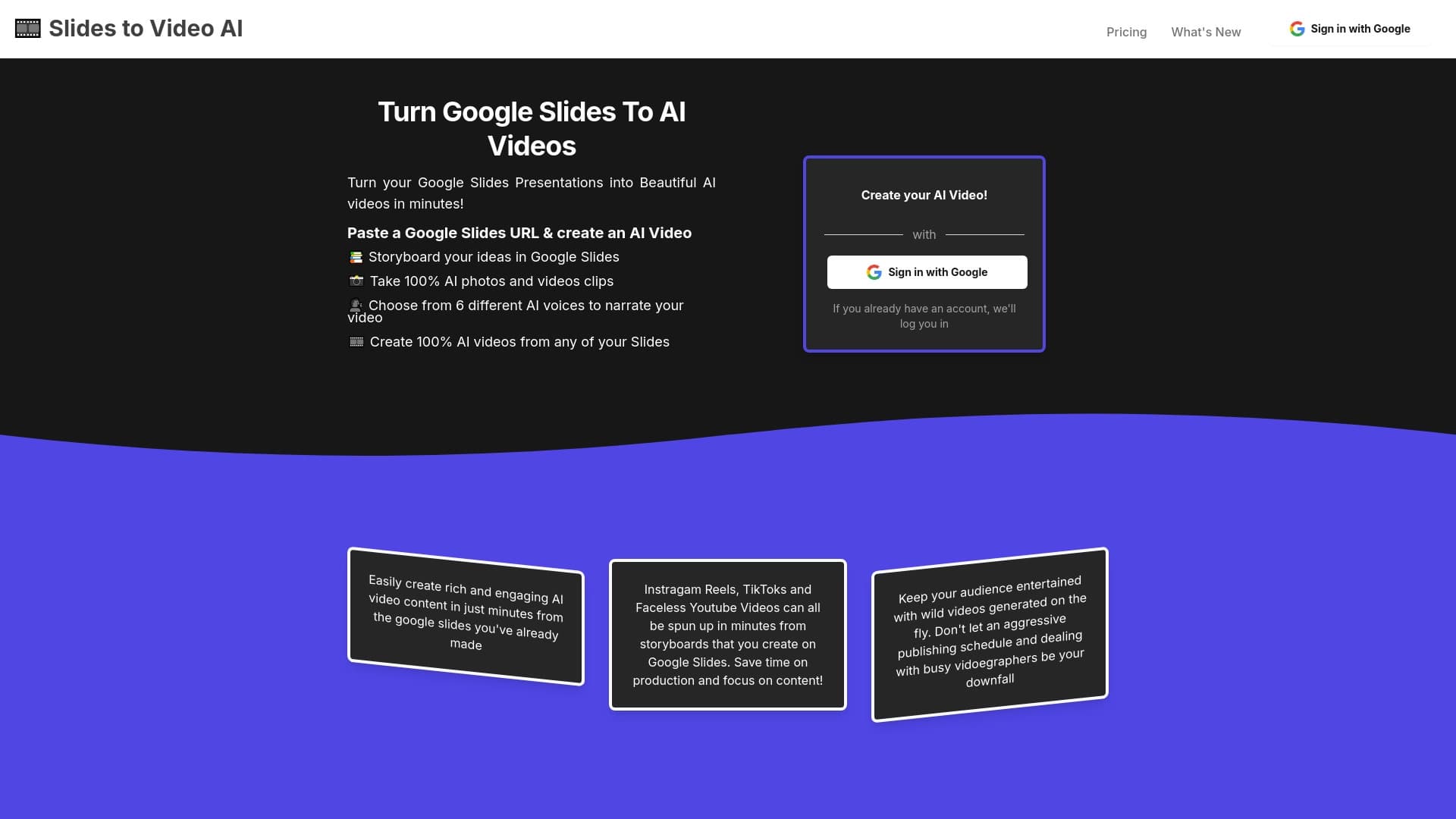
अवलोकन
वीडियो के लिए एआई स्लाइड्स एक ऑनलाइन सेवा है जो Google स्लाइड्स प्रस्तुतियों को पूर्ण विकसित वीडियो में बदलने की प्रक्रिया को स्वचालित करता है। मैनुअल संपादन के बजाय, स्टॉक सामग्री को सोर्सिंग और वॉयसओवर रिकॉर्डिंग, प्लेटफॉर्म सभी तकनीकी कार्यों को संभालता है: यह स्लाइड सामग्री का विश्लेषण करता है और उस पर आधारित वीडियो उत्पन्न करता है।
सेवा एक "स्टोरीबोर्ड" सिद्धांत पर काम करती है: आपकी प्रस्तुति (हेडिंग, कुंजी अंक, स्लाइड ऑर्डर) की संरचना परिणामस्वरूप वीडियो के लिए रूपरेखा बन जाती है। प्रणाली स्वयं दृश्य सामग्री का चयन और निर्माण करती है और वॉयसओवर जोड़ती है। परिणामस्वरूप सामाजिक मीडिया पर प्रकाशन या शैक्षिक और विपणन सामग्री में एम्बेड करने के लिए तुरंत इस्तेमाल किया जा सकता है।
सेवा का मुख्य विचार
उपकरण का मुख्य लक्ष्य उन सामग्री निर्माताओं के लिए समय बचाने के लिए है जिनके पास पहले से ही एक तैयार प्रस्तुति है। वीडियो में स्लाइड को मैन्युअल रूप से परिवर्तित करने के बजाय, उपयोगकर्ता केवल Google स्लाइड के लिए एक लिंक साझा करता है, और एल्गोरिदम बाकी करते हैं। यह सामग्री की नियमित प्रक्रिया को एक त्वरित ऑपरेशन में फिर से शुरू कर देता है जो कुछ ही मिनटों में लेता है।
वीडियो सुविधाओं के लिए एआई स्लाइड
| फ़ीचर | मूल्य |
|---|---|
| प्रकार | वीडियो / लघु वीडियो और क्लिप के लिए पाठ |
| श्रेणी | वीडियो, लघु वीडियो और क्लिप के लिए पाठ |
| वेबसाइट | स्लाइड्सtovideos.com |
| प्रकाशन तिथि | दिसम्बर 29, 2025 |
| वितरण मॉडल | निर्दिष्ट नहीं |
कौन है AI स्लाइड्स के लिए वीडियो?
प्रशिक्षकों और प्रशिक्षण पेशेवरों
उपकरण शिक्षकों, प्रशिक्षकों और ऑनलाइन पाठ्यक्रम लेखकों के लिए उपयोगी होगा जो Google स्लाइड में व्याख्यान सामग्री तैयार करते हैं। व्याख्यान को वीडियो प्रारूप में परिवर्तित करने से छात्रों को अपनी गति से सामग्री की समीक्षा करने और जटिल विषयों पर लौटने की अनुमति मिलती है। वीडियो को शैक्षिक प्लेटफार्मों पर अपलोड किया जा सकता है या निजी छात्र समूहों में साझा किया जा सकता है।
व्यापारी और सामग्री निर्माता
उन लोगों के लिए जो कॉर्पोरेट ब्लॉग, यूट्यूब चैनल, या सोशल मीडिया खातों को प्रबंधित करते हैं, एआई स्लाइड्स टू वीडियो सामग्री उत्पादन को गति देता है। पिच डेक, उत्पाद घोषणाओं, रिपोर्टों, या अनुदेशात्मक मार्गदर्शिकाओं को TikTok, Instagram रीलों और यूट्यूब शॉर्ट्स के लिए जल्दी से समृद्ध वीडियो में बदल दिया जा सकता है।
विशेषज्ञों और वक्ताओं
पेशेवर जो सम्मेलनों या होस्ट वेबिनार पर बोलते हैं, अक्सर प्रस्तुतियों का उपयोग करते हैं। इस सेवा के साथ वे सोशल मीडिया या उनकी वेबसाइट पर प्रकाशन के लिए जल्दी से अपनी बात का वीडियो संस्करण प्राप्त कर सकते हैं, जो संपादन पर अतिरिक्त समय बिताए बिना नए दर्शकों को आकर्षित करते हैं।
वीडियो में एआई स्लाइड का उपयोग कैसे करें
सरल एक-चरण प्रक्रिया
सेवा न्यूनतम उपयोगकर्ता प्रवाह के आसपास बनाई गई है। आपको फ़ाइलों को अपलोड करने, जटिल सेटिंग्स को कॉन्फ़िगर करने या टाइमलाइन संपादित करने की आवश्यकता नहीं है। बस अपने Google स्लाइड्स प्रस्तुति के लिए एक लिंक कॉपी करें, और प्लेटफ़ॉर्म स्वचालित रूप से एक वीडियो को इकट्ठा करना शुरू कर देता है स्लाइड संरचना।
आप लिंक जमा करने के बाद क्या होता है
प्रणाली प्रत्येक स्लाइड की सामग्री का विश्लेषण करती है: पाठ, शीर्षक और कथा का तर्क। इस विश्लेषण के आधार पर, यह उपयुक्त छवियों और वीडियो क्लिप उत्पन्न करता है, फिर संदेश के लिए उपलब्ध AI आवाज़ों में से एक का चयन करता है। आउटपुट एक पूर्ण वीडियो है जिसे आप आवश्यकतानुसार डाउनलोड और उपयोग कर सकते हैं।
वीडियो के लिए एआई स्लाइड्स की मुख्य विशेषताएं
Google स्लाइड को वीडियो में कनवर्ट करना
सेवा फाउंडेशन के रूप में आपकी प्रस्तुति की संरचना का उपयोग करती है और इसे गतिशील दृश्य अनुक्रम में बदल देती है। स्लाइड सिर्फ एक वीडियो प्लेयर में एक साथ सिलाई नहीं हैं - वे ध्यान में वीडियो-विशिष्ट विचारों के साथ फिर से कल्पना कर रहे हैं।
दृश्य सामग्री उत्पन्न करना
मंच 100% AI-generated छवियों और वीडियो क्लिप बनाता है। दृश्य स्वचालित रूप से स्लाइड सामग्री से मेल खाते हैं, जिससे आपको स्टॉक फ़ोटो की खोज के बिना अद्वितीय चित्र दिए जाते हैं। यह विशेष रूप से आला विषयों के लिए मूल्यवान है जहां तैयार सामग्री ढूंढना मुश्किल है।
आवाज चयन के साथ वॉयसओवर
छह अलग-अलग AI आवाज़ें संदेश के लिए उपलब्ध हैं। उपयोगकर्ता वह चुन सकते हैं जो सबसे अच्छी सामग्री शैली फिट बैठता है: व्यावसायिक प्रस्तुतियों के लिए अधिक औपचारिक, या सामाजिक मीडिया के लिए जीवंत और ऊर्जावान।
वीडियो फायदे के लिए एआई स्लाइड
- समय बचत: जटिल वीडियो संपादकों का उपयोग करने या विशेषज्ञों को नियुक्त करने की आवश्यकता नहीं है। पूरी प्रक्रिया स्वचालित है।
- शुरू करने में आसान: बुनियादी गूगल स्लाइड कौशल पर्याप्त हैं - कोई अतिरिक्त वीडियो उत्पादन प्रशिक्षण की आवश्यकता है।
- स्वचालित सामग्री चयन: सेवा अपने आप में छवियों और क्लिप को ढूंढती है या बनाती है, जो आपको हजारों शेयर फ़ाइलों को ब्राउज़ करने से बचाती है।
- प्रकाशन के लिए तैयार: वीडियो शॉर्ट-फॉर्म सोशल प्लेटफॉर्म जैसे कि टिकटोक, इंस्टाग्राम रील्स और यूट्यूब शॉर्ट के लिए उपयुक्त हैं।
AI स्लाइड्स टू वीडियो ड्रॉबैक
स्पष्ट downsides के बारे में कोई जानकारी नहीं है सार्वजनिक स्रोतों में सेवा। हालांकि, अधिकांश एआई उपकरणों के साथ, आउटपुट अनुकूलन की गहराई सीमित है। जिन उपयोगकर्ताओं को हर फ्रेम पर सटीक नियंत्रण की आवश्यकता होती है या उनके पास विशिष्ट आवाज आवश्यकता होती है, उन्हें लचीलेपन की कमी हो सकती है। इसके अलावा, अंतिम दृश्यों की गुणवत्ता सीधे स्रोत प्रस्तुति की संरचना और गुणवत्ता पर निर्भर करती है।
वीडियो को हल करने के लिए एआई स्लाइड क्या है?
शैक्षिक सामग्री का पुनर्गठन
Google स्लाइड में तैयार व्याख्यान, सेमिनार, निर्देश और शिक्षण गाइड को वीडियो प्रारूप में परिवर्तित किया गया है। यह ज्ञान को साझा करने में आसान बनाता है और सामग्री को पाचन के लिए अधिक सुलभ बनाता है।
विपणन वीडियो बनाना
पिच डेक, उत्पाद प्रस्तुतियों और प्रचार सामग्री को सोशल मीडिया के लिए वीडियो में बदल दिया गया है। यह व्यवसायों को अपनी टीम के विस्तार के बिना जल्दी से वीडियो सामग्री उत्पादन को स्केल करने देता है।
Scaling content
उपकरण तेजी से अपनी सामग्री पुस्तकालय विस्तार की समस्या को हल करता है: स्लाइड के एक सेट से, आप जल्दी से एक वीडियो संस्करण प्राप्त कर सकते हैं और फिर इसे अनुकूलित कर सकते हैं विभिन्न प्लेटफार्मों (YouTube, TikTok, Instagram), बचत समय और प्रयास के लिए।
वीडियो मूल्य निर्धारण के लिए एआई स्लाइड
इस समय विशिष्ट मूल्य निर्धारण योजनाओं और उपयोग की लागत का खुलासा नहीं किया जाता है। सूची में वितरण मॉडल अज्ञात के रूप में सूचीबद्ध है। अप-टू-डेट मूल्य निर्धारण की जानकारी के लिए, हम अनुशंसा करते हैं कि हम यात्रा करें स्लाइडस्टोवीडियो.कॉम पर आधिकारिक मंच वेबसाइट।
उपयोग की शर्तों के लिए AI स्लाइड
चूंकि सेवा का वितरण मॉडल निर्दिष्ट नहीं है, इसलिए लाइसेंसिंग और व्यावसायिक उपयोग की शर्तों का सही ढंग से वर्णन करना असंभव है। हम आधिकारिक वेबसाइट पर उपयोगकर्ता समझौते और गोपनीयता नीति की सावधानीपूर्वक समीक्षा करने की सलाह देते हैं, खासकर यदि आप वाणिज्यिक या शैक्षिक उद्देश्यों के लिए उत्पन्न वीडियो का उपयोग करने की योजना बना रहे हैं।
वीडियो उपलब्धता के लिए एआई स्लाइड
उपलब्ध जानकारी के आधार पर सेवा एक वेब प्लेटफॉर्म है जो ब्राउज़र में चलता है। उपयोगकर्ताओं को इसे एक्सेस करने के लिए एक स्थिर इंटरनेट कनेक्शन की आवश्यकता होगी। वेबसाइट का पता स्लाइडस्टोवीडियो.कॉम है। मोबाइल ऐप्स या ऑफ़लाइन संस्करणों के बारे में कोई अन्य विवरण सूत्रों में उल्लेख नहीं किया गया है।
कैसे वीडियो के लिए एआई स्लाइड विकल्प से अलग है
इस सेवा और अधिकांश प्रतिस्पर्धी उपकरणों के बीच मुख्य अंतर मौजूदा Google स्लाइड प्रारूप पर निर्भरता है। कई टेक्स्ट-टू-वीडियो जनरेशन सेवाओं को आपको एक स्क्रिप्ट लिखने या स्क्रैच से सामग्री बनाने की आवश्यकता होती है। यहाँ, आपको बस एक लिंक की आवश्यकता है पहले से ही तैयार प्रस्तुति के लिए।
यह दृष्टिकोण उन उपयोगकर्ताओं के लिए उपकरण को खड़ा करता है जिन्होंने Google स्लाइड में सामग्री का एक संग्रह जमा किया है। उन्हें नई आवश्यकताओं के लिए अपने वर्कफ़्लो को अनुकूलित करने की आवश्यकता नहीं है - वे पहले से ही बनाई गई सामग्री को बढ़ाने के लिए उपकरण को लागू करते हैं।
इसके अतिरिक्त, लघु प्रारूपों (रेल्स, शॉर्ट्स, टिकटोक) पर ध्यान केंद्रित करने से सेवा को सोशल मीडिया के लिए एक आला समाधान मिलता है, हालांकि परिणामस्वरूप वीडियो शैक्षिक और कॉर्पोरेट उद्देश्यों के लिए भी उपयुक्त हैं। पूरी तरह से सामग्री पीढ़ी को स्वचालित करने की क्षमता - छवियों से वॉयसओवर तक - इसे सरल स्लाइड-टू-वीडियो कन्वर्टर्स के अलावा सेट करता है।
निष्कर्ष
वीडियो के लिए एआई स्लाइड एक विशेष ऑनलाइन उपकरण है जो Google स्लाइड प्रस्तुतियों को स्वचालित रूप से उत्पन्न वीडियो में बदलने के विशिष्ट कार्य को हल करता है। सेवा का उद्देश्य शिक्षकों, बाज़ारियों और सामग्री निर्माताओं के लिए है जो अपनी प्रस्तुतियों को सिंक्रनाइज़ वॉयसओवर के साथ गतिशील वीडियो सामग्री में बदलना चाहते हैं। छवियों, क्लिप और छह अलग-अलग आवाज़ों की पीढ़ी के लिए धन्यवाद, मंच वीडियो उत्पादन को सरल बनाता है, जिससे उपयोगकर्ताओं को संपादन कौशल के बिना सुलभ बनाया जा सकता है।
अक्सर पूछे जाने वाले प्रश्न
यह भी देखें


एआई-आधारित वीडियो निर्माण और संपादन टूलकिट, जिसमें अवतार, लिप-सिंक और आवाज़ क्लोनिंग शामिल हैं।

फोटो, वीडियो और GIF में चेहरे बदलने के लिए ऑनलाइन टूल, बिना पंजीकरण और वॉटरमार्क के।

कंटेंट क्रिएटर्स के लिए प्लेटफ़ॉर्म, जो लिंक प्रबंधन, ईमेल मार्केटिंग, ऑनलाइन स्टोर और एनालिटिक्स को एक विज़ुअल एडिटर में बिना कोडिंग के जोड़ता है।


AI-आधारित सेवा जो TikTok, YouTube Shorts और अन्य प्लेटफार्मों के लिए स्वचालित रूप से "फेसलेस" लघु वीडियो बनाती है।


ऑनलाइन AI-आधारित सेवा जो दिए गए विषय या अपलोड किए गए दस्तावेज़ के आधार पर तुरंत प्रस्तुतियाँ बनाती है।


स्टैटिक छवियों को गायन और होंठ सिंक्रनाइज़ेशन के साथ वीडियो में बदलने के लिए AI-आधारित सेवा।
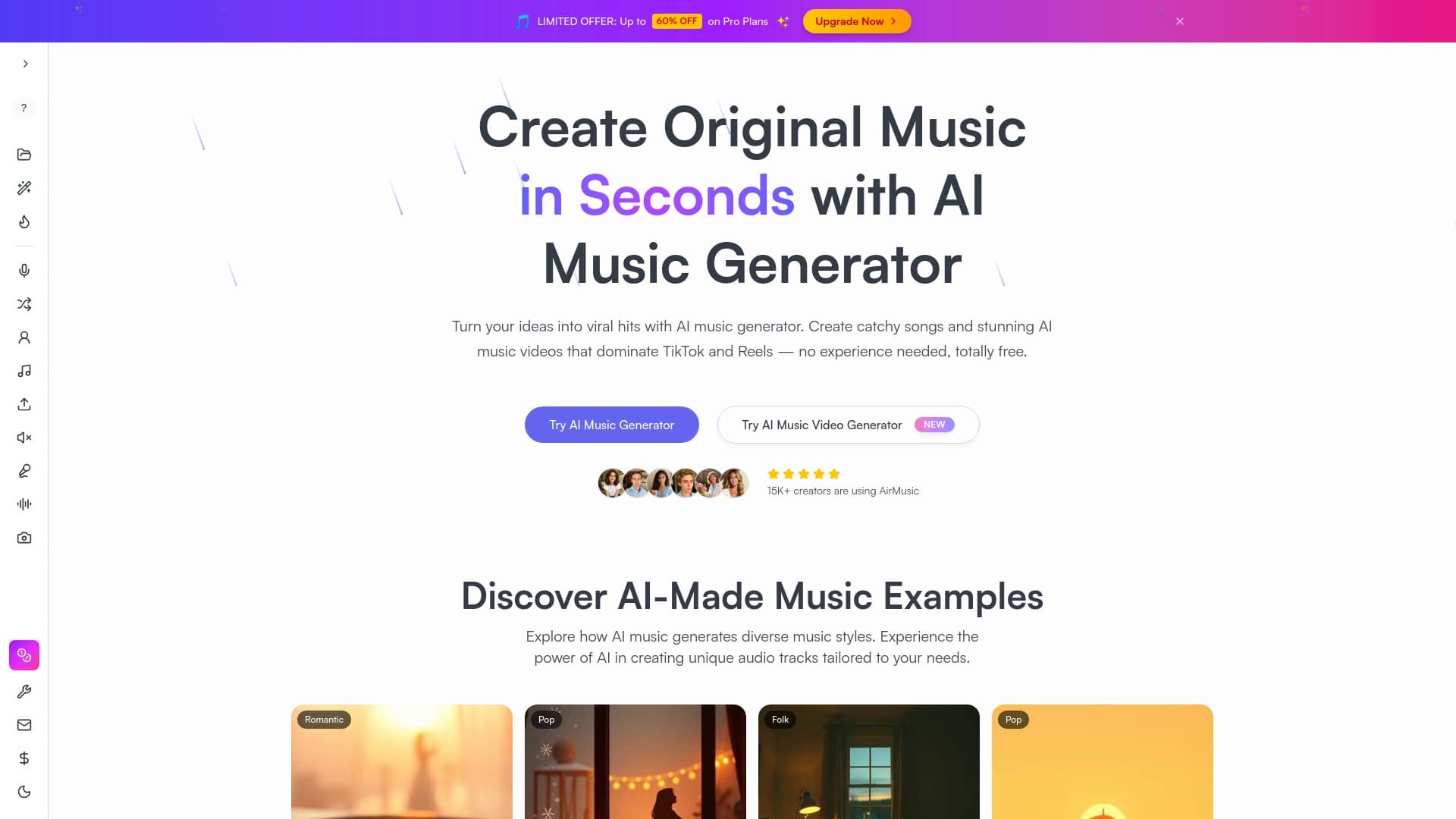
संगीत का टेक्स्ट विवरण के आधार पर निर्माण, जिसमें शैली और मनोदशा को समायोजित किया जा सकता है, साथ ही अलग-अलग ट्रैक निर्यात करने की सुविधा भी शामिल है।
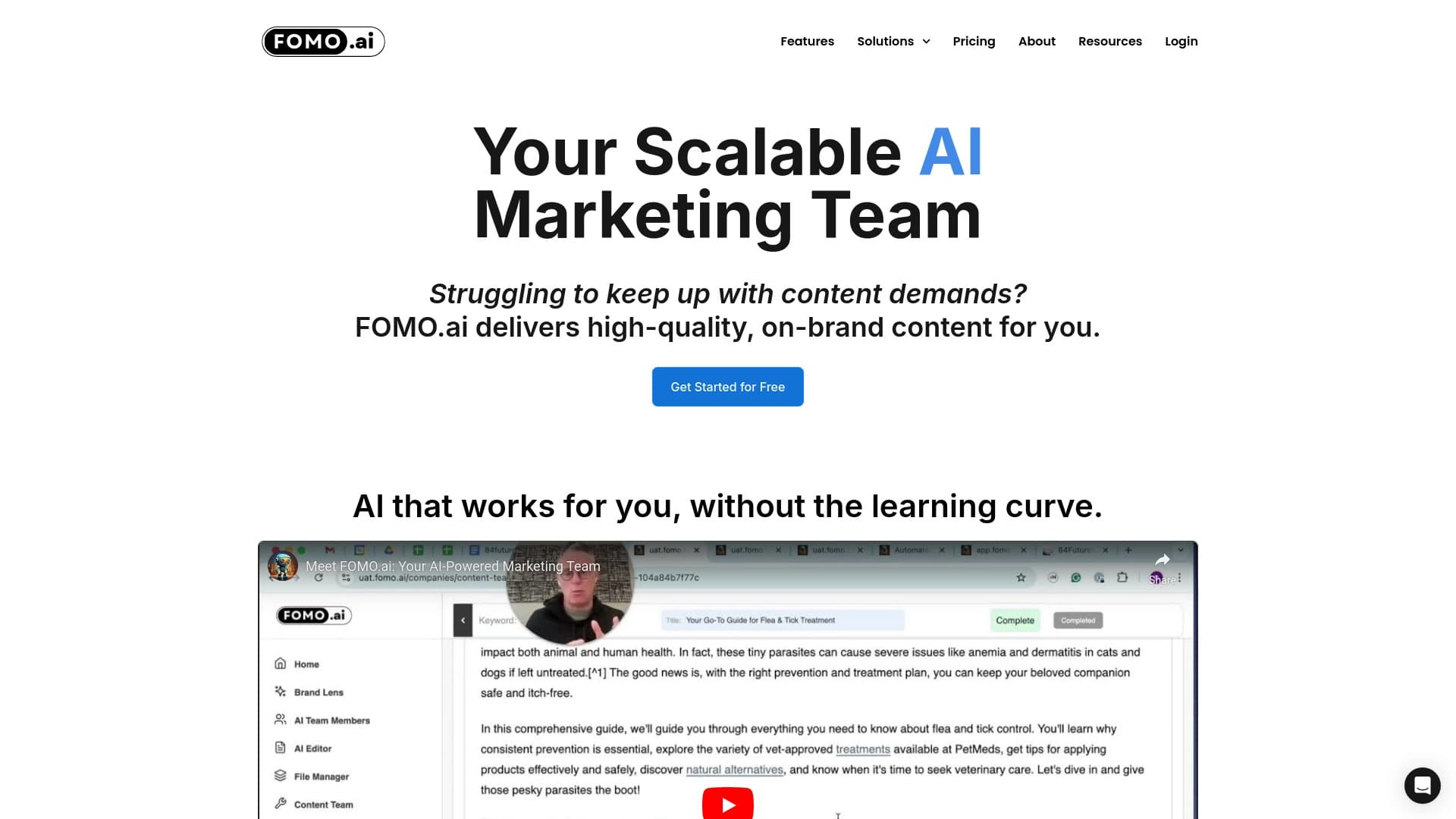

प्लेटफ़ॉर्म जो AI और विशेषज्ञों की भागीदारी के साथ ऑर्गेनिक ट्रैफ़िक बढ़ाने और कंटेंट निर्माण के लिए है।