

AI Scrum Assistant
Un plugin pour Jira Cloud qui génère automatiquement des histoires d'utilisateurs, des critères d'acceptation et des cas de test utilisant l'IA.
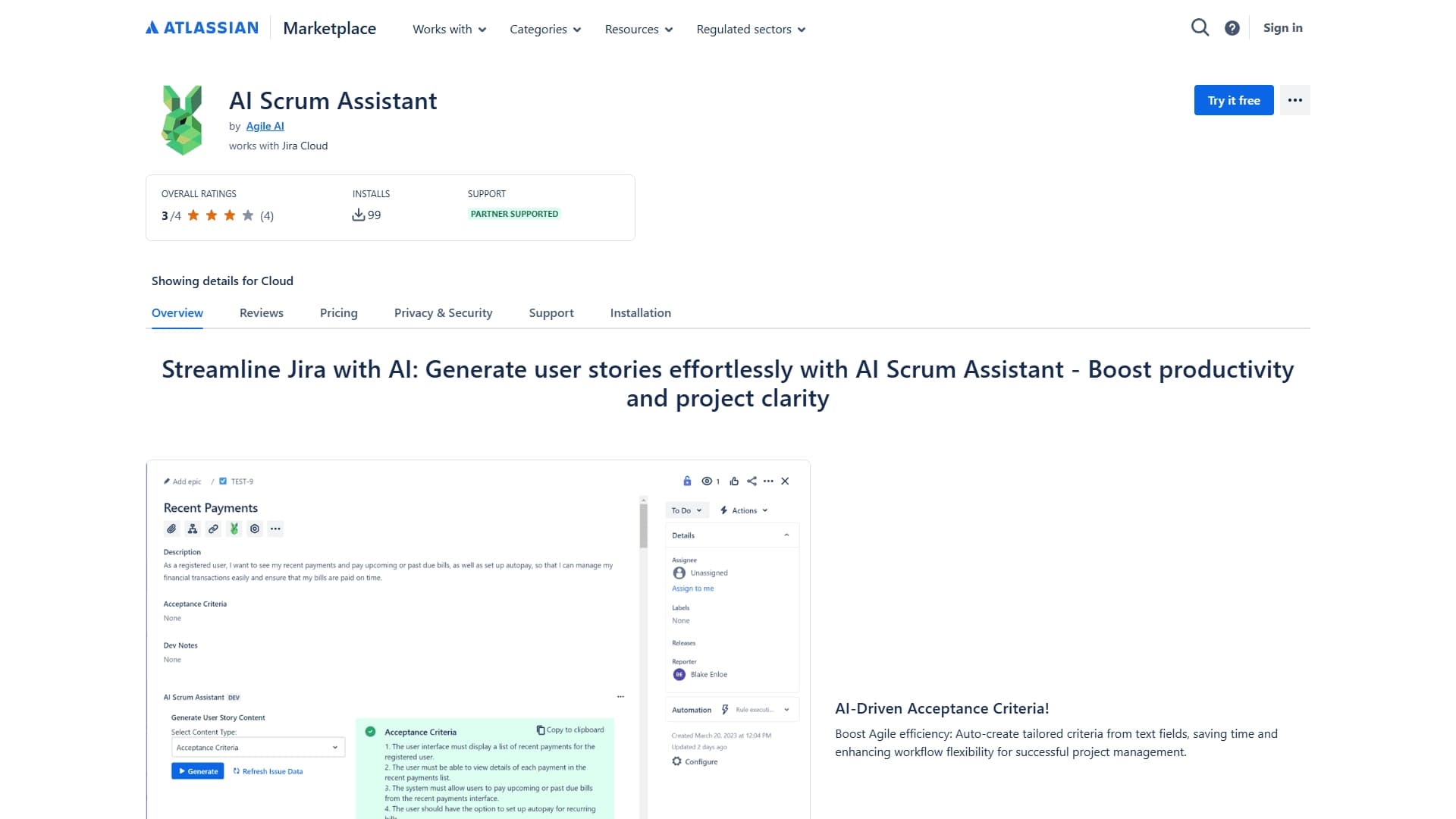
Aperçu général
IA Scrum Assistant Description
AI Scrum Assistant est un plugin spécialisé pour Jira Cloud qui exploite l'intelligence artificielle pour automatiser les processus de routine dans le flux de travail d'une équipe de produits. L'outil aide à transformer les idées et les notes brutes en éléments d'arriéré structurés : histoires d'utilisateurs, critères d'acceptation et scénarios de test.
L'objectif principal du plugin est de réduire le temps que les équipes passent à écrire des descriptions de tâches et d'améliorer la qualité de l'amélioration des exigences. Au lieu de formuler manuellement chaque détail, un développeur, un analyste ou un gestionnaire de produits peut télécharger le contexte dans Jira et recevoir un résultat structuré prêt à l'emploi. Ceci est particulièrement utile pour les équipes travaillant avec Scrum, où la rapidité et la clarté de la définition des tâches impactent directement l'efficacité du sprint.
Caractéristiques de l'assistant de Scrum AI
Caractéristique Valeur
- Oui. Type de plugin Jira Cloud (extension) Catégorie *Platformes *Jira Cloud (Marché de l'Atlas) Niveau libre Prise en charge Conditions d'utilisation
Pour qui est AI Scrum Assistant ?
Gestionnaires de produits et propriétaires de produits
Les propriétaires de produits font face au défi quotidien de transformer rapidement les exigences des intervenants en tâches claires pour l'équipe de développement. AI Scrum Assistant aide à structurer les requêtes entrantes et à les transformer en histoires d'utilisateurs de haute qualité sans écrire de longue durée.
Maîtres et analystes de Scrum
Pour Scrum masters et analystes de systèmes, le plugin est utile car il standardise le format de la définition des tâches. Avec la génération automatique de critères d'acceptation, les équipes obtiennent un modèle de description unifié, qui simplifie la communication et réduit le nombre de questions de clarification.
Ingénieurs et testeurs d'AQ
Pour les spécialistes de la qualité, l'outil accélère la préparation des tests. Au lieu d'écrire des cas de test à partir de zéro, les ingénieurs de l'AQ obtiennent des scénarios de base en un seul clic et peuvent se concentrer sur des aspects plus complexes des tests qui nécessitent un effort manuel.
Comment utiliser AI Scrum Assistant?
Installation et configuration
Le plugin est installé à partir du catalogue Atlassian Marketplace directement dans votre instance Jira Cloud. Après l'installation, l'outil devient disponible directement dans l'interface Jira, sans avoir besoin de passer à des services externes ou d'effectuer une configuration complexe.
Déroulement de la génération de tâches
Pour créer une histoire utilisateur, saisissez simplement une description de l'idée ou remplissez les champs de tâches requis. Le plugin AI analyse le contexte et génère une histoire utilisateur structurée. Les critères d'acceptation sont établis en fonction des spécificités de la tâche, et les cas de test pour l'AQ sont créés en un seul clic.
Principales caractéristiques de AI Scrum Assistant
Génération d'histoires utilisateur
L'outil crée automatiquement des histoires d'utilisateurs dans Jira en fonction du contenu du texte et du champ des tâches. Cela évite à l'équipe d'avoir à réfléchir à la norme "Qui ? Quoi ? Pourquoi?" structure — l'algorithme le fait pour l'utilisateur.
Création de critères d'acceptation
Les critères d'acceptation sont générés intelligemment, en tenant compte du contexte de la tâche actuelle. Cela garantit que les conditions de définition des faits sont spécifiques, mesurables et vérifiables, plutôt que des énoncés abstraits.
Génération de cas d'essai pour QA
La fonction de génération de scénarios de test automatique d'un clic accélère significativement la préparation du test. L'ingénieur de l'AQ reçoit un ensemble de contrôles de base basés sur la description des tâches et les critères d'acceptation.
Avantages de AI Scrum Assistant
Moins de routine, plus de temps économisé
L'outil prend en charge une partie importante du travail de routine qui consiste à rédiger des descriptions de tâches. L'équipe passe de l'idée à la définition des tâches plus rapidement, et le temps consacré à la formulation peut être consacré à des travaux de fond.
Normalisation et cohérence des exigences
Grâce à la génération automatique, toutes les tâches de l'arriéré obtiennent un style et un format de description cohérents. Cela facilite la compréhension des exigences pour tous les membres de l'équipe, des développeurs aux intervenants.
Meilleure qualité de raffinement des tâches
Le plugin AI permet d'éviter de manquer des détails importants lors de la définition des tâches. Les critères d'acceptation et les cas d'essai sont générés systématiquement, ce qui améliore la qualité du raffinement et réduit le risque de malentendus entre les rôles.
Inconvénients de l'assistant d'AI Scrum
L'information sur les limites et les inconvénients de l'outil n'est pas disponible dans les sources publiques. Comme tout outil d'IA, le plugin peut exiger un examen et un ajustement des textes générés en cas d'exigences non standard ou complexes. Il convient également de noter qu'un contexte bien pensé dans les domaines d'intervention est nécessaire pour assurer un bon fonctionnement — plus les données d'entrée sont détaillées, mieux les résultat de la génération.
Quels problèmes AI Scrum Assistant résout-il ?
Création automatique de l'histoire utilisateur
Le plugin remplace le processus manuel d'écriture d'histoires utilisateur, qui est particulièrement important lorsqu'il y a un grand volume de demandes de développement entrantes. L'équipe obtient des descriptions structurées prêtes qui peuvent être immédiatement ajoutées à l'arriéré.
Critères d'acceptation du bâtiment
Au lieu de discuter et de s'entendre ensemble sur chaque critère d'acceptation, l'équipe obtient un ensemble de conditions prêtes à être modifiées au besoin. Cela accélère le cycle de définition des tâches.
Préparation des cas d'essai pour l'AQ
L'outil génère automatiquement des scénarios de test de base. Les ingénieurs de l'AQ n'ont qu'à les compléter par des vérifications spécifiques liées à la logique opérationnelle ou aux tests de régression.
Prix de l'assistant d'AI Scrum
Les informations officielles sur le coût du plugin ne sont pas spécifiées dans les sources disponibles. Pour connaître les prix à jour et les détails de l'abonnement payant, il est recommandé de consulter la page d'application du catalogue Atlassian Marketplace, où les développeurs publient généralement des informations sur les plans de prix disponibles.
Conditions d'utilisation de l'assistant AI Scrum
Les conditions d'utilisation de l'outil ne sont pas décrites en détail dans les sources disponibles. Les utilisateurs potentiels devraient revoir l'accord de licence et la politique de confidentialité sur la page Atlassian Marketplace du plugin avant l'installation.
Disponibilité de l'assistant d'AI Scrum
Le plugin est disponible pour installation dans Jira Cloud. Il peut être acheté et installé via le catalogue officiel Atlassian Marketplace. Le support des versions sur site Jira ou d'autres plateformes de gestion de projet n'est pas mentionné dans la description.
Comment AI Scrum Assistant diffère des alternatives
La principale différence de AI Scrum Assistant réside dans son intégration profonde avec Jira Cloud. Au lieu de passer entre plusieurs outils, l'équipe obtient un espace de travail unique où les histoires des utilisateurs, les critères d'acceptation et les cas de test sont générés directement dans l'interface Jira. Cette approche minimise la perte de contexte lors du transfert de données entre les systèmes.
Une autre caractéristique particulière est l'approche globale de la définition des tâches. De nombreuses alternatives ne génèrent que des histoires d'utilisateurs ou seulement des cas de test. AI Scrum Assistant couvre le cycle complet: de la formulation d'histoires à la préparation de contrôles pour l'AQ, ce qui est particulièrement pratique pour les petites équipes de produits où un spécialiste assume plusieurs rôles.
Conclusion
- Oui.
AI Scrum Assistant est un plugin pratique pour les équipes utilisant Jira Cloud et travaillant avec des méthodologies agiles. Il automatise la création d'histoires d'utilisateurs, de critères d'acceptation et de cas de test, réduisant ainsi le temps consacré à la formation de l'arriéré et à la normalisation des exigences. Cet outil sera utile aux propriétaires de produits, aux analystes, aux maîtres Scrum et aux ingénieurs de l'AQ qui cherchent à réduire la charge de travail courante et à se concentrer sur les tâches de fond. Pour les informations sur les prix et les conditions d'utilisation, il est préférable de consulter la page d'application du marché Atlassian.
Foire aux questions
Voir aussi

Service en ligne pour la création d'un clone de voix réaliste à partir d'un court enregistrement audio et texte-à-parler.


Plateforme pour le suivi automatique du temps de travail et l'analyse de la productivité de l'équipe.


Une plateforme pour créer des chatbots d'entreprise basés sur vos propres documents sans codage.


Assistant AI pour la création et l'édition rapides de textes dans différents formats.


Extension Chrome qui aide à gérer les onglets, l'historique, et les signets avec un assistant AI.

Un service en ligne qui vous permet de discuter avec les documents PDF : posez des questions et obtenez des réponses concises avec l'attribution des sources.


Plateforme AI pour créer et éditer des vidéos, travaillant directement dans le navigateur Chrome.


Une plate-forme pour automatiser le développement de logiciels en utilisant un constructeur visuel pour les agents d'IA.