AI Image To Image

AI-powered image transformation tool based on text prompts.

AI Image To Image

Overview

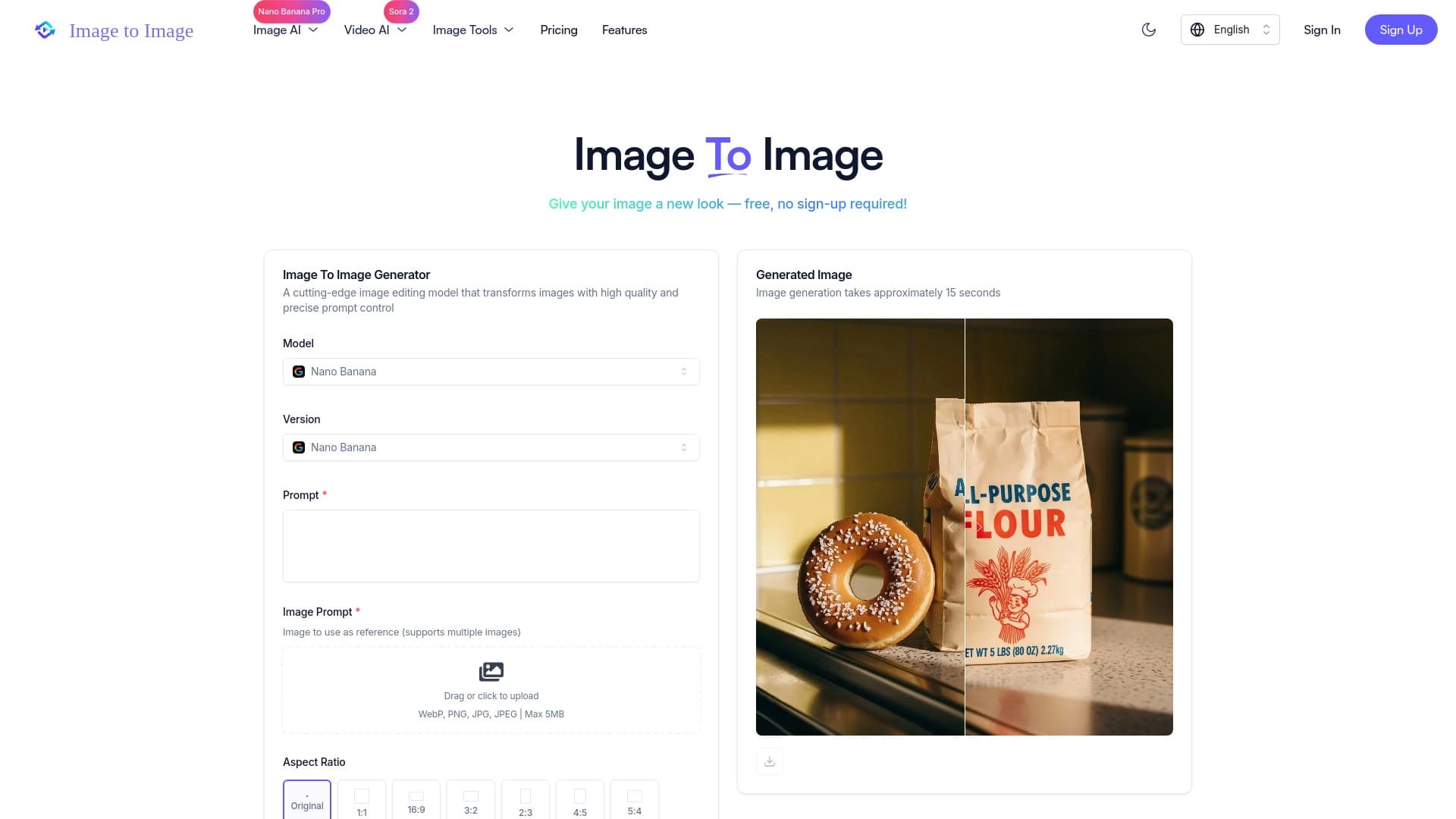
AI Image To Image is a neural network tool for image editing that works on the "image + text = new image" principle. Instead of creating a picture from scratch based solely on a description, the service takes an existing file as a foundation and modifies it according to a text prompt. This approach preserves the key features of the original (composition, objects, overall structure) while changing the style, atmosphere, or specific details.

The platform uses technology that "blends" visual information from the uploaded image with user instructions. This makes it possible to produce an image that looks cohesive and highly detailed, rather than a simple collage or filter. The service is aimed at those who need a fast and flexible way to reimagine existing visual materials.

Core idea of the service

The main goal of AI Image To Image is to give users a tool that understands both the context of the source image and the text request. It is not just a set of filters, but a full-fledged AI editor where the image serves as a canvas and the text as a brush. Users are not tied to strict parameters like "increase brightness by 20%," but can describe the desired result in words: "turn into a watercolor painting" or "make the background a night sky."

What it is used for

The range of applications is quite broad: from quick experiments with visual ideas to preparing materials for publication. It can be used for creating sketches and concepts when speed matters more than final quality. At the same time, the tool can produce professionally looking results suitable for commercial use or portfolios, thanks to preserving the essence of the source file.

AI Image To Image Features

FeatureValue
Tool typeOnline service for AI image processing
Core working principleCombining an uploaded image with a text prompt
Supported input formatsSeveral common image formats (detailed list not specified)
Aspect ratiosSupport for various canvas proportions
Cloud storageYes, for saving generated works
Processing speedInstant transformations
User experience requirementsNo special skills required
Distribution modelNot specified (unknown)

Who is AI Image To Image suitable for?

Artists and illustrators

For this audience, the tool becomes a useful assistant during the idea exploration stage. Instead of lengthy manual sketches, users can quickly rework their own drafts, experimenting with styles and moods. This allows exploring a large number of variations of a single image before starting work on the final version. The service's ability to preserve the "spirit" of the original work is especially valued.

Designers

Professionals working with graphics and content can use the service to quickly generate variations of layouts, banners, or backgrounds. The tool helps visualize client requests when there is a need to show how an idea would look in a different color scheme or style without recreating the file from scratch. This saves resources and speeds up project discussions.

Creative content creators

Bloggers, marketers, SMM specialists, and anyone who regularly publishes visual materials will appreciate the service's simplicity. There is no need to be a professional in graphic editors — just upload an image and describe the desired changes in words. Fast results and the ability to store works in the cloud make the tool convenient for daily creation of posts, covers, and creatives.

How to use AI Image To Image?

Uploading the source image

The first step is uploading a file to the platform. The service accepts source images in several common formats and allows specifying the aspect ratio. This is important for controlling the proportions of the future result. The user selects a suitable image from their device or, possibly, uploads it through another available method offered by the interface.

Formulating the text prompt

The next step is writing a text instruction. This prompt will control the transformation process. The neural network analyzes the text and "applies" it to the source image, changing it according to the request. The more precise and clear the task is formulated, the higher the chance of getting a predictable and high-quality result.

Receiving and saving the result

After entering the data, the transformation process starts. It runs quickly, and soon the user receives the finished image. Generated works can be saved to the cloud storage provided by the service, which is convenient for later access, organization, and sharing, and also helps avoid cluttering local disk space.

Key features of AI Image To Image

Instant image transformation

The main function of the service is instant image transformation. Users do not wait for hours — they receive the processed image almost immediately after submitting the request. This speed allows using the tool for quick iterations when you need to "try on" several styles or ideas for one image in a short period of time.

Flexible input

The flexible input feature means support for multiple input formats and aspect ratios. Users are not limited to a single standard and can upload images already used in their work. This significantly simplifies integrating the tool into an existing workflow where no special file preparation "for the editor" is required.

Intelligent AI editing

Instead of applying ready-made filters, the neural network performs intelligent editing. It analyzes the image content, understands what is depicted, and correctly makes changes according to the text instruction. This allows achieving high accuracy and coherence of the result while preserving the essence of the original.

AI Image To Image advantages

Preserving the essence of the original

One of the main advantages is the ability to preserve the "core" of the source image during active transformation. The AI does not create a completely new image unrelated to the original. It delicately reimagines it, keeping key elements of composition and objects recognizable. For professionals, this means less manual refinement after generation.

For a wide range of tasks

The service is positioned as a universal solution suitable both for inspiration and sketch creation, and for obtaining professional-level results. It covers both the task of "playing around" with an image for a blog and the request to prepare high-quality visuals for a client project, making it a cost-effective tool.

Cloud storage

The tool provides built-in cloud storage for all generated works. This not only protects files from loss but also creates a unified project library. Working with change history and returning to previous versions becomes noticeably more convenient, and collaboration is simplified if multiple people need access to files.

AI Image To Image disadvantages

Currently, publicly available information does not allow a full description of the service's weaknesses. Potential limitations to consider include the dependence of result quality on the clarity of the prompt: overly vague text can lead to unpredictable generation. There are likely also limits on the size of accepted files, which is usually standard for online editors, but exact limits are not stated in official sources. Additionally, the lack of precise data on the distribution model makes it impossible to judge future pricing policy or free access terms, which may be an important factor for some users.

What tasks does AI Image To Image solve?

Creating visual variations

The tool effectively solves the task of generating alternative versions of a single image. When the question is "what would this logo/photo/art look like in a different style?", AI Image To Image provides the answer in seconds. This eliminates the need for manual redrawing or complex parameter adjustments in classic editors.

Accelerating the creative process

Fast processing helps overcome the "blank page" effect and speeds up the search for inspiration. A designer or illustrator can use the service as an idea generator, getting unexpected and interesting results. This helps quickly decide on the direction of work and move on to implementing the main concept, saving time at the initial stages.

Professional visual processing

The service handles the task of refining images to a higher level of visual quality. Thanks to intelligent analysis, a consistent style and atmosphere are maintained across the entire frame. The resulting images are suitable for use in portfolios, presentations, or publications where detail and coherence matter.

AI Image To Image pricing

Official information about AI Image To Image's pricing policy is absent from available sources. Since the distribution model is also not specified (unknown), it is impossible to say precisely whether the service is fully free, operates on a Freemium model (free tier with certain limits and paid subscriptions for expanded capabilities), or requires full payment for use. It is recommended to visit the service's official website for up-to-date information on rates and available plans.

AI Image To Image terms of use

Specific terms of use, such as the license agreement, privacy policy, and rights to generated images, have not been disclosed in the data we received. Typically, such services grant users rights to the generation results but may have restrictions on commercial use or reserve the right to use content for model improvement. However, without official documentation, no claims can be made. For accurate information about the user agreement and service rules, it is necessary to contact the rights holder.

AI Image To Image availability

The service is an online platform, which implies its availability through a web browser on most modern devices (computers, laptops, tablets). This requires no installation of complex software — only a stable internet connection is needed. No information about a mobile app or specific geographic availability restrictions was found in official sources, so it is assumed that access can be made from anywhere in the world with internet.

How AI Image To Image differs from alternatives

The main difference between AI Image To Image and many similar services that generate images exclusively from text is its hybrid approach. It does not create an image from "nothing" but takes the user's file as a basis. This provides a completely different level of control. The user clearly defines the composition and content, while the AI handles stylization and detail changes.

Unlike traditional graphic editors, where tools like filters or layers operate on strict mathematical algorithms, here semantic understanding is at work. The neural network "understands" the essence of the request and applies changes more meaningfully, allowing effects that would take too long and be too complex to create manually.

The key competitive advantage is also speed and simplicity. There is no need to learn a complex interface with dozens of panels and settings to achieve a result. The entire process fits into two steps: upload and write what to do. This makes AI Image To Image accessible to beginners while providing professionals with a fast "idea generator" that saves significant time resources.

Conclusion

AI Image To Image is a practical and functional tool in the field of generative art. Its key feature — using a source image in combination with a text prompt — sets it apart from purely text-based generators. The combination of high processing speed, flexible input, and cloud storage makes the service an attractive solution both for creative experiments and for performing practical professional content creation tasks. Despite the fact that some aspects, including the pricing system and terms of service, remain undisclosed, the clear concept and stated functionality make AI Image To Image a worthy candidate for inclusion in the toolkit of designers, artists, and anyone interested in modern image processing technologies.

Image transformation based on text description
Creating unique stylized versions of original photos
Content generation for design and marketing

Frequently asked questions

See also

AI Image To Image - an overview of the neural network and capabilities