
AI Icon Generator
टेक्स्ट विवरण के आधार पर आर्टिफिशियल इंटेलिजेंस की मदद से आइकन बनाने की ऑनलाइन सेवा।
अवलोकन
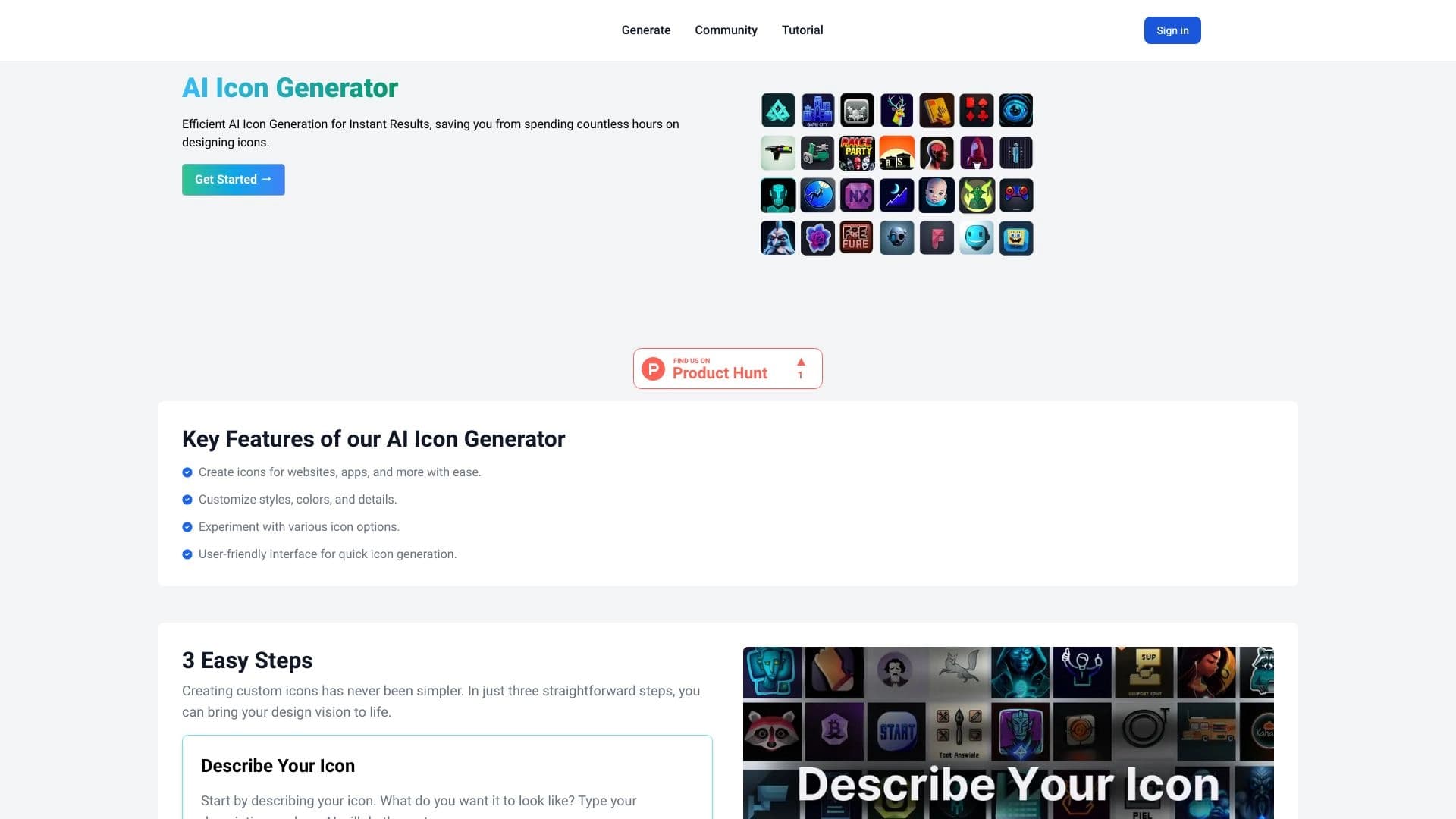
एआई आइकन जेनरेटर विवरण
एआई आइकन जेनरेटर एक ऑनलाइन सेवा है जो आपको कृत्रिम बुद्धि का उपयोग करके पाठ विवरण से आइकन बनाने की अनुमति देता है। ग्राफिक्स संपादक खोलने और मैन्युअल रूप से ड्राइंग के बजाय, आप बस उन शब्दों में वर्णन करते हैं जो आपको किस आइकन की आवश्यकता है, और तंत्रिका नेटवर्क तैयार-निर्मित छवियों को उत्पन्न करता है। सेवा स्वचालित रूप से आकार, संरचना और शैली का चयन करती है, जबकि आप शैली, रंग पैलेट और विस्तार के स्तर के लिए सेटिंग्स के माध्यम से परिणाम को प्रभावित कर सकते हैं।
उपकरण का उद्देश्य उन लोगों के लिए है जिन्हें लंबे मैनुअल काम के बिना गुणवत्ता वाले आइकन की आवश्यकता होती है: डेवलपर्स और डिजाइनरों से वेबसाइट मालिकों और बाज़ारियों तक। तैयार की गई छवियों को तुरंत डाउनलोड किया जा सकता है और वेब इंटरफेस, मोबाइल ऐप, प्रस्तुतीकरण और किसी भी डिजिटल उत्पाद में इस्तेमाल किया जा सकता है। केवल आवश्यकता एक टेक्स्ट प्रॉम्प्ट बनाने की क्षमता है और उपयुक्त पीढ़ी मापदंडों का चयन करने की क्षमता है।
एआई आइकन जेनरेटर विशेषताएं
| फ़ीचर | मूल्य |
|---|---|
| प्रकार | आइकॉन जनरेटर |
| श्रेणी | आइकन जनरेटर, डिजिटल कला जनरेटर |
| डेवलपर | थीम बटलर |
| वितरण मॉडल | निर्दिष्ट नहीं |
| नि: शुल्क स्तर | हाँ (सीमित उपयोग) |
| मासिक यात्रा | 388,900 |
| प्रारूप | वेबसाइट ( ब्राउज़र में काम) |
| इंटरफ़ेस भाषा | रूसी |
| प्रकाशन तिथि | दिसम्बर 31, 2025 |
कौन के लिए AI आइकन जेनरेटर है?
डिजाइनर और डेवलपर्स
सेवा उन दोनों अनुभवी डिजाइनरों को सूट करती है जिन्हें एक परियोजना और डेवलपर्स के लिए जल्दी से आइकन बनाने की आवश्यकता होती है, जिन्हें डिजाइनर के लिए इंतजार किए बिना वेबसाइट या ऐप के लिए संपत्ति की आवश्यकता होती है। प्रतीक मिनटों में उत्पन्न किया जा सकता है और तुरंत कोड या मॉकअप में इस्तेमाल किया जा सकता है।
वेबसाइट और ऑनलाइन स्टोर मालिकों
वेबसाइट और ऑनलाइन स्टोर के मालिक फ्रीलांसरों या डिज़ाइन स्टूडियो को किराए पर लेने के बिना अपने दृश्य डिजाइन को ताज़ा करने के लिए टूल का उपयोग कर सकते हैं। प्रतीक को वांछित रंग और विस्तार स्तर निर्धारित करके एक विशिष्ट साइट की शैली से मिलान किया जा सकता है। सेवा किसी भी सीएमएस के साथ भी काम करती है जहां मानक आइकनों को जल्दी से प्रतिस्थापित करने की आवश्यकता होती है।
कोई डिजाइन अनुभव के साथ शुरुआती
ग्राफिक्स संपादक कौशल के बिना लोगों के लिए, एआई आइकन जेनरेटर पेशेवर दिखने वाले आइकन प्राप्त करने का एक सरल तरीका है। पूरी प्रक्रिया एक पाठ विवरण लिखने और "Generate" बटन पर क्लिक करने के लिए नीचे आती है, इसलिए प्रवेश बाधा न्यूनतम है।
AI आइकन जेनरेटर का उपयोग कैसे करें
चरण 1: पाठ में आइकन का वर्णन करें
आप चाहते हैं कि आइकन का पाठ विवरण दर्ज करके शुरू करें। अधिक सटीक और विशिष्ट शब्दकरण, अधिक संभावना परिणाम आपकी अपेक्षाओं से मेल खाता है। उदाहरण के लिए, आप "शॉपिंग कार्ट आइकन" या "एक गियर के साथ क्लाउड स्टोरेज आइकन" निर्दिष्ट कर सकते हैं।
चरण 2: शैली और रंग समायोजित करें
विवरण के बाद, आइकन शैली चुनें: न्यूनतम, समतल, या अधिक विस्तृत। इसके अलावा रंग पैलेट सेट करें और यदि आवश्यक हो तो अन्य पैरामीटर जैसे विस्तार के स्तर। यह आपको एक विशिष्ट वेबसाइट या ऐप की शैली के लिए आइकन को अनुकूलित करने देता है।
चरण 3: उत्पन्न और डाउनलोड
"Generate" बटन पर क्लिक करें - तंत्रिका नेटवर्क चुनने के लिए कई विकल्प प्रदान करेगा। जो आपको पसंद है उसे चुनें, यदि आवश्यक हो तो ठीक-ट्यून विवरण, और तैयार छवि डाउनलोड करें। डाउनलोड करना तत्काल है, और आइकन को आपकी परियोजना में तुरंत इस्तेमाल किया जा सकता है।
एआई आइकॉन जेनरेटर की प्रमुख विशेषताएं
पाठ विवरण से आइकन पीढ़ी
सेवा का मूल एक पाठ को एक समाप्त आइकन में तुरंत बदल रहा है। तंत्रिका नेटवर्क प्राकृतिक भाषा विवरण को समझता है और आपके द्वारा लिखे गए अर्थ के आधार पर एक छवि बनाता है। यह टेम्पलेट्स को आकर्षित करने या उपयोग करने की आवश्यकता के बिना काम करता है।
शैली और रंग पैलेट चयन
आप आइकन की उपस्थिति को अनुकूलित कर सकते हैं: एक उपयुक्त शैली चुनें - न्यूनतम से विस्तृत - और उस रंग को निर्दिष्ट करें जो छवि में दिखाई देना चाहिए। यह पूरी परियोजना के लिए एक सुसंगत शैली में आइकन बनाना संभव बनाता है।
विस्तार नियंत्रण का स्तर
प्रत्येक आइकन के लिए, आप परिष्करण की डिग्री को समायोजित कर सकते हैं। यदि आपको एक बटन के लिए एक सरल फ्लैट आइकन की आवश्यकता है, तो न्यूनतम विस्तार स्तर का चयन करें। यदि आइकन अमीर और अनौपचारिक होना चाहिए, तो अधिकतम उपयोग करें। यह सेटिंग अनावश्यक तत्वों से बचने में मदद करती है और वास्तव में क्या आवश्यक है।
एकाधिक संस्करण और तत्काल डाउनलोड
सेवा एक ही परिणाम का उत्पादन नहीं करती है लेकिन चुनने के लिए कई विकल्प प्रदान करती है। यह सुविधाजनक है जब आपको विभिन्न दृष्टिकोणों की तुलना करने या आइकन चुनने की आवश्यकता होती है जो कि सबसे अच्छा संदर्भ फिट बैठता है। परिणाम तुरंत डाउनलोड नहीं किया जा सकता है।
एआई आइकॉन जेनरेटर के लाभ
सरलता और आइकन निर्माण की गति
मुख्य लाभ गति है। मैनुअल ड्राइंग के बजाय, आइकन सेकंड में बनाए जाते हैं, और कोई डिजाइन कौशल की आवश्यकता नहीं होती है। यह पेशेवरों और शुरुआती दोनों के लिए समय बचाता है।
एक विशिष्ट परियोजना के लिए लचीला अनुकूलन
सेवा आपको शैली, रंग और विस्तार स्तर चुनने देती है ताकि आइकन एक विशेष परियोजना में सामंजस्यपूर्ण रूप से फिट बैठता है। आप एक एकीकृत शैली में व्यक्तिगत आइकन और पूरे सेट दोनों बना सकते हैं।
अनुप्रयोगों की विस्तृत श्रृंखला
उत्पन्न आइकन वेबसाइटों पर मोबाइल ऐप, ऑनलाइन स्टोर, डैशबोर्ड और किसी भी CMS में इस्तेमाल किया जा सकता है। सेवा में अधिकांश कार्य शामिल हैं जिन्हें पहले डिजाइनर को भर्ती करने की आवश्यकता थी।
AI आइकन जेनरेटर की वापसी
परिणाम हमेशा अद्वितीय नहीं हैं
प्रतीक मौजूदा लोगों के समान हो सकता है - तंत्रिका नेटवर्क को छवियों के एक बड़े सेट पर प्रशिक्षित किया जाता है, इसलिए कुछ परिणाम पहले से ही उपलब्ध हैं। परियोजनाओं के लिए अद्वितीयता की एक उच्च डिग्री की आवश्यकता होती है, यह एक सीमा हो सकती है।
सीमित अनुकूलन विकल्प
सेटिंग्स डेवलपर्स द्वारा निर्मित पैरामीटर सेट तक सीमित हैं: आप उपलब्ध शैलियों और विकल्पों से परे नहीं जा सकते हैं। यदि किसी परियोजना को गैर मानक दृश्य समाधान की आवश्यकता होती है, तो सेवा की क्षमता पर्याप्त नहीं हो सकती है।
गंभीर उपयोग के लिए भुगतान मॉडल
मुक्त स्तरीय प्रकृति में परिचयात्मक है। सक्रिय कार्य के लिए भुगतान किए गए क्रेडिट खरीदने की आवश्यकता होती है, जो चल रहे आधार पर टूल का उपयोग करने की लागत को बढ़ाता है।
एआई आइकॉन जेनरेटर क्या काम करता है?
वेबसाइटों और ऐप्स के लिए कस्टम आइकनों का त्वरित निर्माण
सेवा उन मिनटों में आइकन बनाती है जो डिजाइनर के काम की तरह दिखते हैं। जब आप जल्दी से दृश्य सामग्री की आवश्यकता होती है तो लैंडिंग पृष्ठ, नई सुविधाओं, या MVP तैयार करते समय यह सुविधाजनक है।
ग्राफिक्स संपादक के बिना डिजाइन अद्यतन
पुराने आइकनों को बदलना फोटोशॉप या फिग्मा खोलने की आवश्यकता नहीं है। बस एक टेक्स्ट प्रॉम्प्ट तैयार करें और नई छवियां प्राप्त करें जो तुरंत आपकी साइट पर या आपके ऐप में इस्तेमाल की जा सकती हैं।
एक एकीकृत शैली में उत्पन्न आइकन सेट
उपकरण आपको आइकन सेट बनाने देता है जो एक दूसरे के साथ दृष्टि से संगत हैं। यह एक एकीकृत इंटरफ़ेस या ब्रांड शैली को बनाए रखने के लिए महत्वपूर्ण है। एक सेट को थोड़े समय में इकट्ठा किया जा सकता है जब आइकन के बारे में चिंता किए बिना शैली या रेखा की मोटाई में भिन्न होते हैं।
AI आइकन जेनरेटर मूल्य निर्धारण
नि: शुल्क स्तर
सीमित उपयोग के साथ एक मुक्त स्तर परिचित होने के लिए उपलब्ध है। यह सेवा का परीक्षण करने और उत्पन्न आइकनों की गुणवत्ता का मूल्यांकन करने के लिए उपयुक्त है, लेकिन यह गंभीर नियमित काम के लिए डिज़ाइन नहीं किया गया है।
बेसिक स्तर
मूल स्तर में एक विस्तारित पीढ़ी की सीमा और अतिरिक्त सेटिंग्स शामिल हैं जो मुफ्त संस्करण में उपलब्ध नहीं हैं। फ्रीलांसरों और छोटी परियोजनाओं के लिए उपयुक्त।
व्यावसायिक स्तर
पेशेवर स्तर अधिकतम कार्यक्षमता प्रदान करता है: विस्तारित उपयोग अधिकार, प्राथमिकता समर्थन और सेटिंग्स का पूरा सेट। टीमों और उपयोगकर्ताओं पर उच्च आवश्यकताओं के साथ आ रहा है।
एआई आइकॉन जेनरेटर के लिए उपयोग की शर्तें
ऋण प्रणाली
सेवा क्रेडिट सिस्टम का उपयोग करती है। एक क्रेडिट एक सफल आइकन जनरेशन के बराबर है - चाहे एक पाठ विवरण, एक संपादन या एक संस्करण बनाने से। यदि कोई परिणाम उत्पन्न होता है तो क्रेडिट केवल कटौती की जाती है: असफल अनुरोध और त्रुटियों का आरोप नहीं लगाया जाता है।
फ्री क्रेडिट वैधता
जब वे प्राप्त होते हैं, तब वे एक महीने के लिए मुफ्त क्रेडिट मान्य होते हैं। पेड क्रेडिट की कोई समय सीमा नहीं है - वे इस्तेमाल होने तक आपकी शेष राशि पर रहते हैं।
व्यावसायिक उपयोग
उत्पन्न आइकन वाणिज्यिक प्रयोजनों के लिए इस्तेमाल किया जा सकता है - दोनों मुफ्त और भुगतान क्रेडिट के साथ। यह आपको अतिरिक्त शुल्क के बिना ग्राहक परियोजनाओं, ऑनलाइन स्टोर और वाणिज्यिक ऐप में आइकनों का उपयोग करने की अनुमति देता है।
एआई आइकॉन जेनरेटर की उपलब्धता
प्रारूप और भाषा
एआई आइकन जेनरेटर एक वेब सेवा है जो डेवलपर की आधिकारिक वेबसाइट, themebutler.com पर एक ब्राउज़र के माध्यम से काम करती है। कोई सॉफ़्टवेयर इंस्टॉलेशन की आवश्यकता नहीं है - बस इंटरनेट एक्सेस के साथ किसी भी डिवाइस से साइट को खोलें। इंटरफ़ेस रूसी में उपलब्ध है।
भौगोलिक प्रतिबंध
क्षेत्रीय प्रतिबंधों या वीपीएन का उपयोग करने की आवश्यकता के बारे में कोई जानकारी नहीं है। सेवा अतिरिक्त शर्तों के बिना ऑनलाइन उपलब्ध है, हालांकि समर्थित क्षेत्रों की सटीक सूची का खुलासा नहीं किया गया है।
कैसे एआई आइकन जेनरेटर विकल्प से अलग है
मिडजर्नी, कंडिंस्की, या फ्लक्स.1 जैसे सार्वभौमिक छवि पीढ़ी के तंत्रिका नेटवर्क के विपरीत, एआई आइकन जेनरेटर विशेष रूप से आइकन बनाने पर केंद्रित है। यह कई मायनों में स्पष्ट है: इंटरफ़ेस मनमाने ढंग से छवियों के बजाय आइकनों की ओर उन्मुख है; सेटिंग्स में आइकनों की विशिष्ट शैलियों - फ्लैट, न्यूनतम, विस्तृत; और आउटपुट तुरंत इंटरफेस में उपयोग के लिए तैयार है।
लियोनार्डो.ai या Yandex कला जैसी सामान्य प्रयोजन सेवाओं की तुलना में, AI आइकन जेनरेटर का उपयोग करना आसान है - आपको केवल आइकन का वर्णन करने और जटिल संकेतों के साथ काम करने के बजाय पैरामीटर चुनने की आवश्यकता है। उपयोगकर्ता के लिए, इसका मतलब कम स्वतंत्रता लेकिन अधिक अनुमानित परिणाम है।
यह भी क्रेडिट प्रणाली है कि केवल सफल पीढ़ियों के लिए शुल्क और व्यावसायिक रूप से उत्पन्न छवियों का उपयोग करने की क्षमता, मुफ्त क्रेडिट सहित ध्यान देने योग्य है। यह कई प्रतियोगियों से उल्लेखनीय रूप से अलग है, जहां व्यावसायिक उपयोग अधिकारों को अक्सर अलग भुगतान की आवश्यकता होती है।
निष्कर्ष
एआई आइकन जेनरेटर उन लोगों के लिए एक व्यावहारिक उपकरण है जिन्हें ग्राफिक्स संपादकों में काम किए बिना टेक्स्ट विवरण से आइकन प्राप्त करने की आवश्यकता है। यह शुरुआती और पेशेवरों दोनों के लिए सूट करता है, शैली, रंग और विस्तार अनुकूलन प्रदान करता है, और आपको वेबसाइटों, ऐप्स, प्रस्तुतियों और सीएमएस प्लेटफार्मों के लिए एक एकीकृत शैली में आइकन सेट बनाने देता है। मुख्य सीमाएं संभावित रूप से टेम्पलेट जैसी परिणाम हैं और सक्रिय उपयोग के लिए भुगतान क्रेडिट खरीदने की आवश्यकता है। उस ने कहा, क्रेडिट सिस्टम केवल सफल पीढ़ियों के लिए शुल्क लेता है और वाणिज्यिक उपयोग को मुफ्त क्रेडिट के साथ भी अनुमति दी जाती है।
शुल्क
अक्सर पूछे जाने वाले प्रश्न
यह भी देखें


कॉमिकएलएलएम एक AI टूल है जो टेक्स्ट विवरण या तैयार टेम्पलेट्स के आधार पर कॉमिक्स बनाने के लिए है।


बहुउद्देशीय प्लेटफ़ॉर्म जो कृत्रिम बुद्धिमत्ता की मदद से मीडिया सामग्री बनाने और संपादित करने की सुविधा देता है।


एआई उपकरण SEO-अनुकूलित बहुभाषी सामग्री बनाने के लिए।


तंत्रिका नेटवर्क के साथ चैट करने के लिए अंतर्निहित एआई उपकरणों के साथ एक ब्राउज़र, पाठ और छवियों को उत्पन्न करना, अनुवाद करना और पृष्ठों को संक्षेपित करना।.


एआई एजेंट जो कोडिंग में मदद करता है और डेवलपमेंट वर्कफ़्लो को अनुकूलित करता है।
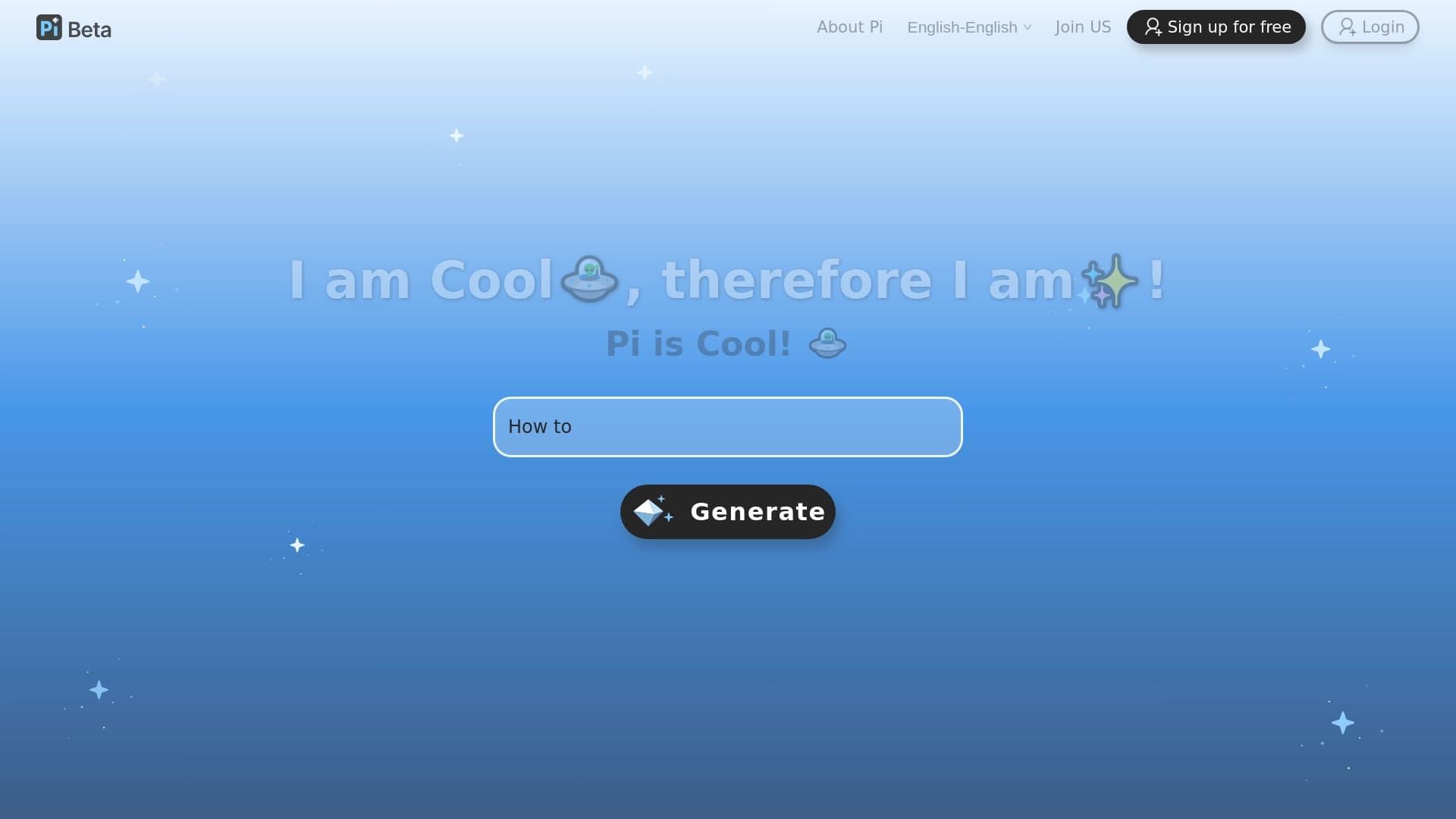

प्रोग्रामिंग के लिए टर्मिनल एआई एजेंट जो गतिशील रूप से डेवलपर कार्यों को अनुकूलित करता है।.
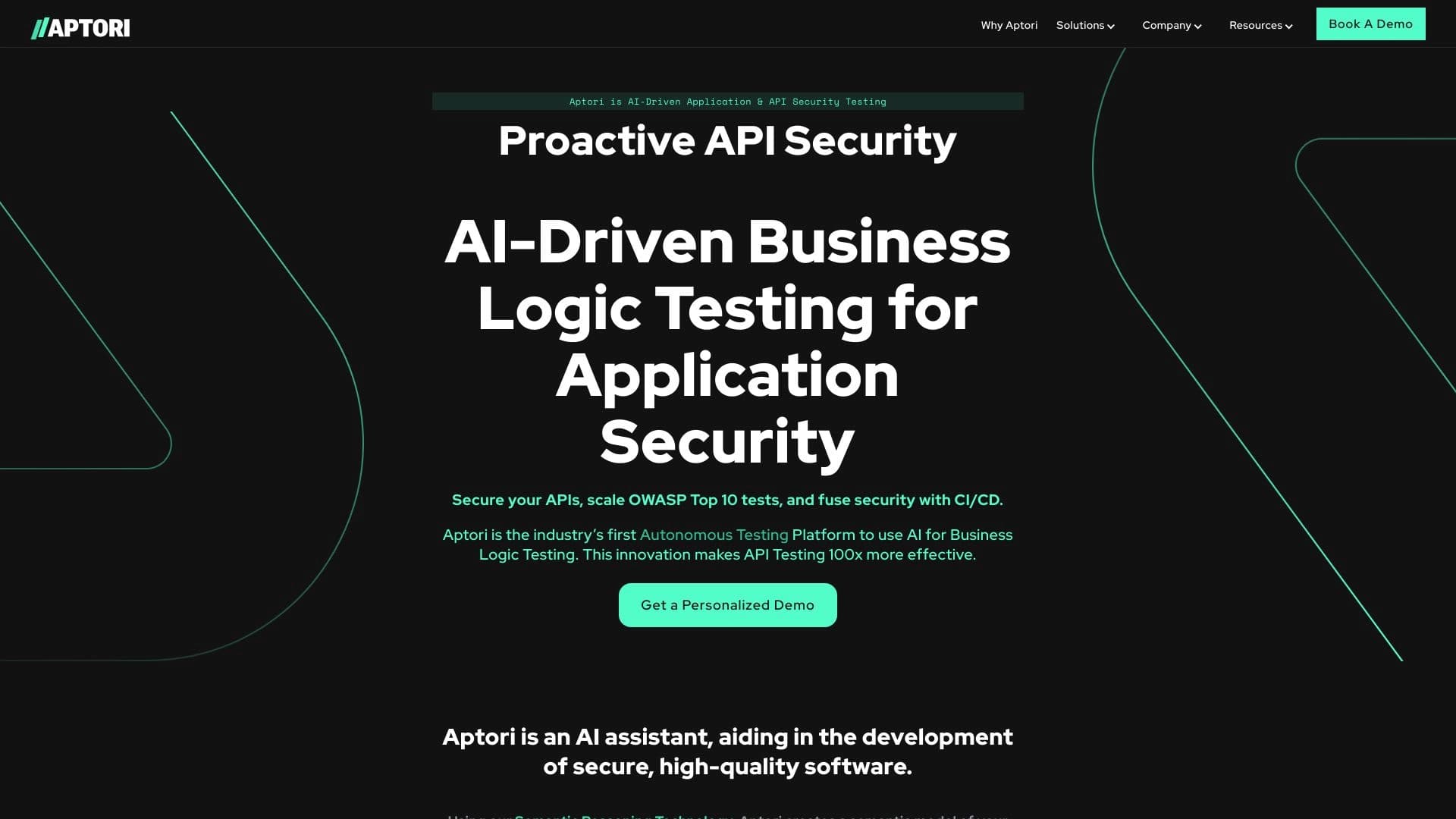

एआई-आधारित प्लेटफ़ॉर्म जो API सुरक्षा परीक्षण और कोड तथा क्लाउड इंफ्रास्ट्रक्चर में कमजोरियों की खोज को स्वचालित करता है।

एक सेवा जो स्वचालित रूप से डेटिंग साइट प्रोफाइल के लिए बढ़ी हुई तस्वीरें उत्पन्न करती है।.