
AI Hugging
AI Hugging é um serviço que transforma fotos comuns em vídeos animados com abraços.
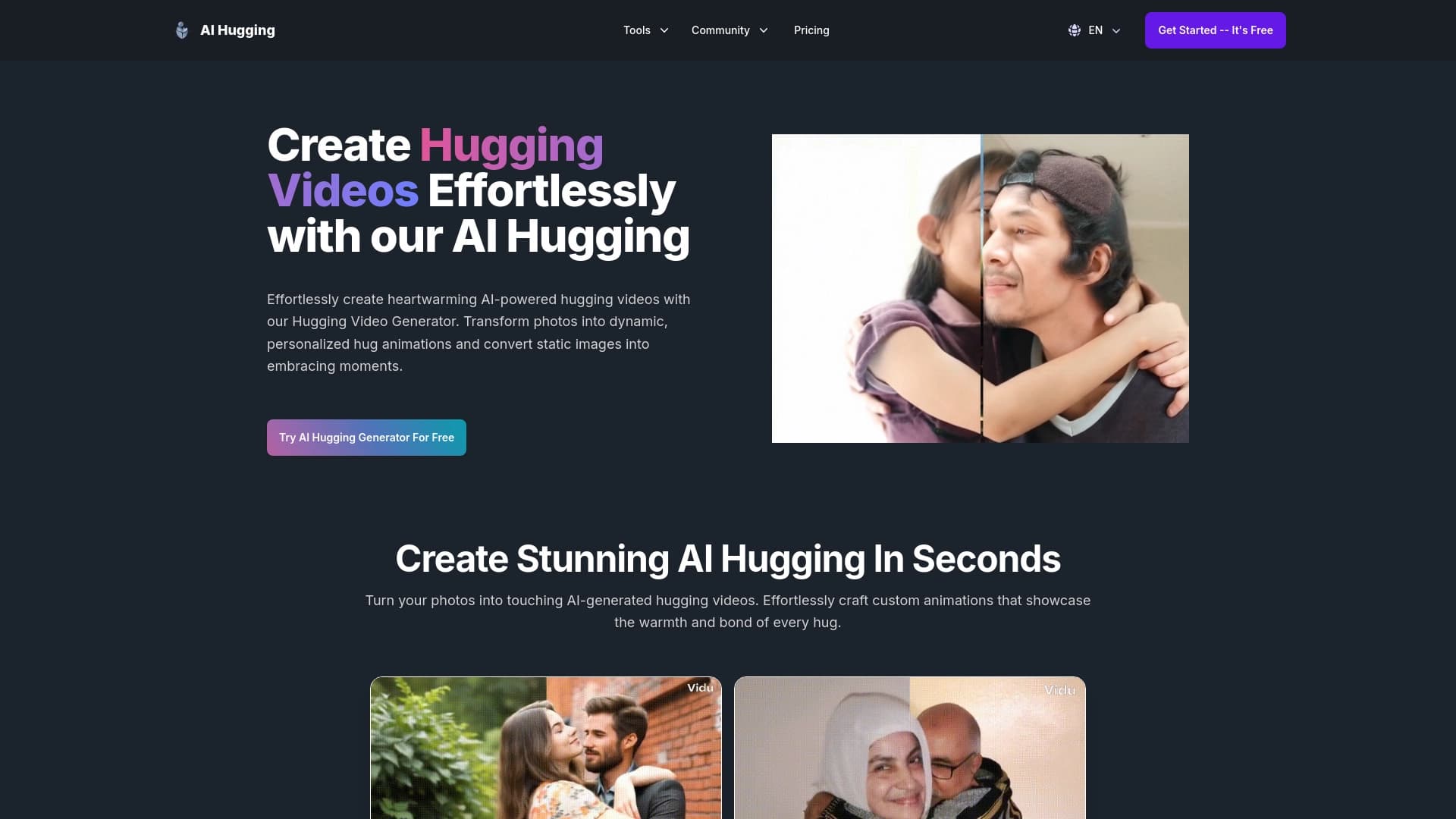
Visão geral
Descrição da rede neural do abraço da IA
AI Hugging é um serviço online que usa uma rede neural para transformar fotos comuns em vídeos animados curtos com abraços. Como funciona é simples: o usuário carrega uma foto, entra em uma descrição de texto do resultado desejado, e escolhe um estilo. Em poucos minutos, o serviço gera um clipe no qual as pessoas na foto abraçam , com movimentos e expressões faciais bastante naturais.
A principal ideia por trás da ferramenta é tornar a criação de vídeos personalizados acessíveis a todos, mesmo aqueles sem habilidades de edição de vídeo. Em vez de editores complexos e trabalho demorado, o IA Hugging oferece um processo totalmente automatizado: a própria rede neural torna a animação, emoções e interações de caráter baseadas na foto e no prompt de texto originais.
O serviço visa uma ampla audiência: de alguém querendo enviar uma saudação comovente para os entes queridos, para um especialista em SMM que precisa de conteúdo rápido para as redes sociais. Graças à sua interface amigável, a ferramenta é fácil de usar para uma ampla gama de pessoas.
Características de abraço de IA
| Característica | Valor |
|---|---|
| Tipo | Serviço online |
| Categorias | Geradores de imagens e fotos, geradores de conteúdo de texto, geradores de texto para vídeo, geradores de vídeo personalizados |
| Plataforma | Sítio Web |
| Plano livre | Sim, acesso a recursos básicos |
| Preço pago do plano | 599 unidades monetárias/mês (Basic), 1199 unidades monetárias/mês (Premium) |
| Público-alvo | Ampla: de usuários privados a especialistas em SMM |
| Competências necessárias | Nenhuma, nenhuma edição de vídeo necessária |
| Como funciona | Adicionar foto + descrição de texto + escolher estilo |
Quem é o Al Hugging adequado?
Utilizadores privados e famílias
A ferramenta é útil para aqueles que querem criar uma saudação original para os entes queridos. Um vídeo de abraço gerado a partir de uma foto de família faz uma adição incomum a uma mensagem de feriado ou um presente memorável para os parentes.
Especialistas em SMM e blogueiros
Para aqueles que gerenciam as mídias sociais, o IA Hugging oferece uma maneira rápida de obter conteúdo animado sem contratar um designer ou editor de vídeo. Alguns cliques — e um clipe está pronto para usar em histórias ou posts para atrair a atenção do público.
Usuários sem experiência de edição
As pessoas longe da produção de vídeo recebem uma ferramenta simples com uma interface intuitiva. Não ter que lidar com programas complexos é uma vantagem chave para iniciantes.
Como usar a rede neural IA Hugging?
Passo 1: Envie uma foto
O processo começa com o upload da imagem original. É importante lembrar que fotos complexas — com muitas pessoas, ângulos incomuns ou fundos ocupados — podem ser processadas com erros, então é melhor escolher imagens simples e claras.
Passo 2: Adicionar uma descrição do texto
Depois de enviar a imagem, o usuário entra em um prompt de texto. Esta descrição ajuda a rede neural a entender que tipo de abraço é necessário: gentil, amigável, alegre, e assim por diante.
Passo 3: Escolha um estilo e obter o resultado
Na fase final, você escolhe um estilo que você gosta das opções disponíveis. A rede neural então começa a gerar, e em apenas alguns minutos, você começa um vídeo de abraço animado terminado.
Principais características do AI Hugging
Transformar fotos em abraços animados
A função principal do serviço é transformar uma foto comum em um vídeo curto onde as pessoas se abraçam. A rede neural torna os movimentos do braço, o corpo se inclina e as mudanças de expressão facial, criando o efeito de um abraço real.
Gerando vídeo de uma descrição de texto
A ferramenta permite criar clipes animados não só de fotos, mas também de um prompt de texto. Isso amplia as possibilidades criativas e dá mais liberdade ao fazer conteúdo.
AI Abraçar vantagens
Velocidade de criação de vídeo
A animação do abraço leva apenas alguns minutos. Isso é significativamente mais rápido do que editar um clipe em um editor de vídeo, o que é especialmente importante para especialistas SMM trabalhando com grandes volumes de conteúdo.
Animação realista
A rede neural faz um trabalho decente de transmitir emoções e movimentos naturais. Os abraços gerados parecem animados, tornando os vídeos adequados para uso pessoal e redes sociais.
Interface simples
O serviço é fácil para iniciantes: carregue uma foto, adicione uma descrição, escolha um estilo e obtenha o resultado final. Uma barreira de entrada mínima é a principal vantagem para usuários sem habilidades técnicas.
AI Abraçar desvantagens
Resultados não naturais em alguns casos
Com poses incomuns ou ângulos complexos, a animação pode parecer artificial. A rede neural nem sempre lida corretamente com posições corporais incomuns, o que reduz a qualidade do resultado.
Variação limitada de estilos
Os resultados criados pelo serviço muitas vezes são semelhantes entre si. O número de estilos disponíveis é pequeno, então diferentes prompts podem levar a vídeos visualmente semelhantes.
Erros ao processar cenas complexas
Fotos com muitas pessoas, fundos incomuns, ou ângulos não padrão podem ser processados com erros. Isso limita visivelmente o escopo da ferramenta, estreitando-a a imagens simples.
Que tarefas a IA Hugging resolve?
Criar saudações personalizadas
O serviço ajuda a criar um vídeo tocante para um arquivo de família ou saudação de férias. Um vídeo de abraço baseado em uma foto pessoal torna-se uma forma original de mostrar cuidado para os entes queridos.
Gerando conteúdo para mídias sociais
Com AI Hugging, você pode rapidamente obter animações que atraem seguidores. Para especialistas em SMM, esta é uma oportunidade de publicar regularmente conteúdo incomum sem grandes custos de tempo.
Rapidamente recebendo clipes sem habilidades de edição
O serviço resolve o problema da criação rápida de vídeo para pessoas que não entendem editores de vídeo. Apenas algumas ações simples são suficientes para obter um clipe animado terminado.
AI Abraçamento dos preços
O serviço oferece três planos de preços. A versão gratuita fornece acesso a recursos básicos, mas os vídeos provavelmente contêm uma marca d'água.
O plano básico custa 599 unidades monetárias por mês. Inclui opções de animação expandidas e geração de vídeo sem marca d'água. Para a maioria das tarefas pessoais e usuários ativos de mídia social, este plano pode ser suficiente.
O plano Premium custa 1199 unidades monetárias por mês. A assinatura desbloqueia geração ilimitada de vídeo e suporte prioritário. Esta opção é projetada para aqueles que usam o serviço em uma base contínua ou precisa criar um grande número de clipes.
IA Abraçar termos de uso
O serviço funciona inteiramente online através do site; nenhuma instalação adicional de software é necessária. Para começar a usá-lo, você precisa carregar uma foto e inserir uma descrição de texto.
Na versão gratuita, os vídeos gerados provavelmente contêm uma marca d'água. Os planos pagos não têm marcas de água, permitindo que os clipes sejam usados para projetos comerciais e autoriais. Também é importante ter em mente que para resultados corretos, é melhor escolher fotos simples com um número mínimo de objetos.
AI Abraçamento disponibilidade
Al Hugging está disponível online através de seu site. Para usar o serviço, você só precisa de um navegador e uma conexão à internet; a plataforma não está ligada ao sistema operacional do usuário.
Como AI Hugging difere das alternativas
A página de serviço não contém uma comparação direta com os concorrentes, então é difícil identificar características únicas sem testes adicionais. No entanto, com base nas informações disponíveis, AI Hugging destaca-se de outras ferramentas através de sua especialização na criação de abraços animados — um nicho bastante estreito. O foco principal é a criação de vídeos personalizados com toques emocionais – isso diferencia o serviço de geradores de imagens e vídeos universais que visam uma gama mais ampla de tarefas e não oferecem uma solução simples para a animação do abraço.
Conclusão
AI Hugging é um simples serviço online que permite transformar rapidamente fotos em vídeos de abraço animados. Ela se adapta tanto às saudações pessoais quanto à criação de conteúdo nas mídias sociais. As principais vantagens da ferramenta são a velocidade, animação realista e uma interface intuitiva que não requer habilidades de edição de vídeo. No entanto, o serviço tem limitações: pouca variedade de estilos, possível antinaturalidade com poses complexas e erros ao processar fotos com muitas pessoas ou origens incomuns. Para tarefas profissionais, AI Hugging pode ser usado em versões pagas que removem marcas d'água e expandem opções de animação. Dado o limitado conjunto de características e a variabilidade dos resultados, o serviço é mais útil para projetos pessoais rápidos e não para produções de vídeo comerciais complexas.
Tarifas
Perguntas mais frequentes
Consulte também

Serviço online para criar e personalizar convites de aniversário e felicitações com inteligência artificial.


Averi — uma plataforma de marketing que reúne planejamento de campanhas, criação de conteúdo e análise em uma única interface.
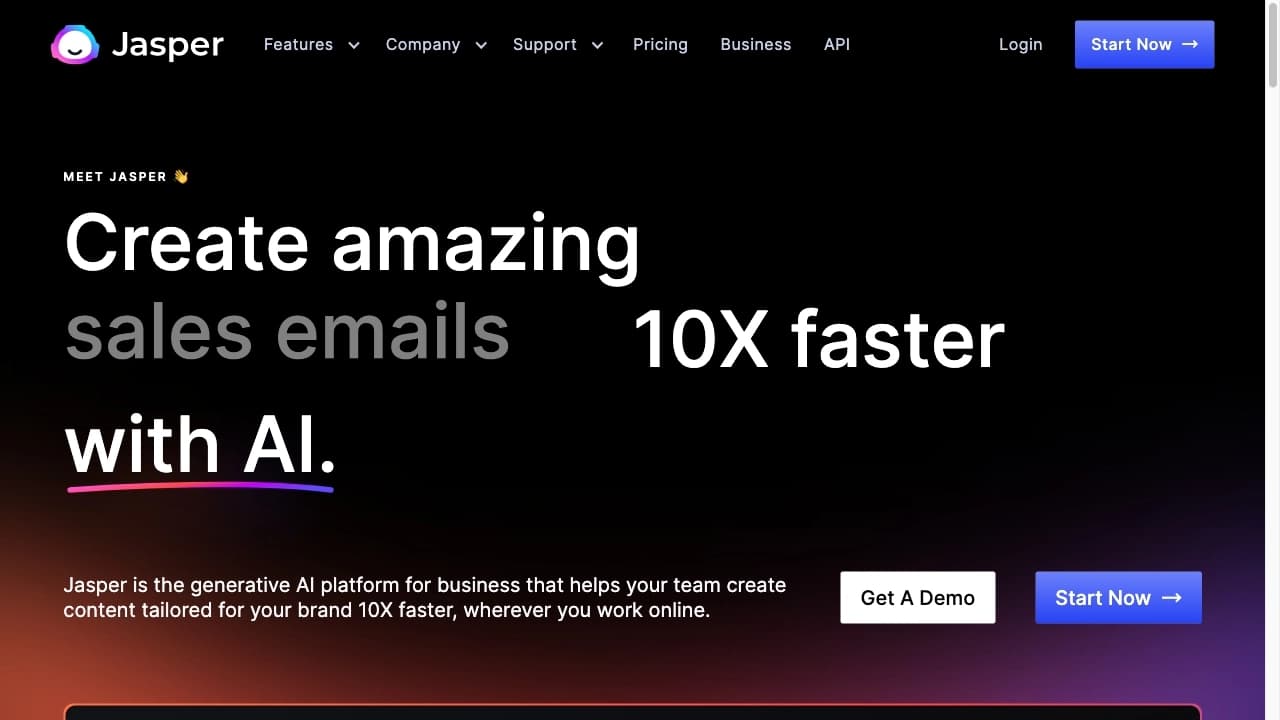

Plataforma de IA para criação de texto e conteúdo visual, orientada para tarefas de marketing.


Rede neural para geração e edição rápida de vídeos a partir de descrições textuais, imagens e referências.

Anakin.ai é uma plataforma low-code que integra diversos modelos de IA para criação de conteúdo e automação de fluxos de trabalho sem necessidade de programação.


Uma rede neural para gerar vídeos curtos a partir de descrições de texto ou imagens.


Ferramenta para geração de modelos 3D a partir de descrições de texto, imagens ou esboços.


Ferramenta de IA para automatizar o marketing em redes sociais, incluindo geração de conteúdo, agendamento de publicações e análise de dados.