
AI Graph Maker
Service Web pour construire automatiquement des graphiques et des graphiques basés sur les données téléchargées.
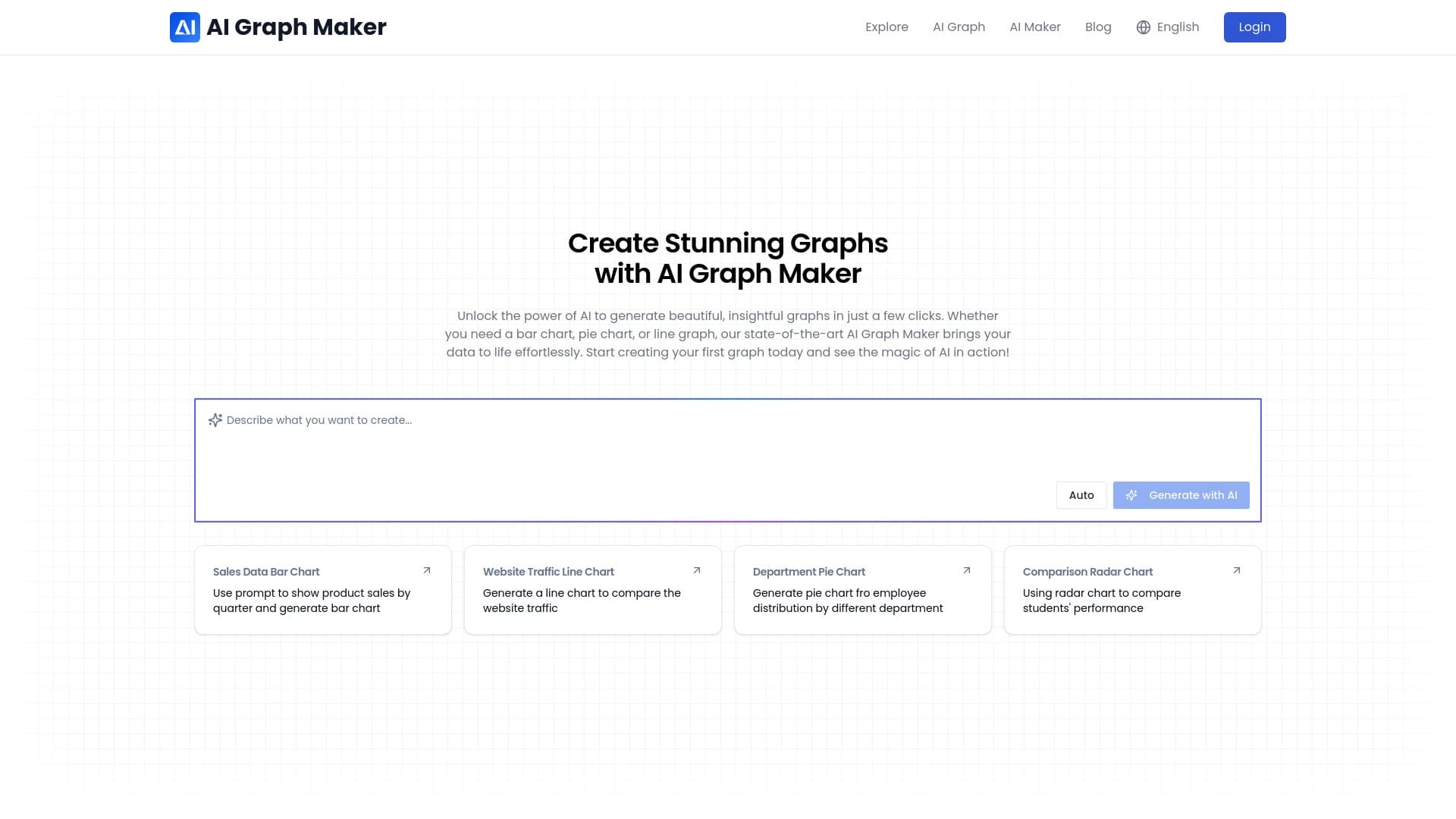
Aperçu général
Description du réseau neuronal de l'IA Graph Maker
AI Graph Maker est un service Web qui construit automatiquement des graphiques et des graphiques basés sur des données téléchargées par l'utilisateur. Au lieu de créer manuellement des visualisations dans des éditeurs de feuilles de calcul ou des paquets graphiques, l'utilisateur sélectionne simplement le type de graphique approprié, entre des chiffres ou télécharge des données sources, et le réseau neuronal génère une image prête à l'emploi.
Cette approche permet d'économiser du temps sur la préparation de documents pour des rapports, des présentations ou des projets éducatifs. Quelques minutes suffisent pour transformer les nombres « bruts » en un diagramme visuel clair et soigné. Le service prend également en charge la personnalisation de l'apparence (couleurs, polices, étiquettes) et l'exportation du résultat fini dans plusieurs formats populaires.
Caractéristiques du fabricant de graphiques AI
| Fonctionnalité | Valeur |
|---|---|
| Type | Générateur de graphiques et de graphiques basés sur l'IA |
| Catégories | Outils de gestion de projet, générateurs de cartes mentales, générateurs de diagrammes de réseaux neuronaux, outils de création de diagrammes, outils d'analyse de données |
| Plateforme | Site Web (service Web) |
| Développeur | Équipe de concepteur de graphiques AI |
| Plan gratuit | Oui (accès aux caractéristiques essentielles) |
| Visites mensuelles | 7,5 K |
| Date de publication sur place | 10 septembre 2025 |
Pour qui AI Graph Maker convient-il?
Analystes et professionnels des données
Pour les spécialistes qui ont régulièrement besoin de préparer des rapports et de montrer les tendances métriques, service aide à transformer rapidement les chiffres en visuels clairs. Il est particulièrement utile lorsque plusieurs options de visualisation sont nécessaires pour un ensemble de données — par exemple, un diagramme à barres pour comparer les quarts et un graphique à lignes pour montrer une tendance.
Débutants et éducateurs
L'outil est conçu pour les utilisateurs sans connaissance approfondie de l'analyse ou de la conception. L'interface intuitive et la génération automatique simplifient la création de graphiques pour les classes, les conférences, ou projets étudiants. Il suffit de saisir les données et de choisir le format — le réseau neuronal gère le reste.
Entreprises et startups
Les gestionnaires de petites entreprises, les marketeurs et les gestionnaires de projets peuvent rapidement visualiser les ventes, les tendances du trafic ou les structures de dépenses. Le service convient également aux magasins en ligne qui doivent afficher régulièrement les statistiques de commande ou les niveaux d'inventaire.
Comment utiliser AI Graph Maker?
Processus de création de graphiques étape par étape
Pour construire un graphique, allez dans la section création, sélectionnez le type de graphique (barres, tartes, lignes, etc.), entrez les données source, et cliquez sur le bouton « Générer avec l'IA ». Le réseau neuronal créera alors une visualisation que vous pourrez enregistrer ou ajuster.
Personnalisation et exportation
Après génération, les utilisateurs peuvent modifier le design : couleurs, polices, étiquettes d'axes et valeurs. Si nécessaire, les chiffres du graphique peuvent être modifiés directement. L'image finie peut être téléchargée au format PNG, SVG ou Sirène pour être utilisée dans des documents, des présentations, ou sur un site Web, ou un lien peut être partagé avec un collègue.
Caractéristiques clés de AI Graph Maker
- Création de cartes à moteur AI — production automatique de visualisations à partir de données saisies.
- Prise en charge de formats graphiques multiples — barre, tarte, ligne et autres types de cartes.
- Révision de la conception et des données — changer les couleurs, les polices, les étiquettes et les valeurs numériques.
Avantages de AI Graph Maker
Vitesse et simplicité
Les données se transforment en graphiques en quelques minutes sans avoir à maîtriser des logiciels complexes. L'interface intuitive permet même aux débutants de commencer — il suffit de choisir un modèle et de remplir le nombres.
Choix de visualisation flexibles
Les utilisateurs peuvent sélectionner le bon type de graphique pour une tâche spécifique : barres de comparaison, tarte pour les proportions, lignes pour les tendances. Cela permet de transmettre plus précisément la signification des données.
Éditions faciles
Un graphique fini peut être rapidement modifié — fixer des numéros, des étiquettes ou des couleurs. Il n'y a pas besoin de tout refaire de zéro: des ajustements sont faits à la image déjà générée.
Inconvénients du fabricant de graphiques AI
- Erreurs d'interprétation des données — l'IA peut mal comprendre les valeurs entrées, exigeant parfois que le graphique soit refait ou corrigé manuellement.
- Dépendance par rapport à la qualité des données entrées — toute erreur d'un nombre entraînera une mauvaise affichage sur le graphique.
- Limité aux modèles standard — pour les types de visualisation complexes ou non standard, les capacités du service sont insuffisantes et toutes les tâches ne sont pas couvertes par des modèles intégrés.
Quelles tâches AI Graph Maker résout-il ?
Visualisation rapide des données
Le but principal du service est pour transformer des séries de nombres en graphiques et graphiques clairs, en économisant du temps sur le dessin manuel et le formatage.
Présentation des paramètres commerciaux
AI Graph Maker permet d'afficher les ventes trimestrielles sous forme de barres, d'afficher les structures des dépenses dans un graphique circulaire ou de construire des graphiques linéaires pour suivre les tendances métriques.
Gestion de projet
L'outil permet d'établir des échéanciers et des diagrammes pour surveiller les étapes du projet, ce qui permet de suivre visuellement l'avancement des tâches et les échéances.
Prix de fabricant de graphiques AI
Le service offre trois plans :
| Plan | Prix | Inclus |
|---|---|---|
| Gratuit | 0$ | Accès aux caractéristiques essentielles |
| Démarreur | 9 dollars par mois | Jusqu'à 50 graphiques, modèles étendus |
| Professionnel | 23 $ par mois | Cartes illimitées, soutien prioritaire, exportation sans fil |
Conditions d'utilisation pour AI Graph Maker
Aucune restriction explicite n'est énoncée au-delà des limites du tableau des régimes payés. Pour utiliser le service, il suffit de visiter le site Web et de commencer à créer des graphiques. Aucune exigence matérielle particulière ou installation de logiciel supplémentaire n'est nécessaire.
Disponibilité du fabricant de graphiques AI
Le service est une application Web qui fonctionne à travers un navigateur. Les langues officielles et les régions ne sont pas précisées.
Comment AI Graph Maker diffère des alternatives
La principale différence entre AI Graph Maker et les générateurs d'images classiques (par exemple Midjourney, Kandinsky, Yandex Art, ou Flux.1) réside dans la spécialisation du service. Alors que ces outils créent des images arbitraires à partir de descriptions de texte, AI Graph Maker se concentre exclusivement sur la construction de graphiques et de graphiques à partir de données saisies. Cela le rend plus prévisible et pratique pour travailler avec des nombres spécifiques.
Au lieu de décrire un graphique souhaité en mots et d'espérer une interprétation correcte, l'utilisateur entre directement des valeurs numériques et sélectionne le type de visualisation. Cette approche réduit la probabilité d'erreurs et accélère l'obtention de résultats.
De plus, AI Graph Maker est orienté vers des tâches pratiques de rapport et de présentation, offrant la personnalisation de conception et l'exportation vers des formats adaptés aux documents et publications Web. Dans le même temps, comparé à des outils multifonctionnels comme Leonardo.ai, le service se limite à la création de graphiques et n'est pas destiné à un travail d'image complet.
Conclusion
AI Graph Maker est un outil web simple pour visualiser rapidement les données sous la forme de différents graphiques. Il convient à la fois aux débutants qui veulent expliquer clairement les chiffres et aux professionnels qui doivent préparer des tableaux pour les rapports ou les présentations rapidement. Le service offre un forfait gratuit et des abonnements payants avec des capacités élargies. Les principales limitations concernent la qualité de l'interprétation des données et l'absence de support pour les types de visualisation non standard; toutefois, pour les tâches standard - bar de bâtiment, piéce et graphiques linéaires - l'outil fonctionne efficacement.
Prix
Foire aux questions
Voir aussi

Une plateforme pour agréger les nouvelles mondiales en utilisant l'IA pour analyser et réduire les biais.


Plateforme de développement, de suivi et d'évaluation des applications d'IA basées sur de grands modèles linguistiques.

Plateforme AI pour la synthèse vocale et le clonage qui convertit le texte en parole réaliste.
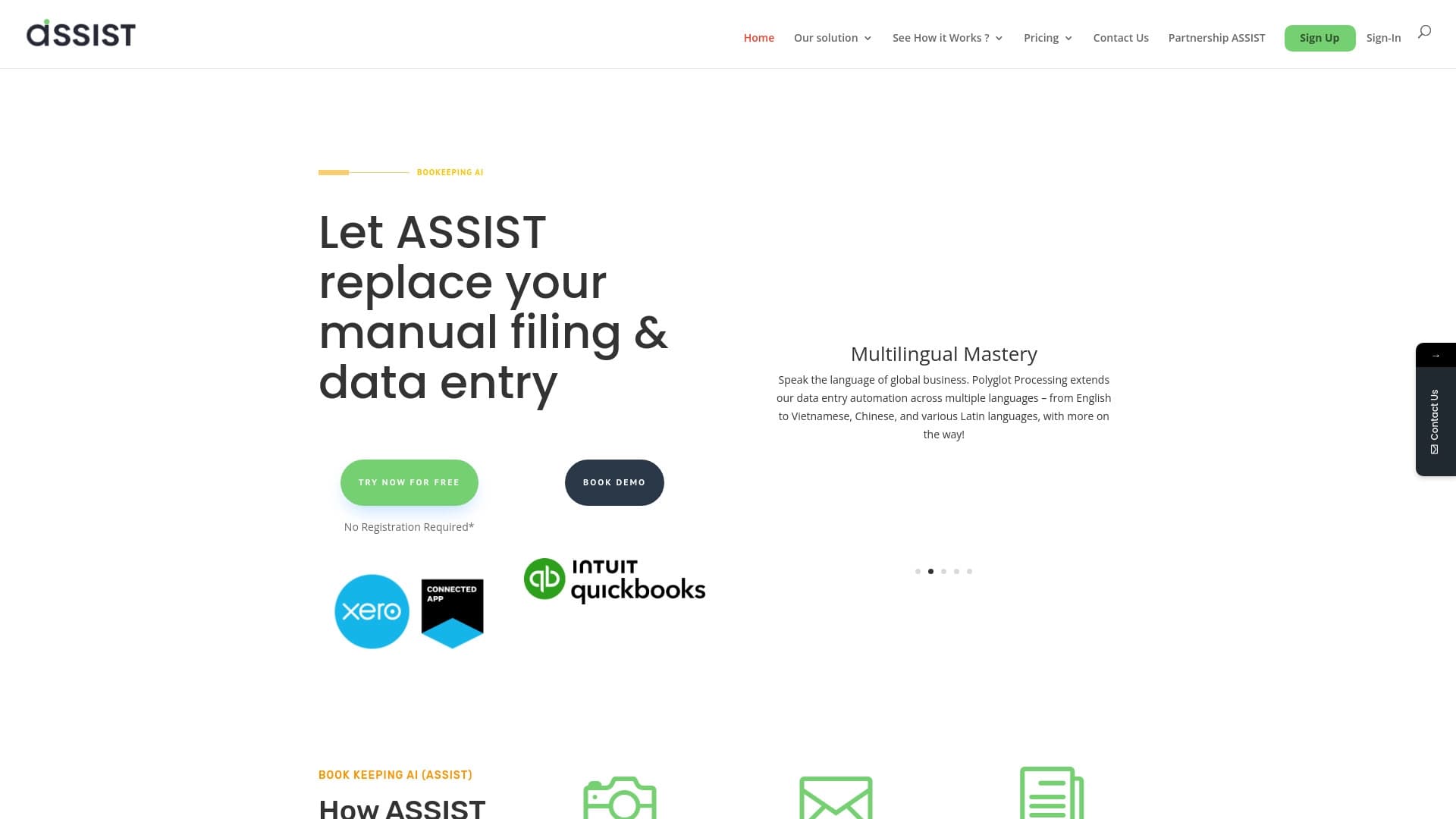

Outil AI pour l'extraction automatique des données des documents financiers et l'intégration avec les systèmes comptables.

Une boîte à outils multimédia d'IA pour l'édition et l'amélioration des photos, vidéos et documents PDF.

Agent d'IA pour automatiser les communications et le support client.


Plateforme de gestion de projet avec affectation des tâches, suivi du temps et fonctions de surveillance de la charge de travail des employés.

Plateforme pour créer des chats AI personnalisés formés sur vos propres données d'affaires.