
AI Fitting Room
Application mobile pour l'essai virtuel de vêtements et la planification de tenues.

Aperçu général
AI Fitting Room est une application mobile pour iOS qui résout deux problèmes à la fois : elle vous aide à pratiquement essayer des vêtements et à organiser votre garde-robe personnelle. Au lieu d'aller dans les magasins et de se tenir dans des salles d'adaptation, vous pouvez télécharger votre photo et littéralement « mettre » un vêtement que vous aimez en seulement quelques minutes. Le deuxième cas d'utilisation est la création d'un placard numérique : vous photographiez des objets que vous avez déjà à la maison, les triez par catégorie et créez des tenues complètes. L'application vous permet également de planifier des tenues plusieurs jours à l'avance, ce qui est particulièrement pratique pour ceux qui veulent structurer leur routine quotidienne et éviter de passer du temps à délibérer devant le placard le matin.
Essai virtuel sans magasins
Le principal « point fort » du service est un essai réaliste. Vous téléchargez votre photo ou choisissez un modèle standard, et le réseau neuronal "adapte" les vêtements sélectionnés sur l'image. Cela vous permet de voir comment l'article s'adapte, s'il va avec d'autres pièces dans votre garde-robe, et s'il vous convient du tout — sans quitter la maison.
Armoire numérique et planificateur
La deuxième partie clé de l'application est l'organisateur. Vous créez un catalogue de vos articles en ajoutant des photos et des catégories (tops, bas, chaussures, accessoires). De ces éléments, vous pouvez construire des looks, les sauver et planifier ce que vous devez porter pour la semaine. C'est un outil pratique pour tous ceux qui veulent utiliser leur garde-robe plus efficacement et éviter d'acheter des choses inutiles.
Caractéristiques de la salle de montage AI
| Fonctionnalité | Valeur |
|---|---|
| Type | Générateurs d'images et de photos |
| Plateformes | iOS (App Store) |
| Catégorie | App |
| Développeur | AI Fitting Room Inc. |
| Plan gratuit | Oui (tests de base et organisateur) |
| Régime de primes | 6 dollars par mois |
| AI Dressing Room Plan Pro | 7 $ par mois |
| Audience mensuelle | 46.4K visites |
Pour qui est AI Fitting Room?
AI Fitting Room s'adresse à plusieurs catégories d'utilisateurs qui veulent simplifier leur interaction avec les vêtements et les achats.
Personnes occupées et consommateurs soucieux du budget
Tout d'abord, c'est pour ceux qui apprécient leur temps et ne sont pas disposés pour passer des heures dans les centres commerciaux. Au lieu d'essayer dix paires de jeans dans un magasin, vous pouvez télécharger une photo et filtrer les options inappropriées en quelques minutes. Il est également pratique pour les achats en ligne: l'application aide à réduire le risque d'acheter quelque chose qui ne correspond pas à votre silhouette.
Amateurs de mode et expérimentateurs
Pour ceux qui aiment suivre les tendances et essayer de nouveaux styles, AI Fitting Room devient une sorte de bac à sable. Vous pouvez essayer sur des pièces que vous n'osez jamais porter dans la vraie vie — et le faire complètement libre. C'est aussi une excellente façon de vérifier rapidement si les articles déjà dans votre garde-robe vont bien ensemble.
Les gens qui n'aiment pas les chambres
Beaucoup de gens se sentent mal à l'aise de changer dans les lieux publics. Try-on virtuel supprime complètement ce problème, vous permettant d'évaluer les vêtements dans un cadre privé.
Comment utiliser la salle de montage AI
Le workflow de l'application est intuitif et prend peu de temps. Toute la logique s'articule autour de deux actions clés : télécharger une photo et choisir des vêtements.
Étape 1: Télécharger une photo ou choisir un modèle
Pour commencer, vous devez soit télécharger une photo complète de vous-même ou choisir l'un des modèles standard proposés par l'application. L'IA utilisera cette image comme base pour essayer.
Étape 2: Ajouter des vêtements et évaluer le résultat
Après avoir choisi la base, vous devez ajouter une photo des vêtements: il peut s'agir d'une photo d'une boutique en ligne ou d'un instantané d'un article de votre garde-robe. Le réseau neuronal traitera l'image et montrera comment l'élément va regarder sur votre figure. Si vous êtes satisfait du résultat, vous pouvez passer à autre chose à l'article suivant ou de mettre ensemble un regard complet.
Étape 3 : Planifiez vos tenues
Si vous construisez une armoire numérique, ajoutez des photos de vos objets et triez-les. Sur la base de ces données, l'application vous aidera à assembler des tenues et à créer un plan de tenue hebdomadaire.
Principales caractéristiques de la salle de montage AI
AI Fitting Room combine deux capacités de base : essai et organisation.
Essai virtuel avec réalité augmentée
À l'aide d'algorithmes d'IA, l'application recouvre les images de vêtements sur la photo de l'utilisateur. Ceci vous permet d'évaluer visuellement l'ajustement, la taille , et les proportions d'un article. Tout ce dont vous avez besoin est de télécharger une photo — pas de paramètres complexes ou d'équipement spécial requis.
Planificateur d'aménagement et organisateur
Cette fonctionnalité vous permet de construire des looks à partir d'éléments ajoutés à votre placard numérique. Vous pouvez combiner des hauts et des bas, ajouter des chaussures et des accessoires, sauver des combinaisons réussies, et même planifier des tenues une semaine à l'avance. Cela transforme une garde-robe chaotique en un système structuré de solutions prêtes à l'emploi.
Caractéristiques de base gratuites
Même sans abonnement, les utilisateurs ont accès aux outils de base : essais, ajout d'articles et organisation de garde-robe de base. Cela vous permet de vous familiariser avec le service sans aucun engagement financier.
Avantages de la salle de montage AI
L'application a un certain nombre d'avantages clairs qui en font un outil utile au quotidien.
Economisez du temps et des efforts
L'avantage principal est que vous n'avez pas besoin d'aller faire du shopping ou d'attendre en ligne dans les chambres d'installation. Vous pouvez essayer sur des dizaines d'articles en une soirée de votre canapé et prendre des décisions d'achat beaucoup plus rapidement. C'est aussi un excellent moyen de magasiner pendant les pauses de travail.
Approche personnelle et flexibilité du style
L'application s'adapte aux mesures individuelles de l'utilisateur. Cela vous permet de changer de style, d'essayer des combinaisons inattendues, et de voir comment elles vont regarder sur votre chiffre spécifique — sans attendre la livraison.
Accessibilité et vie privée
Vous pouvez essayer n'importe quelle tenue sans quitter la maison. C'est un plus non seulement pour le confort, mais aussi pour ceux qui n'aiment pas se montrer dans les magasins ou préfèrent magasiner sans pression de la part des assistants commerciaux.
Inconvénients de la salle de montage AI
Malgré sa commodité, le service a des limites à garder à l'esprit.
Inexactitudes dans l'ajustement et le rendu des couleurs
L'essai virtuel est toujours une approximation de la réalité. AI ne peut pas parfaitement transmettre comment le tissu va draper, s'étirer, ou tomber sur le corps. Les couleurs à l'écran peuvent également différer des vraies nuances, qui peuvent parfois conduire à des erreurs lors du choix d'éléments.
Confidentialité et sécurité des données
L'application nécessite le téléchargement de vos photos pour fonctionner. Cela soulève des préoccupations légitimes au sujet de la confidentialité : on ne sait pas comment les images sont stockées, qui y a accès et si elles sont utilisées à d'autres fins.
Certains résultats semblent modélisés
Parfois, essayer les résultats semblent trop "smooth" et générique, ne pas refléter les caractéristiques individuelles du corps ou le style unique. L'IA fonctionne selon certains algorithmes, et pour les types de corps non standard il peut y avoir des inexactitudes.
Quels problèmes AI Fitting Room résout-il?
L'application aborde plusieurs points de douleur réels de l'acheteur moderne.
Essayer des vêtements sans visiter les magasins
C'est la tâche principale du service. AI Fitting Room vous permet d'évaluer un article avant d'acheter, sans quitter la maison. Il est pratique à la fois pour les achats en ligne et pour les voyages en magasin physique: vous arriverez déjà à savoir quels modèles vous conviennent.
Bâtir une garde-robe et des tenues de planification numériques
L'application transforme vos vêtements en une base de données structurée. Vous voyez votre garde-robe dans son ensemble plutôt que pièce par pièce, ce qui vous permet de l'utiliser plus efficacement. Les tenues de planification pour la semaine éliminent le stress du matin de "Je n'ai rien à porter."
Expérimenter avec les styles
Le service vous permet d'essayer de nouveaux styles sans coût financier. Vous pouvez déterminer si une certaine coupe ou couleur vous convient avant de dépenser de l'argent.
Tarifs des salles de montage AI
L'application utilise un modèle freemium, offrant un accès de base gratuit et des abonnements payants pour une fonctionnalité élargie.
Plan gratuit
Sans payer, les utilisateurs ont accès aux fonctionnalités de base : des essais virtuels standard et un organisateur d'articles de base. Cela suffit pour se familiariser avec l'interface et les capacités de base.
Abonnement Premium
Le régime de primes coûte 6 $ par mois. Il déverrouille les fonctionnalités d'essai élargies (probablement plus réalistes ou avec plus de modèles) ainsi que le planificateur complet de tenue, qui vous permet de créer des looks complexes et des plans hebdomadaires.
AI Dressing Room Plan Pro
Pour un maximum de commodité, il y a un niveau plus cher — 7 $ par mois. Sa principale différence est l'essai virtuel illimité. C'est le choix pour ceux qui expérimentent fréquemment des vêtements et ne veulent pas atteindre des limites.
Conditions d'utilisation pour la salle de montage AI
Comme la plupart des applications mobiles modernes, AI Fitting Room nécessite d'accepter un accord utilisateur et d'accorder l'accès à certaines données (photos et informations sur votre appareil). Le développeur est AI Fitting Room Inc. L'application est distribuée via l'App Store officiel, ce qui signifie que des contrôles parentaux pour les achats et les abonnements sont en place. Les modalités détaillées de confidentialité et les règles de traitement des données sont généralement décrites dans la politique de confidentialité sur le site officiel ou dans le paquet d'applications. Les utilisateurs préoccupés par la vie privée devraient examiner attentivement ces documents avant de commencer.
Disponibilité de la salle de montage AI
Actuellement, AI Fitting Room est disponible exclusivement pour les propriétaires d'appareils Apple : iPhone et iPad. L'application est dans l'App Store officiel et peut être trouvée via une recherche directe. Le service a un public important — environ 46,4 mille visites par mois, ce qui témoigne de sa popularité. Aucune information n'est disponible sur la question de savoir si l'application nécessite un VPN ou a des restrictions régionales.
Comment AI Fixting Room diffère des alternatives
Le marché offre de nombreux outils de génération d'images (comme Midjourney, Leonardo.ai, Kandinsky, Flux.1, Yandex Art, etc.), mais AI Fitting Room occupe une niche unique. Contrairement aux générateurs universels d'images, ce service se spécialise spécifiquement dans les vêtements et a une fonction pratique claire. Alors que Midjourney ou Nano Banana peuvent créer n'importe quelle image sur demande, AI Fitting Room fonctionne strictement avec la photo et les vêtements de l'utilisateur, offrant non pas un résultat créatif mais utilitaire — "comment cela va me regarder." La principale différence est l'intégration avec les fonctionnalités de l'organisateur: l'application ne génère pas seulement une image mais aide également à gérer votre garde-robe personnelle, construire des tenues et planifier votre semaine. Cela en fait non seulement un outil de visualisation, mais un styliste et planificateur personnel à part entière.
Conclusion
AI Fitting Room est une application mobile pratique pour virtuellement essayer sur les vêtements qui fonctionne aussi comme un garde-robe numérique et planificateur de tenue. Il sera utile pour les personnes qui cherchent à gagner du temps sur les achats et qui veulent rapidement expérimenter avec le style sans visiter des salles d'adaptation. Le forfait gratuit vous permet de tester les fonctionnalités de base, tandis que les abonnements payants débloquent les fonctionnalités élargies. Cependant, avant de l'utiliser, il est important de considérer les limites : des inexactitudes possibles dans l'ajustement et la couleur, des risques potentiels de confidentialité lors du téléchargement de photos personnelles, et des résultats modélisés dans certains cas. En pesant ces facteurs, les utilisateurs peuvent obtenir le plus de valeur du service.
Foire aux questions
Voir aussi


Assistant AI pour la création et l'édition rapides de textes dans différents formats.


Outil d'IA en ligne pour créer des images en profondeur.

Outil en ligne pour échanger des visages en photos, vidéos et GIF sans inscription ni filigrane.

Une plateforme pour les créateurs de contenu qui combine la gestion des liens, le marketing par courriel, une boutique en ligne et l'analyse en un seul éditeur visuel sans codage.
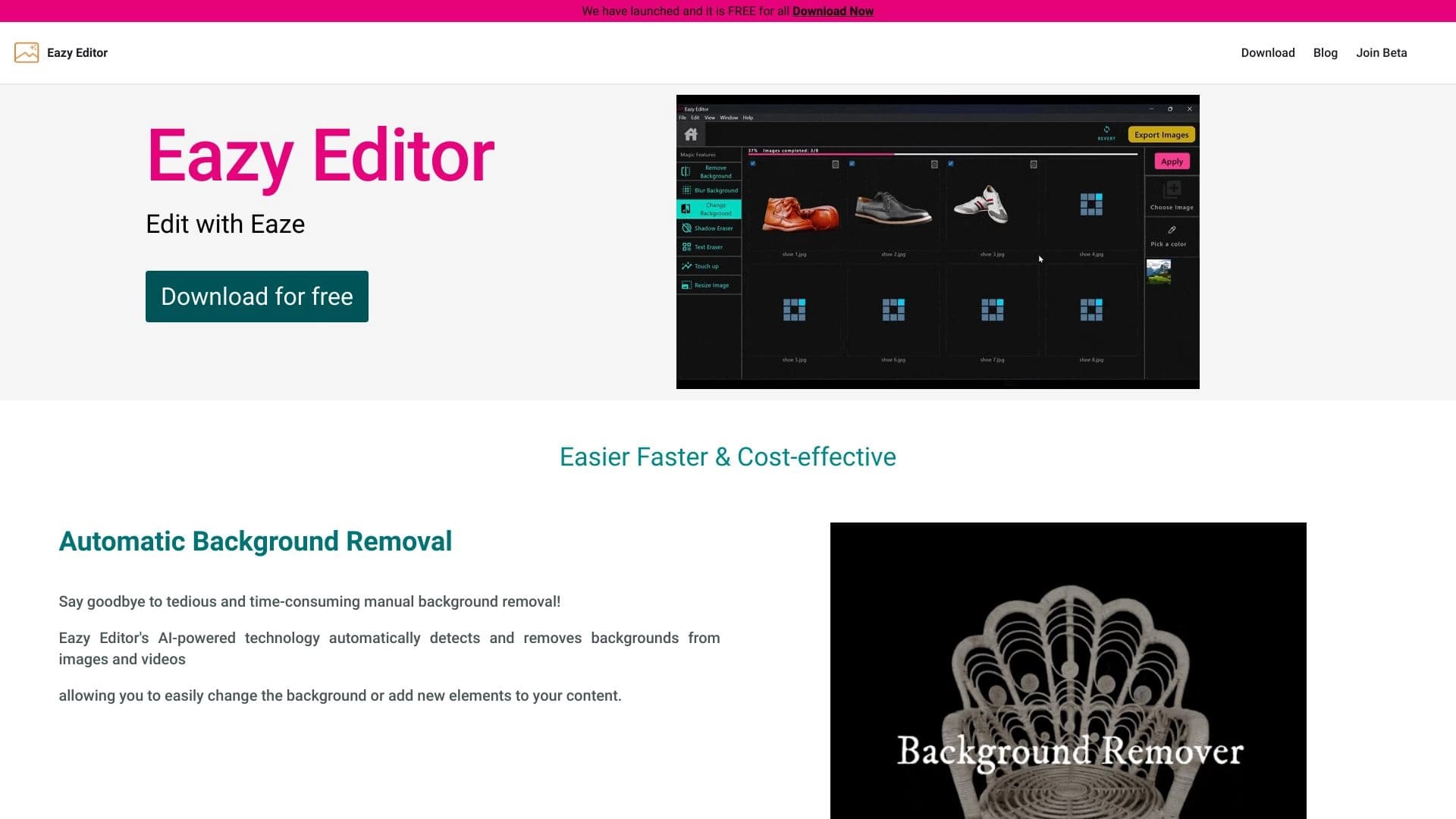
Éditeur de photos simple et facile à utiliser avec une interface intuitive.

Application mobile pour l'édition photo et la création d'avatars stylisés en utilisant l'IA.


Réseau neuronal pour générer des articles optimisés SEO et automatiser la gestion de blog.


Service virtuel d'essai de vêtements alimenté par l'IA.