

AI Face Swap Pro
AI-powered face replacement service for photos and videos.
Overview
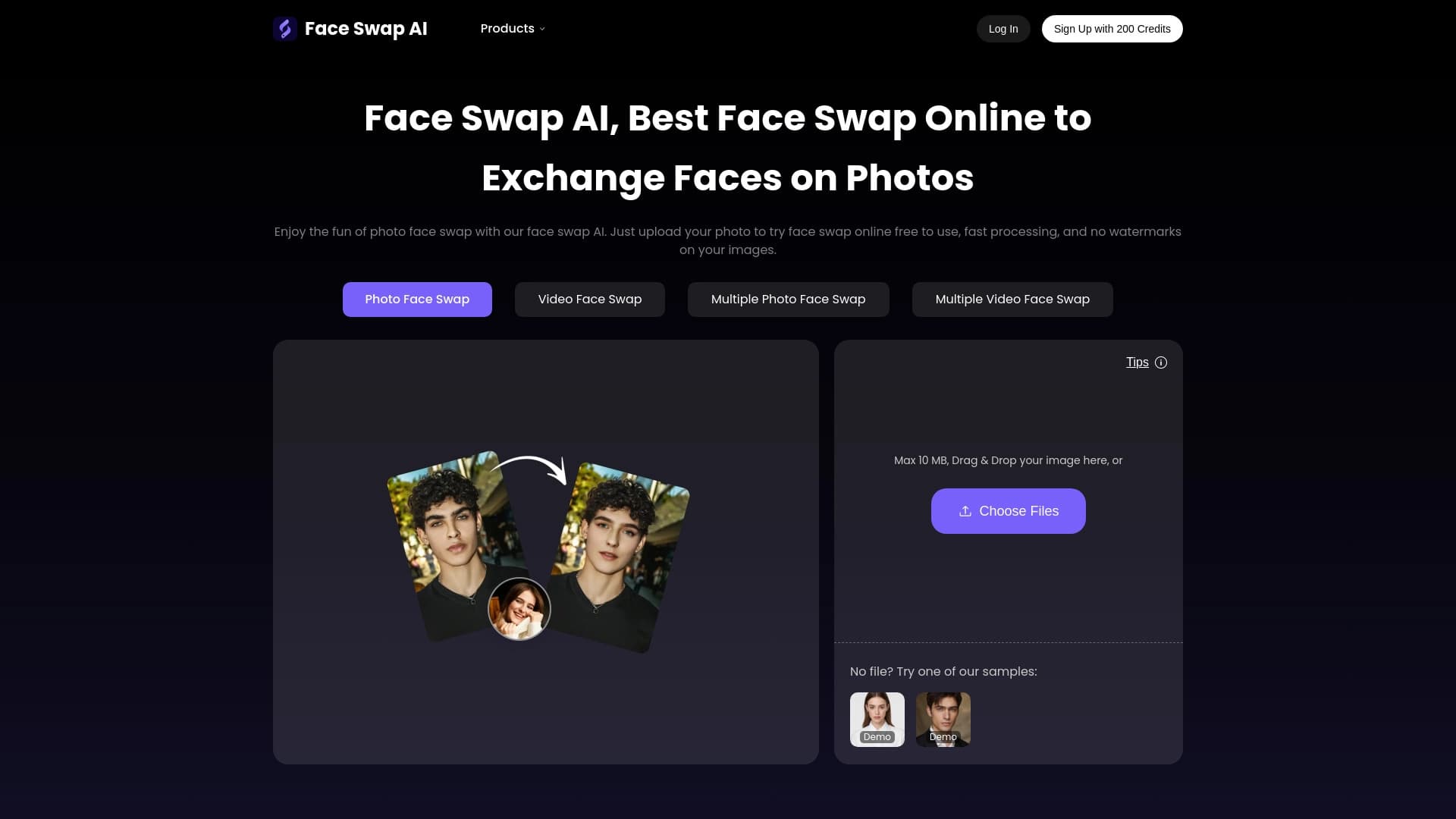
AI Face Swap Pro is an online service for swapping faces in images and videos, powered by artificial intelligence algorithms. The tool is designed for quickly achieving realistic results without the need to install software on your computer or use a mobile app. The process follows a simple "upload and swap" logic, making it accessible to users of any technical skill level.
The service allows you to work not only with single photos but also with group pictures, supporting the replacement of multiple faces in a single operation. AI Face Swap Pro uses a browser-based interface, ensuring cross-platform compatibility: any modern browser on a desktop or laptop will work.
AI Face Swap Pro Features
| Feature | Value |
|---|---|
| Type | Online face swap tool |
| Category | AI face swap |
| Face swap formats | Photo, video, multiple face swap |
| Pricing model | Daily free attempts (5 per day), VIP credit system |
| Registration required to start | No |
| Maximum upload image size | 20 MB |
| Additional features | Batch upload, results gallery |
Who is AI Face Swap Pro for?
Meme creators and entertainment content producers
The tool is ideal for those who regularly publish humorous content on social media. The ability to quickly swap a face in a photo or video is a ready-made tool for creating viral memes, funny transformations, and amusing comparisons. The low entry barrier allows for experimentation without learning complex software.
Content creators and marketers
For professionals preparing visual content for social media and advertising campaigns, the service becomes a tool for creative experimentation. Quick face swapping helps create personalized visuals, test ideas, and prepare materials without needing a designer for every edit.
Users who prefer a web format
AI Face Swap Pro is aimed at those looking for a full-fledged alternative to mobile apps. Working in the browser eliminates the need to download and install programs and allows you to use the tool on any device with internet access — from a home computer to an office workstation.
How to use AI Face Swap Pro?
Uploading the source image
The process begins by uploading a photo of the face that will be used for the transfer. You also need to prepare the target image or video where the replacement is to be made. The service will automatically detect the face in the target file.
Performing the swap
After uploading both files, the user needs to select the detected face in the target image and click the "Swap Faces" button. The system will process the request and provide the finished result for download. The entire process follows an upload-and-swap principle that requires no special skills.
Additional options
Before starting, you can use the sample files available on the service page to understand how it works. The results gallery lets you save and return to previously created work for reuse or download.
Key features of AI Face Swap Pro
- Face swap in photos — the core capability for static images.
- Face swap in videos — transferring a face onto moving subjects.
- Multiple face swap — processing group photos and videos with several people.
- Batch upload — uploading multiple files at once for processing.
- Saved results gallery — storing and re-accessing processed materials.
- Daily free attempts — 5 runs per day without payment or registration.
AI Face Swap Pro advantages
- No mandatory registration — you can start working instantly.
- Free daily limit — 5 attempts every day for trying out and regular use.
- Format support — works with both photos and videos in one window.
- Group photo processing — swapping multiple faces in a single cycle.
- Browser access — no need to install applications.
- Batch processing — saves time when working with multiple files.
- Low entry barrier — no editing skills are claimed to be required.
AI Face Swap Pro drawbacks
- VIP credit model — credits must be purchased for extended use.
- File size limit — uploading images over 20 MB is not available without compression.
What tasks does AI Face Swap Pro solve?
Quick face swapping without learning
The user does not need to study professional editors or understand the technology. The tool handles the task of quickly replacing a face in an image or video with a minimal number of steps.
Working with group photos
Swapping faces in group photos is often difficult in simple editors because each person must be processed individually. The service handles this task comprehensively.
Creating creative visuals
Preparing entertainment content, memes, invitations, social media posts, and marketing materials with personalized images is also among the tasks this tool can handle.
AI Face Swap Pro pricing
AI Face Swap Pro operates on a Freemium model. Every day the service provides 5 free attempts for face swapping without requiring registration or payment. For those who need more processing, a VIP credit system is available — the service page includes a "Buy Credits" button. However, specific plans and package prices are not detailed on the page.
AI Face Swap Pro terms of use
Start without registration
No account creation or email verification is required to try the service. The tool is available immediately after opening the page.
Free attempts
Every 24 hours, the user receives 5 free processing runs — this allows regular small-scale work without payment.
Paid access
Extended use beyond the daily limit is arranged through purchasing credits. The detailed credit deduction scheme for specific operations is not provided on the page.
AI Face Swap Pro availability
AI Face Swap Pro is a web tool that works directly in the browser. No additional software installation is required. The service page does not mention any regional or language restrictions, nor does it mention the need to use VPN services. A stable internet connection is all that is required.
How AI Face Swap Pro differs from alternatives
The main difference between this service and another popular tool, Reface AI, lies in the format of operation. Reface AI is primarily a mobile app distributed through the App Store and Google Play, focused on entertainment and creating AI avatars. Although Reface AI also has web access to its face swap feature, its main development focus is the mobile platform.
AI Face Swap Pro is positioned as a full-fledged browser tool that supports face swapping in both photos and videos. It explicitly states support for multiple swaps (several faces in one frame) and provides a batch file upload feature. For group photos, this approach is more convenient than in mobile apps.
It is also worth noting that AI Face Swap Pro offers 5 free attempts daily without mandatory registration. For desktop users and those who want to work with photos and videos in one product, this service becomes a more convenient choice than mobile alternatives.
Conclusion
AI Face Swap Pro is a browser-based alternative to mobile face swap services, focused on fast, realistic photo and video processing. The tool stands out with support for multiple face swaps and batch uploads, making it convenient for working with group photos and large volumes of content. No mandatory registration and daily free attempts allow you to evaluate the service without financial investment. The tool is suitable for users who work on a computer and want maximum functionality in a web format without switching to mobile apps.
Frequently asked questions
See also

Platform for creating custom AI chats trained on your own business data.


AI-based service for automatic generation of text content in various formats.


AI-powered platform for generating and editing images and videos.


Free web tool from Google that uses machine learning to turn rough sketches into neat icons and illustrations.

Service for creating personalized avatars and photo shoots using AI based on uploaded selfies.


AI-powered virtual clothing try-on service.


Service for automatic transcription of audio and video into text with support for over 100 languages.


A platform for conversations with AI characters, including pre-made and user-created ones.