
AI Drive
Stockage en nuage avec des fonctionnalités AI pour analyser et travailler avec des documents par chat.
Aperçu général
Description du réseau neuronal AI Drive
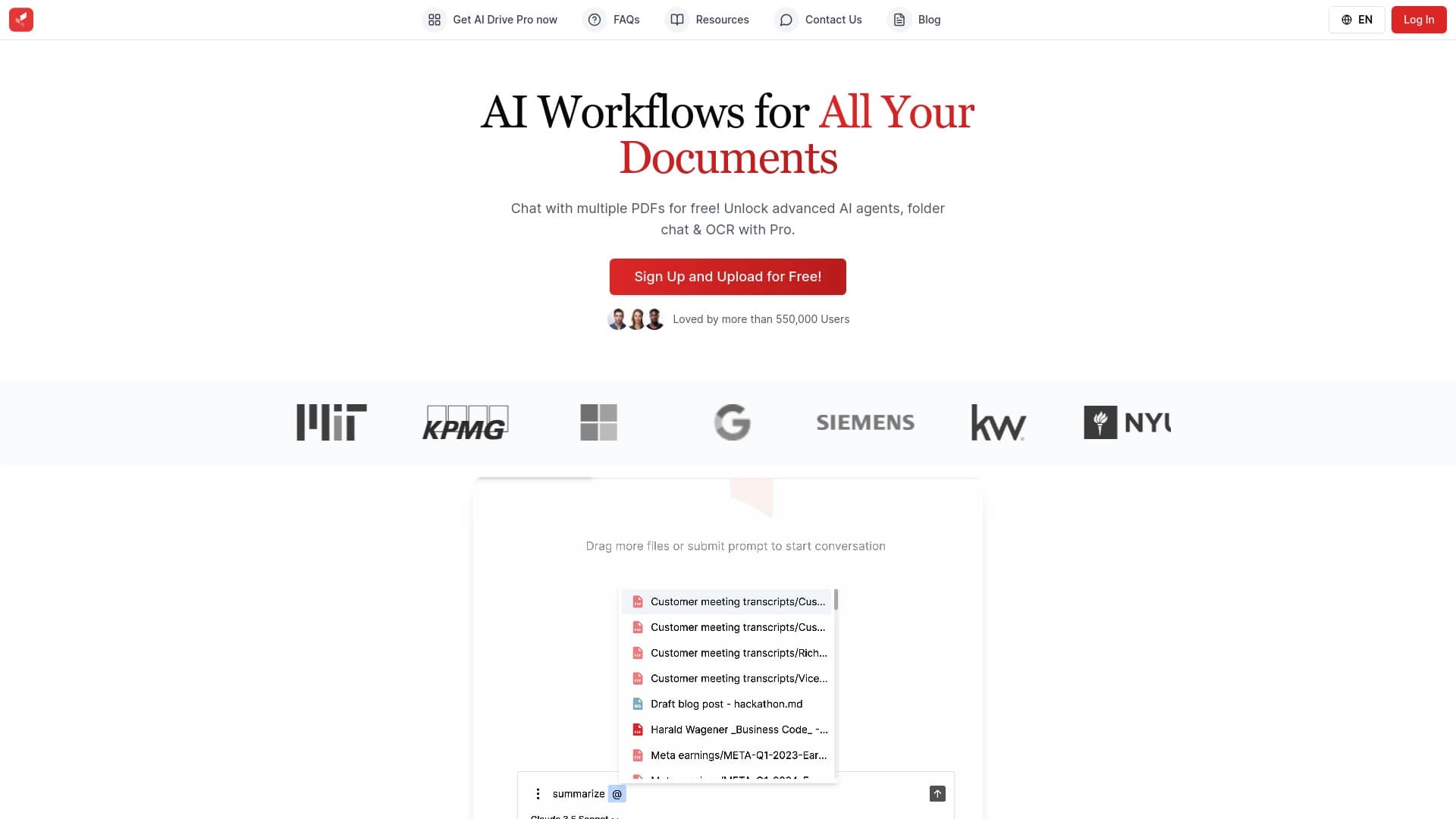
AI Drive est un service de stockage en nuage amélioré avec l'intelligence artificielle. Le service vous permet de télécharger des fichiers de travail (PDF, tableurs, documents texte) et d'interagir immédiatement avec eux via une interface de chat. Le réseau neuronal analyse le contenu, génère des résumés concis, extrait les informations pertinentes des scans et aide à mettre de l'ordre dans vos documents.
Le but principal de l'outil est d'enregistrer les utilisateurs de lire manuellement des dizaines de pages. Au lieu de cela, vous « parlez » simplement à votre dossier : posez des questions et recevez des réponses structurées. Le produit est conçu pour travailler avec des rapports, des contrats et d'autres documents d'entreprise. Il est intéressant de noter que l'IA peut faire des erreurs sur des fichiers complexes ou exceptionnellement formatés, et le téléchargement de données sensibles sur un serveur nécessite une approche attentive de la sécurité.
Caractéristiques du lecteur AI
| Fonctionnalité | Valeur |
|---|---|
| Type | Plateforme de stockage de fichiers alimentée par l'IA |
| Catégories | Assistants de rédaction, outils de synthèse, soutien juridique, productivité, outils PDF, gestion de fichiers, extraction de données, aide documentaire, recherche |
| Développeur | Voir également les notes explicatives de la nomenclature combinée. |
| Plan gratuit | Oui, caractéristiques de base disponibles |
| Plan professionnel | Prix par abonnement |
| Plan d'entreprise | Prix sur demande |
| Visites mensuelles | 14,3 K |
| Date de publication | 10 septembre 2025 |
Pour qui est AI Drive ?
Professionnels travaillant avec de grands volumes de documents
L'outil est construit pour ceux qui font régulièrement face à une inondation de fichiers entrants. Il pourrait s'agir de gestionnaires qui doivent rapidement rafraîchir leur mémoire sur le rapport d'hier, ou d'avocats qui examinent les contrats standard.
Exécutifs et leurs assistants
AI Drive est utile pour ceux qui préparent des résumés pour la gestion. Au lieu d'une longue lecture et d'une longue compilation de données, vous pouvez déléguer à l'IA la tâche de rassembler les points clés de plusieurs documents et de produire un résultat concis.
Utilisateurs sans expérience technique
Le service n'exige aucune compétence en programmation. La logique est simple : télécharger un fichier, poser une question, obtenir une réponse. Cela rend l'outil accessible à tout employé de bureau.
Comment utiliser AI Drive?
Commencer avec le service
Tout commence par une étape simple: créer un compte sur la plateforme. L'enregistrement débloque l'accès à l'interface où vous allez télécharger vos fichiers.
Télécharger des fichiers et travailler avec le chat
Après vous être connecté, vous téléchargez des documents dans le stockage. De là, vous pouvez commencer à discuter avec l'IA: il identifiera les points clés de son propre, vous indiquera où les informations nécessaires sont , et aider les fichiers de groupe par sujet. Au lieu d'ouvrir sans cesse les fenêtres et de chercher manuellement, vous avez simplement une conversation avec le réseau neuronal.
Fonctions principales du lecteur AI
Analyse intelligente des documents
La plateforme vous permet d'avoir un dialogue avec vos fichiers téléchargés. Vous pouvez poser des questions claires sur le texte, et le réseau neural cherchera des réponses dans le contenu. Cette fonctionnalité fonctionne avec des PDF et prend en charge le traitement de plusieurs fichiers simultanément, en accélérant la comparaison des données.
Automatisation courante
L'IA prend en charge des tâches telles que la création de brefs résumés et l'extraction de données de documents numérisés. En outre, le service peut trier et regrouper les fichiers par sens et par sujet, en vous enregistrant de passer manuellement par les dossiers et les documents d'étiquetage.
Avantages de l'IA Drive
Économies de temps
Le principal avantage est la rapidité de traitement. La recherche manuelle et l'analyse des fichiers sont remplacées par des algorithmes automatisés, ce qui réduit considérablement le temps consacré à la préparation des rapports et des résumés.
Organisation facile
L'IA trie et groupe les documents sur son propre. Cela élimine le chaos du stockage et simplifie la navigation à mesure que votre collection de fichiers grandit.
Une fenêtre unique pour le travail
Au lieu d'ouvrir plusieurs onglets et fenêtres, vous travaillez à travers un seul chat unifié. Cela vous permet de passer rapidement entre les tâches et de garder tout contexte en un seul endroit.
Limitations des moteurs AI
Contraintes avec des fichiers complexes
Le réseau neuronal ne traite pas toujours correctement les documents complexes ou inhabituellement formatés. Plus la structure source est compliquée, plus les risques d'erreurs d'analyse sont élevés.
Problèmes de sécurité
Stocker des informations sur un serveur tiers comporte toujours certains risques. Lorsque vous travaillez avec des données sensibles, il est important d'être conscient de la menace potentielle de fuites.
Dépendance sur la qualité de la source
La sortie de l'IA dépend directement de la qualité du fichier téléchargé. Des scans ou des mises en page mal lisibles peuvent conduire à des réponses incorrectes.
Quelles tâches AI Drive résout-elle ?
- Traitement rapide d'un lot de fichiers sans lecture complète de chaque document.
- Création de brèves descriptions et de résumés pour une utilisation ultérieure dans les rapports.
- Trouver et extraire des données spécifiques des rapports, des feuilles de calcul et des copies numérisées.
- Organisation de la documentation : tri des fichiers par sujet et regroupement par sens.
- Préparation du matériel final pour la gestion et examen des contrats pour des conditions clés.
Prix d'entraînement AI
Le service fonctionne sur un modèle Freemium. Un ensemble de fonctionnalités de base est disponible gratuitement après inscription, vous permettant de tester l'outil sans aucun investissement.
Pour les cas d'utilisation plus avancés, un forfait professionnel est disponible sur abonnement mensuel. Il débloque des fonctionnalités élargies et des capacités d'IA supplémentaires. Pour les entreprises ayant des exigences personnalisées, un plan d'entreprise est disponible, avec des prix calculés sur demande.
Conditions d'utilisation du lecteur AI
L'enregistrement est nécessaire pour commencer. Créer un compte permet d'accéder aux téléchargements de fichiers et à la fonction chat. Aucune autre exigence particulière n'est imposée aux utilisateurs: le service est conçu pour le public en général travaillant avec des documents.
Disponibilité du lecteur AI
AI Drive est offert en tant que service web. Vous aurez besoin d'un navigateur et d'une connexion Internet pour l'utiliser. Le site officiel de la plateforme est myaidrive.com. Aucune installation logicielle supplémentaire n'est nécessaire.
Comment AI Drive diffère des alternatives
La différence clé est la profondeur de l'automatisation. De nombreux services de stockage en nuage fournissent seulement de l'espace pour les fichiers et la recherche de base. AI Drive va au-delà : l'intelligence artificielle ne stocke pas seulement des documents, elle vous aide activement à travailler avec eux.
Le réseau neuronal analyse le contenu, répond aux questions au sujet du texte, génère des résumés concis et organise les choses de son propre chef. Cela transforme un espace de stockage passif en un assistant actif qui économise du temps sur le travail d'information mécanique.
Conclusion
AI Drive est un service cloud qui utilise l'intelligence artificielle pour interagir avec les documents. L'outil permet d'analyser les fichiers, de créer des résumés concis et d'organiser des espaces de travail, ce qui permet d'économiser beaucoup de temps. Dans le même temps, il faut traiter soigneusement les dossiers complexes et faire preuve de prudence avec des données confidentielles. Pour les résumés rapides et l'ordre de la documentation, AI Drive ressemble à un choix pratique, mais pour des tâches juridiques et financières complexes, il vaut toujours la peine de revérifier la résultats.
Foire aux questions
Voir aussi


AI Slide Studio est un service alimenté par l'IA pour créer rapidement des présentations personnalisables sur un sujet donné.


AI chatbot pour automatiser la communication client et la qualification de leader.


Un outil pour la création automatisée de contenu SEO avec recherche par mots clés et génération de texte longue forme.

Assistant AI pour les affaires qui aide à gérer les tâches et automatiser la routine par le dialogue.


Plate-forme d'IA pour la production de documents juridiques, l'analyse des contrats et l'obtention d'informations juridiques.


Panneau d'IA latéral qui aide à répondre aux questions, à travailler avec les documents et à générer des images.
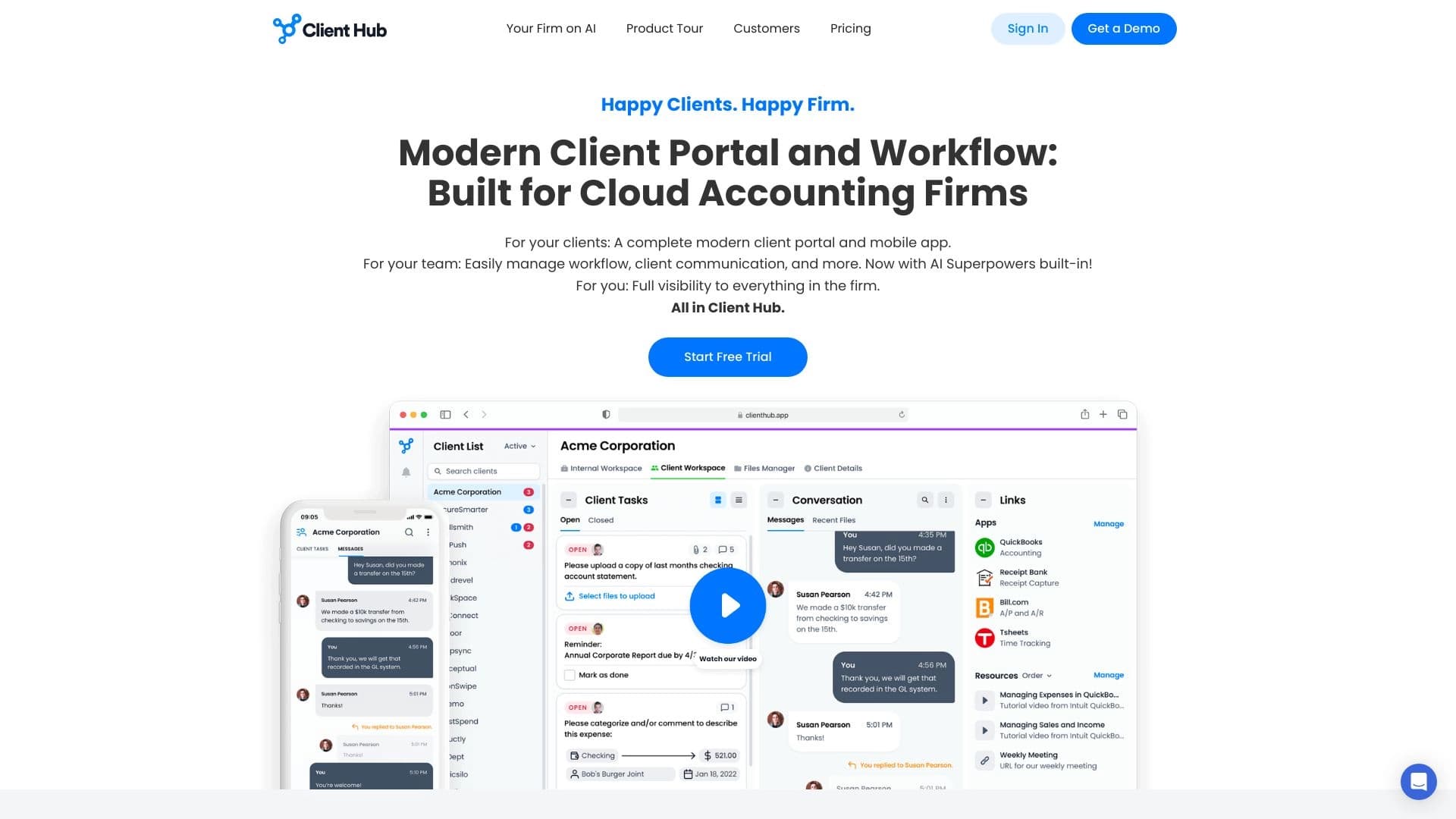
Une plateforme pour comptables qui combine la gestion des tâches, le partage de fichiers et la communication client dans une interface unique.


Plateforme pour organiser le chat en direct et communiquer avec les visiteurs du site, offrant un widget de chat gratuit pour le support client.