

AI Describe Picture
Servicio en línea que utiliza una red neuronal para describir el contenido de la imagen y extraer texto de ella.
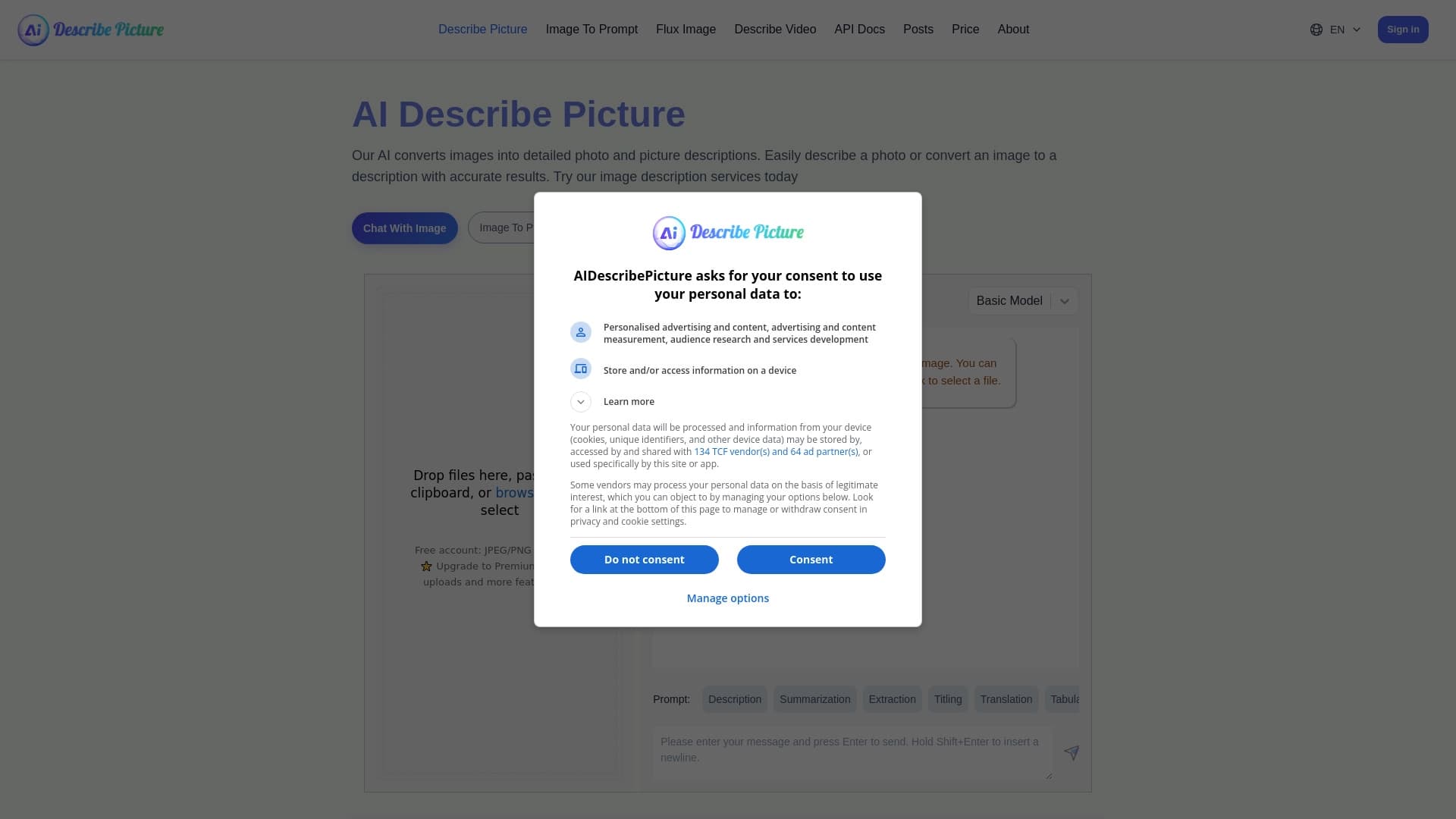
Examen
Descripción de la red neuronal de imagen de AI
AI Describe Picture es un servicio en línea impulsado por redes neuronales que resuelve tres tareas principales: crea descripciones detalladas de imágenes subidas, reconoce y extrae texto de imágenes, y puede convertir capturas de páginas web en código de programa. Esencialmente, es una herramienta universal para "traducir" la información visual en formato de texto.
El servicio se posiciona como asistente para procesar rápidamente los escaneos de documentos, infografías, fotos y otros materiales visuales. En lugar de analizar manualmente una imagen e introducir datos, el usuario simplemente sube un archivo al servicio — la propia red neuronal reconoce el contenido y produce un resultado estructurado. Los ahorros de tiempo se logran mediante la automatización de procesos rutinarios de descripción, extracción de texto e incluso generación de códigos de diseños de sitios web.
Características de la imagen descriptiva AI
| Característica | Valor |
|---|---|
| Tipo | Plataforma de descripción de la imagen basada en AI |
| Desarrollador | AI Describe Picture Labs |
| Tipo de distribución | Sitio web (servicio en línea) |
| Visitas mensuales | 647K |
| Categorías | Prompt, ayudantes de escritura, herramientas de resumen, transcripción de audio, generadores de subtítulos, productividad, reconocimiento de imagen, extracción de datos de documentos, generadores de contenido de texto, asistencia de programación, generadores de código, generadores de arte digital |
| Formatos compatibles | Fotos, escaneos, infografías, capturas de pantalla |
| Modelo de precios | Freemium (versión gratuita + planes pagados) |
¿Quién es la red neuronal AI Describe Picture adecuado para?
Creadores y editores de contenidos
El servicio será útil para aquellos que trabajan regularmente con contenido visual: bloggers, especialistas de SMM, periodistas. AI Describe Picture genera automáticamente descripciones de texto para fotos e ilustraciones, que acelera la preparación de publicaciones, llenando tarjetas de producto o creando texto alternativo para imágenes.
Profesionales de datos
La herramienta es adecuada para extraer información de infografías, escaneos de documentos y tablas. En lugar de reescribir manualmente datos de imágenes, la red neuronal lo convierte en un formato de texto editable. Esto es relevante para contadores, analistas, abogados, y cualquiera que se ocupa de grandes volúmenes de papel o fuentes gráficas.
Desarrolladores y diseñadores
Una categoría separada de los usuarios es programadores y diseñadores web que pueden utilizar la función de convertir capturas de pantalla del sitio web en el código del programa. Esto acelera la creación de prototipos, marcado de diseño y la transferencia de interfaces existentes en código.
Usuarios con necesidades especiales
Generar descripciones detalladas de imágenes también hace que el contenido sea más accesible para las personas con discapacidad visual: las descripciones de texto permiten comprender el contenido de las imágenes sin percepción visual.
¿Cómo utilizar la red neuronal AI Describe Picture?
Subir una imagen
El principio del servicio es extremadamente simple. El usuario necesita subir una imagen a la ventana de servicio —puede ser una foto, un escaneo de documentos, una infografía o una captura de pantalla. Después de subir el archivo, la red neuronal inicia el proceso de análisis.
Conseguir el resultado
En pocos segundos, el servicio produce un resultado listo: ya sea una descripción detallada del contenido de la imagen, o texto reconocido, o código generado (si se subió una captura de página web). Todo el proceso sucede en línea, sin la necesidad de instalar software adicional en su computadora.
Casos de uso
La herramienta admite varios escenarios de procesamiento. Se puede utilizar como un simple escáner OCR para extraer texto de documentos, como generador de descripción para contenido, o como herramienta auxiliar en el desarrollo de interfaces, todo depende de la tarea actual.
Características principales de AI Describe Picture
Creación de descripciones de imágenes
La red neuronal analiza el contenido de una foto o imagen y genera una descripción detallada del texto. Esta función es útil no sólo para los creadores de contenidos sino también para la organización de archivos visuales.
Extracción de texto de imágenes
El módulo OCR incorporado reconoce el texto incluso en imágenes complejas con calidad imperfecta. El servicio extrae información de los escaneos de pasaporte, páginas de libros, infografías y otros medios, convirtiéndolo en un formato de texto editable.
Convertir capturas de pantalla en código del programa
Una característica única del servicio es convertir capturas de página web en código de programa. Esto permite a los desarrolladores obtener rápidamente el marcado HTML/CSS de un diseño listo o un sitio web existente.
Ventajas de IA Describe Picture
Ahorros de tiempo en descripciones
El servicio genera automáticamente descripciones significativas para las imágenes, que es especialmente importante para los especialistas en contenidos que trabajan con grandes volúmenes de materiales visuales. La composición manual del texto es reemplazada por procesamiento automático rápido.
Reconocimiento de texto de alta calidad
La red neuronal maneja efectivamente la extracción de texto incluso de imágenes complejas y con calidad de fuente imperfecta. Esto reduce la necesidad de verificación manual y corrección de datos reconocidos.
Prototipado más rápido para los desarrolladores
La función de conversión de screenshot-to-code permite una creación más rápida de prototipos de interfaz de trabajo. Los desarrolladores y diseñadores no necesitan codificar manualmente un diseño — simplemente subir una captura de pantalla y obtener código de arranque.
Desventajas de imagen de AI Describe
Errores al analizar escenas complejas
La red neuronal puede producir descripciones simplificadas o inexactas al trabajar con composiciones complejas que contienen muchos objetos o contexto ambiguo. En esos casos, el resultado requiere verificación y corrección manual.
Dependencia sobre la calidad de la imagen fuente
La eficacia del servicio depende directamente de las características del archivo cargado. Blurry, fotos mal iluminadas o de baja calidad pueden llevar a resultados de reconocimiento o descripción insatisfactorios.
Política de privacidad
Al cargar fotos personales o documentos confidenciales a un servicio en línea, el usuario asume ciertos riesgos. La posibilidad de fuga de datos al transferir archivos a través de Internet no puede descartarse completamente.
¿Qué tareas resuelve AI Describe Picture?
Convertir fotos en texto significativo
El servicio asume la tarea de transformar la información visual en una descripción de texto. Esto está en demanda al crear catálogos, archivar imágenes, preparar materiales para publicaciones y adaptar contenidos para personas con discapacidad visual.
Extracting data from infographics and scans
La herramienta resuelve eficazmente la tarea de digitalizar información de fuentes gráficas. Los escaneos de documentos, tablas, gráficos y otras infografías se convierten en un formato de texto editable, que simplifica el trabajo con datos.
AI Describe Imagen Precios
Plan libre
El servicio ofrece una versión gratuita con un número limitado de descripciones y acceso a funciones básicas. Para utilizar el plan libre, el registro en el sitio es normalmente suficiente.
Planes de pago
- Plan básico - incluye límites de procesamiento ampliados y acceso a funciones adicionales de servicio.
- Plan Premium — desbloquea el uso ilimitado de todas las funciones de la herramienta y proporciona soporte prioritario al usuario.
Términos de uso para AI Describe Picture
Registro y límites
Para comenzar a utilizar el servicio en modo gratuito, se requiere registro. La versión gratuita tiene límites en el número de imágenes procesadas, y algunas funcionalidades pueden ser reducidas.
Ampliación de capacidades por una tarifa
Para eliminar límites y obtener acceso al conjunto completo de características, necesita comprar una suscripción pagada en uno de los planes. La elección del plan depende de la intensidad del uso y del conjunto requerido de capacidades.
AI Describe Picture Disponibilidad
Acceso en línea
El servicio funciona a través de un navegador web y no requiere instalar software adicional. El acceso a Internet es suficiente para utilizarlo.
Formatos de imagen compatibles
La herramienta soporta subir fotos, escaneos, infografías y capturas de páginas web. El servicio acepta formatos de imagen estándar de raster para el procesamiento posterior.
Cómo AI Describe Picture difiere de alternativas
Combinación de funciones de descripción y OCR
A diferencia de muchas herramientas especializadas, AI Describe Picture combina en un servicio las funciones de generar descripciones de texto, reconocimiento de texto y convertir capturas de pantalla en código. Esto hace que el servicio sea una solución universal para diferentes tipos de tareas. Entre los analógicos condicionales se encuentran Midjourney, FlowGPT, AIPRM, PromptPerfect y otras herramientas, pero se centran en diferentes escenarios de uso (generación de imágenes, trabajando con indicaciones LLM), en lugar de procesamiento completo de materiales visuales listos.
Enfoque práctico
El servicio tiene como objetivo resolver tareas aplicadas: digitalización de documentos, preparación de contenidos, asistencia para el desarrollo. A diferencia de herramientas puramente generativas, AI Describe Picture trabaja con imágenes existentes, extrayendo información útil de ellas.
Conclusión
AI Describe Picture es un servicio en línea práctico que utiliza redes neuronales para resolver tres tareas clave: crear descripciones de texto de imágenes, extraer texto de materiales visuales, y convertir capturas de pantalla del sitio web en el código del programa. La herramienta será útil para especialistas en contenido, desarrolladores, analistas y cualquier persona que trabaje regularmente con procesamiento de información visual. Al mismo tiempo, las limitaciones del servicio deben ser consideradas: posibles errores en escenas complejas, dependencia de la calidad del resultado en la imagen fuente, y potenciales riesgos de privacidad al cargar datos confidenciales. En general, AI Describe Picture es una solución eficaz para el procesamiento automático de imágenes, disponible tanto en versión gratuita con limitaciones como en planes pagados con funcionalidad ampliada.
Aranceles
Preguntas frecuentes
Vea también


Red neuronal que genera imágenes e ilustraciones basadas en una descripción de texto.


Asistente de marketing AI que ayuda a crear estrategias de promoción y optimizar campañas publicitarias.
Acceso no oficial de API a Suno AI para la generación de música e integración en aplicaciones.


Servicio AI para seleccionar automáticamente la música para que coincida con el estado de ánimo de vídeos, imágenes o texto, con licencias legales.

Servicio en línea impulsado por AI para generar automáticamente subtítulos de vídeo.


Editor de vídeo con soporte de red neuronal para la edición de vídeo en Windows y Mac.


Servicio basado en AI para la generación automática de contenido de texto en varios formatos.

Plataforma de nube para crear vídeos usando avatares AI, discurso sintetizado y traducción automática de clips a docenas de idiomas.