
AI CopyEdit Pro
ब्राउज़र एक्सटेंशन जो टेक्स्ट में त्रुटियों की जाँच और शैली सुधार के लिए स्वचालित रूप से काम करता है।
अवलोकन
AI copyEdit Pro Neural Network विवरण
AI CopyEdit Pro एक क्रोम ब्राउज़र एक्सटेंशन है जो स्वचालित रूप से टेक्स्ट का विश्लेषण करता है और वर्तनी, punctuation और स्टाइलिस्ट त्रुटियों को पाता है। उपकरण तंत्रिका नेटवर्क द्वारा संचालित है: यह सिर्फ़ टाइप्स की तलाश नहीं करता है बल्कि यह भी बताता है कि क्या लिखा गया है, सुधार सुझाव प्रदान करता है जो पाठ को अधिक जीवंत और प्राकृतिक बनाता है।
सेवा का मुख्य लक्ष्य समय बचाने के लिए है मैनुअल प्रूफरीडिंग। इसके बजाय कई बार त्रुटियों की तलाश में एक लेख या निबंध पढ़ने के बजाय, आप पाठ को विस्तार में पेस्ट करते हैं और तैयार सिफारिशें प्राप्त करते हैं। इसके अतिरिक्त, AI CopyEdit Pro आपको संभावित साहित्यिक चोरी को सतर्क करता है, जो विशेष रूप से शैक्षणिक ग्रंथों के साथ काम करते समय उपयोगी होता है।
एआई कॉपी एडिट प्रो विशेषताएं
| फ़ीचर | मूल्य |
|---|---|
| प्रकार | ऑनलाइन संपादक |
| श्रेणियाँ | लेखन सहायकों, पाठ पीढ़ी के उपकरण, copywriting उपकरण, पाठ paraphrasing जनरेटर, व्याकरण जाँच उपकरण, पाठ सामग्री जनरेटर |
| मंच | क्रोम एक्सटेंशन |
| डेवलपर | टूलिफाई |
| नि: शुल्क योजना | हाँ (मूल विशेषताएं) |
| मासिक यात्रा | 388.9K |
| प्रकाशन तिथि | सितम्बर 10, 2025 |
| उपलब्धता | केवल ऑनलाइन इंटरनेट कनेक्शन की आवश्यकता होती है |
कौन है AI CopyEdit Pro?
ब्लॉगर और सामग्री निर्माताओं
जो लोग नियमित रूप से ब्लॉग बनाए रखते हैं, लेख प्रकाशित करते हैं, या सोशल मीडिया पर पोस्ट त्वरित टेक्स्ट चेकिंग से मुख्य लाभ प्राप्त करते हैं। एआई कॉपी एडिट प्रो लंबे मैनुअल काम के बिना उच्च सामग्री की गुणवत्ता को बनाए रखने में मदद करता है।
छात्र और शिक्षार्थी
जब निबंध, टर्म पेपर और शैक्षणिक कार्य लिखते हैं, तो यह न केवल त्रुटियों से बचने के लिए बल्कि पाठ की विशिष्टता की निगरानी के लिए भी महत्वपूर्ण है। अंतर्निहित साहित्यिक जांच और शैलीगत सुझाव शैक्षणिक कार्यों के लिए उपयोगी उपकरण बनाते हैं।
कोई भी जो ईमेल और कार्य दस्तावेज़ लिखते हैं
व्यावसायिक पत्राचार, आधिकारिक पत्र, प्रस्तुति सामग्री - कहीं भी साक्षरता और साफ शैली के मामले में, एआई कॉपीएडिट प्रो एक त्वरित सहायक के रूप में कार्य करता है, जिससे पाठ को कई बार पढ़ने की आवश्यकता को समाप्त किया जाता है।
AI CopyEdit Pro का उपयोग कैसे करें
विस्तार स्थापित करना
पहला कदम क्रोम ब्राउज़र के लिए एक्सटेंशन स्थापित करना है। स्थापना के बाद, उपकरण सीधे ब्राउज़र में उपलब्ध हो जाता है, और आपको इसका उपयोग करने के लिए टैब या खिड़कियों के बीच स्विच करने की आवश्यकता नहीं है।
पाठ अपलोड करना और सिफारिश करना
अपने लिखित पाठ को सेवा में पेस्ट करें। तंत्रिका नेटवर्क स्वचालित रूप से इसका विश्लेषण करता है और सुधार सुझावों के साथ त्रुटियों की सूची प्रदान करता है। प्रत्येक सिफारिश स्पष्ट रूप से प्रदर्शित होती है, इसलिए आप प्रस्तावित संपादन की समीक्षा कर सकते हैं, उनकी प्रासंगिकता का आकलन कर सकते हैं, और तुरंत उन लोगों को लागू कर सकते हैं जो फिट हैं।
सुधार पर मैनुअल नियंत्रण
वास्तव में, उपकरण स्वचालित रूप से पाठ को प्रतिस्थापित नहीं करता है - अंतिम निर्णय हमेशा लेखक के साथ रहता है। आप सभी सुझावों को स्वीकार कर सकते हैं, कुछ स्वीकार कर सकते हैं, या पूरी तरह से सुधार को अस्वीकार कर सकते हैं यदि आपको लगता है कि वे आपके इरादे से मेल नहीं खाते हैं।
एआई कॉपीएडिट प्रो की प्रमुख विशेषताएं
एआई-powered स्मार्ट संपादन
तंत्रिका नेटवर्क न केवल सतह-स्तर की त्रुटियों का विश्लेषण करता है बल्कि पाठ की अर्थात्मक संरचना का भी विश्लेषण करता है। यह अप्राकृतिक वाक्यांशों की पहचान करने में मदद करता है, तार्किक प्रवाह के साथ मुद्दों और बेहतर शब्दों का सुझाव देता है।
व्याकरण और शैली सुझाव
टूल भाषा मानदंडों के खिलाफ पाठ की जांच करता है जबकि शैली में सुधार के लिए सिफारिशें भी प्रदान करता है। पाठ क्लीनर हो जाता है और शब्द अधिक सटीक होता है।
typos और unप्राकृतिक वाक्यांशों का पता लगाना
एक्सटेंशन न केवल स्पष्ट typos का पता लगाता है बल्कि अभिव्यक्तियों को भी दर्शाता है जो अप्राकृतिक या पढ़ने के प्रवाह को बाधित करता है। यह किसी न किसी किनारों को खत्म करने में मदद करता है जो आमतौर पर नियमित प्रूफरीडिंग के दौरान याद किया जाता है।
साहित्यिक अलर्ट
अंतर्निहित साहित्यिक जांच अन्य ग्रंथों के साथ संभावित मैचों के बारे में चेतावनी देती है। यह विशेष रूप से छात्रों और लेखकों के लिए प्रासंगिक है जिन्हें सामग्री की विशिष्टता सुनिश्चित करने की आवश्यकता है।
AI CopyEdit Pro के लाभ
समय बचत
फास्ट स्वचालित जांच मैनुअल प्रूफरीडिंग के घंटों की जगह लेती है। आप तुरंत परिणाम प्राप्त करते हैं और तुरंत सुधार कर सकते हैं।
बेहतर पाठ गुणवत्ता
एक्सटेंशन का नियमित उपयोग साक्षरता और साफ शैली को बनाए रखने में मदद करता है। प्रसंस्करण के बाद पाठ अधिक पेशेवर और पढ़ने में आसान हो जाता है।
उपयोग में आसानी
उपकरण को कोई सेटअप या सीखने के लिए जटिल निर्देश की आवश्यकता नहीं है। विस्तार स्थापित करें, अपना पाठ पेस्ट करें - और सिफारिशें प्राप्त करें। यह तकनीकी विवरण से उन लोगों के लिए भी उपयुक्त है।
AI CopyEdit Pro के नुकसान
सुधार में संभावित त्रुटियां
एआई हमेशा लेखक के इरादे को नहीं समझता है। कुछ सुझाव दिया सुधार एक वाक्यांश के अर्थ को विकृत कर सकते हैं या इसे मूल से भी बदतर बना सकते हैं। इसलिए इसे लागू करने से पहले प्रत्येक सिफारिश की समीक्षा करना महत्वपूर्ण है।
शैली को मानकीकृत करने की प्रवृत्ति
उपकरण अक्सर पाठ को औसत, "मानक" योगों में लाता है। यह पाठ को बहुत सूखा बना सकता है और इसे व्यक्तित्व की पट्टी बना सकता है, खासकर अगर लेखक वाक्यांश या हस्ताक्षर शैली के असामान्य मोड़ का उपयोग करता है।
इंटरनेट निर्भरता
एक्सटेंशन केवल एक सक्रिय इंटरनेट कनेक्शन के साथ काम करता है। इंटरनेट एक्सेस के बिना, सेवा का उपयोग नहीं किया जा सकता है, जो यात्रा करते समय या अस्थिर कनेक्शन के साथ इसके उपयोग को सीमित करता है।
क्या कार्य करता है AI copyEdit Pro Solve?
त्रुटियों और typos फिक्सिंग
बुनियादी परिदृश्य - वर्तनी, punctuation और व्याकरण त्रुटियों को ढूंढना और सही करना। उपकरण जल्दी से पाठ को स्कैन करता है और समस्या क्षेत्रों को उजागर करता है।
पाठ शैली में सुधार
त्रुटियों को ठीक करने से परे, तंत्रिका नेटवर्क बेहतर शब्दों का सुझाव देता है, ट्यूटोलॉजी को खत्म करने में मदद करता है, और पाठ को अधिक जीवंत बनाता है।
साहित्यिक जांच
अंतर्निहित साहित्यिक डिटेक्टर प्रकाशित करने या प्रस्तुत करने से पहले पाठ अद्वितीयता सुनिश्चित करने में मदद करता है।
ब्लॉग और शैक्षणिक पेपर के लिए सामग्री तैयार करना
उपकरण ब्लॉग लेखों को चमकाने और शैक्षणिक लेखन के साथ मदद करने के लिए उपयुक्त है - निबंध से लेकर वर्ड पेपर तक।
AI CopyEdit Pro मूल्य निर्धारण
नि: शुल्क योजना
सभी उपयोगकर्ताओं के लिए उपलब्ध है और इसमें बुनियादी टेक्स्ट चेकिंग सुविधाएँ शामिल हैं। उपकरण से परिचित होने और इसकी मुख्य क्षमताओं का मूल्यांकन करने के लिए उपयुक्त है।
भुगतान की योजना
- मूल - इसमें व्याकरण और शैली की सिफारिशें शामिल हैं।
- पेशेवर - उन्नत जांच और विश्लेषण उपकरण अनलॉक।
प्रत्येक भुगतान योजना में शामिल विशिष्ट विशेषताओं के बारे में सटीक विवरण उपलब्ध स्रोतों में खुलासा नहीं किया जाता है।
AI CopyEdit Pro के लिए उपयोग की शर्तें
सेवा को स्थापित क्रोम एक्सटेंशन और एक स्थिर इंटरनेट कनेक्शन की आवश्यकता होती है। पंजीकरण उपलब्ध स्रोतों में उल्लेख नहीं किया गया है, हालांकि यह सेवा के लिए पूर्ण पहुंच के लिए आवश्यक होगा। मुफ्त योजना बिना भुगतान के बुनियादी सुविधाओं का उपयोग करने की अनुमति देती है, लेकिन उन्नत क्षमताओं के लिए भुगतान की गई सदस्यता की आवश्यकता होती है।
AI copyEdit Pro की उपलब्धता
उपकरण विशेष रूप से क्रोम ब्राउज़र एक्सटेंशन के रूप में उपलब्ध है। यह केवल ऑनलाइन काम करता है: टेक्स्ट चेकिंग के लिए एक सक्रिय इंटरनेट कनेक्शन की आवश्यकता होती है। आधिकारिक प्रकाशन तिथि 10 सितंबर, 2025 है। मासिक यात्रा की गिनती (388.9K) के अनुसार, सेवा पहले से ही उपयोगकर्ताओं के बीच लोकप्रियता का एक निश्चित स्तर प्राप्त हुआ है।
कैसे वैकल्पिक से AI CopyEdit Pro Differs
AI copyEdit Pro और कई विकल्पों के बीच मुख्य अंतर आधुनिक तंत्रिका नेटवर्क द्वारा संचालित पाठ का गहन विश्लेषण है। उपकरण को खोजने के लिए सीमित नहीं है - यह संरचना, तर्क और समग्र पठनीयता को बेहतर बनाने में मदद करता है। यह सरल spell-checkers से अलग सेट करता है।
उसी समय, बाजार पर अन्य उपकरण समान विशेषताओं के साथ हैं: गिगाचेक, जीपीटीजेरो, टर्निटिन, आइसजेन, ओरिजिनलिटी.एआई, और जीरोजीपीटी। वे अद्वितीयता की जाँच और पाठ विश्लेषण भी प्रदान करते हैं, लेकिन प्रत्येक का अपना ध्यान रखा जाता है। कुछ विकल्प एआई-content डिटेक्शन की ओर अधिक गियर होते हैं, जबकि अन्य अकादमिक साहित्यिक जांच पर ध्यान केंद्रित करते हैं। AI CopyEdit Pro खुद को रोजमर्रा के कार्यों के लिए एक सार्वभौमिक सहायक के रूप में नियुक्त करता है - ब्लॉग से शैक्षणिक कार्य तक।
निष्कर्ष
AI CopyEdit Pro एक सुविधाजनक क्रोम ब्राउज़र एक्सटेंशन है जो त्रुटियों के लिए टेक्स्ट को जल्दी से चेक करने और शैली में सुधार करने में मदद करता है। उपकरण विशेष रूप से ब्लॉगर और छात्रों के लिए उपयोगी है: यह प्रूफरीडिंग पर समय बचाता है, टाइपोज़, व्याकरण और स्टाइलिस्टिक मुद्दों को ढूंढता है, और संभावित साहित्यिकता के बारे में सचेत करता है। इसके फायदे के बावजूद, सेवा की सीमाएं हैं: एआई कभी-कभी लेखक के इरादे को नहीं समझता है, पाठ को बहुत मानक बना सकता है, और इसके लिए एक स्थिर इंटरनेट कनेक्शन की आवश्यकता होती है। फिर भी, उचित उपयोग के साथ, एआई कॉपीएडिट प्रो उच्च गुणवत्ता वाले ग्रंथों को तैयार करने में विश्वसनीय सहायक बन जाता है।
अक्सर पूछे जाने वाले प्रश्न
यह भी देखें


AI-विदेशी भाषा शिक्षक, ब्राउज़र एक्सटेंशन और वेब सेवा के रूप में, भाषा सामग्री के अभ्यास, अनुवाद और स्पष्टीकरण के लिए।

ऑडियो रिकॉर्डिंग के छोटे नमूने से यथार्थवादी आवाज़ क्लोन बनाने और टेक्स्ट को आवाज़ देने के लिए ऑनलाइन सेवा।
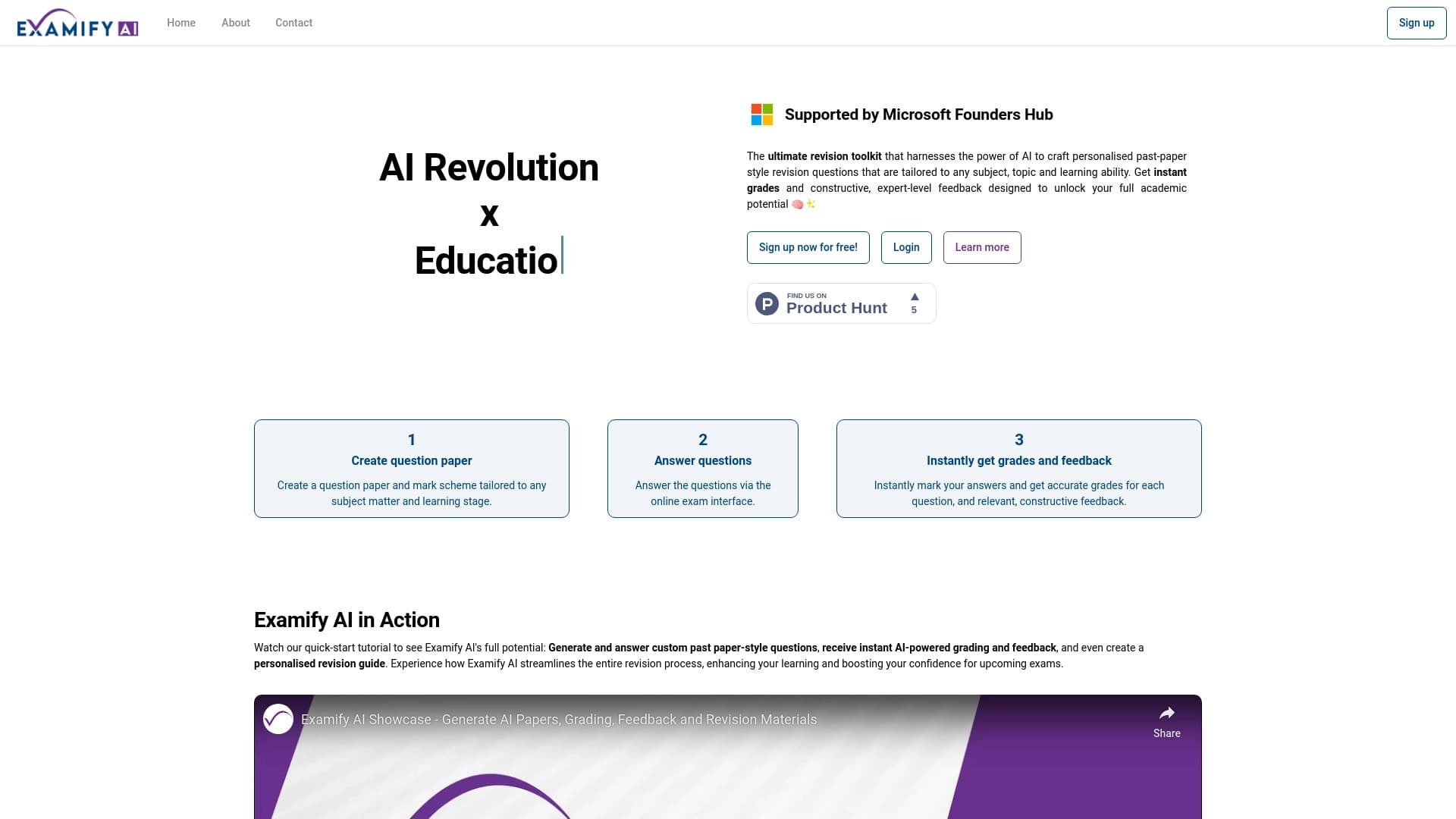
प्लेटफ़ॉर्म जो AI-आधारित परीक्षाओं और टेस्ट के निर्माण और स्वचालित जाँच के लिए है।

प्रस्तुतियाँ बनाने की सेवा, जो जानकारी एकत्र करने, डिज़ाइन और डेटा विश्लेषण के लिए कई AI एजेंटों का उपयोग करती है।


क्रोम एक्सटेंशन जो AI सहायक की मदद से टैब, इतिहास और बुकमार्क प्रबंधित करने में मदद करता है।

PDF दस्तावेज़ों के साथ चैट में बातचीत करने की ऑनलाइन सेवा: प्रश्न पूछें और स्रोत के साथ संक्षिप्त उत्तर पाएं।


विभिन्न प्रारूपों में पाठों को जल्दी से बनाने और संपादित करने के लिए एआई सहायक।.


ऑडियो और वीडियो को टेक्स्ट में स्वचालित रूप से ट्रांसक्राइब करने की सेवा, जो 100 से अधिक भाषाओं का समर्थन करती है।