
AI App Icon Generator
Gerador de ícones para aplicativos e serviços web com base em descrição textual.
Visão geral
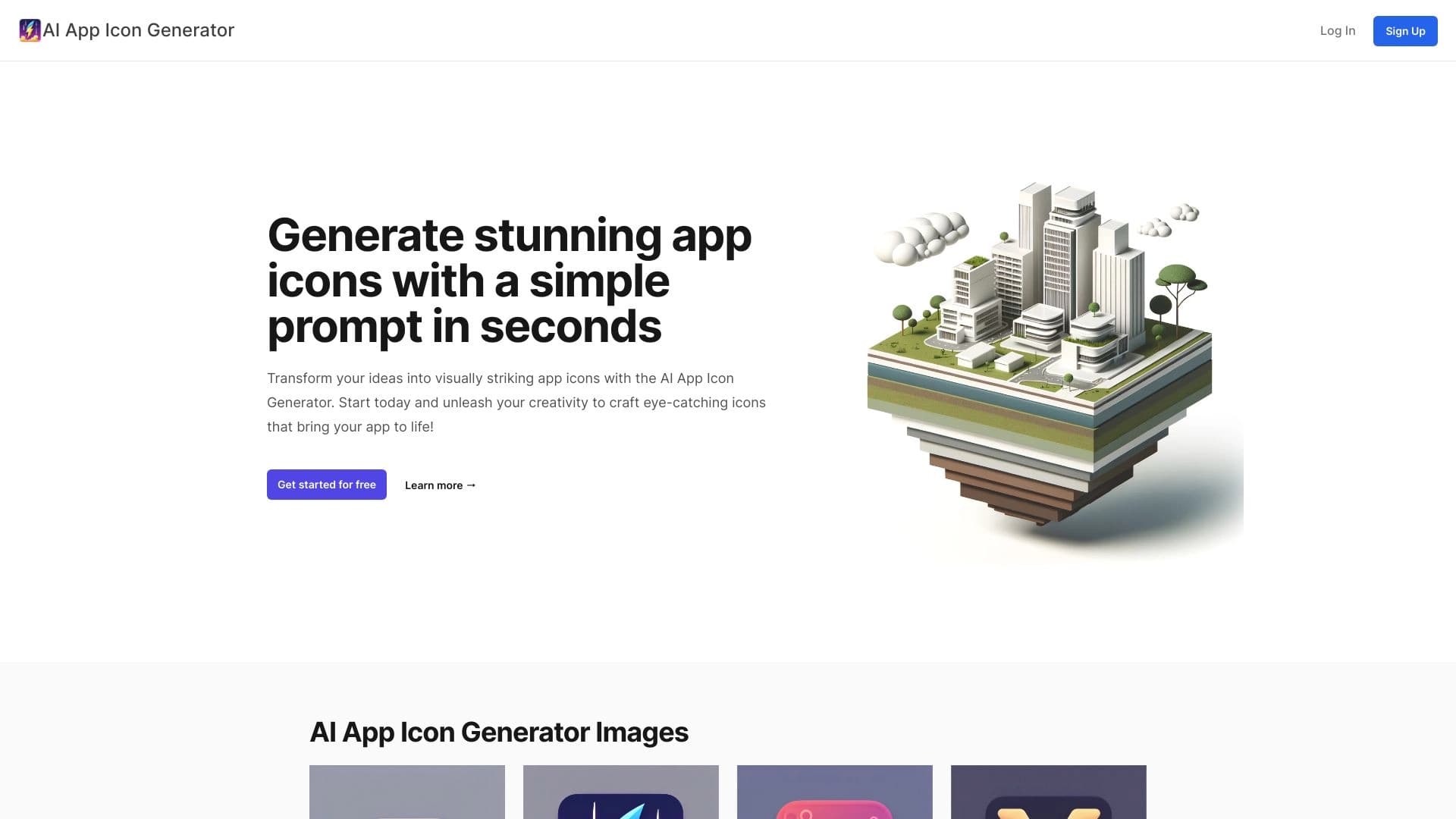
AI App Icon Generator é um serviço online que cria ícones para aplicativos móveis e serviços web baseados em uma descrição de texto. Em vez de contratar um designer ou passar horas em um editor gráfico, você simplesmente descreve o conceito do seu ícone — e a rede neural lida com cores, estilo e composição, oferecendo várias opções prontas.
O serviço é posicionado como uma solução para projetos rápidos de prototipagem e estilo de qualquer complexidade. Você não precisa saber desenhar, entender tipografia ou ter fundamentos de design — apenas alguns minutos para inserir uma descrição. A rede neural automaticamente transforma o texto em várias variações de ícones, das quais você pode escolher um ou enviá-lo de volta para o refinamento. A característica chave da ferramenta é velocidade: ícones acabados aparecem em cerca de um minuto, enquanto encomendar de um designer profissional pode levar dias.
AI App Icon Generator Características
| Característica | Valor |
|---|---|
| Tipo | Gerador de ícone de aplicativo alimentado por IA |
| Categorias | Geradores de imagens e fotos, geradores de ícones, ferramentas de design gráfico, geradores de design, geradores de arte digital |
| Plataforma | Sítio Web (serviço online) |
| Desenvolvimento | AI App Studio |
| Visitas mensais | 388,9K |
| Plano livre | Não |
| Classificação de catálogo | 4. 9 de 5 |
| Pontuação do editor | 9.0 em 10 |
| Modelo de distribuição | Pago |
| Tipo de conversão | Texto → imagem |
Para quem é o AI App Icon Generator?
Desenvolvedores de aplicativos e serviços web móveis
O público primário da ferramenta é desenvolvedores que precisam de um ícone para o seu produto. Na fase MVP ou protótipo, muitas vezes não há tempo ou orçamento para um designer em tempo integral, mas você não pode lançar um aplicativo sem um ícone. AI App Icon Generator permite que você rapidamente obter várias opções e escolher o melhor.
Iniciantes e não designers
O serviço destina-se àqueles que não conseguem desenhar e não têm experiência em design gráfico. Em vez de aprender ferramentas complexas como Figma ou Photoshop, os usuários descrevem sua ideia em palavras — a rede neural lida com todo o lado visual. Isso torna a ferramenta acessível para quem precisa de recursos visuais para seu projeto, independentemente do nível de habilidade.
Designers de jogos e equipes de prototipagem
Para iterações rápidas e experimentos com estilo visual, é crucial gerar instantaneamente variações de ícones sem afastar designers de seu trabalho. AI App Icon Generator se adapta a casos em que você precisa rapidamente estilizar um protótipo de jogo, uma versão de teste de um serviço, ou uma ideia para um campo investidor.
Como usar AI App Icon Generator
Passo 1. Escreva uma descrição de texto
Primeiro, vá ao site do serviço e descreva o ícone desejado no texto. Por exemplo, você pode inserir: "icon para um aplicativo com um panda em um fundo azul". Quanto mais precisa e detalhada sua descrição, mais provável você terá um resultado relevante. Você pode especificar detalhes como paleta de cores, estilo, humor ou elementos específicos.
Passo 2. Geração de execução
Depois de inserir a descrição, clique no botão gerar. A rede neural processa a solicitação e, dentro de cerca de um minuto, retorna várias variações de ícones correspondentes à sua descrição. Nesta fase, você pode experimentar: re-descrevendo a mesma ideia com pequenas mudanças de redação produzirá novos resultados únicos.
Passo 3. Escolha e baixe o resultado
Das opções geradas, escolha o mais adequado ou salve vários favoritos. Ícones podem ser baixados para o seu computador, compartilhados com colegas ou postados nas redes sociais. Se algo der errado, a equipe de suporte do serviço geralmente responde rapidamente — mas tenha em mente que todos os planos são pagos antecipadamente.
Principais características do AI App Icon Generator
Geração rápida de ícones
A função principal do serviço é criar instantaneamente ícones a partir de uma descrição de texto. Em vez de esperar por um designer (de dias a semanas), você obtém resultados em alguns minutos. Isto é especialmente valioso nas fases iniciais do desenvolvimento do produto.
Ícones das descrições de texto
A rede neural compreende a linguagem natural e pode interpretar a entrada do usuário. Basta descrever o conceito de seu aplicativo em palavras — o serviço seleciona elementos visuais, cores e estilo correspondentes. Isso diferencia a ferramenta de geradores de ícones baseados em modelos, onde os usuários estão limitados a um conjunto fixo de elementos.
Variações múltiplas por pedido
Com uma única descrição, o serviço gera não uma, mas várias opções de ícones (o número depende do plano). Isso permite que você compare diferentes soluções visuais e escolha a melhor sem começar do zero.
AI App Icon Generator vantagens
Poupança de tempo
Um ícone é criado em segundos — sem esperar pela resposta de um designer, sem voltar atrás nas revisões, sem tempo gasto na comunicação. Para um desenvolvedor que precisa de resultados rápidos, esta é uma enorme vantagem. O serviço realmente preenche a necessidade "aqui e agora".
Resultados únicos
Re-descrevendo a mesma idéia gera variações diferentes cada vez. Isto permite experiências com estilo visual e soluções inesperadas que podem nunca ocorrer a um humano. Cada geração é única — não há dois ícones iguais.
Nenhuma habilidade de desenho ou codificação necessária
O serviço não requer nenhum conhecimento especial: nem uma educação artística nem uma compreensão do código. A interface segue a lógica simples — descrever, clicar, obter resultados. Isso torna a ferramenta acessível ao público mais amplo possível.
AI App Icon Generator desvantagens
Opções de ajuste fino limitadas
Os usuários não podem controlar precisamente o processo de geração: você não pode ajustar um único tom, corrigir um elemento pequeno ou especificar um tamanho exato. Se o resultado estiver próximo do que você quer, mas tiver falhas menores, você terá que reformular completamente o pedido ou refinar manualmente o ícone em outro editor.
Sem avaliação gratuita
O serviço requer pagamento adiantado — não há créditos gratuitos ou períodos de teste. Os potenciais usuários têm que pagar "cegos", sem ser capaz de avaliar a qualidade da geração em exemplos reais antes de cometer dinheiro.
Política de não reembolso
O dinheiro não é reembolsado mesmo que o resultado seja insatisfatório. Isso cria risco financeiro para os usuários: uma geração falha (o que pode acontecer com qualquer rede neural) pode significar perder créditos pagos.
Que tarefas o AI App Icon Generator resolve?
Criando ícones de aplicativos móveis
A tarefa principal do serviço é gerar ícones para aplicativos iOS e Android. Você não pode enviar um aplicativo para a App Store ou Google Play sem um ícone, então a ferramenta resolve um problema crítico para desenvolvedores móveis.
Criando ícones de serviço web
Sites e aplicativos da web também muitas vezes precisam de ícones de marca, favicons ou botões. O AI App Icon Generator oferece rapidamente um elemento gráfico adequado sem afastar os designers do desenvolvimento.
Prototipagem rápida para aplicativos e jogos
Nos estágios iniciais do desenvolvimento do produto, é importante visualizar rapidamente a aparência do produto. O serviço permite que você estile um protótipo de jogo ou uma versão de teste de um serviço sem contratar um designer — economizando orçamento e acelerando iterações.
AI App Icon Generator preços
O serviço oferece três planos de pagamento únicos:
Plano básico
Custo — $3. Inclui 10 créditos, que fornecem 30 ícones únicos. Adequado para tarefas únicas e necessidades mínimas.
Plano inicial
Custo — $8. Inclui 30 créditos e 90 ícones únicos. O volume expandido permite gerar mais variações e fazer uma escolha bem considerada.
Plano de prémios
Custo — 13 dólares. Inclui 50 créditos e 150 ícones únicos. A escolha ideal para aqueles que trabalham em um projeto com muitas iterações ou que precisam de um volume significativo de gerações.
Todos os planos prometem criação rápida de imagens e resultados de alta qualidade. A página de catálogo declara explicitamente que a ferramenta funciona sem taxas ocultas, mas os preços detalhados estão disponíveis diretamente no site do serviço.
Termos de uso para AI App Icon Generator
O serviço é totalmente pago — não há como experimentá-lo sem pagar. O pagamento é feito uma vez por plano selecionado, e os reembolsos não são fornecidos mesmo que o resultado da geração não atenda às expectativas. Este é um detalhe importante a considerar antes de pagar.
Antes de escolher um plano, é recomendável entrar em contato com o suporte e esclarecer detalhes, especialmente se você tiver dúvidas — o serviço não oferece créditos de teste de qualquer forma. Os pagamentos no site são processados através do sistema de pagamento Stripe, e os dados do cartão não são armazenados do lado do serviço, então o pagamento é considerado seguro.
AI App Icon Generator disponibilidade
A ferramenta funciona totalmente online através de um navegador web — não é necessária nenhuma instalação adicional de software. Tudo o que você precisa é de acesso à internet e qualquer navegador moderno (Chrome, Firefox, Safari, etc.). A plataforma é apenas para sites; não existem aplicativos móveis para gerenciar o serviço.
Como AI App Icon Generator difere das alternativas
Alternativas notáveis incluem Leonardo.ai, Nano Banana, Kandinsky, Flux.1, Midjourney, Yandex Art, bem como Minecraft Skin Generator, TattooGPT, Chad AI, Qwen, e Designs.ai.
A principal diferença entre o AI App Icon Generator e a maioria desses serviços é sua estreita especialização. Enquanto Midjourney, Kandinsky, ou Leonardo.ai são geradores de imagens universais (eles podem criar quaisquer imagens, não apenas ícones), este serviço é focado exclusivamente em ícones de aplicativos. Isso significa que a rede neural é treinada em dados relevantes e entende melhor o que faz um "bom ícone" de acordo com as convenções de interface móvel e web.
Outra diferença é a sua simplicidade geral. Não há necessidade de escrever prompts complexos com parâmetros de estilo, razões de aspecto ou dicas negativas (como no Midjourney ou Flux.1) — uma descrição simples e diária é suficiente. Ao mesmo tempo, a falta de controles finos, que é uma vantagem para iniciantes, é uma limitação para designers experientes — tais controles estão presentes na maioria dos geradores universais.
Finalmente, há o modelo de distribuição: a maioria das redes neurais universais funcionam em uma base de assinatura com um período experimental, enquanto o AI App Icon Generator requer um pagamento único sem opção de teste. Isso torna a escolha mais arriscada para novos usuários – ao contrário de alternativas onde você pode primeiro avaliar a qualidade da geração gratuitamente.
Conclusão
AI App Icon Generator é uma ferramenta especializada e bastante eficaz para a geração rápida de ícones de app e web service a partir de descrições de texto. Suas principais vantagens são a velocidade, sem requisitos de habilidade de design e a singularidade de cada resultado. No entanto, a falta de um teste gratuito, a política de não-reembolso para gerações fracassadas, e configurações limitadas torná-lo uma escolha um pouco arriscada para novos usuários. A ferramenta atende desenvolvedores que precisam de resultados visuais rápidos, mas antes de pagar por um plano, vale a pena contatar o suporte para esclarecer todos os detalhes.
Perguntas mais frequentes
Consulte também


Plataforma para conversar com personagens virtuais de IA com geração de imagens durante o diálogo.


Plataforma baseada em IA para criar logotipos e identidade de marca.
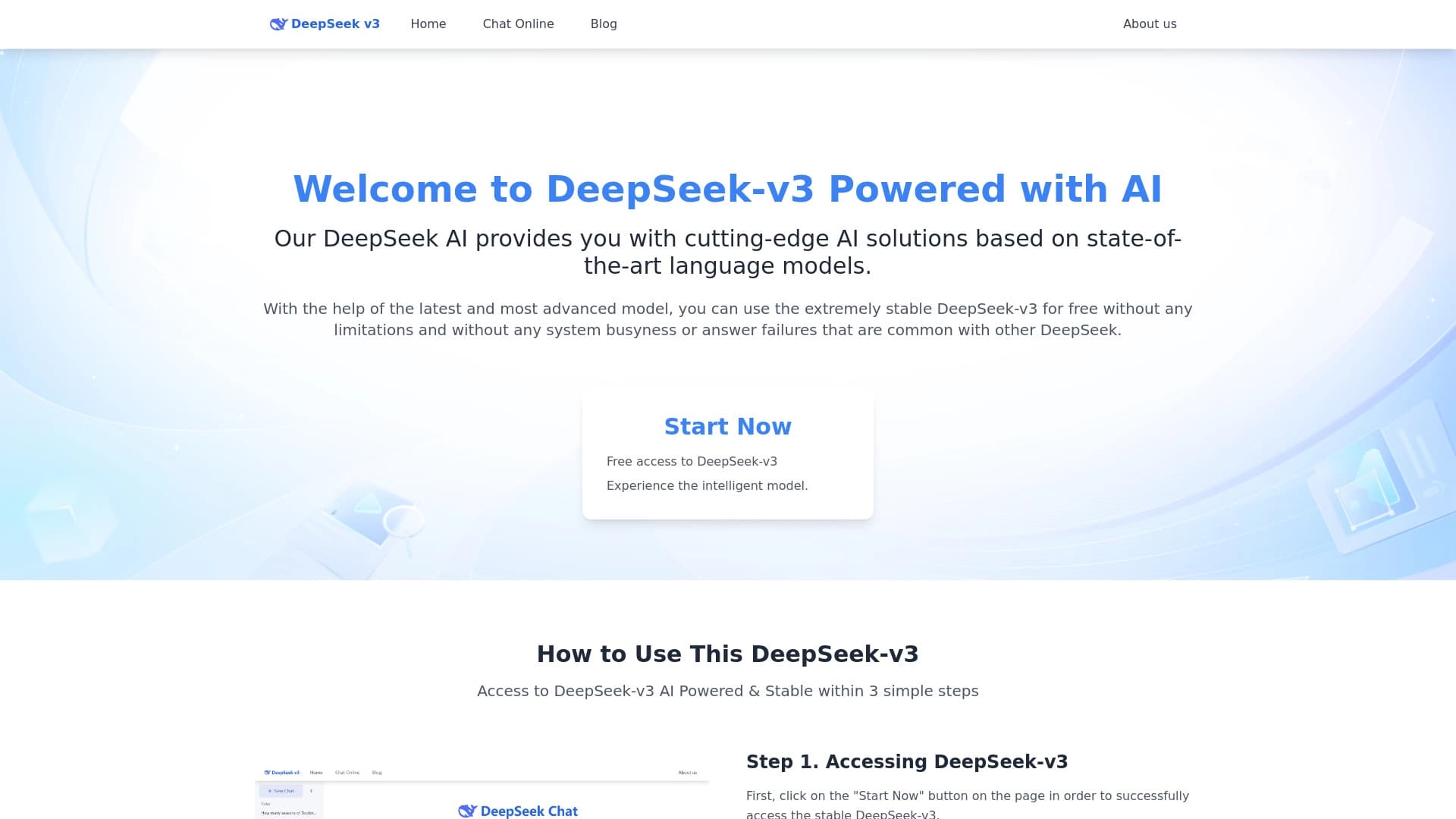
Modelo de linguagem gratuito e de código aberto, especializado em raciocínio, matemática e programação.


Plataforma agregadora que reúne diversas ferramentas de IA e modelos de linguagem, com pagamento apenas pelo uso efetivo.
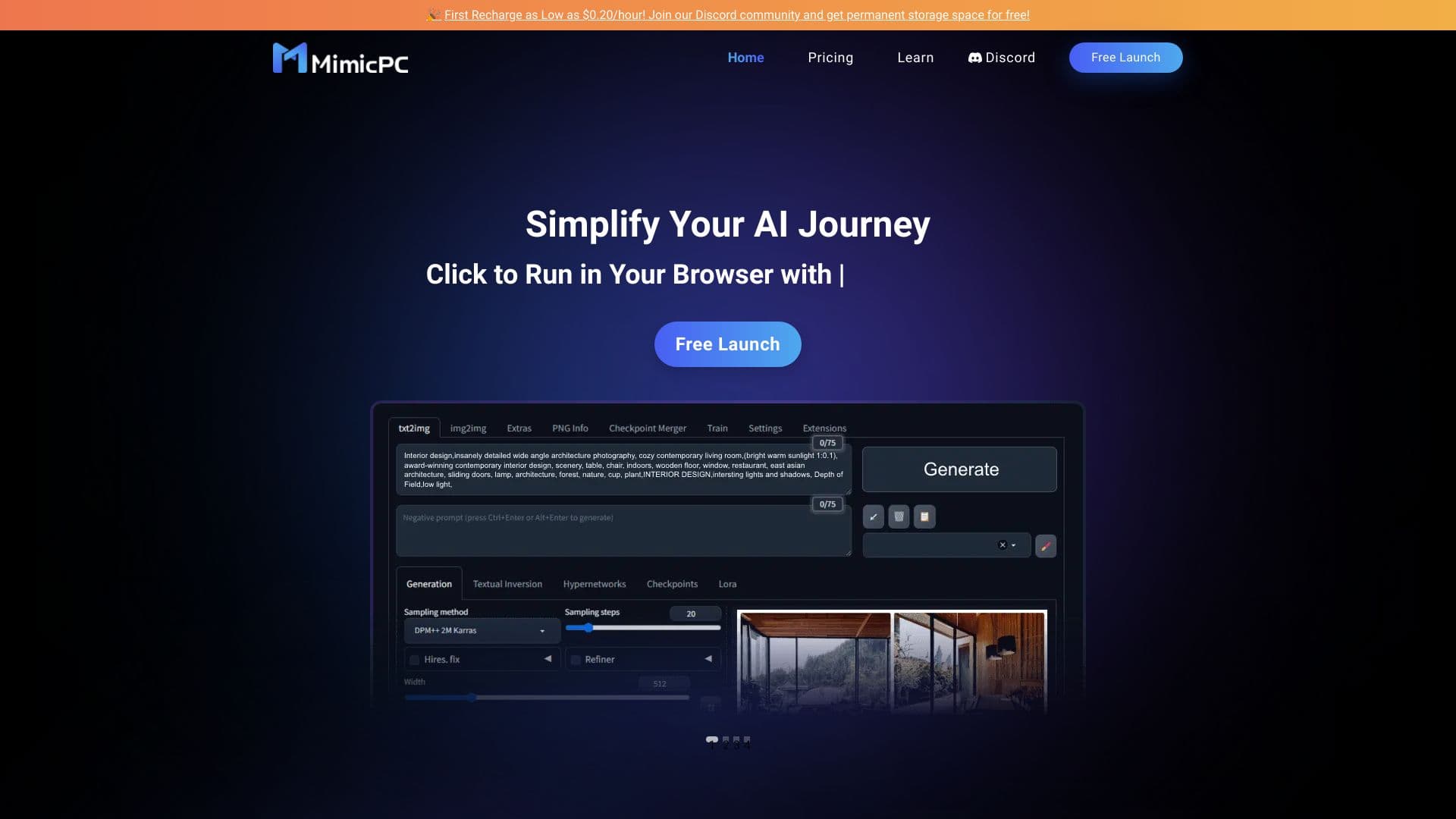
Plataforma em nuvem para lançar aplicativos de IA diretamente no navegador sem instalação.

Cabina AI é uma plataforma unificada para trabalhar com diferentes redes neurais generativas, permitindo criar textos, imagens e vídeos.


Rede neural para gerar imagens e vídeos curtos de descrições de texto.


Extensão para Chrome que ajuda a gerenciar abas, histórico e favoritos com um assistente de IA.