
Additional iterative image generator
Generator gambar serupa yang menciptakan variasi baru berdasarkan foto asli.
Tinjau
Keterangan dari generator gambar iteratif jaringan saraf
Generator gambar iteratif tambahan adalah alat pembuatan gambar yang membuat variasi baru berdasarkan gambar yang ada. Alih-alih gambar nol dengan deskripsi tekstual Jaringan saraf mengambil gambar asli dan secara berurutan memodifikasinya, menghasilkan serangkaian gambar yang sama. tapi bukan versi yang sama. Pendekatan didasarkan pada iterasi setiap Hasil berikut sedikit berbeda dari yang sebelumnya. memungkinkan untuk observasi kurikulum gambar visual.
Secara teknis, solusi diimplementasikan di Notebook Colab (Jupyter Notebook) Membuat peluncuran dalam Google berawan. Ini berarti apa yang tidak memerlukan peralatan lokal yang kuat - browser dan koneksi internet yang stabil cukup. Penekanan ditempatkan pada parameter fleksibel Pengguna dapat mengontrol iterasi Tingkat perubahan dan aspek lain dari generasi tergantung pada tugas.
Alat ini berfokus pada percobaan kreatif di mana penting untuk tidak mendapatkan satu hasil, tetapi serangkaian serupa dalam gaya dan gambar konten. Hal ini dapat membantu untuk menemukan inspirasi. Membuat konsep atau mempelajari variasi visual dari ide yang sama.
Generator gambar iteratif tambahan
124; Karakter 124; Nilai 124; 126; --- 128; --- 128; Alat124; Tool tipe 124; Gambar generator berdasarkan gambar asli £124; Prinsip operasi: 124; Iteratif - menciptakan serangkaian gambar serupa dengan perubahan bertahap 124- Formulir pengiriman: 126; 12.4; Model distribusi gratis (gratis) Data masukan: 12.4; Gambar sample: 124; Keluaran 124; Series gambar hampir 124; 126; Penonton target: 124; Pengguna membutuhkan fleksibel mengatur proses generasi £124; 126; Tujuan utama 126; Eksperimen kreatif variasi pencarian visual 126;
Untuk siapa Generator Gambar Tambahan cocok?
# # Artis dan desainer
Kreatif orang Alat ini memungkinkan Anda untuk dengan cepat membuat beberapa varian dari satu ide. Sebagai contoh, seniman dapat mengunduh sketsa dan mendapatkan beberapa interpretasi dari itu dengan berbagai derajat detail atau stylisasi. tanpa membuang-buang waktu Sebuah tinjauan manual dari setiap versi.
# # Peneliti dan penggemar AI
Karena alat diimplementasikan sebagai notebook Colab Cocok. yang ingin mencari tahu ke pencitraan iteratif. Buka kode dan kemampuan untuk mengubah parameter membuatnya menjadi platform yang nyaman untuk percobaan dan mempelajari perilaku jaringan saraf.
# # Spesialis Konten
Marketer, spesialis SMM dan pembuat konten dapat menggunakan generator untuk cepat membuat serangkaian produk yang serupa secara visual. Gambar untuk format publikasi yang berbeda. Hal ini nyaman ketika Anda perlu menjaga gaya yang sama, tetapi menambahkan Sedikit variasi.
Bagaimana cara menggunakan generator gambar iteratif jaringan saraf tambahan?
# Luncurkan di lingkungan Colab
Karena alat ini disediakan Colab- seperti Langkah pertama adalah to open it in Google Colaboratory. Ini akan membutuhkan akun Google. Setelah membuka notebook, Anda perlu menghubungkan lingkungan eksekusi - sebagai aturan, ini dilakukan. dengan menekan tombol "Sambung" di sudut kanan atas antarmuka.
# # Persiapan gambar awal
Pengguna perlu mengunduh snapshot asli yang akan menjadi dasar untuk generasi. Hal ini biasanya dilakukan dengan mengunggah file ke lingkungan waktu-jalan Colab atau dengan penghubung langsung. gambar. Ini penting. untuk memastikan bahwa file memenuhi persyaratan meletakkan ke Kode buku catatan.
# Setting up parameter dan mulai
Setelah mengunggah parameter Iterasi gambar harus dikonfigurasi - misalnya Jumlah variasi yang dihasilkan atau tingkat deviasi dari asli. Kemudian selesai. Buku catatan. Hasil dari generasi dapat dilihat sistem berkas sel kerja.
Generator gambar iteratif tambahan
# # Generasi Iteratif
Fungsi kunci adalah untuk membuat beberapa gambar masing-masing adalah Sebuah variasi pada sebelumnya. Hal ini memungkinkan transisi halus antara negara-negara visual. eh bukan hanya set alternatif acak.
# # Fleksibel proses pengaturan
Berkat format notebook, pengguna dapat mengubah parameter generasi langsung ke kode. Hal ini memungkinkan Anda untuk mengontrol sifat perubahan.: dari hampir tidak terlihat sebelum transformasi radikal.
# # Work based on a sample
Alat ini tidak memerlukan deskripsi teks - hanya satu gambar.. Ini menyederhanakan proses bagi mereka Sulit untuk menyampaikan kata-kata yang diperlukan. hasil visual, tapi mudah untuk menunjukkan Ini contohnya.
Kemajuan Penjangkit Gambar Ideatif Tambahan
# # Bebas akses
Model distribusi bebas berarti apa Gunakan alat tanpa pembayaran. Untuk banyak orang. pengguna terutama dalam fase eksperimental Itu nilai tambah yang besar. Yah tidak membutuhkan investasi keuangan.
Peluncuran awan
Implementasi Dalam bentuk buku catatan, Colab menghilangkan kebutuhan untuk memasang perangkat lunak lokal dan membeli perangkat keras mahal. Semua perhitungan. melakukan server Google.
Visibilitas iterasi
Mampu melihat urutan perubahan membuat proses generasi lebih dimengerti. Pengguna dapat melacak Bagaimana tepatnya itu berubah? gambar di setiap langkah, dan jika perlu, menyesuaikan parameter.
Generator gambar iteratif tambahan
Kebutuhan untuk keterampilan teknis
Format Colab melibatkan keakraban dasar dengan antarmuka Jupyter dan pemahaman tentang prinsip-prinsip bekerja dengan kode. Pemula tanpa pengalaman bisa sulit dimengerti. dalam pengaturan dan peluncuran.
# Ketidakhadiran siap-dibuat
Tidak seperti banyak. Layanan modern dengan antarmuka web yang nyaman Alat ini membutuhkan bekerja langsung dengan notebook. Bagi pengguna yang menggunakan tombol dan slider sederhana, proses ini tampak tidak nyaman.
Dependence pada Sumber Daya Colab
Menggunakan lingkungan awan berarti kecepatan dan ketersediaan layanan tergantung pada kondisi infrastruktur Google saat ini.. Selama periode beban tinggi, penundaan atau pembatasan mungkin terjadi.
Apa masalah dengan generator gambar iteratif tambahan?
Alat ini membantu memecahkan beberapa masalah praktis terkait tugas pada generasi visual. Pertama-tama, itu adalah penciptaan dari serangkaian varian gambar yang sama untuk memilih yang terbaik. Jaringan saraf juga berguna untuk mempelajari bagaimana perubahan pola iterasi. Generator juga bisa digunakan. sumber inspirasi: kejutan yang terdeteksi secara berturut-turut interpretasi menarik dari gambar aslinya. Akhirnya Alat ini cocok untuk tujuan pendidikan - contohnya Anda dapat mempelajari prinsip-prinsip pembelajaran iteratif. Rendering jaringan saraf.
Generator gambar iteratif tambahan
Alat menyebar. Model ini gratis - yaitu, gratis. Pengguna tidak diperlukan untuk membayar akses atau berlangganan ke generator utilisasi. Namun, perlu dipertimbangkan apa yang menggunakan gratis dari sumber daya awan Colab memiliki batas tertentu, diinstal oleh Google. Tingkat yang tepat dan kondisi akses bebas dapat berubah Oleh karena itu, disarankan sebelum mulai bekerja. looks out on relevant Google Kolaboratory policy.
Terminal Penggunaan untuk Generator Gambar Tambahan
Karena alat tersebut diimplementasikan sebagai sebuah Colab notebook, penggunaannya mengikuti Terms layanan Google Kolaboratorium. Rekening gratis umumnya memiliki pembatasan. waktu implementasi dan sumber daya komputasi yang tersedia. Pengguna mesti secara independen mematuhi aturan yang terpasang oleh Google ketika bekerja dengan layanan. Tambahan restriksi spesifik superimpressed toolmaker tidak disebutkan, tetapi untuk informasi penuh, merujuk ke dokumentasi atau source code dari projek.
Generator gambar iteratif tambahan tersedia
Alat ini tersedia sebagai notebook Colab apa yang membuatnya cocok untuk digunakan di mana saja platform di mana peramban dan Internet tersedia - Windows, MacOS, Linux eh mobile devices. Perlu untuk meluncurkan akun Google. Data yang tersedia secara geografis Hal ini tidak dinyatakan, namun, pada kenyataannya, pekerjaan tergantung pada ketersediaan layanan Google. daerah tertentu. Anda dapat mengakses alat ini dengan membuka notebook Colab yang sesuai pada link yang biasanya diterbitkan di situs web penulis atau repositori Proyek.
Apa perbedaan antara generator gambar iteratif tambahan dan analog
Perbedaan utama dari alat ini adalah pendekatan ke generasi. Banyak jaringan saraf populer menciptakan gambar dari awal atas permintaan teks lalu Bagaimana Generator Gambar Tambahan bekerja semata-mata berdasarkan gambar asli. Ini membuatnya menjadi alat yang lebih khusus untuk bekerja dengan gambar yang ada.
Perbedaan kedua yang penting adalah iteratif itu sendiri. Prinsip. Alih-alih memberikan beberapa hasil independen Jaringan saraf menghasilkan urutan. gambar terkait, dimana masing-masing selanjutnya Hasilnya tergantung pada yang sebelumnya. Hal ini memungkinkan untuk transisi halus. Generator langka.
Akhirnya Format pengiriman dalam bentuk notebook Colab menyoroti alat terhadap latar belakang layanan dengan antarmuka grafis. Meskipun tidak. Kebutuhan khusus untuk keterampilan pengguna Pendekatan ini memberikan lebih banyak kebebasan dalam menyesuaikan dan memodifikasi proses generasi.
Kesimpulan
Generator gambar iteratif tambahan adalah alat khusus untuk membuat serangkaian variasi. Berdasarkan satu gambar. Nya. Fitur kunci adalah pendekatan iteratif yang menerima hasil visual terkait urutan bertahap. Implimentasi ke Colab membuat alat bebas dan tersedia untuk dijalankan di awan, tetapi membutuhkan keterampilan teknis dasar. Jaringan neural akan berguna bagi para peneliti dan siapa saja yang ingin bereksperimen pada foto referensi yang dibuat secara visual. Pada saat yang sama, kekurangan dari sebuah antarmuka yang telah dibuat dan ketergantungan pada sumber daya Google dapat menjadi keterbatasan tertentu bagi beberapa pengguna potensial. pengguna. umumnya Ini adalah solusi yang bagus bagi mereka yang menghargai fleksibel dari penyesuaian dan bersedia untuk bekerja secara langsung dengan kode.
Pertanyaan yang sering ditanyakan
Lihat juga


Lain- bertenaga virtual pakaian mencoba-on layanan.


Platform Generatif untuk menciptakan gambar realistis dan video pendek dari teks atau gambar dengan kontrol atas gaya dan gerakan kamera.
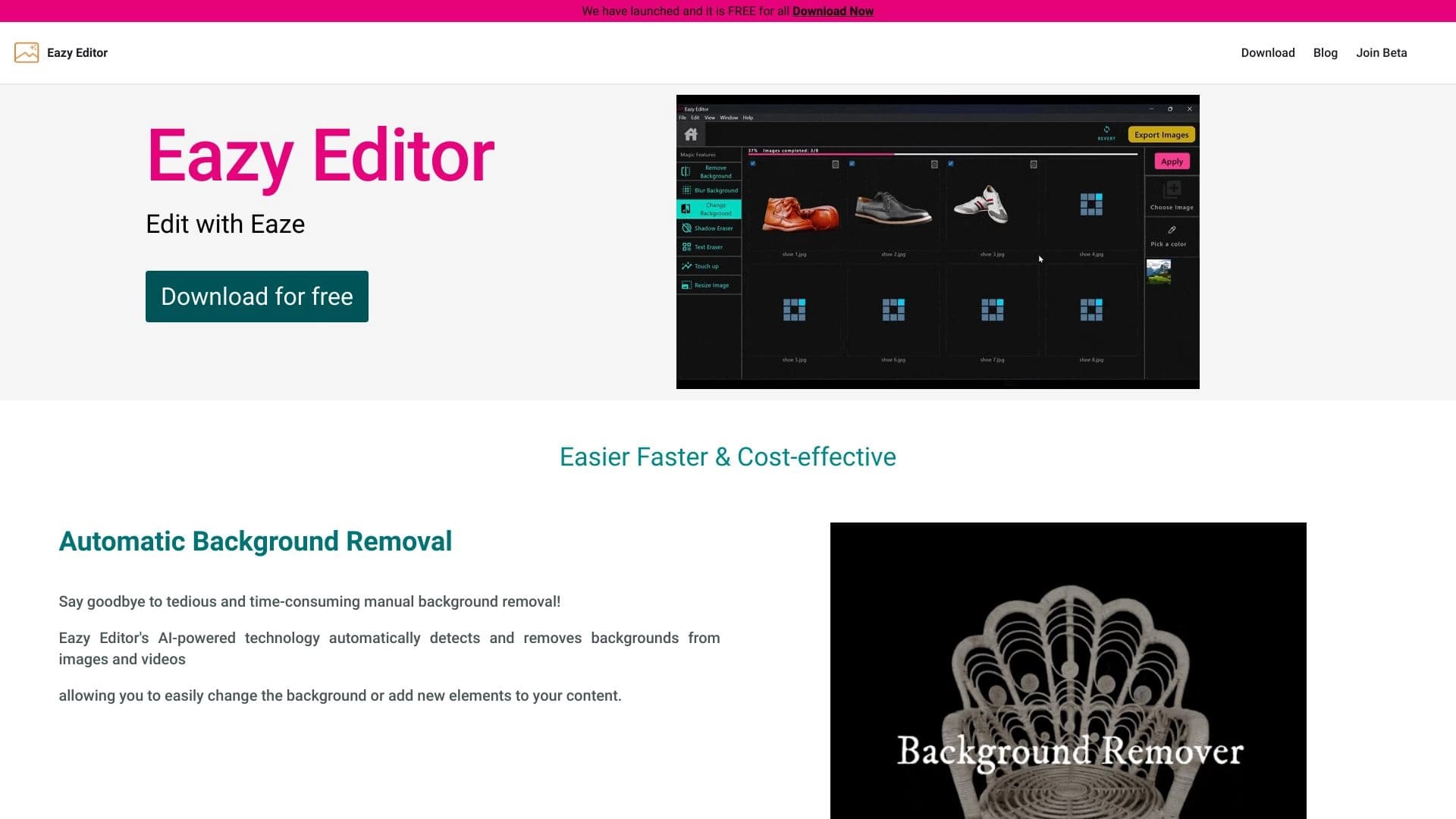
Sederhana dan mudah untuk menggunakan penyunting foto dengan antarmuka intuitif.


Alat AI online untuk membuat deepfake dan menyunting gambar.

Sebuah layanan penciptaan presentasi yang menggunakan beberapa agen AI untuk pengumpulan informasi, desain, dan analisis data.


Asisten AI multifungsional untuk menghasilkan teks, gambar, dan audio.


Sebuah platform terbuka untuk menghasilkan gambar dan konten visual lainnya dari deskripsi teks menggunakan AI.

Layanan untuk menciptakan avatar personalisasi dan tunas foto menggunakan AI berdasarkan selfie yang diunggah.