

Add Subtitle.ai
স্বয়ংক্রিয়ভাবে অনুবাদ, এবং ভিডিওর সাবটাইটেল হিসেবে অনলাইন টুল.
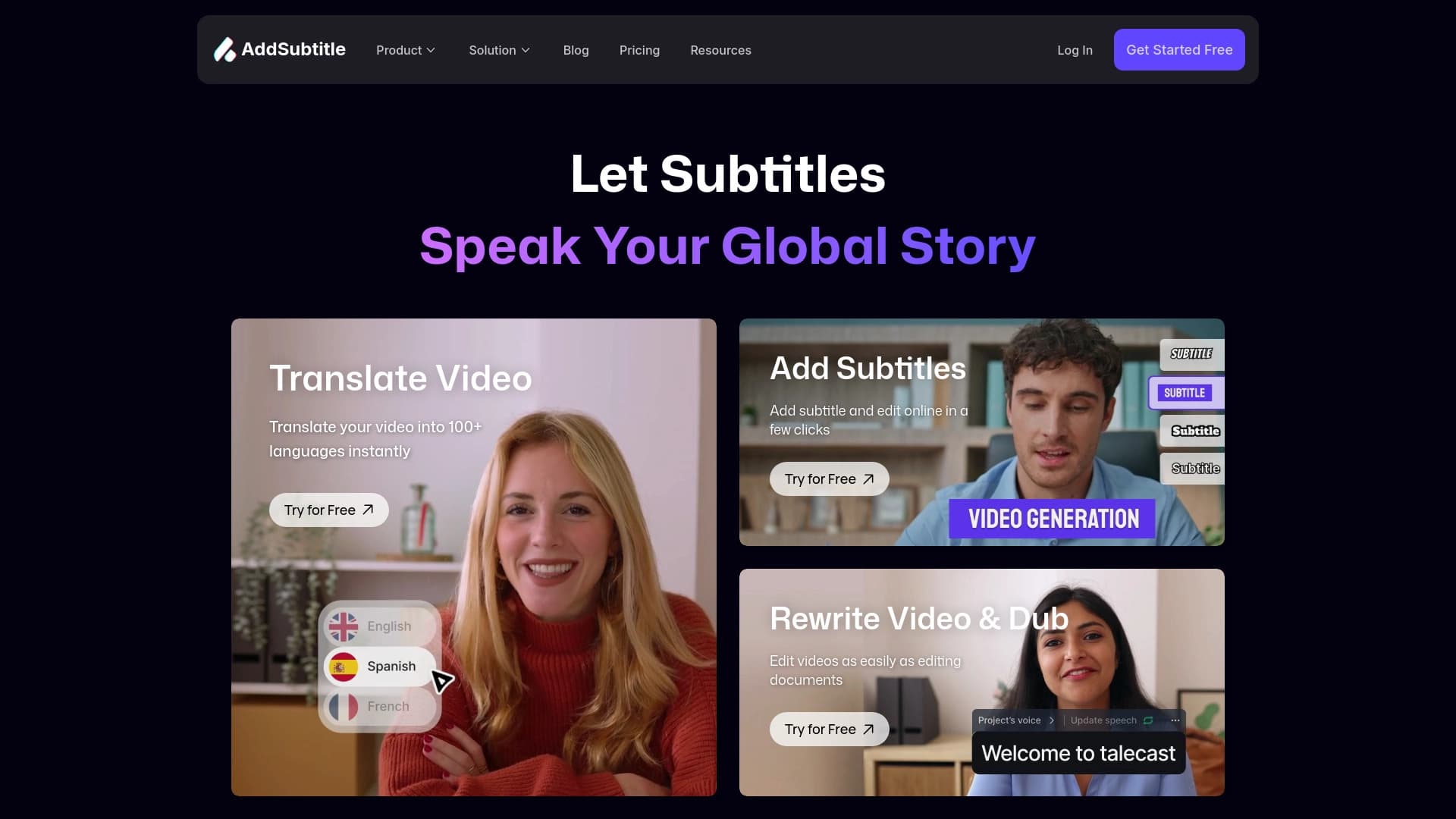
সারসংক্ষেপ
অনুবাদলিপি যোগ করুন। একটি ভিডিও সম্পাদকে, আপনি একটি ফাইল আপলোড করতে, এবং অ্যালগরিদম স্বয়ংক্রিয়ভাবে অডিও ট্র্যাক আপলোড করে এবং সময়ের চিহ্ন দ্বারা স্বয়ংক্রিয় ভাবে একটি টেক্সট ব্লক করা হয়।
সার্ভিসের মূল বৈশিষ্ট্য হলো এর সম্পূর্ণ ব্যাখ্যা। অনুবাদ, অনুবাদ এবং ভয়েসভারের জন্য ভিন্ন প্রোগ্রাম অনুসন্ধান করার প্রয়োজন নেই: একটি ব্রাউজার উইন্ডোর মধ্যে সবকিছুই পাওয়া যাচ্ছে । প্রকাশনার জন্য দ্রুত ভিডিও প্রস্তুত করার জন্য এই টুল সুবিধাজনক, বিশেষ করে যখন বিষয়বস্তু আন্তর্জাতিক শ্রোতাদের জন্য স্থানীয় হতে হয়।
অনুবাদলিপি যোগ করুন ( a) IMAP-র বৈশিষ্ট্য
| বৈশিষ্ট্য | মান |
|---|---|
| ধরন | অনলাইন ভিডিও প্রসেসিং পরিসেবা |
| শ্রেণীবিভাগ | অনুবাদলিপির নাম, প্রতিলিপি এবং কণ্ঠস্বর |
| প্ল্যাটফর্ম | ব্রাউজার (ওয়েব অ্যাপ্লিকেশন) |
| সমর্থিত ভাষার সংখ্যা | অনুবাদলিপিতে অনুবাদের জন্য ১০০টারও বেশি ভাষা |
| ইন্টারফেস | উল্লেখ করা হয়নি |
| মুক্ত প্ল্যান | উল্লেখ করা হয়নি |
| ডিস্ট্রিবিউশন মডেল | মুক্তিয়াম |
এর জন্য কি উপযুক্ত?
সামাজিক মিডিয়া বিষয়বস্তু নির্মাতা
ইউটিউব, টিিক টকে এবং রেজেল লেখকদের মাঝে প্রায়শ সাবটাইটেল যোগ করতে হয়। এই সেবা তারা কোন গভীর জ্ঞান ছাড়াই করতে দেয়, ভিডিও উৎপাদন করা এবং কোন ধরনের শব্দ ছাড়াই উপাদানus তৈরি করা।
শিক্ষাগত প্রজেক্ট এবং অনলাইন বিদ্যালয়
শিক্ষক এবং কোর্স লেখকেরা বক্তৃতা এবং ওয়েবারদের কাছে এর ব্যবহার করতে পারেন। পরবর্তী সময়ে, অনুবাদকরা নতুন নতুন ভাষা শিখতে শুরু করে ।
গ্লোবাল রিপোর্টারদের সাথে কাজ করা
কর্পোরেট উপস্থাপনা, নির্দেশনা, অথবা বিজ্ঞাপনকে স্টুডিওতে ভাড়া করার প্রয়োজন নেই। এই সেবা প্রদানকারীর অনুবাদ এবং অনুবাদ, যার নাম হচ্ছে দ্রুত বিভিন্ন অঞ্চলের জন্য ভিডিও গ্রহণ করা।
ভিডিও সম্পাদনা না করে ব্যবহারকারীরা
ইন্টারফেস এবং কর্মপ্রবাহে ডিজাইন করা হয়েছে, যাতে এমনকি শুরুর আগেই শুরু করা যায়। জটিল সম্পাদনা সফটওয়্যার বৈশিষ্ট্য বোঝার দরকার নেই- শুধু একটা ভিডিও আপলোড করা আর পছন্দের বিকল্প নির্বাচন করা দরকার।
অনুবাদলিপি যোগ করুন
ধাপ ১: ভিডিও আপলোড করুন
সরাসরি ওয়েব অ্যাপ্লিকেশনের মধ্যে ভিডিও আপলোড করুন। পরিসেবা আরম্ভ করার জন্য কোনো অতিরিক্ত সফ্টওয়্যার ইনস্টল করা হয়নি।
২য় ধাপ:
উৎস ফাইল সংগঠিত করার পরে, ভিডিওতে কথা বলা হয়েছে। প্রয়োজন হলে, সাবটাইটেলের জন্য উদ্দিষ্ট ভাষা তৈরি করুন অথবা উপলব্ধ ১০০টিরও বেশি বিকল্পের তালিকা থেকে সেটির একটি কপি তৈরি করুন ।
ধাপ:
নির্দেশ সহ প্যাকেজ নির্মাণকালে এই পরিসেবা দ্বারা প্রদর্শিত হবে। এই ভিডিও পর্যালোচনা করা এবং যদি প্রয়োজন হয় তাহলে যে কোন স্বীকৃতি পাওয়া যাবে।
ধাপ ৪:
পর্যালোচনার পর, আর কিছু বাকি নেই ফলাফল রপ্তানির জন্য. বার্ন করার জন্য অতিরিক্ত অনুবাদলিপি সহ ভিডিও সংরক্ষণ করা যাবে অথবা আরও ব্যবহারের জন্য আলাদা করে ফাইল ডাউনলোড করা যাবে।
আড্ডার বৈশিষ্ট্য যোগ করা হবে।
বক্তৃতা স্বীকৃতি এবং অনুবাদলিপি জেনারেশন
অডিও ট্র্যাক বিশ্লেষণ করে এবং উচ্চ মানের সংযুক্ত করে, প্রত্যেকটি ব্লকের জন্য স্বয়ংক্রিয়ভাবে চিহ্ন যোগ করা হয়।
কয়েক ডজন ভাষা অনুবাদ
সাবটাইটেল তৈরি করা সঙ্গে সঙ্গে অন্য একটি ভাষায় অনুবাদ করা যাবে । পেশাদার অনুবাদকদের ভাড়া না করেই আন্তর্জাতিক বিষয়বস্তু প্রকাশ করা সুবিধাজনক।
অবনিত এবং ভয়েসার
সার্ভিসটি শুধু অনুবাদ করে না- এর মূল ভয়েস ট্র্যাক প্রতিস্থাপন করতে পারে। ( পড়ুন, ইব্রীয় ১৩: ৪.)
ব্রাউজার-Bod কর্ম
কোন শক্তিশালী কম্পিউটার অথবা বিশেষ অ্যাপ্লিকেশন ইনস্টলেশন করার প্রয়োজন নেই। সার্ভিসের দিক থেকে সকল প্রক্রিয়া শুরু হয়, যে কোন যন্ত্র থেকে কাজ করা সহজ করে দেয়।
অনুবাদলিপি যোগ করুন ( a) উন্নতি
- সম্পূর্ণ সাইকেল: একটি সার্ভিস সাবটাইটেল তৈরি, অনুবাদ এবং অনুবাদ করা, বিভিন্ন উপাদান একত্রিত করার প্রয়োজনীয়তা দূর করা।
- বহুভাষী সমর্থন: ১০০রও বেশি ভাষায় অনুবাদ আন্তর্জাতিক প্রকল্পের জন্য মূল্যবান।
- নিম্ন এনট্রির বাধা: কোনো ভিডিও সম্পাদনার দক্ষতা বা বিশেষ প্রোগ্রাম সম্বন্ধে কোন ধারণা বা জ্ঞান নেই, শিক্ষা গ্রহণের সময় সঞ্চয় করা প্রয়োজন।
- বহুমুখীতা: টুলসটি স্যুট মিটিং, ওয়েবিনার, ভাষণ, কোর্স এবং এমনকি চলচ্চিত্র।
অনুবাদলিপি যোগ করুন ( a) বিশ্বাসঘাতকতা
দুর্ভাগ্যজনকভাবে, জনসম্মুখে পাওয়া সংবাদ মাধ্যম এই সেবার দুর্বলতার একটি উদ্দেশ্য যাচাই করার জন্য যথেষ্ট তথ্য প্রদান করে না। বিনামূল্যে পরিকল্পনার বিস্তারিত, সম্ভাব্য ভিডিও দৈর্ঘ্যের মাত্রা, এবং উৎস অডিও গুণমানের ক্ষেত্রে প্রয়োজনীয়। ব্যবহারকারীদের উচিত স্বীকৃতির মান মূল্যায়ন করা এবং সংশোধন করা।
কী সমস্যা যোগ করো । সমাধান করবে?
স্বয়ংক্রিয় ভিডিও ট্রান্সস্ক্রিপ্ট
সার্ভিসটি ম্যানুয়ালি টেক্সট ফাইলের মধ্যে লিখতে এবং ভিডিওর সঙ্গে এটি সুসংগত করে। এটি বিশেষ করে দীর্ঘ সময়ের ভিডিওর প্রাসঙ্গিক যেখানে ম্যানুয়াল কাজ করে।
স্থানীয়করণ
এতে তৈরি করা অনুবাদ এবং অনুবাদসহ বিভিন্ন দেশের জন্য দ্রুত ভিডিও তৈরি করা যায়।
একটি প্রবেশযোগ্য এনভায়রনমেন্ট তৈরি করুন
ভিডিওর বিষয়বস্তু তৈরি করুন, যাতে সাধারণ মানুষের সাথে কথা বলা না যায় অথবা যারা কোন শব্দ ছাড়াই দেখে থাকে, তাদের জন্য। এটা যে কোন প্রকল্পের দর্শককে প্রসারিত করে।
অনুবাদলিপি যোগ করুন ( a) বিবিধ
সরকারি সূত্র থেকে জানা যায় না যে এই ধরনের বিজ্ঞাপন গ্রাহকের খরচ এবং পরিকল্পনার মূল্য রয়েছে। এটা কেবল জানা গেছে যে এই সার্ভিস একটি ফ্রিমিয়াম মডেলের উপর কাজ করে, যার মানে বিনামূল্যের মৌলিক দক্ষতা আর উন্নত কাজের কথা বলা। বর্তমান ব্যক্তি ও সীমার জন্য সরকারী ওয়েবসাইট বা যোগাযোগের সমর্থন নিতে সুপারিশ করা হয়।
অনুবাদলিপি যোগ করুন ( a) ব্যবহারের সময়কাল
যেহেতু এই ধরনের ওয়েব সেবা সাধারণত অবাণিজ্যিক ফলাফলের উপর নিষেধাজ্ঞা আরোপ করে, তাই লেখা প্রকাশের আগে লাইসেন্স চুক্তি যাচাই করা গুরুত্বপূর্ণ। ওপেন সোর্স নির্ধারণ করা হয় না কোন বয়স, নিবন্ধন চাহিদা, অথবা ডাটা প্রক্রিয়াকরণ নীতি নির্ধারণ করা হয় না । সার্ভিস চালু করার আগে ব্যবহারকারীর চুক্তি এবং গোপনীয়তা নীতি পর্যালোচনার সুপারিশ করা উচিত।
অনুবাদলিপি যোগ করুন ( a) আভারতা
এই পরিসেবা দ্বারা যেকোনো আধুনিক ব্রাউজারের ক্ষেত্রে প্রয়োগ করা ওয়েব অ্যাপ্লিকেশন। এর মানে হল আপনার একটি স্থায়ী ইন্টারনেট সংযোগ এবং নেটওয়ার্ক আছে - কম্পিউটার, ল্যাপটপ অথবা ট্যাবলেট।
সমর্থিত ইন্টারফেসের সঠিক তালিকা যেহেতু দেয়া হয়নি, তাই ধারণা করা যায় যে, স্থানীয়করণ অন্তত প্রধান বিশ্বের ভাষাতে পাওয়া যায়। তবে সম্পূর্ণ স্বচ্ছতার জন্য, সরকারি নথিপত্র পরীক্ষা করাই উপযুক্ত। সার্ভিসের নিবন্ধন বাধ্যতামূলক নাকি ফাইল আপলোড করার পর অবিলম্বে কাজ আরম্ভ করতে পারবেন তা নির্ধারিত হয় ।
অনুবাদলিপি যোগ করুন ( a) বিকল্প থেকে ডিফারস
এর মূল পার্থক্যটি হচ্ছে ভিডিও প্রক্রিয়াকরণের ব্যাপারে তার ব্যাপক মনোভাব। অনেক প্রতিযোগী শুধুমাত্র একটা বিষয়ের ওপর মনোযোগ কেন্দ্রীভূত করে: কথা বলা, স্বীকৃতি, অনুবাদ অথবা কণ্ঠস্বর তুলে ধরা । অনুবাদলিপি যোগ করুন । একটি একক ইন্টারফেসের মধ্যে এই সকল প্রসেস একত্রিত করা হয়, বিষয়বস্তুর প্রস্তুতি কমিয়ে আনুন ।
ডেস্কটপ বিকল্পের বিপরীতে, সার্ভিসটির কোনো সফটওয়্যার ইনস্টলেশন অথবা শক্তিশালী হার্ডওয়্যারের প্রয়োজন নেই, যেমন মেঘ দ্বারা সমস্ত কাজ করা হচ্ছে। এর ফলে, সাধারণ ডিভাইস এবং যারা এই কমপ্লেক্স ভিডিও সম্পাদকের সাথে এই ধরনের আচরণ করতে চায় না, তাদের ক্ষেত্রে এটি প্রযোজ্য।
এর সাথে, পুরো ভাষার সংবাদ উল্লেখ করা প্রয়োজন। ১০০টিরও বেশি অনুবাদ ভাষার জন্য এই সেবাকে শুধুমাত্র কয়েক ডজন জনপ্রিয় নির্দেশনার মধ্যে সীমাবদ্ধ রাখা হয়।
অন্তর্ভুক্ত
সাবটাইটেল যোগ করুন। এই সার্ভিসের প্রধান শক্তি হচ্ছে সফটওয়্যার ইনস্টলেশন ছাড়া ব্রাউজার ভিত্তিক অপারেশন, বিপুল সংখ্যক ভাষায় সমর্থন, এবং ভিডিও সম্পাদনা করার দক্ষতার কোন প্রয়োজন নেই। বিষয়বস্তু নির্মাতা, শিক্ষামূলক প্রকল্পের জন্য এই টুলটি প্রয়োজনীয় হবে এবং আন্তর্জাতিক শ্রোতাদের লক্ষ্য করে কোম্পানিগুলোকে লক্ষ্যবস্তুতে পরিণত করবে। আপনার নিজের ভিডিওর উপর করা সার্ভিস পরীক্ষা করা, যেমন ত্রিস্ক্রীণের বিস্তারিত এবং সীমা যাচাই করা নয়।
সাধারণ প্রশ্নোত্তর
অতিরিক্ত দেখুন


ভিডিও এবং অডিও-তে তাকে স্বয়ংক্রিয়ভাবে সনাক্ত করা এবং আটকে রাখা যায়।.

AI অবতার ব্যবহার করে ভিডিওর প্লাটফর্ম, syntty বক্তৃতা এবং বিভিন্ন ভাষার মধ্যে স্বয়ংক্রিয় ক্লিপগুলোর জন্য তৈরি করা হচ্ছে।.

বিষয়বস্তু নির্মাণের জন্য মাল্টিটিথাল AI প্ল্যাটফর্ম, বক্তৃতা বিশ্লেষণ, টেক্সট প্রজন্ম, অবতার সৃষ্টি, এবং ভিডিও সম্পাদনা।.


একটি টেক্সট বর্ণনা ভিত্তিক ছবি এবং দৃষ্টান্ত দ্বারা যে নিউরো নেটওয়ার্ক ছবি ও দৃষ্টান্ত উৎপন্ন হয়।.


উইন্ডোজ এবং ম্যাকে ভিডিও সম্পাদনার জন্য নিউরাল নেটওয়ার্ক সমর্থনের সাথে ভিডিও সম্পাদক।.


AI ই-মেইল সহকারী যা জিমেইল এবং Outlook থেকে সমন্বয় সাধন করে।.


AI মার্কেটিং সহকারী যারা প্রচারণা চালাতে সাহায্য করে এবং বিজ্ঞাপনের প্রচারণা চালাতে সাহায্য করে।.


বিভিন্ন ব্লগ, প্রবন্ধ এবং সামাজিক মিডিয়া পোস্ট সহ দ্রুত লেখা তৈরি করার জন্যচিচ অনলাইন প্লাটফর্মে প্রবেশ করা।.