
Ad Mocker
Generator mockup iklan online untuk platform iklan populer.
Tinjau
Deskripsi Jaringan Neural Mocker
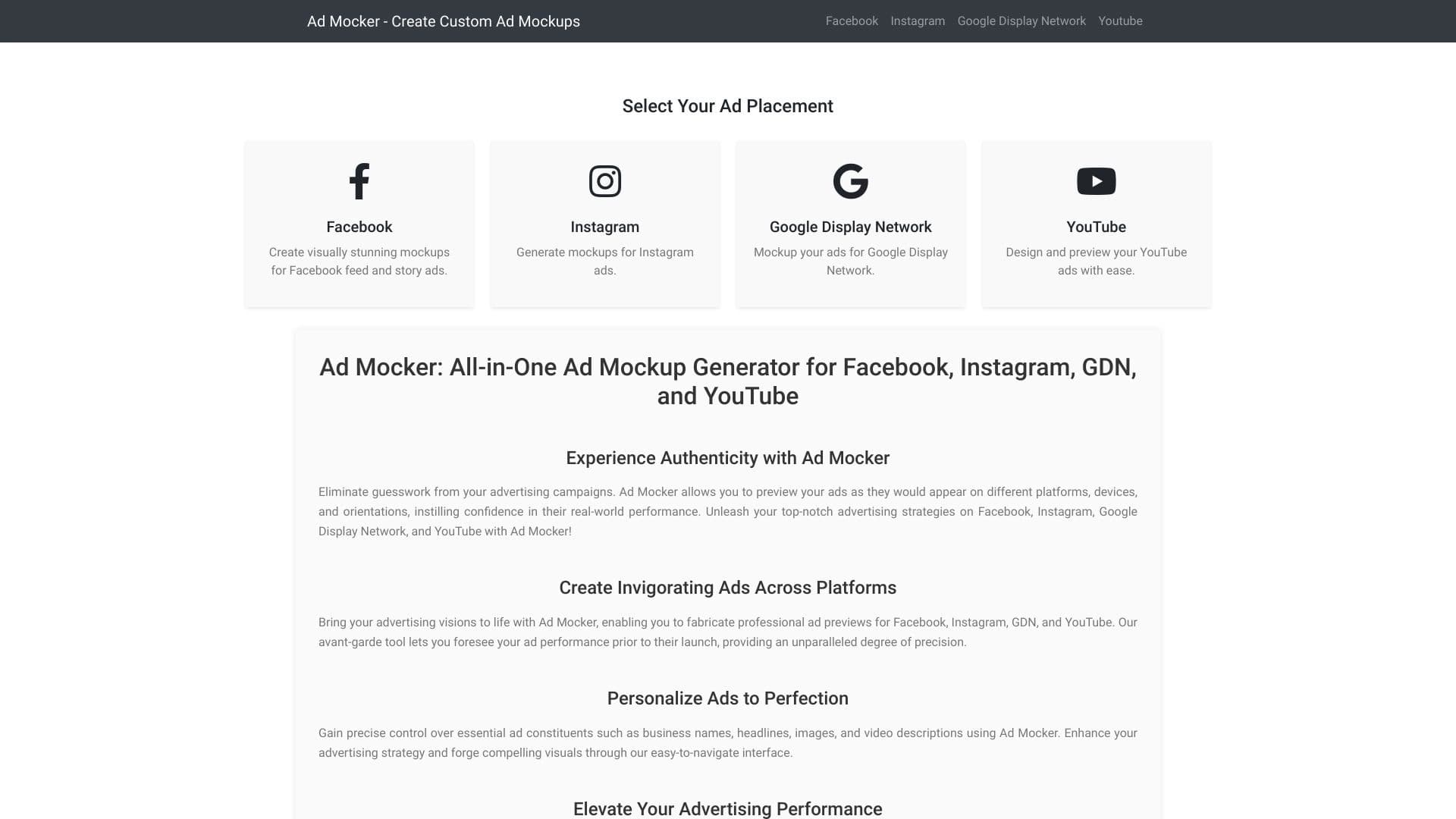
Ad Mocker adalah generator online yang secara otomatis menciptakan layout iklan untuk platform digital populer. Layanan yang menangani pekerjaan tata letak rutin: daripada menyusun banner secara manual di penyunting grafis, Anda memasukkan data teks - nama perusahaan, headline, dan deskripsi - dan alat mengubahnya menjadi pratilik yang telah dibuat. Solusi ini dirancang untuk visualisasi iklan cepat sebelum meluncurkan kampanye.
Tujuan utama dari layanan ini adalah untuk menghemat waktu ketika mempersiapkan kreatif dan untuk menilai terlebih dahulu bagaimana iklan akan terlihat di Facebook feed, di Instagram, di Google Tampilan Network, atau di YouTube. Generator tidak menggantikan sepenuhnya perangkat desain tapi berfungsi sebagai asisten yang nyaman untuk draft work dan hipotesis pengujian.
Fitur Mocker Ad
| Fitur | Nilai |
|---|---|
| Tipe | Generator tata letak Ad |
| Kategori | Generator deskripsi produk, layanan pemasaran digital, generator Ad, alat iklan |
| Platform | Facebook, Instagram, Google Tampilan Jaringan, YouTube |
| Pengembang | Jaringan Konten Digital |
| Model distribusi | Tidak ditentukan |
| Tingkat bebas | Ya (bebas dengan akses ke fitur inti) |
| Harga lebih mahal | Dimulai dari $6 per bulan |
| Ketersediaan | Layanan web (situs) |
| Batas daerah | Tidak ditentukan |
| Rating | 4,3 dari 5; peringkat editorial - 8.0 dari 10 |
Siapa yang cocok untuk Ad Mocker?
Marketer dan manajer SMM
Layanan ditujukan pada pemasaran dan profesional media sosial. Ini sesuai dengan mereka yang perlu dengan cepat mempersiapkan tata letak visual untuk kampanye iklan tanpa menyelam ke detail teknis desain. Alat ini membantu menghemat waktu ketika membuat sejumlah besar iklan untuk platform yang berbeda.
Designers dan multi- terampil spesialis
Alat ini juga akan berguna bagi para perancang yang ingin mempercepat proses pembuatan spanduk, dan juga bagi para profesional di bidang lain yang terlibat dalam iklan. Tidak diperlukan keterampilan tata letak khusus - cukup masukkan data teks dan pilih platform.
Bagaimana menggunakan Ad Mocker?
Memilih suatu platform dan memasuki data
Untuk membuat tata letak, Anda perlu memilih salah satu platform iklan yang didukung - Facebook, Instagram, Google Tampilkan Jaringan, atau YouTube. Kemudian masukkan nama perusahaan, berita utama, dan deskripsi. Sistem akan secara otomatis merakit suatu templat iklan yang jelas berdasarkan data ini.
Menyunting dan memperbaiki
Setelah generasi, tata letak dapat diedit sebelum peluncuran. Layanan ini memungkinkan Anda mengubah nama perusahaan, teks, headline, dan gambar, melingkari templat ke tugas tertentu. Hal ini memungkinkan untuk bereksperimen dengan kata-kata dan menemukan pilihan terbaik untuk setiap platform.
Fitur kunci dari Ad Mocker
Tata letak untuk empat platform
Kemampuan kunci layanan adalah perakitan otomatis dari layout iklan untuk Facebook, Instagram, Google Tampilan Network, dan YouTube. Hal ini memungkinkan membuat pratilik bagi beberapa platform dalam satu antarmuka, menyederhanakan persiapan kampanye iklan.
penciptaan pratinjau otomatis
Alat ini secara otomatis menghasilkan pratilik dengan nama perusahaan dinamis, berita utama, dan deskripsi. Pengguna tidak perlu secara manual menyesuaikan penempatan elemen - sistem itu sendiri menciptakan template yang sudah dibuat berdasarkan data yang dimasukkan.
Pratilik pengaturan untuk placements berbeda
Ad Mocker memungkinkan Anda untuk menyesuaikan pratilik iklan untuk berbagai tempat dan perangkat. Hal ini membantu menilai bagaimana iklan akan terlihat dalam kondisi nyata dan spot potensi isu dalam waktu, seperti pemotongan teks atau distorsi warna.
Keuntungan Mocker Ad
Penyimpanan waktu yang sangat besar
Keuntungan utama layanan adalah penurunan substansial dalam waktu penciptaan iklan. Alih-alih menggambar banner secara manual dalam penyunting grafis, Anda hanya memasukkan teks, dan tata letak siap dalam beberapa menit. Hal ini sangat relevan ketika bekerja dengan volume besar kreatif.
Versatilitas dan pratinjau
Ad Mocker mendukung beberapa platform iklan, membuatnya menjadi alat serbaguna. Layanan memungkinkan Anda melihat bagaimana iklan akan muncul pada perangkat yang berbeda sebelum meluncurkan kampanye. Hal ini meningkatkan kepercayaan diri dalam kampanye dan membantu menghindari kesalahan pada tahap publikasi.
Ubahan Fleksibel
Tata letak dapat dengan mudah disesuaikan dengan tugas Anda - Anda dapat mengubah nama perusahaan, headline, teks, dan gambar. Hal ini nyaman untuk bereksperimen dengan variasi iklan yang berbeda dan menemukan kata yang paling efektif.
Ad Mocker merugikan
Solusi berbasis Templat
Karena keikutsertaan kaku pada templat platform, tidak selalu mungkin untuk membuat tata letak yang sepenuhnya unik. Layanan tidak cocok untuk eksperimen desain konvensional dan membatasi kebebasan kreatif ketika sesuatu di luar format standar diperlukan.
Kemungkinan perbedaan dengan kenyataan
Terkadang pratinjau yang dihasilkan oleh layanan mungkin tidak cocok dengan apa yang dilihat pengguna dalam kenyataan. Misalnya, teks dapat dipotong ketika ditampilkan pada perangkat tertentu, dan warna mungkin terdistorsi. Ini harus dicatat ketika menggunakan alat.
Kedalaman penyesuaian terbatas
Sementara layanan memungkinkan penyuntingan elemen dasar seperti teks dan gambar, itu tidak menawarkan kontrol desain canggih. Pengguna mencari kontrol yang halus atas setiap detail visual mungkin menemukan pilihan yang tidak cukup untuk kompleks atau creatives bermerek tinggi.
Tugas apa yang dikerjakan Ad Mocker?
Penciptaan visual cepat
Alat tugas utama adalah pembuatan cepat dari komponen visual dari sebuah iklan. Layanan memungkinkan Anda untuk mendapatkan tata letak selesai dalam hitungan menit, yang dapat digunakan untuk pengujian hipotesis atau perbaikan lebih lanjut.
Pratilik sebelum peluncuran
Mocker Ad memungkinkan Anda menilai terlebih dahulu bagaimana iklan akan melihat di platform dan perangkat yang berbeda. Ini membantu mengidentifikasi kesalahan dalam teks atau desain sebelum iklan berjalan live dan meningkatkan efektivitas kampanye.
Bereksperimen dengan teks dan tata letak
Layanan ini nyaman untuk pengujian berbagai teks dan format variasi. Anda dapat dengan cepat membuat beberapa layout untuk platform yang berbeda, membandingkannya, dan memilih pilihan yang paling sukses untuk penggunaan lebih lanjut.
Harga Mocker Ad
Tingkat bebas
Ad Mocker menawarkan tingkat bebas dengan akses ke fitur inti. Hal ini memungkinkan Anda untuk terbiasa dengan layanan dan mengevaluasi kemampuannya tanpa komitmen keuangan.
Pemulai dan Tiers Profesional
Tarif starter biaya $6 per bulan dan termasuk layout tak terbatas dan ekspor. Harga tingkat profesional $12 per bulan dan menyediakan perangkat lengkap, dukungan prioritas, dan kemampuan kerja sama tim.
Istilah 'Mocker' digunakan
Layanan ini adalah aplikasi web yang bekerja melalui peramban, tidak memerlukan instalasi perangkat lunak tambahan. Tersedia bagi pengguna di seluruh dunia dengan akses internet. Tidak ada batasan daerah tertentu atau persyaratan tambahan secara resmi dinyatakan oleh pengembang, jadi setiap rincian lokal-spesifik harus diverifikasi secara langsung.
Ad Mocker tersedia
Ad Mocker adalah layanan web yang dapat diakses melalui situsnya. Ini berjalan di platform Web, memungkinkan penggunaan dari perangkat manapun dengan akses internet. Layanan tersedia bagi penonton internasional, dan tidak ada informasi resmi tentang blok regional atau keterbatasan akses telah disediakan oleh pengembang.
How Ad Mocker differs from alternative
Perbedaan utama dari Ad Mocker adalah serbaguna-serbaguna: ia mendukung pembuatan tata letak untuk empat platform populer sekaligus - Facebook, Instagram, Google Tampilkan Jaringan, dan YouTube. Banyak alternatif, seperti ChatGPT, Jasper AI, atau Albert AI, fokus pada tugas-tugas lain (analisis generasi atau data), sedangkan Ad Mocker mengkhususkan diri secara khusus dalam visualisasi iklan. Alternatif lain juga menyebutkan termasuk Peluncur Berburu Produk, Beacons AI, Analisa.io, dan Zvonobot. Fitur khas layanan ini adalah kemampuan untuk cepat mengatur preview untuk berbagai tempat, yang meningkatkan kepercayaan diri dalam kampanye iklan.
Kesimpulan
Ad Mocker adalah alat online yang nyaman untuk dengan cepat menghasilkan layout iklan bagi platform digital utama, termasuk Facebook, Instagram, Google Tampilkan Jaringan, dan YouTube. Ini membantu pemasaran dan desainer menghemat waktu ketika membuat iklan dan menyediakan kemampuan untuk pratilik bagaimana sebuah iklan akan terlihat pada berbagai perangkat. Namun, layanan ini memiliki keterbatasan: terikat ketat pada templat platform, yang mencegah menciptakan kreatif yang unik, tidak konvensional, dan pratilik mungkin kadang-kadang tidak cocok dengan tampilan aktual. Namun demikian, untuk menyelesaikan tugas standar dan mempercepat pekerjaan kampanye iklan, Ad Mocker adalah solusi praktis dan mudah diakses.
Pertanyaan yang sering ditanyakan
Lihat juga


Layanan AI untuk memilih musik secara otomatis untuk mencocokkan suasana hati video, gambar, atau teks, dengan lisensi hukum.


Layanan berbasis AI- untuk pembuatan otomatis isi teks dalam berbagai format.


Platform berbasis-untuk menciptakan logo dan identitas merek.


AI- didukung layanan daring untuk secara otomatis menciptakan presentasi dari teks, PDF, audio, video, atau URL link.


Layanan online dengan kecerdasan buatan yang secara otomatis menciptakan presentasi pada topik yang diberikan.


Sebuah platform multifungsional untuk membuat dan mengedit konten media menggunakan kecerdasan buatan.

Penyunting citra online yang didukung untuk menghapus objek, menggantikan latar belakang, dan meningkatkan foto.

Layanan online bertenaga-otomatis untuk menghasilkan subtitle video.