
3D Human Reconstruction from photo
একটি ছবি থেকে একটি একক ছবির মাধ্যমে একজন ব্যক্তির ৩ডি মডেল তৈরি করা হয়েছে।.
সারসংক্ষেপ
এটা কি?
ছবি থেকে ত্রিমাত্রিক মানব পুনর্গঠন একটি বিশেষ হাতিয়ার, যা একজন মানুষের একটি সাধারণ দুই-দলীয় ইমেজে পরিণত হয়। সহজ করে বললে, আপনি একটি একক আর্রেল নেটওয়ার্ক আপলোড করতে পারেন এমন একটি খণ্ডচিত্র তৈরি করতে পারেন যা দিয়ে আপনি আবর্তন করতে পারেন, বিভিন্ন কোণ থেকে দৃশ্য দেখতে পারেন, এবং গ্রাফিক্স সম্পাদকের ব্যবহার করতে পারেন।
কারিগরি ভিত্তি
এই অ্যালগরিদম পিআইএফইউ-এর (পেক্সেল ইমপ্লিটিকেটেড ফাংশন) উপর ভিত্তি করে নির্মিত। এই প্রযুক্তিটি আংশিক উপস্থাপনা পদ্ধতিতে শ্রেণীতে হয়। এটার প্রতিটা পিক্সেলের বিশ্লেষণ করে এবং ভবিষ্যদ্বাণী করা হয় যে, শরীরের ওপর তা নির্ভর করে কি না । তাই, নেচারাল নেটওয়ার্ক শুধুমাত্র একটা নকল লোকের ছবি তুলে নেয় না- এটা হিসাব করে দেখা যায় যে এই সংখ্যার প্রকৃত জ্যামিতির সমান।
সহায়ক প্রযুক্তি
এর জন্য কোন জটিল সফটওয়্যার ইন্সটল বা ব্যয়বহুল যন্ত্রপাতির প্রয়োজন নেই। ব্রাউজার উইন্ডোর মধ্যে সরাসরি সঞ্চালনের উদ্দেশ্যে ব্রাউজার উইন্ডোর মধ্যে সরাসরি সঞ্চালিত হয়। এর মানে হচ্ছে আপনাকে একটি ওয়েব পেজ খুলতে হবে, ছবি আপলোড করতে হবে এবং ফলাফল পেতে হবে। ৩ডি মডেলিং এর কোন বিশেষ প্রযুক্তিগত দক্ষতা বা জ্ঞান নেই।
ত্রিমাত্রিক মানব পুনর্গঠনের চরিত্র
| অক্ষর | মান |
|---|---|
| কাজের ধরন | একটি দ্বিমাত্রিক ছবি থেকে ত্রিমাত্রিক মানব পুনর্গঠন |
| ইনপুট তথ্য | একটি একক RGB ইমেজ (ছবি) |
| আউটপুট তথ্য | একটি বর্ণানুক্রমিক মেশ দ্বারা ব্যবহৃত একটি রঙের টেক্সচার |
| বেস মডেল | PIFu (Pixel- ইমপ্লিসিভ ফাংশন) |
| ইন্টারফেস | ওয়েব ব্রাউজার, হুগিং ফেসের মধ্যে দৃশ্যমান |
| প্রয়োজনীয় | না, মৌলিক কম্পিউটার শিক্ষা যথেষ্ট |
| লক্ষ্য দর্শক | নির্মাতা, ডেভেলপার, শিল্পী, গবেষক |
| ডিস্ট্রিবিউশন মডেল | মুক্ত |
ছবিটির জন্য ৩ডি মানববন্ধন কে?
ত্রিমাত্রিক ডিজাইনার এবং শিল্পীদের জন্য
কম্পিউটার গ্রাফিক্স পেশাজীবিরা খুব তাড়াতাড়ি মূল চরিত্রের মডেল খুঁজে বের করতে পারেন দীর্ঘ ম্যানুয়াল মডেল ছাড়া। এটি বিশেষভাবে প্রটেকশন মঞ্চে সুবিধাজনক, যখন আপনাকে পেশাদার সম্পাদকদের (বালান্ডার, মায়া, থ্রিডিস ম্যাক্স) বিস্তারিত আলোচনা করতে হবে।
খেলা এবং VR/R ডিভেলপরদের জন্য খেলা
খেলার মধ্যে ব্যবহারকারীদের অবতারের ছবি তৈরি করতে দ্রুত একটি গুরুত্বপূর্ণ টুল, মেটাভেরাস অথবা ভার্চুয়াল রিয়েল অ্যাপ্লিকেশন। জটিল স্ক্যান বা দীর্ঘ মেয়াদী চরিত্রের পরিবর্তে, আপনি একজন ব্যক্তিকে শুধুমাত্র ছবি তুলতে পারেন এবং একটি প্রস্তুত ত্রিমাত্রিক মডেল পেতে পারেন।
গবেষক এবং আগ্রহীদের জন্য
ছাত্র, বিজ্ঞানী এবং কৌতূহলী ব্যবহারকারীরা নিউরাল নেটওয়ার্ক নিয়ে পরীক্ষা, কম্পিউটার ভিজুয়াল অ্যালগরিদম অধ্যয়ন, অথবা ছবি প্রক্রিয়াকরণ প্রক্রিয়া এবং ৩ডি পুন:নির্মাণের পরীক্ষা করে দেখতে পারেন।
কিভাবে ত্রিমাত্রিক মানব পুনর্গঠন ছবি থেকে প্রাপ্ত
ধাপ ১:
সেরা ফলাফলের জন্য, একজন ব্যক্তির পরিষ্কার রেখাসহ একটি ছবি ব্যবহার করুন। একজন ব্যক্তির সম্পূর্ণ শরীরে ধরা উচিত, অন্য কোন বস্তু দ্বারা আবৃত না থাকা, এমনকি হালকা আলোও । একটা সাধারণ পটভূমিই যোগ্য।
ধাপ ২:
ফেস ইউজার ইন্টারফেসের মাধ্যমে ughindle ইন্টারফেসের মাধ্যমে আপনার ব্রাউজারের টুল খুলুন। প্রস্তুতকৃত ইমেজ আপলোড এবং পুনর্গঠন প্রক্রিয়া শুরু করুন। সাধারণত পৃষ্ঠায় সংশ্লিষ্ট বাটনে ক্লিক করাই যথেষ্ট ।
ধাপ ৩: প্রদর্শন এবং ডাউনলোড করুন
প্রসেস সমাপ্ত করার পরে, নিউরাল নেটওয়ার্ক ব্রাউজার উইন্ডোর মধ্যে ত্রিমাত্রিক মডেল প্রদর্শিত হবে। আপনি এটা জুম করতে পারেন, জুম করতে পারেন এবং সব দিক থেকে পরীক্ষা করতে পারেন। আপনি যদি এর ফলাফল নিয়ে সন্তুষ্ট থাকেন, তাহলে আরো ব্যবহারের জন্য একটি উপযুক্ত বিন্যাসে মডেল ডাউনলোড করতে পারেন (যেমন, ইনস্টার্সট ফাইল হিসেবে)।
3D মানব পুনর্গঠনের বিভিন্ন বৈশিষ্ট্য
বডি জ্যামিতি পুনরুদ্ধার
নিউরোরাল নেটওয়ার্ক দেহের ভলিউমের আকারকে পুনরায় গঠন করে, যার মধ্যে বাহু, পা, টরসো এবং মাথাও রয়েছে । পিইএফএফ-এর অ্যালগরিদম সঠিকভাবে নির্ধারণ করা হয়েছে যে, এমনকি জটিল এলাকাগুলোতেও ফিফ অ্যালগরিদমের সীমানা নির্ধারণ করা হয়েছে।
আর্- জি- বি প্রদর্শকName
অনেক অ্যালগরিদম যা শুধুমাত্র “গ্রাই” জ্যামিতি তৈরি করে তার বিপরীতে, এই টুলটি মূল রঙারকে এই মডেল থেকে স্থানান্তর করা হয়েছে। এটা বস্ত্র, চুলের রং সংরক্ষণ করে আর চামড়া।
সম্পূর্ণ ব্রাউজার ভিত্তিক অপারেশন
সবগুলো প্রক্রিয়া — ছবি থেকে চিত্র আপলোড করা হয়েছে। এর ফলে ড্রাইভার ইনস্টল করা, এনভায়রনমেন্ট কনফিগার করা, অথবা কমান্ড লাইন কনফিগার করার প্রয়োজন দেখা দিতে পারে ।
ত্রিমাত্রিক মানব পুনর্গঠনের ইতিহাস
নিম্ন এনট্রির বাধা
আপনার শুধু মৌলিক দক্ষতা এবং একটি ছবি প্রয়োজন। Python, নিউরাল নেটওয়ার্ক অথবা প্রোগ্রামিং সম্পর্কে কোনো ধারণা নেই। এর ফলে, সম্ভাব্য দর্শকদের কাছে এই হাতিয়ার সহজলভ্য হয়।
দ্রুত ফলাফল
৩ডি সম্পাদকের কাজে ঘন্টার পর ঘন্টা কাজের পরিবর্তে, আপনি মাত্র কয়েক মিনিটের জন্য একটি তৈরী ভিত্তি পাবেন। এই উল্লেখযোগ্য গতি স্টুডিও এবং ফ্রিল্যান্স প্রকল্পে কাজ করে।
ব্যবহারের উদ্দেশ্যে চিহ্নিত মুক্ত
টুলটি বিনামূল্যের মডেলের মাধ্যমে বিতরণ করা হয়েছে। আপনি কোনো খরচে পূর্ণ পুনর্গঠনের কাজে অংশ নিতে পারেন, যা ছাত্র, উদ্দীপক ডেভেলপার এবং স্বল্প বাজেটসহ ডিজিটাল প্রকল্পে বিশেষভাবে মূল্যবান।
৩ডি মানব পুনর্গঠনের সীমা
ইনপুট তথ্য সীমারেখা
একটি ছবি দিয়ে অ্যালগরিদমটি কাজ করে, যা সীমাবদ্ধতা সৃষ্টি করে। একজন ব্যক্তি যদি ছবিটির আংশিক অংশ জুড়ে থাকেন, তা হলে আলো খুবই বিপরীত, অথবা এই আলো জটিল, পুনর্গঠনের মান হয়তো জটিল হতে পারে। মডেল সঠিক অবস্থান সরাসরি শুটিং কোণ উপর নির্ভর করে।
কে- ডি- ই আবার নতুন করে তৈরি করা হবে
এই সরঞ্জাম দ্বারা একটি বেস মডেল উপলব্ধ করা হয় যা এএএ থেকে চূড়ান্ত পণ্য হিসেবে ব্যবহার করা যাবে না অথবা অতিরিক্ত প্রক্রিয়াকরণের জন্য সুনির্দিষ্ট অ্যানিমেশন ব্যবহার করা যাবে না। এর ফলে মডেলটির পরিষ্কারকরণ, পুন:স্থাপন এবং তৃতীয় পক্ষের কর্মসূচিতে সংশোধন করা প্রয়োজন হবে।
বহিস্থিত প্ল্যাটফর্মে নির্ভরতা
ইন্টারনেট ব্যবহার এবং হুগিং ফেস সেন্টার বিদ্যমান রয়েছে। পরিসেবা উপলব্ধ না থাকলে অথবা লোড করা সম্ভব নয়, টুল- বার ব্যবহার করা অসম্ভব।
ছবি সমাধান করতে গিয়ে ৩ডি মানব পুনর্গঠন কি কাজ করে?
এই নিউরোরাল নেটওয়ার্ক সমাধান তিন ধরনের অসাংবিধানিক বিষয়বস্তুর দ্রুত প্রজন্মের সাথে সম্পর্কিত। কি-র তালিকা:
- ডিজিটাল অবতার নির্মাণ করা হচ্ছে সামাজিক নেটওয়ার্ক, ফোরাম, গেম বা দূরবর্তী উপস্থিতি প্লাটফর্ম (যার মধ্যে ৩ডি অবতার সহ ভিডিও কনফারেন্সও রয়েছে)।
- ত্রিমাত্রিক গ্রাফিক্সে প্রটোইটআপনি যখন দ্রুত কোন ক্লায়েন্ট বা টিমকে একটি খসড়া চরিত্রের সাথে একমত হতে বলেন, তখন অতিরিক্ত কাজ করার জন্য তৈরি হন বা অক্ষরের ধরন দিয়ে।
- ব্যক্তিগত ব্যবহারের জন্য ছবি পরীক্ষণ উদাহরণ হিসেবে বলা যায়, ‘স্ট্যাটস’ বা ভাস্করাল চিত্র তৈরি করা, পরিচিত ব্যক্তিদের ছবি থেকে নেওয়া অথবা ডিজিটাল আর্কাইভের অংশ হিসেবে ৩ডি মডেলের সংগ্রহ করা।
ত্রিমাত্রিক মানব পুনর্গঠনের জন্য চেষ্টা
উৎসের মধ্যে টুল ব্যবহার করার জন্য খরচের তথ্য নেই। তবে এই বিতরণ মডেলটিকে মুক্ত ভাবে তালিকাভুক্ত করা হয়েছে, যা পরামর্শ দিচ্ছে যে টুল ব্যবহার করা বিনামূল্যে পাওয়া যাবে। বর্তমানে মুক্ত প্রবেশাধিকারের সুবিধা এবং সম্ভাব্য সীমাবদ্ধতা সরাসরি যাচাই করা উচিত। আমরা স্বত:স্ফূর্তভাবে নিশ্চিত না হওয়া ব্যক্তিদের শাসন করি।
ত্রিমাত্রিক মানব পুনর্গঠনের জন্য ব্যবহার
এই সার্ভিসের শর্তসমূহ হুগিং ফেস স্পেস দ্বারা নির্ধারিত হয়েছে, যেখানে টুল হোস্ট অনুযায়ী নির্ধারিত হয়েছে। সাধারণত, এই যন্ত্রগুলো অবাণিজ্যিক অথবা গবেষণার জন্য সরবরাহ করা হয়, যেখানে প্রতি এককের সংখ্যা সীমা আরোপ করা হয়। গুরুতর সার্ভার লোড করার জন্য চিহ্নিত পরিসেবাগুলি ও সকল ব্যবহারকারীর জন্য একই ব্যবহারের উদ্দেশ্যে চিহ্নিত করা হয়েছে।
শুরু করার আগে পিআইএফইউ মডেল এবং প্ল্যাটফর্মের নিয়মের লাইসেন্স চুক্তি পর্যালোচনা করা উচিত। এটা মনে রাখা গুরুত্বপূর্ণ যে আপনি যে সমস্ত ছবি আপলোড করেছেন তার জন্য আপনি দায়ী এবং তাদের অবশ্যই অধিকার রয়েছে, বিশেষ করে যদি আপনি বাণিজ্যিক উদ্দেশ্যে মডেল ব্যবহার করার পরিকল্পনা করেন।
ত্রিমাত্রিক মানব পুনর্গঠনের সুযোগ ছবি থেকে নেওয়া
ইন্টারনেটের মাধ্যমে যে কারো কাছে এই টুলটি সহজলভ্য। একটি ওয়েব ইন্টারফেসের মাধ্যমে এই সার্ভিস চালু হয়, তাই একটি শক্তিশালী কম্পিউটারের প্রয়োজন নেই — সব কিছু সার্ভারে সম্পন্ন করা হয় ।
যে কোন আধুনিক ব্রাউজার (চিরোমি, ফায়ারফক্স, সাফারি, এজ) কম্পিউটার, ল্যাপটপ, ট্যাবলেটের মাধ্যমে কাজ করবে। ছবি আপলোড করা এবং এর ফলাফল পাওয়ার জন্য এটি একটি স্থায়ী ইন্টারনেট সংযোগ। এই টুলটি বিভিন্ন AI বিক্ষোভের জন্য জনপ্রিয় হোস্ট। হুগিং ফেস ওয়েব সাইটে "৩ডি মানববন্ধন" নামক ছবির মাধ্যমে অনুসন্ধান ইঞ্জিনের মাধ্যমে আপনি এই উপাদান খুঁজে পেতে পারেন।
কিভাবে ত্রিমাত্রিক মানব বন্ধন ছবি বিকল্প থেকে আলাদা
এই টুলের আসল পার্থক্য হল এর প্রবেশাধিকার সহজ করা। অনেক গুরুতর ৩ডি স্ক্যান সমাধানের জন্য বিশেষ ক্যামেরা (যেমন কিকেটের মতো, গভীর সেন্সর ইত্যাদি) প্রয়োজন অথবা ডজন ডজনের বেশি বৈশিষ্ট্য সহ নানা ধরনের সফটওয়্যার ইন্সটল করা। ছবি থেকে থ্রিডি মানব পুনর্গঠন, যে কোন ফোনের সাধারণ ছবিই যথেষ্ট।
আরেকটি আলাদা বৈশিষ্ট্য হচ্ছে আধুনিক পিআইএফএফইউ স্থাপত্যের ব্যবহার, যা মডেলটি জটিল জ্যামিতি ( চুল, চুল, চুল) যা সাধারণ পোশাকের উপর ভিত্তি করে ব্যবহার করা পদ্ধতিকে সঠিকভাবে ব্যাখ্যা করে। অধিকন্তু, ব্যবহারকারী জন্য এই টুল পুরোপুরি স্বায়ত্তশাসিত: মডেলের ওজন ডাউনলোড করতে হবে না। কনফিগারেশন ফাইল, বা লেখার কোড — ব্রাউজার এবং দূরবর্তী সার্ভার সব কিছু পরিচালনা করে।
যখন বেশীর ভাগ বিকল্প মেঘ-ভিত্তিক এক গ্রাহকের মাধ্যমে পুনর্গঠনের প্রস্তাব প্রদান করা হয়, তখন এই সেবা মুক্ত হওয়ার জন্য তৈরি করা হয়, যার ফলে এটি শেখার জন্য এক আকর্ষণীয় বিষয় হয়ে ওঠে, যার মধ্যে রয়েছে ৩ডি-এর মত ছবি প্রযুক্তি।
অন্তর্ভুক্ত
ছবিটি থেকে ত্রিমাত্রিক মানব পুনর্গঠন একটি পরিষ্কার উদাহরণ যে কি ভাবে জটিল মেশিন শেখার অ্যালগরিদম ডিজাইনার এবং ডেভেলপারদের প্রতিদিনের কাজের একটি গুরুত্বপূর্ণ অংশ হয়ে উঠছে। এই টুলটি স্পষ্ট ভাবে পিআইএফইউ প্রযুক্তির ক্ষমতা প্রদর্শন করে, যার মাধ্যমে আপনি একটি ছবিকে একটি খণ্ডকালীন কপিতে পরিণত করতে পারেন মাত্র কয়েক ক্লিক ক্লিক করে। সোর্স ইমেজের গুণগত মান এবং বিশেষ প্রোগ্রামের সাথে সম্পর্কিত নির্দিষ্ট সীমাবদ্ধতা সত্ত্বেও এর সুবিধা, বিনামূল্যে খরচ এবং সরলভাবে সৃষ্টিশীল, পটোনো এবং শিক্ষা উদ্দেশ্যের জন্য উন্মুক্ত দিগন্তের প্রয়োজন। দ্রুত পরীক্ষা এবং খসড়া কাজের জন্য, এটি বর্তমানে অনলাইনে পাওয়া সবচেয়ে সুবিধাজনক এবং ব্যবহারিক সমাধান।
সাধারণ প্রশ্নোত্তর
অতিরিক্ত দেখুন


AI-র সহায়তাকারী ভার্চুয়াল পোশাকের বৈশিষ্ট্য প্রদর্শন।.

এই উপস্থাপনার জন্য একটি গঠন সার্ভিস যা বিভিন্ন তথ্য সংগ্রহ, ডিজাইন এবং উপাত্ত বিশ্লেষণের জন্য একাধিক AI এজেন্ট ব্যবহার করে।.


AI ব্যবহার করে লেখা লেখা বর্ণনার মাধ্যমে ছবি এবং অন্যান্য দৃশ্যমান বিষয়বস্তুর জন্য ওপেন প্ল্যাটফর্ম।.
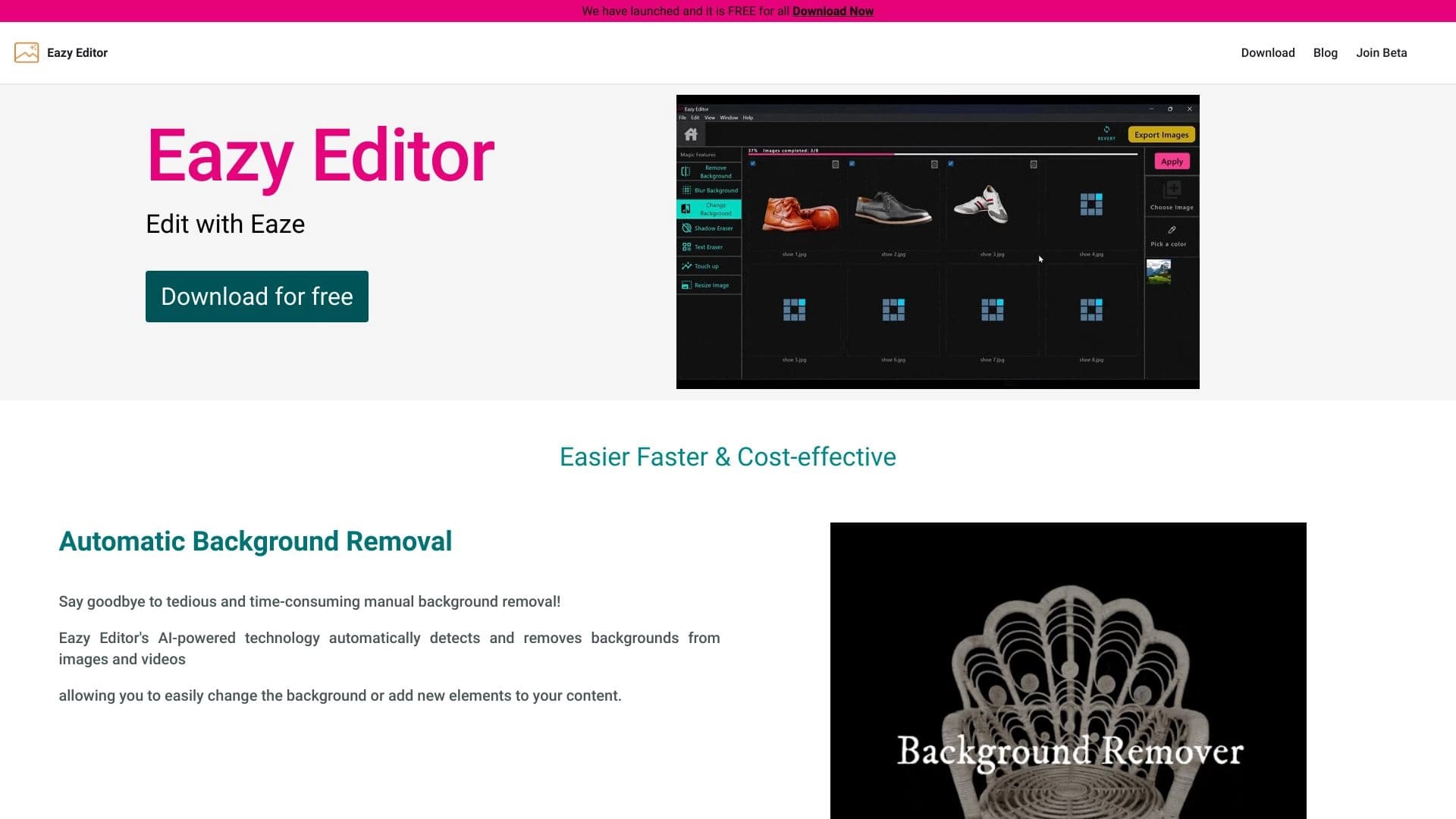
ইনটেটিভ ইন্টারফেসসহ সহজ এবং সহজ ছবি সম্পাদক।.


গভীরkfakes এবং ছবি সম্পাদনার জন্য অনলাইন AI টুল।.


একটি লেখা অথবা রেফারেন্সের উপর ভিত্তি করে ব্যানার তৈরি করার জন্য বান্সএই একটি AI চালিত পরিসেবা।.

AI ব্যবহার করে ছবি সম্পাদনার জন্য মোবাইল অ্যাপ্লিকেশন সম্পাদনা এবং তৈরি করা হচ্ছে।.

আপলোড করা সেলফিের উপর ভিত্তি করে জাপিরো ব্যবহার করে ব্যক্তিগত অবতার এবং ছবি তোলার সার্ভিস।.