
2Slash
توسيع نطاق الحشد الذي يحوّل أي حقول نصية على المواقع الشبكية إلى مساعد يعمل بطاقته.
لمحة عامة
2Slash AI Description
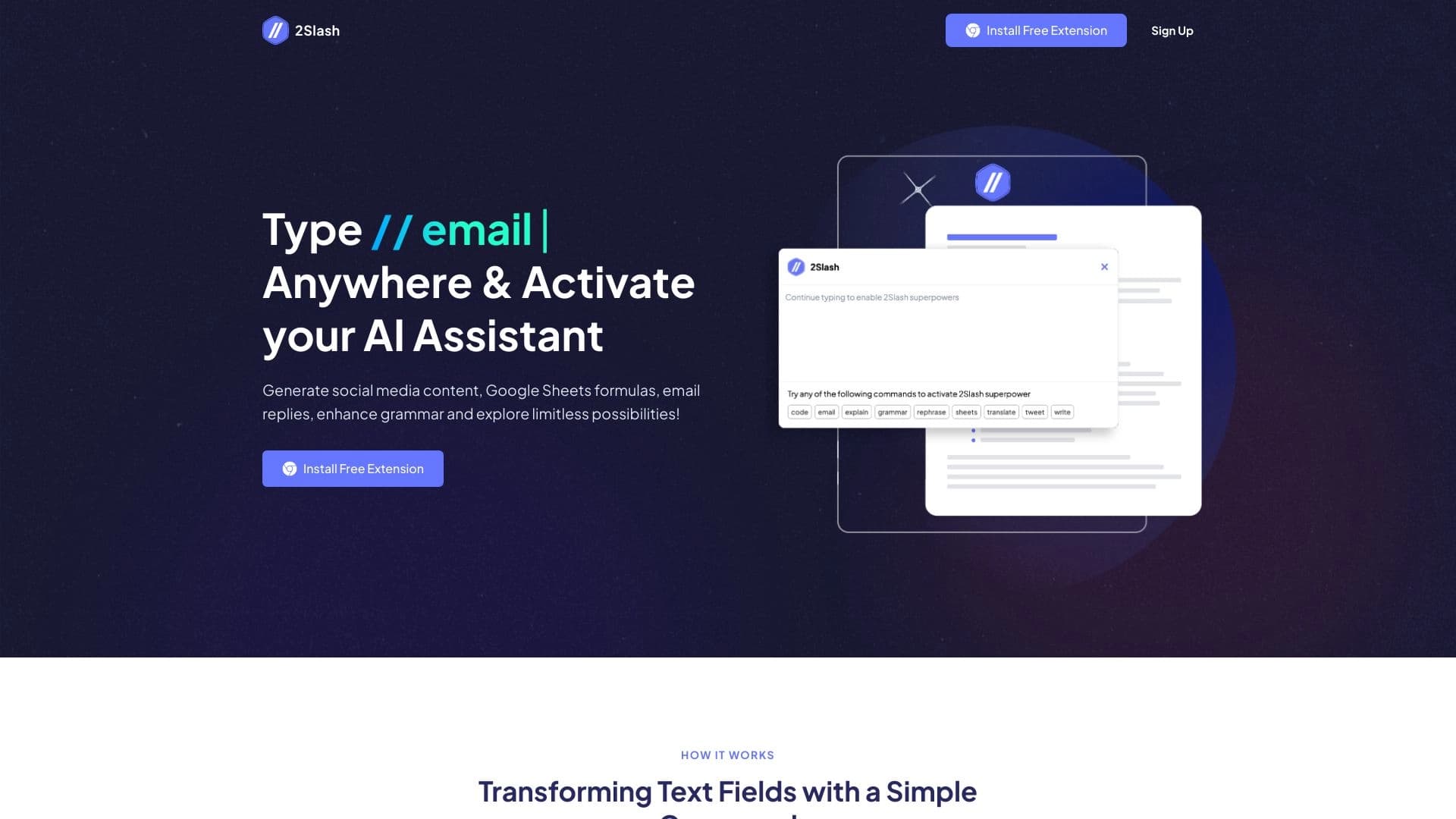
2Slash is a Chrome browser extension that turn any text field on a website into a full-fledged AI Assistant. بدلاً من التحول بين المقالات ونسخ النص إلى "تشات جي بي تي" يمكنك أن تتصل بالشبكة العصبية في النافذة حيث تكتب الطريقة التي يعمل بها يتم بناءها حول أوامر خاصة: أنت تطبع شريحة واسم العمل (على سبيل المثال، /translate أو /emailثم وصف بإيجاز مهمتك. بعد ثانية، النص جاهز.
وفي الجوهر، يحل البرنامجان المشكلة الرئيسية لكاتب النسخ الحديث: فقد الوقت في تغيير السياق. ليس هناك حاجة لصناعة العجلات المعقّدة، أو تحديد الأدوار، أو معايير التدوير. The extension uses a ready-made library of expert prompts already tuned for typical tasks. كل ما على المستخدم فعله هو اختيار القيادة الصحيحة وتقديم وصف موجز للنتائج المنشودة.
The extension works in several languages, supports different AI models (including GPT-4), and lets you configure your own commands for individual workflows. إنها مصممة لتسريع عمليات النص الروتيني وهي متاحة لأي شخص يكتب بانتظام رسائل البريد الإلكتروني أو الوظائف أو الأوصاف أو الرموز
2 Slash Features
كما يلي سمات التمديد الرئيسية التي تجمع من مصادر عامة
| الخصائص | القيمة |
|---|---|
| النوع | AI Assistant browser extension |
| منهاج العمل | الكروم (التوسع) |
| الفئة | أجهزة الاستطلاع، وكتابة النسخ، وأدوات كتابة البريد الإلكتروني، ومولدات محتوى النصوص، وأدوات إعادة التأهيل الآلي |
| اللغة المشتركة | الروسية (الصفحة متاحة بالروسية) |
| المطور | 2Slash |
| تاريخ النشر | 10 أيلول/سبتمبر 2025 |
| الزيارات الشهرية للموقع الشبكي | 88.7K |
| النماذج الداعمة للمبادرة | GPT-4, GPT-3.5, GPT-4 32K |
| خطة مجانية | غير محدد (المحاكمة المجانية متاحة) |
| الموقع الرسمي | 2slash.ai |
لمن هو 2Slash ل؟
المسوقون وكاتبو النسخ
For those who create content daily: social media posts, blog articles, ad copy, and newsletters. 2Slash lets you generate drafts in two reads without leaving the الموقع أو واجهة إدارة المخاطر المؤسسية بدلا من فتح خدمة منفصلة، استدعاء القيادة كنت بحاجة الحق في مجال المدخلات والحصول على النص المنظم.
المديرون ومنظمو المشاريع
ويقضي مؤسسو المشاريع، ومديرو المشاريع، وأفرقة المبيعات قدرا كبيرا من الوقت على المراسلات: الردود على العملاء، والبريد الإلكتروني إلى الشركاء، والجدول الزمني للاجتماعات. وهذا التمديد يساعد على أتمتة هذه العمليات - مجرد إلقاء موجز موجز لردكم، و 2Slash حولها إلى رسالة مهذبة وحسنة التنظيم في نبرة مهنية.
أي شخص يعمل مع النص
الطلاب والمحررون والمطورون والأخصائيون في مجال الموارد البشرية - أي شخص يصنف بانتظام في مصفف. وتعمل ملامح التصحيح والترجمة والاختبارات في أي مجال من مجالات النص، من حانة بحث إلى محرر مكتمل في بوابة مؤسسية.
كيف تستخدم 2Slash
مجموع التمديد
الخطوة الأولى هي تثبيت التمديد الثاني في كروم من متجر التمديد الرسمي. إنه إجراء معياري: إبحث عن التطبيق، إضغط "إنستل" وأؤكد الإذن وبعد التركيب، سيظهر جهاز الاتصال الإرشادي في حاجز الأدوات، وسيتاح المساعد في أي مجال للمدخلات.
استدعاء الأوامر مع "/ "
الطريقة الرئيسية للتفاعل هي بطباعة شقين // في أي ميدان للنص سترى قائمة بالأوامر المتاحة /email من أجل البريد الإلكتروني /write لتوليد النص /translate للترجمة /code لكتابة رمز، /tweet لوسائط الإعلام الاجتماعية وغيرها. اختر المهمة التي تحتاجها ووصفها بإيجاز والشبكة العصبية تتعامل معها في ثواني
العمل بدون دفعات معقدة
سمة رئيسية من 2Slash هو أنه ليس هناك حاجة إلى الهندسة السريعة. ليس عليك أن تشرح للنموذج ما هو عليه أو الدور الذي يجب أن يقوم به The library already contains expert-tuned requests for typical tasks. أنت فقط تحدد التفاصيل: موضوع البريد الإلكتروني، نبرة الصوت، الكلمات الرئيسية.
المهام الرئيسية 2
توليد المحتوى النصي
2 Slash can create emails, social media posts, articles, blog paragraphs, and product or service descriptions. إنه يعمل هكذا //writeوتصف الموضوع، وتضع الأسلوب، وتنتج الشبكة العصبية نصا جاهزا. هذا مفيد بشكل خاص عندما تحتاج إلى مسودة سريعة للتحرير لاحقاً
الترجمة التحريرية وتصويب الخطأ
ويدعم التمديد ترجمة النص من إحدى اللغات إلى لغة أخرى، فضلا عن تحديد أخطاء الغرام والأسلوب. ليس عليك أن تنسخ رسالة إلى "جوجل" أو "ورد" كل شيء يحدث في مجال المدخلات وهذا ملائم للمراسلات الدولية والعمل مع الوثائق باللغات الأجنبية.
Code and formulas in Google Sheets
2 Slash can generate code directly in text fields on websites and create complex formulas for Google Sheets. بدلاً من محاوله التذكر VLOOKUP أو QUERYوتصف المهمة بالكلمات ويدرج التمديد الصيغة الجاهزة.
الأوامر العرفية
يمكن للمستعملين أن يخلقوا أوامرهم الخاصة وأن يصمموا نمط ردود الشبكة العصبية In the settings, you can choose a preferred AI model (GPT-4, GPT-3.5, or GPT-4 32K) and set the response to different types of text. هذا يسمح لك بتكييف الأداة لسير عملك الخاص
2 - مزايا المواجهة
أنا دائماً في متناول اليد
وتتمثل الميزة الرئيسية في أي ميدان نصي. لا حاجة للتبديل بين الخدمات والنسخ والنص المساعد يظهر في المكان الذي تعمل فيه في البريد الإلكتروني، الرسول، إدارة المخاطر المؤسسية، أو صحيفة توزيع.
وفورات الوقت في المهام الروتينية
صانعي الأدوات يطالبون بوفورات في الوقت أكثر من 80 بالمئة على خلق المحتوى ويتحقق ذلك لأن مشاريع البريد الإلكتروني، والوظائف، والردود تولد فورا من الناجزات الجاهزة. كل ما يجب على المستعمل القيام به هو إجراء تعديلات طفيفة
لا منحنى للتعلم
استخدام 2Slash لا يتطلب معرفة الهندسة السريعة. The library of expert prompts solves this problem: you pick the right template and just specify the details. This makes the tool accessible to people without a technical background.
البيئات المرنة
القدرة على اختيار نموذج AI (من GPT-3.5 إلى GPT-4 32K)، تشكيل أوامر العرف، ووضع أساليب الاستجابة يجعل الأداة قابلة للتكيف مع احتياجات كل مستخدم على حدة.
2 Slash drawbacks
Limited to Chrome
في الوقت الراهن، يعمل 2Slash حصرا في الكروم. مُستخدمي (فايفوكس) أو (إدج) لا يستطيعون تثبيت التمديد، على الرغم من أن المُطورين يُعدون بإضافة دعم لهؤلاء المُتصفّحين في المستقبل. بالنسبة لشبكات الشركات التي لديها مجموعة محدودة من المروجين، قد يكون هذا عقبة خطيرة.
النتائج قد تكون غير دقيقة
مثل أيّ أداة آي آي، 2Slash لا يضمن النتيجة الكاملة على المحاولة الأولى. أحياناً النص أو الرمز المولد يحتاج إلى صقل وينطبق ذلك بصفة خاصة على المهام التقنية المعقدة التي تتطلب قدرا كبيرا من الدقة والفهم السياقي.
نموذج الدفع بعد فترة المحاكمة
وبعد انتهاء المحاكمة الحرة، يتم تقييد الوصول إلى معظم الملامح. وهناك حاجة إلى خطة مدفوعة الأجر للاستخدام الكامل. وقد يصعب تبرير تكلفة الاشتراك بالنسبة للمستعملين الذين يحتاجون فقط إلى وظائف أساسية.
ما المهمتان اللتان تحلهما؟
سرعة المراسلات الروتينية
2 Slash significantly cuts the time spent on responses to clients, scheduling meetings, and business emails. وبدلا من صياغة رد من الصفر، تعطي الشبكة العصبية نقاط رصاص موجزة - وهو يحولها إلى رسالة كاملة وكتابة جيدا.
توفير محتوى لوسائط الإعلام والمدونات الاجتماعية
وتساعد هذه الأداة على وضع نصوص فريدة للنشرات الإخبارية والمدونات والمقالات والشبكات الاجتماعية. This is especially relevant for SMM specialists and content creators who need to regularly produce posts for different platforms.
الترجمة التحريرية وتحرير النصوص
وتعالج الحاجة المتكررة إلى ترجمة النصوص أو إصلاح أخطاء الغرامات بأمر واحد. ما هو أكثر، الترجمة يتم في سياق الحقل الذي تعمل فيه ليس في حساب منفصل
2 Slash pricing
واستنادا إلى البيانات الواردة من المصادر العامة، يعمل البرنامج على نموذج للاشتراكات مع فترة تجريبية مجانية. وبعد انتهاء المشروع، يلزم وضع خطة مدفوعة الأجر لاستخدام معظم الملامح. Pricing:
- الخطة الشهرية -شهرياً
- الخطة السنوية - فواتير سنوية بسعر شهري مخفض.
- خطة الحياة - دفعة واحدة.
وتوفر جميع الخطط إمكانية الوصول إلى جميع السمات ودفعات الأقساط دون قيود. الخيار بين الاشتراك الشهري والدفع لمرة واحدة يتوقف على ما إذا كنت تخطط لاستخدام الأداة على أساس مستمر.
2 Slash terms of use
لاستعمال التمديد يجب ان تضعه في كروم فترة تجريبية مجانية متاحة، السماح لك بتقييم وظيفة الأداة قبل الدفع. بعد أن ينتهي، تختار واحدة من الخطط المدفوعة الأجر: شهري، سنوي، أو مدى الحياة.
التمديد لا يتطلب تجهيزاً معقداً التركيب والتنشيط الأولي يستغرق بضع دقائق فقط بعض السمات، مثل العمل مع GPT-4 32K، قد تتطلب اتصالا أسرع على الإنترنت، على الرغم من أن الصانع لا يكشف عن هذه المعلومات في المصادر العامة.
2 Slash availability
وفي الوقت الراهن، لا يتاح التمديد إلا للكروم. ويقول المطورون إنهم يخططون لإضافة الدعم من منظمة " فايفوكس " و " إدج " في المستقبل القريب، ولكن لم يُعلن عن أي جدول زمني محدد. الموقع الرسمي للمشروع هو 2Slash.ai، حيث يمكنك تحميل التمديد وقراءة وثائق كاملة.
لا يوجد تطبيق متنقل مكرس الأداة مصممة حصراً للاستخدام المكتبي من خلال منظف ويمكن أن يكون هذا تقييداً على الأشخاص الذين يعملون في المقام الأول على اللوحات أو الهواتف الذكية.
كيف يختلف التعارض عن البدائل
التكامل العالمي
الفرق الرئيسي من (تشات جي بي تي) والخدمات المشابهة هو أن 2Slash ليس دردشة منفصلة تدفق العمل الخاص بك لا يتغير: كنت الاستمرار في استخدام الأدوات كنت على دراية بها، ولكن جميع عمليات النص يتم التعامل معها من قبل AI. وهذا تفاعل مختلف اختلافاً جوهرياً عن نسخ النص إلى واجهة طرف ثالث.
لا حاجة للهندسة السريعة
وخلافاً للعديد من أدوات آي إي التي تعتمد فيها النتيجة على نوعية العجلة، يستخدم البرنامجان خبراء جاهزين من مكتبته. وهذا يقلل من الحاجز أمام الدخول ويحقق نتائج أكثر اتساقا بالنسبة للمهام النموذجية. بالنسبة للسيناريوهات غير المستقرة يمكنك وضع أوامرك الخاصة
تتناسب مع مهام المستخدم
2Slash ليست مجرد "الكتابة القديمة" مثل الشات جي تي. إنها أداة تتكيف مع السياق المحدد لعملك إنها تفهم أنك في صحف جوجل وتقترح صيغ بدلاً من قصة وهذا النهج يجعل التمديد أكثر فعالية للمهام الروتينية.
خاتمة
2 Slash is a practical solution for people who work extensively with text in a browser. قيمتها الرئيسية ليست في قدرات فريدة من نوعها ولكن في كيفية دمجها في تدفق العمل اليومي الخاص بك وعلى الرغم من نموذج التقادم والتوزيع المدفوع الأجر فقط، فإن هذه الأداة تعالج الحاجة الحقيقية إلى التعجيل بأعمال النص الروتيني. وبالنسبة لكاتبي النسخ والمتسوّقين والمديرين الذين يقضون جزءاً كبيراً من يومهم في الوصلات البينية للمصفوفين، يمكن أن يكون الإصطدام الثاني معونة ملحوظة، مما يزيل التحول المستمر بين الخدمات ويوفّر وقتاً طويلاً في مشروع العمل.
الأسئلة المتكررة
انظر أيضا


منصة لتأهيل تطوير البرمجيات باستخدام مبني بصري لعموم (آي آي).


مساعد شؤون الإعلام لإنشاء موجزات قصيرة للفيديو، ووثائق PDF، والصفحات الشبكية.

خدمة سحابية مجهزة بالشبكة العصبية لتوليد 3D نماذج وأجهزة نصية وصور متحركة.
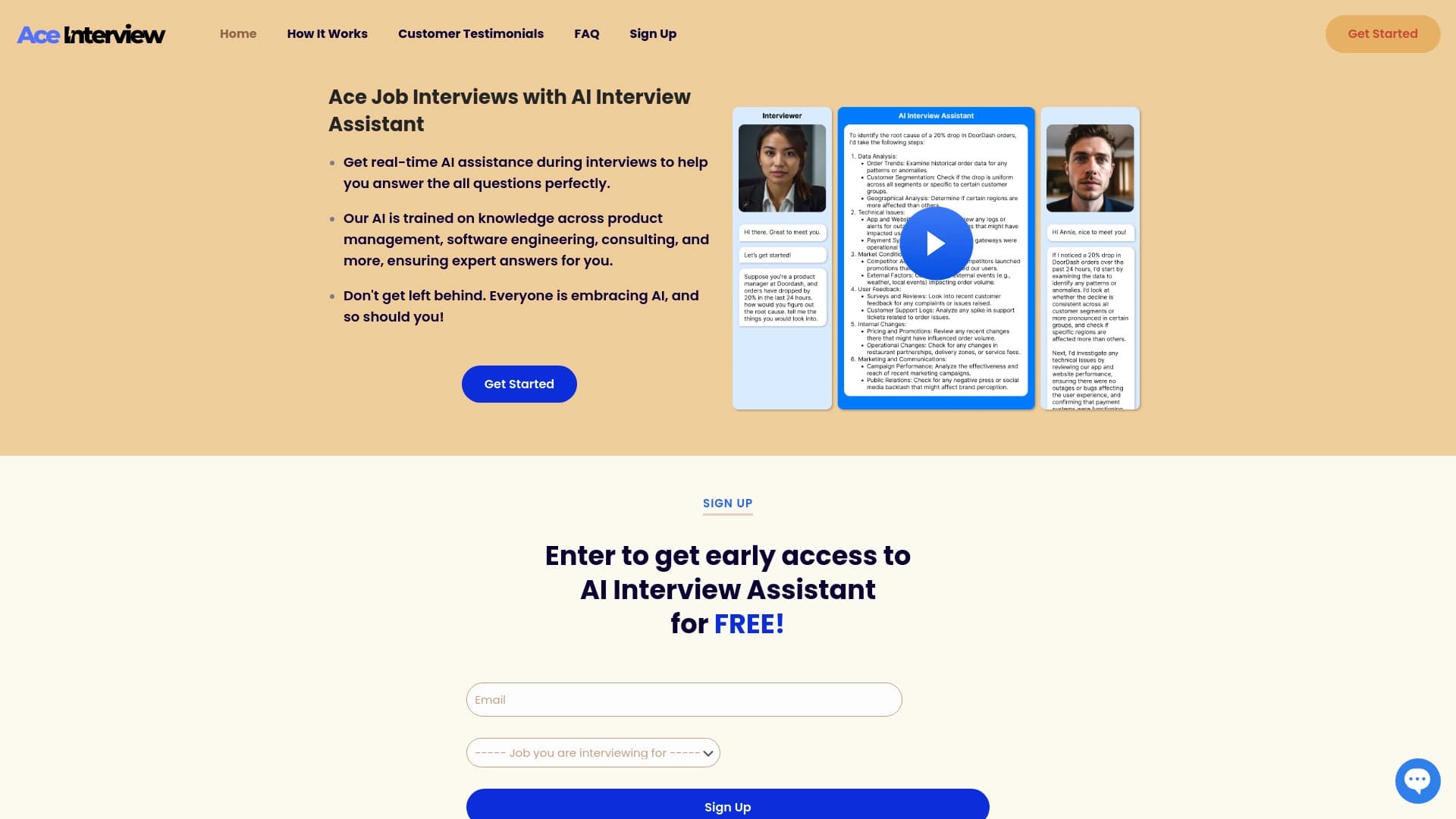

مساعد مساعد في التلميحات في الوقت الحقيقي خلال المقابلات الإلكترونية.
مساعدة ذكية من ميكروسوفت بنيت في محرك البحث في بنج وإدج بروزر.


AI-powered online platform for quickly creating text content, including blogs, articles, and social media posts.

A community platform for discovering, publishing, and sharing open AI image generation models.

خدمة إنتاج أشرطة فيديو عمودية قصيرة باستخدام شبكة عصبية عن طريق تطبيق نظام المعلومات المسبقة عن علم أو تطبيق متنقل.