

100 UI/UX Tips
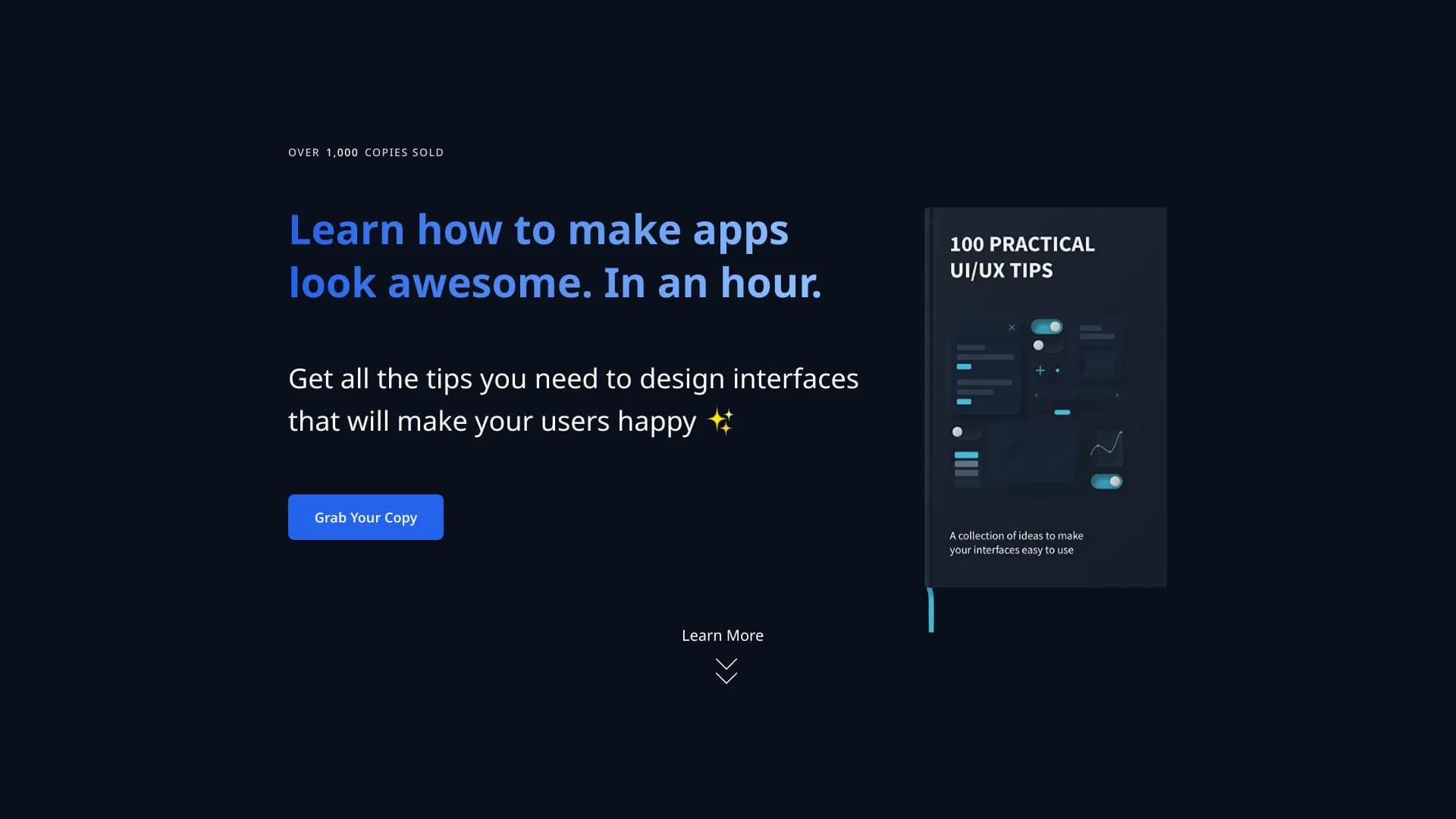
100 dicas práticas para melhorar interfaces de usuário em formato de e-book.
Visão geral
100 UI/UX Dicas Neural Network Descrição
100 UI/UX Dicas é um guia prático em formato de e-book que ajuda a melhorar o design de produtos digitais. Em vez de teoria abstrata, oferece recomendações concretas e prontas para aplicar. O material cobre elementos de interface chave: tipografia, formulários, botões e ícones, permitindo que você encontre e corrija rapidamente erros comuns em layouts. O principal objetivo da coleção é tornar a interação do usuário com um site ou aplicação mais simples e intuitiva.
Estrutura e Apresentação do Material
As dicas são organizadas como uma lista estruturada, eliminando a necessidade de estudar guias longos. Cada item é uma recomendação auto-suficiente que pode ser imediatamente testada na prática.
Foco Prático
O livro visa não estudar teoria, mas corrigir rapidamente falhas em projetos existentes. É uma espécie de checklist que ajuda você a polir a interface antes de um lançamento ou em prazos apertados.
Características das Dicas de 100 UI/UX
| Característica | Valor |
|---|---|
| Categoria | Diversos |
| Tipo | E-book / coleção de dicas |
| Desenvolvimento | Buninux |
| Visitas mensais | 47,4K |
| Língua da interface | Russo |
| Modelo de distribuição | Pago |
Para quem é a rede neural 100 UI/UX Tips?
O material é projetado para uma ampla gama de profissionais que trabalham com produtos digitais.
Desenvolvedores e Designers
A coleção será útil tanto para designers profissionais e desenvolvedores frontend que muitas vezes tomam suas próprias decisões sobre a aparência de elementos. As dicas vão ajudar a evitar erros típicos no layout e estilo.
Iniciantes em produtos digitais
Para aqueles apenas começando na criação de sites e aplicativos, o livro fornece orientação básica. Mesmo sem profundo conhecimento de design, você pode entender como melhorar a legibilidade do texto ou tornar um formulário de entrada mais fácil de usar. No entanto, um nível básico de preparação será necessário para entender completamente alguns dos truques.
Como usar a rede neural 100 UI/UX Dicas?
O processo de trabalho com a coleção é extremamente simples e não requer ferramentas especiais ou treinamento.
Encontrar Dicas Relevantes
Não precisas de ler o livro de capa a capa. Basta abrir o índice, encontrar as seções relacionadas à sua tarefa atual (por exemplo, "tipografia" ou "formulários"), e rever os itens relevantes.
Aplicação Instantânea em Disposição
Depois de escolher uma ponta adequada, aplique-a imediatamente ao seu projecto. Isto pode estar a ajustar o tamanho da fonte, a substituir ícones ou a mudar o preenchimento de botões. Esta abordagem permite-lhe melhorar rapidamente a qualidade visual do seu layout sem longas deliberações.
Principais características de 100 UI / UX Dicas
A funcionalidade do livro é inteiramente determinada pelo seu conteúdo.
Coleta abrangente de recomendações
Inclui 100 dicas estruturadas cobrindo quase todos os aspectos do design UI/UX: desde seleção de fontes até trabalhar com formulários, ícones e botões.
Limpar navegação de tópicos
Todo o material é organizado em blocos temáticos. Isso permite que você encontre rapidamente informações sobre um problema específico sem gastar tempo analisando todo o conteúdo.
Versatilidade da Aplicação
As recomendações são universais e adequadas para a maioria dos tipos de interfaces – sites e aplicativos móveis.
Vantagens de 100 UI/UX Dicas
Os principais pontos fortes da coleta estão relacionados à economia de tempo e à melhoria da qualidade do trabalho.
Melhoria rápida da interface
Ao aplicar as dicas do livro, você pode visivelmente melhorar a qualidade visual e usabilidade de seus projetos em pouco tempo.
Poupança de tempo na pesquisa de informações
Você não terá que pesquisar dezenas de artigos e fóruns à procura da solução certa. Todas as principais recomendações já estão reunidas em um só lugar.
Cobertura de Tópicos Ampla
O livro abrange uma ampla gama de tarefas — desde micro-detalhes (fontes, ícones) até percepção visual geral e composição.
Lista de Verificação Eficaz para Revisão
A coleção é conveniente para verificações finais de layout antes da entrega ou publicação.
Desvantagens de 100 UI/UX Dicas
Como qualquer ferramenta universal, a coleção tem suas limitações.
Aplicabilidade Limitada a Projetos Niche
Nem todas as dicas podem se adequar a produtos altamente especializados (por exemplo, análise B2B complexa ou software médico) com lógica de interface não padrão.
Falta de abordagem individual
Dicas universais não explicam as especificidades de um determinado produto, seu público ou objetivos de negócios. Às vezes uma solução que funciona para a maioria pode não funcionar para o seu caso.
Dificuldade para Iniciantes Completos
Alguns termos e técnicas profissionais podem não ser claros para as pessoas sem treinamento de design básico, exigindo estudo adicional.
Que tarefas 100 UI/UX Dicas resolvem?
O livro serve como assistente prático para resolver tarefas aplicadas.
Auditoria e correção de erros de disposição
O material ajuda a realizar uma auto-revisão do seu design e encontrar erros típicos na tipografia, ícones, formas e botões.
Melhoramento da usabilidade e da visualização
As pontas visam melhorar a usabilidade do produto. Tipografia adequada e colocação de elementos lógicos tornam a interface mais amigável.
Trabalho a prazo
Quando não há tempo para longas deliberações, a coleção permite que você rapidamente "tidy up" o layout e trazê-lo a um estado aceitável.
Encontrar soluções de design pronto-feito
O livro fornece ideias e opções prontas para botões de estilo, campos de entrada e outros elementos que podem ser usados como ponto de partida.
100 UI/UX Dicas Preços
O custo de acesso aos materiais depende do plano escolhido. Estão disponíveis as seguintes opções:
| Plano | Preço | Designação das mercadorias |
|---|---|---|
| Basic | Livre | Acesso às dicas principais |
| Padrão | $39 | Recursos avançados de análise |
| Prémio | $55 | Acesso total a todos os materiais e atualizações |
| Compra independente "100 UI / UX Dicas" | $19 | Coleta principal de dicas |
| Compra independente "100 Dicas + pacote completo ReForm" | $29 | Coleta principal + pacote completo de ferramentas ReForm |
Termos de uso para 100 UI/UX Dicas
O livro é distribuído sob um modelo de acesso pago. Isso significa que para obter acesso total aos materiais, você precisa comprar um dos planos pagos. O plano gratuito oferece apenas uma parte básica das dicas. Atualizações e funcionalidade estendida requerem uma assinatura "Padrão" ou "Premium". Os termos de licenciamento exatos e as restrições ao uso do material não são detalhados no site oficial.
Disponibilidade de 100 UI/UX Dicas
O site do produto 100 UI/UX Dicas está localizado em buninux.lemonsqueezy.com. A interface da página é inteiramente em russo. Para começar a trabalhar com o livro, basta seguir o link e escolher um plano adequado.
Como 100 UI / UX Dicas Difere de alternativas
Existem muitas ferramentas no mercado para melhorar a UI/UX, mas este produto se destaca. Ao contrário de redes neurais generativas para criação de layouts (como Blumo IA ou BLUUBRIDGE) ou extensões de navegador especializadas (por exemplo, Extensão de Privacidade de Chat), 100 UI/UX Tips é uma coleção estática de conhecimento especializado, não uma ferramenta automatizada.
Foque no conhecimento, não na geração
O produto não cria design para você; ele transmite conhecimento e fornece uma lista de verificação para auto-aperfeiçoamento. Isso o torna mais um recurso educacional e guia de referência do que software de automação.
Simplicidade e Sem Fluff
Ao contrário de extensos cursos teóricos, este é um conjunto concentrado de dicas práticas que podem ser usadas como uma folha de fraude. Esta é uma diferença chave de serviços como o Blurleasy ou Bberry Copilot, que resolvem outras tarefas.
Versatilidade
Embora as alternativas sejam muitas vezes adaptadas a um nicho específico (por exemplo, análise de interface em Bottom Line Up Front), esta coleção reivindica universalidade para todos os tipos de projetos.
Conclusão
100 UI/UX Dicas é uma coleção útil e prática para aqueles que querem melhorar rapidamente a qualidade de suas interfaces. Ele não substitui profundo conhecimento de design, mas serve como uma excelente ajuda e checklist para identificar e corrigir erros típicos. A principal vantagem é a economia de tempo e a estruturação clara da informação. No entanto, você deve considerar a universalidade das dicas e o modelo de acesso pago para toda a funcionalidade. O livro será uma grande adição ao fluxo de trabalho de desenvolvedores e designers que procuram soluções rápidas e claras.
Tarifas
Perguntas mais frequentes
Consulte também


Editor online para remover objetos indesejados, textos e defeitos de fotos usando rede neural.

AllChat é uma plataforma versátil que reúne vários modelos de linguagem populares em uma única interface para conversas, geração de imagens, análise de arquivos e execução de código.


Conjunto de ferramentas de geração e edição de vídeo com IA, incluindo avatares, sincronização labial e clonagem de voz.
Serviço web para transformar textos criados por redes neurais em uma aparência mais natural e humana.


Extensão para Chrome que ajuda a gerenciar abas, histórico e favoritos com um assistente de IA.


Bleepify encontra e silencia automaticamente palavrões em vídeos e áudios.

Plataforma de IA multifuncional para criação de conteúdo, combinando síntese de fala, geração de texto, criação de avatar e edição de vídeo.

Serviço para criação de apresentações que utiliza vários agentes de IA para coleta de informações, design e análise de dados.